

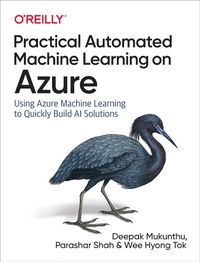
Practical Automated Machine Learning on Azure
Using Azure Machine Learning to Quickly Build AI Solutions
Published on 23. September 2019
198 pages
978-1-4920-5556-3 (ISBN)
Description

Develop smart applications without spending days and weeks building machine-learning models. With this practical book, you'll learn how to apply automated machine learning (AutoML), a process that uses machine learning to help people build machine learning models. Deepak Mukunthu, Parashar Shah, and Wee Hyong Tok provide a mix of technical depth, hands-on examples, and case studies that show how customers are solving real-world problems with this technology.
Building machine-learning models is an iterative and time-consuming process. Even those who know how to create ML models may be limited in how much they can explore. Once you complete this book, you'll understand how to apply AutoML to your data right away.
- Learn how companies in different industries are benefiting from AutoML
- Get started with AutoML using Azure
- Explore aspects such as algorithm selection, auto featurization, and hyperparameter tuning
- Understand how data analysts, BI professions, developers can use AutoML in their familiar tools and experiences
- Learn how to get started using AutoML for use cases including classification, regression, and forecasting.
More details
Other editions
Additional editions
Deepak Mukunthu | Parashar Shah | Wee Hyong Tok
Practical Automated Machine Learning on Azure
Using Azure Machine Learning to Quickly Build AI Solutions
Book
09/2019
O'Reilly
€56.00
Shipment within 15-20 days
Content
- Intro
- Copyright
- Table of Contents
- Foreword
- Preface
- Conventions Used in This Book
- Using Code Examples
- O'Reilly Online Learning
- How to Contact Us
- Acknowledgments
- Part I. Automated Machine Learning
- Chapter 1. Machine Learning: Overview and Best Practices
- Machine Learning: A Quick Refresher
- Model Parameters
- Hyperparameters
- Best Practices for Machine Learning Projects
- Understand the Decision Process
- Establish Performance Metrics
- Focus on Transparency to Gain Trust
- Embrace Experimentation
- Don't Operate in a Silo
- An Iterative and Time-Consuming Process
- Feature Engineering
- Algorithm Selection
- Hyperparameter Tuning
- The End-to-End Process
- Growing Demand
- Conclusion
- Chapter 2. How Automated Machine Learning Works
- What Is Automated Machine Learning?
- Understanding Data
- Detecting Tasks
- Choosing Evaluation Metrics
- Feature Engineering
- Selecting a Model
- Monitoring and Retraining
- Bringing It All Together
- Automated ML
- How Automated ML Works
- Preserving Privacy
- Enabling Transparency
- Guardrails
- End-to-End Model Life-Cycle Management
- Conclusion
- Part II. Automated ML on Azure
- Chapter 3. Getting Started with Microsoft Azure Machine Learning and Automated ML
- The Machine Learning Process
- Collaboration and Monitoring
- Deployment
- Setting Up an Azure Machine Learning Workspace for Automated ML
- Azure Notebooks
- Notebook VM
- Conclusion
- Chapter 4. Feature Engineering and Automated Machine Learning
- Data Preprocessing Methods Available in Automated ML
- Auto-Featurization for Automated ML
- Auto-Featurization for Classification and Regression
- Auto-Featurization for Time-Series Forecasting
- Conclusion
- Chapter 5. Deploying Automated Machine Learning Models
- Deploying Models
- Registering the Model
- Creating the Container Image
- Deploying the Model for Testing
- Testing a Deployed Model
- Deploying to AKS
- Swagger Documentation for the Web Service
- Debugging a Deployment
- Web Service Deployment Fails
- Conclusion
- Chapter 6. Classification and Regression
- What Is Classification and Regression?
- Classification and Regression Algorithms
- Using Automated ML for Classification and Regression
- Conclusion
- Part III. How Enterprises Are Using Automated Machine Learning
- Chapter 7. Model Interpretability and Transparency with Automated ML
- Model Interpretability
- Model Interpretability with Azure Machine Learning
- Model Transparency
- Understanding the Automated ML Model Pipelines
- Guardrails
- Conclusion
- Chapter 8. Automated ML for Developers
- Azure Databricks and Apache Spark
- ML.NET
- SQL Server
- Conclusion
- Chapter 9. Automated ML for Everyone
- Azure Portal UI
- Power BI
- Preparing the Data
- Automated ML Training
- Understanding the Best Model
- Understanding the Automated ML Training Process
- Model Deployment and Inferencing
- Enabling Collaboration
- Azure Machine Learning to Power BI
- Power BI Automated ML to Azure Machine Learning
- Conclusion
- Index
- About the Authors
- Colophon
