

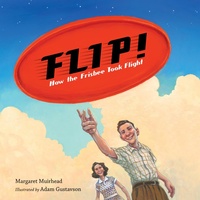
Flip! How the Frisbee Took Flight
Published on 27. April 2021
32 pages
978-1-63289-736-7 (ISBN)
Description

This charming picture book biography about the inventor of the Frisbee follows the twists and turns of innovation and highlights the persistence it takes to succeed.
Fred Morrison is credited with inventing this classic toy, but for centuries folks have been flipping for flying discs. Ancient Greeks flicked discs, and beginning in the 1920s, college kids at Yale University were tossing pie tins.
Fred's invention quest began in 1932 after tossing a tin popcorn lid around the backyard. For more than twenty years, Fred and his wife, Lu, tried and failed to perfect a flying-disc concept. Eventually they created what we know today as the Frisbee.
Fun and fact-filled, this Frisbee origin story is sure to delight sports and STEM fans alike.
Fred Morrison is credited with inventing this classic toy, but for centuries folks have been flipping for flying discs. Ancient Greeks flicked discs, and beginning in the 1920s, college kids at Yale University were tossing pie tins.
Fred's invention quest began in 1932 after tossing a tin popcorn lid around the backyard. For more than twenty years, Fred and his wife, Lu, tried and failed to perfect a flying-disc concept. Eventually they created what we know today as the Frisbee.
Fun and fact-filled, this Frisbee origin story is sure to delight sports and STEM fans alike.
More details
Other editions
Additional editions

Margaret Muirhead | Adam Gustavson
Flip! How the Frisbee Took Flight
Book
approx. 04/2026
Charlesbridge Publishing,U.S.
€10.50
Not yet published

Margaret Muirhead | Adam Gustavson
Flip! How the Frisbee Took Flight
Book
04/2021
Charlesbridge Publishing,U.S.
€17.50
Shipment within 3-4 weeks
Persons
Margaret Muirhead is the author of Mabel, One and Only. Her essays and poetry have appeared in a number of publications, including Boston Globe Magazine, Family Fun Magazine, This Picture Book Life, and many others.
Adam Gustavson received his bachelor's degree in illustration from Rowan University and his master's from the School of Visual Arts in New York. He has illustrated several picture books, including the award-winning Good Luck, Mrs. K!; Long-Armed Ludy and the First Women's Olympics; and Dirty Rats. www.adamgustavson.com
Adam Gustavson received his bachelor's degree in illustration from Rowan University and his master's from the School of Visual Arts in New York. He has illustrated several picture books, including the award-winning Good Luck, Mrs. K!; Long-Armed Ludy and the First Women's Olympics; and Dirty Rats. www.adamgustavson.com
