

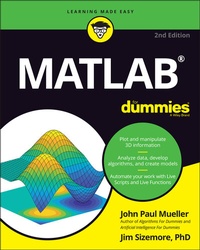
MATLAB For Dummies
2nd Edition
Published on 27. May 2021
496 pages
978-1-119-79689-3 (ISBN)
Description

Go from total MATLAB newbie to plotting graphs and solving equations in a flash!
MATLAB is one of the most powerful and commonly used tools in the STEM field. But did you know it doesn't take an advanced degree or a ton of computer experience to learn it? MATLAB For Dummies is the roadmap you've been looking for to simplify and explain this feature-filled tool.
This handy reference walks you through every step of the way as you learn the MATLAB language and environment inside-and-out. Starting with straightforward basics before moving on to more advanced material like Live Functions and Live Scripts, this easy-to-read guide shows you how to make your way around MATLAB with screenshots and newly updated procedures. It includes:
* A comprehensive introduction to installing MATLAB, using its interface, and creating and saving your first file
* Fully updated to include the 2020 and 2021 updates to MATLAB, with all-new screenshots and up-to-date procedures
* Enhanced debugging procedures and use of the Symbolic Math Toolbox
* Brand new instruction on working with Live Scripts and Live Functions, designing classes, creating apps, and building projects
* Intuitive walkthroughs for MATLAB's advanced features, including importing and exporting data and publishing your work
Perfect for STEM students and new professionals ready to master one of the most powerful tools in the fields of engineering, mathematics, and computing, MATLAB For Dummies is the simplest way to go from complete newbie to power user faster than you would have thought possible.
MATLAB is one of the most powerful and commonly used tools in the STEM field. But did you know it doesn't take an advanced degree or a ton of computer experience to learn it? MATLAB For Dummies is the roadmap you've been looking for to simplify and explain this feature-filled tool.
This handy reference walks you through every step of the way as you learn the MATLAB language and environment inside-and-out. Starting with straightforward basics before moving on to more advanced material like Live Functions and Live Scripts, this easy-to-read guide shows you how to make your way around MATLAB with screenshots and newly updated procedures. It includes:
* A comprehensive introduction to installing MATLAB, using its interface, and creating and saving your first file
* Fully updated to include the 2020 and 2021 updates to MATLAB, with all-new screenshots and up-to-date procedures
* Enhanced debugging procedures and use of the Symbolic Math Toolbox
* Brand new instruction on working with Live Scripts and Live Functions, designing classes, creating apps, and building projects
* Intuitive walkthroughs for MATLAB's advanced features, including importing and exporting data and publishing your work
Perfect for STEM students and new professionals ready to master one of the most powerful tools in the fields of engineering, mathematics, and computing, MATLAB For Dummies is the simplest way to go from complete newbie to power user faster than you would have thought possible.
More details
Other editions
Additional editions
Persons
John Paul Mueller is an author and technical editor with experience in application development, database management, machine learning, and deep learning. He has written hundreds of books and articles helping everyday people learn everything from networking to database management.
Content
Introduction 1
Part 1: Getting Started With MATLAB 7
Chapter 1: Introducing MATLAB and Its Many Uses 9
Chapter 2: Starting Your Copy of MATLAB 21
Chapter 3: Interacting with MATLAB 41
Chapter 4: Starting, Storing, and Saving MATLAB Files 61
Part 2: Manipulating and Plotting Data in MATLAB 81
Chapter 5: Embracing Vectors, Matrices, and Higher Dimensions 83
Chapter 6: Understanding Plotting Basics 121
Chapter 7: Using Advanced Plotting Features 139
Part 3: Streamlining MATLAB 163
Chapter 8: Automating Your Work 165
Chapter 9: Expanding MATLAB's Power with Functions 185
Chapter 10: Adding Structure to Your Scripts 207
Chapter 11: Working with Live Scripts 229
Chapter 12: Working with Live Functions 245
Chapter 13: Designing and Using Classes 263
Chapter 14: Creating MATLAB Apps 281
Chapter 15: Building Projects 301
Part 4: Employing Advanced MATLAB Techniques 315
Chapter 16: Importing and Exporting Data 317
Chapter 17: Printing and Publishing Your Work 335
Chapter 18: Recovering from Mistakes 357
Part 5: Specific MATLAB Applications 379
Chapter 19: Solving Equations and Finding Roots 381
Chapter 20: Performing Analysis 405
Part 6: The Part of Tens 419
Chapter 21: The Top Ten Uses of MATLAB 421
Chapter 22: Ten Ways to Make a Living Using MATLAB 429
Appendix A: MATLAB Functions 437
Appendix B: MATLAB's Plotting Routines 447
Index 453
Part 1: Getting Started With MATLAB 7
Chapter 1: Introducing MATLAB and Its Many Uses 9
Chapter 2: Starting Your Copy of MATLAB 21
Chapter 3: Interacting with MATLAB 41
Chapter 4: Starting, Storing, and Saving MATLAB Files 61
Part 2: Manipulating and Plotting Data in MATLAB 81
Chapter 5: Embracing Vectors, Matrices, and Higher Dimensions 83
Chapter 6: Understanding Plotting Basics 121
Chapter 7: Using Advanced Plotting Features 139
Part 3: Streamlining MATLAB 163
Chapter 8: Automating Your Work 165
Chapter 9: Expanding MATLAB's Power with Functions 185
Chapter 10: Adding Structure to Your Scripts 207
Chapter 11: Working with Live Scripts 229
Chapter 12: Working with Live Functions 245
Chapter 13: Designing and Using Classes 263
Chapter 14: Creating MATLAB Apps 281
Chapter 15: Building Projects 301
Part 4: Employing Advanced MATLAB Techniques 315
Chapter 16: Importing and Exporting Data 317
Chapter 17: Printing and Publishing Your Work 335
Chapter 18: Recovering from Mistakes 357
Part 5: Specific MATLAB Applications 379
Chapter 19: Solving Equations and Finding Roots 381
Chapter 20: Performing Analysis 405
Part 6: The Part of Tens 419
Chapter 21: The Top Ten Uses of MATLAB 421
Chapter 22: Ten Ways to Make a Living Using MATLAB 429
Appendix A: MATLAB Functions 437
Appendix B: MATLAB's Plotting Routines 447
Index 453
