

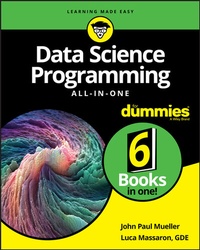
Data Science Programming All-in-One For Dummies
1st Edition
Published on 4. December 2019
768 pages
978-1-119-62613-8 (ISBN)
Description

Your logical, linear guide to the fundamentals of data science programming
Data science is exploding--in a good way--with a forecast of 1.7 megabytes of new information created every second for each human being on the planet by 2020 and 11.5 million job openings by 2026. It clearly pays dividends to be in the know. This friendly guide charts a path through the fundamentals of data science and then delves into the actual work: linear regression, logical regression, machine learning, neural networks, recommender engines, and cross-validation of models.
Data Science Programming All-In-One For Dummies is a compilation of the key data science, machine learning, and deep learning programming languages: Python and R. It helps you decide which programming languages are best for specific data science needs. It also gives you the guidelines to build your own projects to solve problems in real time.
* Get grounded: the ideal start for new data professionals
* What lies ahead: learn about specific areas that data is transforming
* Be meaningful: find out how to tell your data story
* See clearly: pick up the art of visualization
Whether you're a beginning student or already mid-career, get your copy now and add even more meaning to your life--and everyone else's!
Data science is exploding--in a good way--with a forecast of 1.7 megabytes of new information created every second for each human being on the planet by 2020 and 11.5 million job openings by 2026. It clearly pays dividends to be in the know. This friendly guide charts a path through the fundamentals of data science and then delves into the actual work: linear regression, logical regression, machine learning, neural networks, recommender engines, and cross-validation of models.
Data Science Programming All-In-One For Dummies is a compilation of the key data science, machine learning, and deep learning programming languages: Python and R. It helps you decide which programming languages are best for specific data science needs. It also gives you the guidelines to build your own projects to solve problems in real time.
* Get grounded: the ideal start for new data professionals
* What lies ahead: learn about specific areas that data is transforming
* Be meaningful: find out how to tell your data story
* See clearly: pick up the art of visualization
Whether you're a beginning student or already mid-career, get your copy now and add even more meaning to your life--and everyone else's!
More details
Other editions
Additional editions
John Paul Mueller | Luca Massaron
Data Science Programming All-In-One for Dummies
Book
12/2019
1st Edition
Wiley
€41.50
Shipment within 15-20 days
Persons
John Mueller has produced 114 books and more than 600 articles on topics ranging from functional programming techniques to working with Amazon Web Services (AWS). Luca Massaron, a Google Developer Expert (GDE),??interprets big data and transforms it into smart data through simple and effective data mining and machine learning techniques.
Content
1 - Title Page [Seite 3]
2 - Copyright Page [Seite 4]
3 - Table of Contents [Seite 7]
4 - Introduction [Seite 21]
4.1 - About This Book [Seite 21]
4.2 - Foolish Assumptions [Seite 23]
4.3 - Icons Used in This Book [Seite 24]
4.4 - Beyond the Book [Seite 24]
4.5 - Where to Go from Here [Seite 25]
5 - Book 1 Defining Data Science [Seite 27]
5.1 - Chapter 1 Considering the History and Uses of Data Science [Seite 29]
5.1.1 - Considering the Elements of Data Science [Seite 30]
5.1.1.1 - Considering the emergence of data science [Seite 30]
5.1.1.2 - Outlining the core competencies of a data scientist [Seite 31]
5.1.1.3 - Linking data science, big data, and AI [Seite 32]
5.1.1.4 - Understanding the role of programming [Seite 32]
5.1.2 - Defining the Role of Data in the World [Seite 33]
5.1.2.1 - Enticing people to buy products [Seite 33]
5.1.2.2 - Keeping people safer [Seite 34]
5.1.2.3 - Creating new technologies [Seite 35]
5.1.2.4 - Performing analysis for research [Seite 36]
5.1.2.5 - Providing art and entertainment [Seite 37]
5.1.2.6 - Making life more interesting in other ways [Seite 38]
5.1.3 - Creating the Data Science Pipeline [Seite 38]
5.1.3.1 - Preparing the data [Seite 38]
5.1.3.2 - Performing exploratory data analysis [Seite 38]
5.1.3.3 - Learning from data [Seite 39]
5.1.3.4 - Visualizing [Seite 39]
5.1.3.5 - Obtaining insights and data products [Seite 39]
5.1.4 - Comparing Different Languages Used for Data Science [Seite 40]
5.1.4.1 - Obtaining an overview of data science languages [Seite 40]
5.1.4.2 - Defining the pros and cons of using Python [Seite 42]
5.1.4.3 - Defining the pros and cons of using R [Seite 43]
5.1.5 - Learning to Perform Data Science Tasks Fast [Seite 45]
5.1.5.1 - Loading data [Seite 46]
5.1.5.2 - Training a model [Seite 46]
5.1.5.3 - Viewing a result [Seite 46]
5.2 - Chapter 2 Placing Data Science within the Realm of AI [Seite 49]
5.2.1 - Seeing the Data to Data Science Relationship [Seite 50]
5.2.1.1 - Considering the data architecture [Seite 50]
5.2.1.2 - Acquiring data from various sources [Seite 51]
5.2.1.3 - Performing data analysis [Seite 52]
5.2.1.4 - Archiving the data [Seite 53]
5.2.2 - Defining the Levels of AI [Seite 53]
5.2.2.1 - Beginning with AI [Seite 54]
5.2.2.2 - Advancing to machine learning [Seite 59]
5.2.2.3 - Getting detailed with deep learning [Seite 63]
5.2.3 - Creating a Pipeline from Data to AI [Seite 67]
5.2.3.1 - Considering the desired output [Seite 67]
5.2.3.2 - Defining a data architecture [Seite 67]
5.2.3.3 - Combining various data sources [Seite 67]
5.2.3.4 - Checking for errors and fixing them [Seite 68]
5.2.3.5 - Performing the analysis [Seite 68]
5.2.3.6 - Validating the result [Seite 69]
5.2.3.7 - Enhancing application performance [Seite 69]
5.3 - Chapter 3 Creating a Data Science Lab of Your Own [Seite 71]
5.3.1 - Considering the Analysis Platform Options [Seite 72]
5.3.1.1 - Using a desktop system [Seite 73]
5.3.1.2 - Working with an online IDE [Seite 73]
5.3.1.3 - Considering the need for a GPU [Seite 74]
5.3.2 - Choosing a Development Language [Seite 76]
5.3.3 - Obtaining and Using Python [Seite 78]
5.3.3.1 - Working with Python in this book [Seite 78]
5.3.3.2 - Obtaining and installing Anaconda for Python [Seite 79]
5.3.3.3 - Defining a Python code repository [Seite 84]
5.3.3.4 - Working with Python using Google Colaboratory [Seite 89]
5.3.3.5 - Defining the limits of using Azure Notebooks with Python and R [Seite 91]
5.3.4 - Obtaining and Using R [Seite 92]
5.3.4.1 - Obtaining and installing Anaconda for R [Seite 92]
5.3.4.2 - Starting the R environment [Seite 93]
5.3.4.3 - Defining an R code repository [Seite 95]
5.3.5 - Presenting Frameworks [Seite 96]
5.3.5.1 - Defining the differences [Seite 96]
5.3.5.2 - Explaining the popularity of frameworks [Seite 97]
5.3.5.3 - Choosing a particular library [Seite 99]
5.3.6 - Accessing the Downloadable Code [Seite 100]
5.4 - Chapter 4 Considering Additional Packages and Libraries You Might Want [Seite 101]
5.4.1 - Considering the Uses for Third-Party Code [Seite 102]
5.4.2 - Obtaining Useful Python Packages [Seite 103]
5.4.2.1 - Accessing scientific tools using SciPy [Seite 104]
5.4.2.2 - Performing fundamental scientific computing using NumPy [Seite 105]
5.4.2.3 - Performing data analysis using pandas [Seite 105]
5.4.2.4 - Implementing machine learning using Scikit-learn [Seite 106]
5.4.2.5 - Going for deep learning with Keras and TensorFlow [Seite 106]
5.4.2.6 - Plotting the data using matplotlib [Seite 107]
5.4.2.7 - Creating graphs with NetworkX [Seite 108]
5.4.2.8 - Parsing HTML documents using Beautiful Soup [Seite 108]
5.4.3 - Locating Useful R Libraries [Seite 109]
5.4.3.1 - Using your Python code in R with reticulate [Seite 109]
5.4.3.2 - Conducting advanced training using caret [Seite 110]
5.4.3.3 - Performing machine learning tasks using mlr [Seite 110]
5.4.3.4 - Visualizing data using ggplot2 [Seite 111]
5.4.3.5 - Enhancing ggplot2 using esquisse [Seite 111]
5.4.3.6 - Creating graphs with igraph [Seite 111]
5.4.3.7 - Parsing HTML documents using rvest [Seite 112]
5.4.3.8 - Wrangling dates using lubridate [Seite 112]
5.4.3.9 - Making big data simpler using dplyr and purrr [Seite 113]
5.5 - Chapter 5 Leveraging a Deep Learning Framework [Seite 115]
5.5.1 - Understanding Deep Learning Framework Usage [Seite 116]
5.5.2 - Working with Low-End Frameworks [Seite 117]
5.5.2.1 - Chainer [Seite 117]
5.5.2.2 - PyTorch [Seite 118]
5.5.2.3 - MXNet [Seite 118]
5.5.2.4 - Microsoft Cognitive Toolkit/CNTK [Seite 119]
5.5.3 - Understanding TensorFlow [Seite 120]
5.5.3.1 - Grasping why TensorFlow is so good [Seite 121]
5.5.3.2 - Making TensorFlow easier by using TFLearn [Seite 122]
5.5.3.3 - Using Keras as the best simplifier [Seite 122]
5.5.3.4 - Getting your copy of TensorFlow and Keras [Seite 123]
5.5.3.5 - Fixing the C++ build tools error in Windows [Seite 126]
5.5.3.6 - Accessing your new environment in Notebook [Seite 128]
6 - Book 2 Interacting with Data Storage [Seite 129]
6.1 - Chapter 1 Manipulating Raw Data [Seite 131]
6.1.1 - Defining the Data Sources [Seite 132]
6.1.1.1 - Obtaining data locally [Seite 132]
6.1.1.2 - Using online data sources [Seite 137]
6.1.1.3 - Employing dynamic data sources [Seite 141]
6.1.1.4 - Considering other kinds of data sources [Seite 143]
6.1.2 - Considering the Data Forms [Seite 144]
6.1.2.1 - Working with pure text [Seite 144]
6.1.2.2 - Accessing formatted text [Seite 145]
6.1.2.3 - Deciphering binary data [Seite 146]
6.1.3 - Understanding the Need for Data Reliability [Seite 148]
6.2 - Chapter 2 Using Functional Programming Techniques [Seite 151]
6.2.1 - Defining Functional Programming [Seite 152]
6.2.1.1 - Differences with other programming paradigms [Seite 152]
6.2.1.2 - Understanding its goals [Seite 153]
6.2.2 - Understanding Pure and Impure Languages [Seite 154]
6.2.2.1 - Using the pure approach [Seite 154]
6.2.2.2 - Using the impure approach [Seite 154]
6.2.3 - Comparing the Functional Paradigm [Seite 155]
6.2.3.1 - Imperative [Seite 155]
6.2.3.2 - Procedural [Seite 156]
6.2.3.3 - Object-oriented [Seite 156]
6.2.3.4 - Declarative [Seite 156]
6.2.4 - Using Python for Functional Programming Needs [Seite 157]
6.2.5 - Understanding How Functional Data Works [Seite 158]
6.2.5.1 - Working with immutable data [Seite 159]
6.2.5.2 - Considering the role of state [Seite 159]
6.2.5.3 - Eliminating side effects [Seite 160]
6.2.5.4 - Passing by reference versus by value [Seite 160]
6.2.6 - Working with Lists and Strings [Seite 162]
6.2.6.1 - Creating lists [Seite 164]
6.2.6.2 - Evaluating lists [Seite 164]
6.2.6.3 - Performing common list manipulations [Seite 166]
6.2.6.4 - Understanding the Dict and Set alternatives [Seite 167]
6.2.6.5 - Considering the use of strings [Seite 168]
6.2.7 - Employing Pattern Matching [Seite 170]
6.2.7.1 - Looking for patterns in data [Seite 170]
6.2.7.2 - Understanding regular expressions [Seite 172]
6.2.7.3 - Using pattern matching in analysis [Seite 175]
6.2.7.4 - Working with pattern matching [Seite 176]
6.2.8 - Working with Recursion [Seite 179]
6.2.8.1 - Performing tasks more than once [Seite 179]
6.2.8.2 - Understanding recursion [Seite 181]
6.2.8.3 - Using recursion on lists [Seite 182]
6.2.8.4 - Considering advanced recursive tasks [Seite 183]
6.2.8.5 - Passing functions instead of variables [Seite 184]
6.2.9 - Performing Functional Data Manipulation [Seite 185]
6.2.9.1 - Slicing and dicing [Seite 186]
6.2.9.2 - Mapping your data [Seite 187]
6.2.9.3 - Filtering data [Seite 188]
6.2.9.4 - Organizing data [Seite 189]
6.3 - Chapter 3 Working with Scalars, Vectors, and Matrices [Seite 191]
6.3.1 - Considering the Data Forms [Seite 192]
6.3.2 - Defining Data Type through Scalars [Seite 193]
6.3.3 - Creating Organized Data with Vectors [Seite 194]
6.3.3.1 - Defining a vector [Seite 195]
6.3.3.2 - Creating vectors of a specific type [Seite 195]
6.3.3.3 - Performing math on vectors [Seite 196]
6.3.3.4 - Performing logical and comparison tasks on vectors [Seite 196]
6.3.3.5 - Multiplying vectors [Seite 197]
6.3.4 - Creating and Using Matrices [Seite 198]
6.3.4.1 - Creating a matrix [Seite 198]
6.3.4.2 - Creating matrices of a specific type [Seite 199]
6.3.4.3 - Using the matrix class [Seite 201]
6.3.4.4 - Performing matrix multiplication [Seite 201]
6.3.4.5 - Executing advanced matrix operations [Seite 203]
6.3.5 - Extending Analysis to Tensors [Seite 205]
6.3.6 - Using Vectorization Effectively [Seite 206]
6.3.7 - Selecting and Shaping Data [Seite 207]
6.3.7.1 - Slicing rows [Seite 208]
6.3.7.2 - Slicing columns [Seite 208]
6.3.7.3 - Dicing [Seite 209]
6.3.7.4 - Concatenating [Seite 209]
6.3.7.5 - Aggregating [Seite 214]
6.3.8 - Working with Trees [Seite 215]
6.3.8.1 - Understanding the basics of trees [Seite 215]
6.3.8.2 - Building a tree [Seite 216]
6.3.9 - Representing Relations in a Graph [Seite 218]
6.3.9.1 - Going beyond trees [Seite 218]
6.3.9.2 - Arranging graphs [Seite 219]
6.4 - Chapter 4 Accessing Data in Files [Seite 221]
6.4.1 - Understanding Flat File Data Sources [Seite 222]
6.4.2 - Working with Positional Data Files [Seite 223]
6.4.3 - Accessing Data in CSV Files [Seite 225]
6.4.3.1 - Working with a simple CSV file [Seite 225]
6.4.3.2 - Making use of header information [Seite 228]
6.4.4 - Moving On to XML Files [Seite 229]
6.4.4.1 - Working with a simple XML file [Seite 229]
6.4.4.2 - Parsing XML [Seite 231]
6.4.4.3 - Using XPath for data extraction [Seite 232]
6.4.5 - Considering Other Flat-File Data Sources [Seite 234]
6.4.6 - Working with Nontext Data [Seite 235]
6.4.7 - Downloading Online Datasets [Seite 238]
6.4.7.1 - Working with package datasets [Seite 238]
6.4.7.2 - Using public domain datasets [Seite 239]
6.5 - Chapter 5 Working with a Relational DBMS [Seite 243]
6.5.1 - Considering RDBMS Issues [Seite 244]
6.5.1.1 - Defining the use of tables [Seite 245]
6.5.1.2 - Understanding keys and indexes [Seite 246]
6.5.1.3 - Using local versus online databases [Seite 247]
6.5.1.4 - Working in read-only mode [Seite 248]
6.5.2 - Accessing the RDBMS Data [Seite 248]
6.5.2.1 - Using the SQL language [Seite 249]
6.5.2.2 - Relying on scripts [Seite 251]
6.5.2.3 - Relying on views [Seite 251]
6.5.2.4 - Relying on functions [Seite 252]
6.5.3 - Creating a Dataset [Seite 253]
6.5.3.1 - Combining data from multiple tables [Seite 253]
6.5.3.2 - Ensuring data completeness [Seite 254]
6.5.3.3 - Slicing and dicing the data as needed [Seite 254]
6.5.4 - Mixing RDBMS Products [Seite 254]
6.6 - Chapter 6 Working with a NoSQL DMBS [Seite 257]
6.6.1 - Considering the Ramifications of Hierarchical Data [Seite 258]
6.6.1.1 - Understanding hierarchical organization [Seite 258]
6.6.1.2 - Developing strategies for freeform data [Seite 259]
6.6.1.3 - Performing an analysis [Seite 260]
6.6.1.4 - Working around dangling data [Seite 261]
6.6.2 - Accessing the Data [Seite 263]
6.6.2.1 - Creating a picture of the data form [Seite 263]
6.6.2.2 - Employing the correct transiting strategy [Seite 264]
6.6.2.3 - Ordering the data [Seite 267]
6.6.3 - Interacting with Data from NoSQL Databases [Seite 268]
6.6.4 - Working with Dictionaries [Seite 269]
6.6.5 - Developing Datasets from Hierarchical Data [Seite 270]
6.6.6 - Processing Hierarchical Data into Other Forms [Seite 271]
7 - Book 3 Manipulating Data Using Basic Algorithms [Seite 273]
7.1 - Chapter 1 Working with Linear Regression [Seite 275]
7.1.1 - Considering the History of Linear Regression [Seite 276]
7.1.2 - Combining Variables [Seite 277]
7.1.2.1 - Working through simple linear regression [Seite 277]
7.1.2.2 - Advancing to multiple linear regression [Seite 280]
7.1.2.3 - Considering which question to ask [Seite 282]
7.1.2.4 - Reducing independent variable complexity [Seite 283]
7.1.3 - Manipulating Categorical Variables [Seite 285]
7.1.3.1 - Creating categorical variables [Seite 286]
7.1.3.2 - Renaming levels [Seite 287]
7.1.3.3 - Combining levels [Seite 288]
7.1.4 - Using Linear Regression to Guess Numbers [Seite 289]
7.1.4.1 - Defining the family of linear models [Seite 290]
7.1.4.2 - Using more variables in a larger dataset [Seite 291]
7.1.4.3 - Understanding variable transformations [Seite 294]
7.1.4.4 - Doing variable transformations [Seite 295]
7.1.4.5 - Creating interactions between variables [Seite 297]
7.1.4.6 - Understanding limitations and problems [Seite 302]
7.1.5 - Learning One Example at a Time [Seite 303]
7.1.5.1 - Using Gradient Descent [Seite 303]
7.1.5.2 - Implementing Stochastic Gradient Descent [Seite 303]
7.1.5.3 - Considering the effects of regularization [Seite 307]
7.2 - Chapter 2 Moving Forward with Logistic Regression [Seite 309]
7.2.1 - Considering the History of Logistic Regression [Seite 310]
7.2.2 - Differentiating between Linear and Logistic Regression [Seite 311]
7.2.2.1 - Considering the model [Seite 311]
7.2.2.2 - Defining the logistic function [Seite 312]
7.2.2.3 - Understanding the problems that logistic regression solves [Seite 314]
7.2.2.4 - Fitting the curve [Seite 315]
7.2.2.5 - Considering a pass/fail example [Seite 316]
7.2.3 - Using Logistic Regression to Guess Classes [Seite 317]
7.2.3.1 - Applying logistic regression [Seite 317]
7.2.3.2 - Considering when classes are more [Seite 318]
7.2.3.3 - Defining logistic regression performance [Seite 320]
7.2.4 - Switching to Probabilities [Seite 321]
7.2.4.1 - Specifying a binary response [Seite 321]
7.2.4.2 - Transforming numeric estimates into probabilities [Seite 322]
7.2.5 - Working through Multiclass Regression [Seite 325]
7.2.5.1 - Understanding multiclass regression [Seite 325]
7.2.5.2 - Developing a multiclass regression implementation [Seite 326]
7.3 - Chapter 3 Predicting Outcomes Using Bayes [Seite 329]
7.3.1 - Understanding Bayes' Theorem [Seite 330]
7.3.1.1 - Delving into Bayes history [Seite 330]
7.3.1.2 - Considering the basic theorem [Seite 332]
7.3.2 - Using Naïve Bayes for Predictions [Seite 333]
7.3.2.1 - Finding out that Naïve Bayes isn't so naïve [Seite 334]
7.3.2.2 - Predicting text classifications [Seite 335]
7.3.2.3 - Getting an overview of Bayesian inference [Seite 338]
7.3.3 - Working with Networked Bayes [Seite 344]
7.3.3.1 - Considering the network types and uses [Seite 344]
7.3.3.2 - Understanding Directed Acyclic Graphs (DAGs) [Seite 347]
7.3.3.3 - Employing networked Bayes in predictions [Seite 348]
7.3.3.4 - Deciding between automated and guided learning [Seite 352]
7.3.4 - Considering the Use of Bayesian Linear Regression [Seite 352]
7.3.5 - Considering the Use of Bayesian Logistic Regression [Seite 353]
7.4 - Chapter 4 Learning with K-Nearest Neighbors [Seite 355]
7.4.1 - Considering the History of K-Nearest Neighbors [Seite 356]
7.4.2 - Learning Lazily with K-Nearest Neighbors [Seite 357]
7.4.2.1 - Understanding the basis of KNN [Seite 357]
7.4.2.2 - Predicting after observing neighbors [Seite 358]
7.4.2.3 - Choosing the k parameter wisely [Seite 361]
7.4.3 - Leveraging the Correct k Parameter [Seite 362]
7.4.3.1 - Understanding the k parameter [Seite 362]
7.4.3.2 - Experimenting with a flexible algorithm [Seite 363]
7.4.4 - Implementing KNN Regression [Seite 365]
7.4.5 - Implementing KNN Classification [Seite 367]
8 - Book 4 Performing Advanced Data Manipulation [Seite 371]
8.1 - Chapter 1 Leveraging Ensembles of Learners [Seite 373]
8.1.1 - Leveraging Decision Trees [Seite 374]
8.1.1.1 - Growing a forest of trees [Seite 376]
8.1.1.2 - Seeing Random Forests in action [Seite 378]
8.1.1.3 - Understanding the importance measures [Seite 380]
8.1.1.4 - Configuring your system for importance measures with Python [Seite 381]
8.1.1.5 - Seeing importance measures in action [Seite 381]
8.1.2 - Working with Almost Random Guesses [Seite 384]
8.1.2.1 - Understanding the premise [Seite 385]
8.1.2.2 - Bagging predictors with AdaBoost [Seite 386]
8.1.3 - Meeting Again with Gradient Descent [Seite 389]
8.1.3.1 - Understanding the GBM difference [Seite 389]
8.1.3.2 - Seeing GBM in action [Seite 391]
8.1.4 - Averaging Different Predictors [Seite 392]
8.2 - Chapter 2 Building Deep Learning Models [Seite 393]
8.2.1 - Discovering the Incredible Perceptron [Seite 394]
8.2.1.1 - Understanding perceptron functionality [Seite 395]
8.2.1.2 - Touching the nonseparability limit [Seite 396]
8.2.2 - Hitting Complexity with Neural Networks [Seite 398]
8.2.2.1 - Considering the neuron [Seite 399]
8.2.2.2 - Pushing data with feed-forward [Seite 401]
8.2.2.3 - Defining hidden layers [Seite 403]
8.2.2.4 - Executing operations [Seite 404]
8.2.2.5 - Considering the details of data movement through the neural network [Seite 406]
8.2.2.6 - Using backpropagation to adjust learning [Seite 407]
8.2.3 - Understanding More about Neural Networks [Seite 410]
8.2.3.1 - Getting an overview of the neural network process [Seite 411]
8.2.3.2 - Defining the basic architecture [Seite 411]
8.2.3.3 - Documenting the essential modules [Seite 413]
8.2.3.4 - Solving a simple problem [Seite 416]
8.2.4 - Looking Under the Hood of Neural Networks [Seite 419]
8.2.4.1 - Choosing the right activation function [Seite 419]
8.2.4.2 - Relying on a smart optimizer [Seite 421]
8.2.4.3 - Setting a working learning rate [Seite 422]
8.2.5 - Explaining Deep Learning Differences with Other Forms of AI [Seite 422]
8.2.5.1 - Adding more layers [Seite 423]
8.2.5.2 - Changing the activations [Seite 425]
8.2.5.3 - Adding regularization by dropout [Seite 426]
8.2.5.4 - Using online learning [Seite 427]
8.2.5.5 - Transferring learning [Seite 427]
8.2.5.6 - Learning end to end [Seite 428]
8.3 - Chapter 3 Recognizing Images with CNNs [Seite 429]
8.3.1 - Beginning with Simple Image Recognition [Seite 430]
8.3.1.1 - Considering the ramifications of sight [Seite 430]
8.3.1.2 - Working with a set of images [Seite 431]
8.3.1.3 - Extracting visual features [Seite 437]
8.3.1.4 - Recognizing faces using Eigenfaces [Seite 439]
8.3.1.5 - Classifying images [Seite 443]
8.3.2 - Understanding CNN Image Basics [Seite 447]
8.3.3 - Moving to CNNs with Character Recognition [Seite 449]
8.3.3.1 - Accessing the dataset [Seite 450]
8.3.3.2 - Reshaping the dataset [Seite 451]
8.3.3.3 - Encoding the categories [Seite 452]
8.3.3.4 - Defining the model [Seite 452]
8.3.3.5 - Using the model [Seite 453]
8.3.4 - Explaining How Convolutions Work [Seite 455]
8.3.4.1 - Understanding convolutions [Seite 455]
8.3.4.2 - Simplifying the use of pooling [Seite 459]
8.3.4.3 - Describing the LeNet architecture [Seite 460]
8.3.5 - Detecting Edges and Shapes from Images [Seite 466]
8.3.5.1 - Visualizing convolutions [Seite 467]
8.3.5.2 - Unveiling successful architectures [Seite 469]
8.3.5.3 - Discussing transfer learning [Seite 470]
8.4 - Chapter 4 Processing Text and Other Sequences [Seite 473]
8.4.1 - Introducing Natural Language Processing [Seite 474]
8.4.1.1 - Defining the human perspective as it relates to data science [Seite 474]
8.4.1.2 - Considering the computer perspective as it relates to data science [Seite 475]
8.4.2 - Understanding How Machines Read [Seite 476]
8.4.2.1 - Creating a corpus [Seite 477]
8.4.2.2 - Performing feature extraction [Seite 477]
8.4.2.3 - Understanding the BoW [Seite 478]
8.4.2.4 - Processing and enhancing text [Seite 479]
8.4.2.5 - Maintaining order using n-grams [Seite 481]
8.4.2.6 - Stemming and removing stop words [Seite 482]
8.4.2.7 - Scraping textual datasets from the web [Seite 485]
8.4.2.8 - Handling problems with raw text [Seite 490]
8.4.2.9 - Storing processed text data in sparse matrices [Seite 493]
8.4.3 - Understanding Semantics Using Word Embeddings [Seite 498]
8.4.4 - Using Scoring and Classification [Seite 502]
8.4.4.1 - Performing classification tasks [Seite 502]
8.4.4.2 - Analyzing reviews from e-commerce [Seite 505]
9 - Book 5 Performing Data-Related Tasks [Seite 511]
9.1 - Chapter 1 Making Recommendations [Seite 513]
9.1.1 - Realizing the Recommendation Revolution [Seite 514]
9.1.2 - Downloading Rating Data [Seite 515]
9.1.2.1 - Navigating through anonymous web data [Seite 516]
9.1.2.2 - Encountering the limits of rating data [Seite 519]
9.1.3 - Leveraging SVD [Seite 526]
9.1.3.1 - Considering the origins of SVD [Seite 526]
9.1.3.2 - Understanding the SVD connection [Seite 528]
9.2 - Chapter 2 Performing Complex Classifications [Seite 529]
9.2.1 - Using Image Classification Challenges [Seite 530]
9.2.1.1 - Delving into ImageNet and Coco [Seite 531]
9.2.1.2 - Learning the magic of data augmentation [Seite 533]
9.2.2 - Distinguishing Traffic Signs [Seite 536]
9.2.2.1 - Preparing the image data [Seite 537]
9.2.2.2 - Running a classification task [Seite 540]
9.3 - Chapter 3 Identifying Objects [Seite 545]
9.3.1 - Distinguishing Classification Tasks [Seite 546]
9.3.1.1 - Understanding the problem [Seite 546]
9.3.1.2 - Performing localization [Seite 547]
9.3.1.3 - Classifying multiple objects [Seite 548]
9.3.1.4 - Annotating multiple objects in images [Seite 549]
9.3.1.5 - Segmenting images [Seite 550]
9.3.2 - Perceiving Objects in Their Surroundings [Seite 551]
9.3.2.1 - Considering vision needs in self-driving cars [Seite 551]
9.3.2.2 - Discovering how RetinaNet works [Seite 552]
9.3.2.3 - Using the Keras-RetinaNet code [Seite 554]
9.3.3 - Overcoming Adversarial Attacks on Deep Learning Applications [Seite 558]
9.3.3.1 - Tricking pixels [Seite 559]
9.3.3.2 - Hacking with stickers and other artifacts [Seite 561]
9.4 - Chapter 4 Analyzing Music and Video [Seite 563]
9.4.1 - Learning to Imitate Art and Life [Seite 564]
9.4.1.1 - Transferring an artistic style [Seite 565]
9.4.1.2 - Reducing the problem to statistics [Seite 566]
9.4.1.3 - Understanding that deep learning doesn't create [Seite 568]
9.4.2 - Mimicking an Artist [Seite 568]
9.4.2.1 - Defining a new piece based on a single artist [Seite 569]
9.4.2.2 - Combining styles to create new art [Seite 570]
9.4.2.3 - Visualizing how neural networks dream [Seite 571]
9.4.2.4 - Using a network to compose music [Seite 571]
9.4.2.5 - Other creative avenues [Seite 572]
9.4.3 - Moving toward GANs [Seite 573]
9.4.3.1 - Finding the key in the competition [Seite 574]
9.4.3.2 - Considering a growing field [Seite 576]
9.5 - Chapter 5 Considering Other Task Types [Seite 579]
9.5.1 - Processing Language in Texts [Seite 580]
9.5.1.1 - Considering the processing methodologies [Seite 580]
9.5.1.2 - Defining understanding as tokenization [Seite 581]
9.5.1.3 - Putting all the documents into a bag [Seite 582]
9.5.1.4 - Using AI for sentiment analysis [Seite 586]
9.5.2 - Processing Time Series [Seite 594]
9.5.2.1 - Defining sequences of events [Seite 594]
9.5.2.2 - Performing a prediction using LSTM [Seite 595]
9.6 - Chapter 6 Developing Impressive Charts and Plots [Seite 599]
9.6.1 - Starting a Graph, Chart, or Plot [Seite 600]
9.6.1.1 - Understanding the differences between graphs, charts, and plots [Seite 600]
9.6.1.2 - Considering the graph, chart, and plot types [Seite 602]
9.6.1.3 - Defining the plot [Seite 603]
9.6.1.4 - Drawing multiple lines [Seite 604]
9.6.1.5 - Drawing multiple plots [Seite 604]
9.6.1.6 - Saving your work [Seite 606]
9.6.2 - Setting the Axis, Ticks, and Grids [Seite 607]
9.6.2.1 - Getting the axis [Seite 607]
9.6.2.2 - Formatting the ticks [Seite 610]
9.6.2.3 - Adding grids [Seite 610]
9.6.3 - Defining the Line Appearance [Seite 611]
9.6.3.1 - Working with line styles [Seite 612]
9.6.3.2 - Adding markers [Seite 613]
9.6.4 - Using Labels, Annotations, and Legends [Seite 614]
9.6.4.1 - Adding labels [Seite 615]
9.6.4.2 - Annotating the chart [Seite 616]
9.6.4.3 - Creating a legend [Seite 618]
9.6.5 - Creating Scatterplots [Seite 619]
9.6.5.1 - Depicting groups [Seite 619]
9.6.5.2 - Showing correlations [Seite 620]
9.6.6 - Plotting Time Series [Seite 623]
9.6.6.1 - Representing time on axes [Seite 624]
9.6.6.2 - Plotting trends over time [Seite 625]
9.6.7 - Plotting Geographical Data [Seite 628]
9.6.7.1 - Getting the toolkit [Seite 628]
9.6.7.2 - Drawing the map [Seite 629]
9.6.7.3 - Plotting the data [Seite 633]
9.6.8 - Visualizing Graphs [Seite 635]
9.6.8.1 - Understanding the adjacency matrix [Seite 635]
9.6.8.2 - Using NetworkX basics [Seite 635]
10 - Book 6 Diagnosing and Fixing Errors [Seite 639]
10.1 - Chapter 1 Locating Errors in Your Data [Seite 641]
10.1.1 - Considering the Types of Data Errors [Seite 642]
10.1.2 - Obtaining the Required Data [Seite 644]
10.1.2.1 - Considering the data sources [Seite 644]
10.1.2.2 - Obtaining reliable data [Seite 645]
10.1.2.3 - Making human input more reliable [Seite 646]
10.1.2.4 - Using automated data collection [Seite 648]
10.1.3 - Validating Your Data [Seite 649]
10.1.3.1 - Figuring out what's in your data [Seite 649]
10.1.3.2 - Removing duplicates [Seite 651]
10.1.3.3 - Creating a data map and a data plan [Seite 652]
10.1.4 - Manicuring the Data [Seite 654]
10.1.4.1 - Dealing with missing data [Seite 654]
10.1.4.2 - Considering data misalignments [Seite 659]
10.1.4.3 - Separating out useful data [Seite 660]
10.1.5 - Dealing with Dates in Your Data [Seite 660]
10.1.5.1 - Formatting date and time values [Seite 661]
10.1.5.2 - Using the right time transformation [Seite 661]
10.2 - Chapter 2 Considering Outrageous Outcomes [Seite 663]
10.2.1 - Deciding What Outrageous Means [Seite 664]
10.2.2 - Considering the Five Mistruths in Data [Seite 665]
10.2.2.1 - Commission [Seite 665]
10.2.2.2 - Omission [Seite 666]
10.2.2.3 - Perspective [Seite 666]
10.2.2.4 - Bias [Seite 667]
10.2.2.5 - Frame-of-reference [Seite 668]
10.2.3 - Considering Detection of Outliers [Seite 669]
10.2.3.1 - Understanding outlier basics [Seite 669]
10.2.3.2 - Finding more things that can go wrong [Seite 671]
10.2.3.3 - Understanding anomalies and novel data [Seite 671]
10.2.4 - Examining a Simple Univariate Method [Seite 673]
10.2.4.1 - Using the pandas package [Seite 673]
10.2.4.2 - Leveraging the Gaussian distribution [Seite 675]
10.2.4.3 - Making assumptions and checking out [Seite 676]
10.2.5 - Developing a Multivariate Approach [Seite 677]
10.2.5.1 - Using principle component analysis [Seite 678]
10.2.5.2 - Using cluster analysis [Seite 679]
10.2.5.3 - Automating outliers detection with Isolation Forests [Seite 681]
10.3 - Chapter 3 Dealing with Model Overfitting and Underfitting [Seite 683]
10.3.1 - Understanding the Causes [Seite 684]
10.3.1.1 - Considering the problem [Seite 684]
10.3.1.2 - Looking at underfitting [Seite 685]
10.3.1.3 - Looking at overfitting [Seite 686]
10.3.1.4 - Plotting learning curves for insights [Seite 688]
10.3.2 - Determining the Sources of Overfitting and Underfitting [Seite 690]
10.3.2.1 - Understanding bias and variance [Seite 691]
10.3.2.2 - Having insufficient data [Seite 691]
10.3.2.3 - Being fooled by data leakage [Seite 692]
10.3.3 - Guessing the Right Features [Seite 692]
10.3.3.1 - Selecting variables like a pro [Seite 693]
10.3.3.2 - Using nonlinear transformations [Seite 696]
10.3.3.3 - Regularizing linear models [Seite 704]
10.4 - Chapter 4 Obtaining the Correct Output Presentation [Seite 709]
10.4.1 - Considering the Meaning of Correct [Seite 710]
10.4.2 - Determining a Presentation Type [Seite 711]
10.4.2.1 - Considering the audience [Seite 711]
10.4.2.2 - Defining a depth of detail [Seite 712]
10.4.2.3 - Ensuring that the data is consistent with audience needs [Seite 713]
10.4.2.4 - Understanding timeliness [Seite 713]
10.4.3 - Choosing the Right Graph [Seite 714]
10.4.3.1 - Telling a story with your graphs [Seite 714]
10.4.3.2 - Showing parts of a whole with pie charts [Seite 714]
10.4.3.3 - Creating comparisons with bar charts [Seite 715]
10.4.3.4 - Showing distributions using histograms [Seite 717]
10.4.3.5 - Depicting groups using boxplots [Seite 719]
10.4.3.6 - Defining a data flow using line graphs [Seite 720]
10.4.3.7 - Seeing data patterns using scatterplots [Seite 721]
10.4.4 - Working with External Data [Seite 722]
10.4.4.1 - Embedding plots and other images [Seite 723]
10.4.4.2 - Loading examples from online sites [Seite 723]
10.4.4.3 - Obtaining online graphics and multimedia [Seite 724]
10.5 - Chapter 5 Developing Consistent Strategies [Seite 727]
10.5.1 - Standardizing Data Collection Techniques [Seite 727]
10.5.2 - Using Reliable Sources [Seite 729]
10.5.3 - Verifying Dynamic Data Sources [Seite 731]
10.5.3.1 - Considering the problem [Seite 732]
10.5.3.2 - Analyzing streams with the right recipe [Seite 734]
10.5.4 - Looking for New Data Collection Trends [Seite 735]
10.5.5 - Weeding Old Data [Seite 736]
10.5.6 - Considering the Need for Randomness [Seite 737]
10.5.6.1 - Considering why randomization is needed [Seite 738]
10.5.6.2 - Understanding how probability works [Seite 738]
11 - Index [Seite 741]
12 - EULA [Seite 771]
2 - Copyright Page [Seite 4]
3 - Table of Contents [Seite 7]
4 - Introduction [Seite 21]
4.1 - About This Book [Seite 21]
4.2 - Foolish Assumptions [Seite 23]
4.3 - Icons Used in This Book [Seite 24]
4.4 - Beyond the Book [Seite 24]
4.5 - Where to Go from Here [Seite 25]
5 - Book 1 Defining Data Science [Seite 27]
5.1 - Chapter 1 Considering the History and Uses of Data Science [Seite 29]
5.1.1 - Considering the Elements of Data Science [Seite 30]
5.1.1.1 - Considering the emergence of data science [Seite 30]
5.1.1.2 - Outlining the core competencies of a data scientist [Seite 31]
5.1.1.3 - Linking data science, big data, and AI [Seite 32]
5.1.1.4 - Understanding the role of programming [Seite 32]
5.1.2 - Defining the Role of Data in the World [Seite 33]
5.1.2.1 - Enticing people to buy products [Seite 33]
5.1.2.2 - Keeping people safer [Seite 34]
5.1.2.3 - Creating new technologies [Seite 35]
5.1.2.4 - Performing analysis for research [Seite 36]
5.1.2.5 - Providing art and entertainment [Seite 37]
5.1.2.6 - Making life more interesting in other ways [Seite 38]
5.1.3 - Creating the Data Science Pipeline [Seite 38]
5.1.3.1 - Preparing the data [Seite 38]
5.1.3.2 - Performing exploratory data analysis [Seite 38]
5.1.3.3 - Learning from data [Seite 39]
5.1.3.4 - Visualizing [Seite 39]
5.1.3.5 - Obtaining insights and data products [Seite 39]
5.1.4 - Comparing Different Languages Used for Data Science [Seite 40]
5.1.4.1 - Obtaining an overview of data science languages [Seite 40]
5.1.4.2 - Defining the pros and cons of using Python [Seite 42]
5.1.4.3 - Defining the pros and cons of using R [Seite 43]
5.1.5 - Learning to Perform Data Science Tasks Fast [Seite 45]
5.1.5.1 - Loading data [Seite 46]
5.1.5.2 - Training a model [Seite 46]
5.1.5.3 - Viewing a result [Seite 46]
5.2 - Chapter 2 Placing Data Science within the Realm of AI [Seite 49]
5.2.1 - Seeing the Data to Data Science Relationship [Seite 50]
5.2.1.1 - Considering the data architecture [Seite 50]
5.2.1.2 - Acquiring data from various sources [Seite 51]
5.2.1.3 - Performing data analysis [Seite 52]
5.2.1.4 - Archiving the data [Seite 53]
5.2.2 - Defining the Levels of AI [Seite 53]
5.2.2.1 - Beginning with AI [Seite 54]
5.2.2.2 - Advancing to machine learning [Seite 59]
5.2.2.3 - Getting detailed with deep learning [Seite 63]
5.2.3 - Creating a Pipeline from Data to AI [Seite 67]
5.2.3.1 - Considering the desired output [Seite 67]
5.2.3.2 - Defining a data architecture [Seite 67]
5.2.3.3 - Combining various data sources [Seite 67]
5.2.3.4 - Checking for errors and fixing them [Seite 68]
5.2.3.5 - Performing the analysis [Seite 68]
5.2.3.6 - Validating the result [Seite 69]
5.2.3.7 - Enhancing application performance [Seite 69]
5.3 - Chapter 3 Creating a Data Science Lab of Your Own [Seite 71]
5.3.1 - Considering the Analysis Platform Options [Seite 72]
5.3.1.1 - Using a desktop system [Seite 73]
5.3.1.2 - Working with an online IDE [Seite 73]
5.3.1.3 - Considering the need for a GPU [Seite 74]
5.3.2 - Choosing a Development Language [Seite 76]
5.3.3 - Obtaining and Using Python [Seite 78]
5.3.3.1 - Working with Python in this book [Seite 78]
5.3.3.2 - Obtaining and installing Anaconda for Python [Seite 79]
5.3.3.3 - Defining a Python code repository [Seite 84]
5.3.3.4 - Working with Python using Google Colaboratory [Seite 89]
5.3.3.5 - Defining the limits of using Azure Notebooks with Python and R [Seite 91]
5.3.4 - Obtaining and Using R [Seite 92]
5.3.4.1 - Obtaining and installing Anaconda for R [Seite 92]
5.3.4.2 - Starting the R environment [Seite 93]
5.3.4.3 - Defining an R code repository [Seite 95]
5.3.5 - Presenting Frameworks [Seite 96]
5.3.5.1 - Defining the differences [Seite 96]
5.3.5.2 - Explaining the popularity of frameworks [Seite 97]
5.3.5.3 - Choosing a particular library [Seite 99]
5.3.6 - Accessing the Downloadable Code [Seite 100]
5.4 - Chapter 4 Considering Additional Packages and Libraries You Might Want [Seite 101]
5.4.1 - Considering the Uses for Third-Party Code [Seite 102]
5.4.2 - Obtaining Useful Python Packages [Seite 103]
5.4.2.1 - Accessing scientific tools using SciPy [Seite 104]
5.4.2.2 - Performing fundamental scientific computing using NumPy [Seite 105]
5.4.2.3 - Performing data analysis using pandas [Seite 105]
5.4.2.4 - Implementing machine learning using Scikit-learn [Seite 106]
5.4.2.5 - Going for deep learning with Keras and TensorFlow [Seite 106]
5.4.2.6 - Plotting the data using matplotlib [Seite 107]
5.4.2.7 - Creating graphs with NetworkX [Seite 108]
5.4.2.8 - Parsing HTML documents using Beautiful Soup [Seite 108]
5.4.3 - Locating Useful R Libraries [Seite 109]
5.4.3.1 - Using your Python code in R with reticulate [Seite 109]
5.4.3.2 - Conducting advanced training using caret [Seite 110]
5.4.3.3 - Performing machine learning tasks using mlr [Seite 110]
5.4.3.4 - Visualizing data using ggplot2 [Seite 111]
5.4.3.5 - Enhancing ggplot2 using esquisse [Seite 111]
5.4.3.6 - Creating graphs with igraph [Seite 111]
5.4.3.7 - Parsing HTML documents using rvest [Seite 112]
5.4.3.8 - Wrangling dates using lubridate [Seite 112]
5.4.3.9 - Making big data simpler using dplyr and purrr [Seite 113]
5.5 - Chapter 5 Leveraging a Deep Learning Framework [Seite 115]
5.5.1 - Understanding Deep Learning Framework Usage [Seite 116]
5.5.2 - Working with Low-End Frameworks [Seite 117]
5.5.2.1 - Chainer [Seite 117]
5.5.2.2 - PyTorch [Seite 118]
5.5.2.3 - MXNet [Seite 118]
5.5.2.4 - Microsoft Cognitive Toolkit/CNTK [Seite 119]
5.5.3 - Understanding TensorFlow [Seite 120]
5.5.3.1 - Grasping why TensorFlow is so good [Seite 121]
5.5.3.2 - Making TensorFlow easier by using TFLearn [Seite 122]
5.5.3.3 - Using Keras as the best simplifier [Seite 122]
5.5.3.4 - Getting your copy of TensorFlow and Keras [Seite 123]
5.5.3.5 - Fixing the C++ build tools error in Windows [Seite 126]
5.5.3.6 - Accessing your new environment in Notebook [Seite 128]
6 - Book 2 Interacting with Data Storage [Seite 129]
6.1 - Chapter 1 Manipulating Raw Data [Seite 131]
6.1.1 - Defining the Data Sources [Seite 132]
6.1.1.1 - Obtaining data locally [Seite 132]
6.1.1.2 - Using online data sources [Seite 137]
6.1.1.3 - Employing dynamic data sources [Seite 141]
6.1.1.4 - Considering other kinds of data sources [Seite 143]
6.1.2 - Considering the Data Forms [Seite 144]
6.1.2.1 - Working with pure text [Seite 144]
6.1.2.2 - Accessing formatted text [Seite 145]
6.1.2.3 - Deciphering binary data [Seite 146]
6.1.3 - Understanding the Need for Data Reliability [Seite 148]
6.2 - Chapter 2 Using Functional Programming Techniques [Seite 151]
6.2.1 - Defining Functional Programming [Seite 152]
6.2.1.1 - Differences with other programming paradigms [Seite 152]
6.2.1.2 - Understanding its goals [Seite 153]
6.2.2 - Understanding Pure and Impure Languages [Seite 154]
6.2.2.1 - Using the pure approach [Seite 154]
6.2.2.2 - Using the impure approach [Seite 154]
6.2.3 - Comparing the Functional Paradigm [Seite 155]
6.2.3.1 - Imperative [Seite 155]
6.2.3.2 - Procedural [Seite 156]
6.2.3.3 - Object-oriented [Seite 156]
6.2.3.4 - Declarative [Seite 156]
6.2.4 - Using Python for Functional Programming Needs [Seite 157]
6.2.5 - Understanding How Functional Data Works [Seite 158]
6.2.5.1 - Working with immutable data [Seite 159]
6.2.5.2 - Considering the role of state [Seite 159]
6.2.5.3 - Eliminating side effects [Seite 160]
6.2.5.4 - Passing by reference versus by value [Seite 160]
6.2.6 - Working with Lists and Strings [Seite 162]
6.2.6.1 - Creating lists [Seite 164]
6.2.6.2 - Evaluating lists [Seite 164]
6.2.6.3 - Performing common list manipulations [Seite 166]
6.2.6.4 - Understanding the Dict and Set alternatives [Seite 167]
6.2.6.5 - Considering the use of strings [Seite 168]
6.2.7 - Employing Pattern Matching [Seite 170]
6.2.7.1 - Looking for patterns in data [Seite 170]
6.2.7.2 - Understanding regular expressions [Seite 172]
6.2.7.3 - Using pattern matching in analysis [Seite 175]
6.2.7.4 - Working with pattern matching [Seite 176]
6.2.8 - Working with Recursion [Seite 179]
6.2.8.1 - Performing tasks more than once [Seite 179]
6.2.8.2 - Understanding recursion [Seite 181]
6.2.8.3 - Using recursion on lists [Seite 182]
6.2.8.4 - Considering advanced recursive tasks [Seite 183]
6.2.8.5 - Passing functions instead of variables [Seite 184]
6.2.9 - Performing Functional Data Manipulation [Seite 185]
6.2.9.1 - Slicing and dicing [Seite 186]
6.2.9.2 - Mapping your data [Seite 187]
6.2.9.3 - Filtering data [Seite 188]
6.2.9.4 - Organizing data [Seite 189]
6.3 - Chapter 3 Working with Scalars, Vectors, and Matrices [Seite 191]
6.3.1 - Considering the Data Forms [Seite 192]
6.3.2 - Defining Data Type through Scalars [Seite 193]
6.3.3 - Creating Organized Data with Vectors [Seite 194]
6.3.3.1 - Defining a vector [Seite 195]
6.3.3.2 - Creating vectors of a specific type [Seite 195]
6.3.3.3 - Performing math on vectors [Seite 196]
6.3.3.4 - Performing logical and comparison tasks on vectors [Seite 196]
6.3.3.5 - Multiplying vectors [Seite 197]
6.3.4 - Creating and Using Matrices [Seite 198]
6.3.4.1 - Creating a matrix [Seite 198]
6.3.4.2 - Creating matrices of a specific type [Seite 199]
6.3.4.3 - Using the matrix class [Seite 201]
6.3.4.4 - Performing matrix multiplication [Seite 201]
6.3.4.5 - Executing advanced matrix operations [Seite 203]
6.3.5 - Extending Analysis to Tensors [Seite 205]
6.3.6 - Using Vectorization Effectively [Seite 206]
6.3.7 - Selecting and Shaping Data [Seite 207]
6.3.7.1 - Slicing rows [Seite 208]
6.3.7.2 - Slicing columns [Seite 208]
6.3.7.3 - Dicing [Seite 209]
6.3.7.4 - Concatenating [Seite 209]
6.3.7.5 - Aggregating [Seite 214]
6.3.8 - Working with Trees [Seite 215]
6.3.8.1 - Understanding the basics of trees [Seite 215]
6.3.8.2 - Building a tree [Seite 216]
6.3.9 - Representing Relations in a Graph [Seite 218]
6.3.9.1 - Going beyond trees [Seite 218]
6.3.9.2 - Arranging graphs [Seite 219]
6.4 - Chapter 4 Accessing Data in Files [Seite 221]
6.4.1 - Understanding Flat File Data Sources [Seite 222]
6.4.2 - Working with Positional Data Files [Seite 223]
6.4.3 - Accessing Data in CSV Files [Seite 225]
6.4.3.1 - Working with a simple CSV file [Seite 225]
6.4.3.2 - Making use of header information [Seite 228]
6.4.4 - Moving On to XML Files [Seite 229]
6.4.4.1 - Working with a simple XML file [Seite 229]
6.4.4.2 - Parsing XML [Seite 231]
6.4.4.3 - Using XPath for data extraction [Seite 232]
6.4.5 - Considering Other Flat-File Data Sources [Seite 234]
6.4.6 - Working with Nontext Data [Seite 235]
6.4.7 - Downloading Online Datasets [Seite 238]
6.4.7.1 - Working with package datasets [Seite 238]
6.4.7.2 - Using public domain datasets [Seite 239]
6.5 - Chapter 5 Working with a Relational DBMS [Seite 243]
6.5.1 - Considering RDBMS Issues [Seite 244]
6.5.1.1 - Defining the use of tables [Seite 245]
6.5.1.2 - Understanding keys and indexes [Seite 246]
6.5.1.3 - Using local versus online databases [Seite 247]
6.5.1.4 - Working in read-only mode [Seite 248]
6.5.2 - Accessing the RDBMS Data [Seite 248]
6.5.2.1 - Using the SQL language [Seite 249]
6.5.2.2 - Relying on scripts [Seite 251]
6.5.2.3 - Relying on views [Seite 251]
6.5.2.4 - Relying on functions [Seite 252]
6.5.3 - Creating a Dataset [Seite 253]
6.5.3.1 - Combining data from multiple tables [Seite 253]
6.5.3.2 - Ensuring data completeness [Seite 254]
6.5.3.3 - Slicing and dicing the data as needed [Seite 254]
6.5.4 - Mixing RDBMS Products [Seite 254]
6.6 - Chapter 6 Working with a NoSQL DMBS [Seite 257]
6.6.1 - Considering the Ramifications of Hierarchical Data [Seite 258]
6.6.1.1 - Understanding hierarchical organization [Seite 258]
6.6.1.2 - Developing strategies for freeform data [Seite 259]
6.6.1.3 - Performing an analysis [Seite 260]
6.6.1.4 - Working around dangling data [Seite 261]
6.6.2 - Accessing the Data [Seite 263]
6.6.2.1 - Creating a picture of the data form [Seite 263]
6.6.2.2 - Employing the correct transiting strategy [Seite 264]
6.6.2.3 - Ordering the data [Seite 267]
6.6.3 - Interacting with Data from NoSQL Databases [Seite 268]
6.6.4 - Working with Dictionaries [Seite 269]
6.6.5 - Developing Datasets from Hierarchical Data [Seite 270]
6.6.6 - Processing Hierarchical Data into Other Forms [Seite 271]
7 - Book 3 Manipulating Data Using Basic Algorithms [Seite 273]
7.1 - Chapter 1 Working with Linear Regression [Seite 275]
7.1.1 - Considering the History of Linear Regression [Seite 276]
7.1.2 - Combining Variables [Seite 277]
7.1.2.1 - Working through simple linear regression [Seite 277]
7.1.2.2 - Advancing to multiple linear regression [Seite 280]
7.1.2.3 - Considering which question to ask [Seite 282]
7.1.2.4 - Reducing independent variable complexity [Seite 283]
7.1.3 - Manipulating Categorical Variables [Seite 285]
7.1.3.1 - Creating categorical variables [Seite 286]
7.1.3.2 - Renaming levels [Seite 287]
7.1.3.3 - Combining levels [Seite 288]
7.1.4 - Using Linear Regression to Guess Numbers [Seite 289]
7.1.4.1 - Defining the family of linear models [Seite 290]
7.1.4.2 - Using more variables in a larger dataset [Seite 291]
7.1.4.3 - Understanding variable transformations [Seite 294]
7.1.4.4 - Doing variable transformations [Seite 295]
7.1.4.5 - Creating interactions between variables [Seite 297]
7.1.4.6 - Understanding limitations and problems [Seite 302]
7.1.5 - Learning One Example at a Time [Seite 303]
7.1.5.1 - Using Gradient Descent [Seite 303]
7.1.5.2 - Implementing Stochastic Gradient Descent [Seite 303]
7.1.5.3 - Considering the effects of regularization [Seite 307]
7.2 - Chapter 2 Moving Forward with Logistic Regression [Seite 309]
7.2.1 - Considering the History of Logistic Regression [Seite 310]
7.2.2 - Differentiating between Linear and Logistic Regression [Seite 311]
7.2.2.1 - Considering the model [Seite 311]
7.2.2.2 - Defining the logistic function [Seite 312]
7.2.2.3 - Understanding the problems that logistic regression solves [Seite 314]
7.2.2.4 - Fitting the curve [Seite 315]
7.2.2.5 - Considering a pass/fail example [Seite 316]
7.2.3 - Using Logistic Regression to Guess Classes [Seite 317]
7.2.3.1 - Applying logistic regression [Seite 317]
7.2.3.2 - Considering when classes are more [Seite 318]
7.2.3.3 - Defining logistic regression performance [Seite 320]
7.2.4 - Switching to Probabilities [Seite 321]
7.2.4.1 - Specifying a binary response [Seite 321]
7.2.4.2 - Transforming numeric estimates into probabilities [Seite 322]
7.2.5 - Working through Multiclass Regression [Seite 325]
7.2.5.1 - Understanding multiclass regression [Seite 325]
7.2.5.2 - Developing a multiclass regression implementation [Seite 326]
7.3 - Chapter 3 Predicting Outcomes Using Bayes [Seite 329]
7.3.1 - Understanding Bayes' Theorem [Seite 330]
7.3.1.1 - Delving into Bayes history [Seite 330]
7.3.1.2 - Considering the basic theorem [Seite 332]
7.3.2 - Using Naïve Bayes for Predictions [Seite 333]
7.3.2.1 - Finding out that Naïve Bayes isn't so naïve [Seite 334]
7.3.2.2 - Predicting text classifications [Seite 335]
7.3.2.3 - Getting an overview of Bayesian inference [Seite 338]
7.3.3 - Working with Networked Bayes [Seite 344]
7.3.3.1 - Considering the network types and uses [Seite 344]
7.3.3.2 - Understanding Directed Acyclic Graphs (DAGs) [Seite 347]
7.3.3.3 - Employing networked Bayes in predictions [Seite 348]
7.3.3.4 - Deciding between automated and guided learning [Seite 352]
7.3.4 - Considering the Use of Bayesian Linear Regression [Seite 352]
7.3.5 - Considering the Use of Bayesian Logistic Regression [Seite 353]
7.4 - Chapter 4 Learning with K-Nearest Neighbors [Seite 355]
7.4.1 - Considering the History of K-Nearest Neighbors [Seite 356]
7.4.2 - Learning Lazily with K-Nearest Neighbors [Seite 357]
7.4.2.1 - Understanding the basis of KNN [Seite 357]
7.4.2.2 - Predicting after observing neighbors [Seite 358]
7.4.2.3 - Choosing the k parameter wisely [Seite 361]
7.4.3 - Leveraging the Correct k Parameter [Seite 362]
7.4.3.1 - Understanding the k parameter [Seite 362]
7.4.3.2 - Experimenting with a flexible algorithm [Seite 363]
7.4.4 - Implementing KNN Regression [Seite 365]
7.4.5 - Implementing KNN Classification [Seite 367]
8 - Book 4 Performing Advanced Data Manipulation [Seite 371]
8.1 - Chapter 1 Leveraging Ensembles of Learners [Seite 373]
8.1.1 - Leveraging Decision Trees [Seite 374]
8.1.1.1 - Growing a forest of trees [Seite 376]
8.1.1.2 - Seeing Random Forests in action [Seite 378]
8.1.1.3 - Understanding the importance measures [Seite 380]
8.1.1.4 - Configuring your system for importance measures with Python [Seite 381]
8.1.1.5 - Seeing importance measures in action [Seite 381]
8.1.2 - Working with Almost Random Guesses [Seite 384]
8.1.2.1 - Understanding the premise [Seite 385]
8.1.2.2 - Bagging predictors with AdaBoost [Seite 386]
8.1.3 - Meeting Again with Gradient Descent [Seite 389]
8.1.3.1 - Understanding the GBM difference [Seite 389]
8.1.3.2 - Seeing GBM in action [Seite 391]
8.1.4 - Averaging Different Predictors [Seite 392]
8.2 - Chapter 2 Building Deep Learning Models [Seite 393]
8.2.1 - Discovering the Incredible Perceptron [Seite 394]
8.2.1.1 - Understanding perceptron functionality [Seite 395]
8.2.1.2 - Touching the nonseparability limit [Seite 396]
8.2.2 - Hitting Complexity with Neural Networks [Seite 398]
8.2.2.1 - Considering the neuron [Seite 399]
8.2.2.2 - Pushing data with feed-forward [Seite 401]
8.2.2.3 - Defining hidden layers [Seite 403]
8.2.2.4 - Executing operations [Seite 404]
8.2.2.5 - Considering the details of data movement through the neural network [Seite 406]
8.2.2.6 - Using backpropagation to adjust learning [Seite 407]
8.2.3 - Understanding More about Neural Networks [Seite 410]
8.2.3.1 - Getting an overview of the neural network process [Seite 411]
8.2.3.2 - Defining the basic architecture [Seite 411]
8.2.3.3 - Documenting the essential modules [Seite 413]
8.2.3.4 - Solving a simple problem [Seite 416]
8.2.4 - Looking Under the Hood of Neural Networks [Seite 419]
8.2.4.1 - Choosing the right activation function [Seite 419]
8.2.4.2 - Relying on a smart optimizer [Seite 421]
8.2.4.3 - Setting a working learning rate [Seite 422]
8.2.5 - Explaining Deep Learning Differences with Other Forms of AI [Seite 422]
8.2.5.1 - Adding more layers [Seite 423]
8.2.5.2 - Changing the activations [Seite 425]
8.2.5.3 - Adding regularization by dropout [Seite 426]
8.2.5.4 - Using online learning [Seite 427]
8.2.5.5 - Transferring learning [Seite 427]
8.2.5.6 - Learning end to end [Seite 428]
8.3 - Chapter 3 Recognizing Images with CNNs [Seite 429]
8.3.1 - Beginning with Simple Image Recognition [Seite 430]
8.3.1.1 - Considering the ramifications of sight [Seite 430]
8.3.1.2 - Working with a set of images [Seite 431]
8.3.1.3 - Extracting visual features [Seite 437]
8.3.1.4 - Recognizing faces using Eigenfaces [Seite 439]
8.3.1.5 - Classifying images [Seite 443]
8.3.2 - Understanding CNN Image Basics [Seite 447]
8.3.3 - Moving to CNNs with Character Recognition [Seite 449]
8.3.3.1 - Accessing the dataset [Seite 450]
8.3.3.2 - Reshaping the dataset [Seite 451]
8.3.3.3 - Encoding the categories [Seite 452]
8.3.3.4 - Defining the model [Seite 452]
8.3.3.5 - Using the model [Seite 453]
8.3.4 - Explaining How Convolutions Work [Seite 455]
8.3.4.1 - Understanding convolutions [Seite 455]
8.3.4.2 - Simplifying the use of pooling [Seite 459]
8.3.4.3 - Describing the LeNet architecture [Seite 460]
8.3.5 - Detecting Edges and Shapes from Images [Seite 466]
8.3.5.1 - Visualizing convolutions [Seite 467]
8.3.5.2 - Unveiling successful architectures [Seite 469]
8.3.5.3 - Discussing transfer learning [Seite 470]
8.4 - Chapter 4 Processing Text and Other Sequences [Seite 473]
8.4.1 - Introducing Natural Language Processing [Seite 474]
8.4.1.1 - Defining the human perspective as it relates to data science [Seite 474]
8.4.1.2 - Considering the computer perspective as it relates to data science [Seite 475]
8.4.2 - Understanding How Machines Read [Seite 476]
8.4.2.1 - Creating a corpus [Seite 477]
8.4.2.2 - Performing feature extraction [Seite 477]
8.4.2.3 - Understanding the BoW [Seite 478]
8.4.2.4 - Processing and enhancing text [Seite 479]
8.4.2.5 - Maintaining order using n-grams [Seite 481]
8.4.2.6 - Stemming and removing stop words [Seite 482]
8.4.2.7 - Scraping textual datasets from the web [Seite 485]
8.4.2.8 - Handling problems with raw text [Seite 490]
8.4.2.9 - Storing processed text data in sparse matrices [Seite 493]
8.4.3 - Understanding Semantics Using Word Embeddings [Seite 498]
8.4.4 - Using Scoring and Classification [Seite 502]
8.4.4.1 - Performing classification tasks [Seite 502]
8.4.4.2 - Analyzing reviews from e-commerce [Seite 505]
9 - Book 5 Performing Data-Related Tasks [Seite 511]
9.1 - Chapter 1 Making Recommendations [Seite 513]
9.1.1 - Realizing the Recommendation Revolution [Seite 514]
9.1.2 - Downloading Rating Data [Seite 515]
9.1.2.1 - Navigating through anonymous web data [Seite 516]
9.1.2.2 - Encountering the limits of rating data [Seite 519]
9.1.3 - Leveraging SVD [Seite 526]
9.1.3.1 - Considering the origins of SVD [Seite 526]
9.1.3.2 - Understanding the SVD connection [Seite 528]
9.2 - Chapter 2 Performing Complex Classifications [Seite 529]
9.2.1 - Using Image Classification Challenges [Seite 530]
9.2.1.1 - Delving into ImageNet and Coco [Seite 531]
9.2.1.2 - Learning the magic of data augmentation [Seite 533]
9.2.2 - Distinguishing Traffic Signs [Seite 536]
9.2.2.1 - Preparing the image data [Seite 537]
9.2.2.2 - Running a classification task [Seite 540]
9.3 - Chapter 3 Identifying Objects [Seite 545]
9.3.1 - Distinguishing Classification Tasks [Seite 546]
9.3.1.1 - Understanding the problem [Seite 546]
9.3.1.2 - Performing localization [Seite 547]
9.3.1.3 - Classifying multiple objects [Seite 548]
9.3.1.4 - Annotating multiple objects in images [Seite 549]
9.3.1.5 - Segmenting images [Seite 550]
9.3.2 - Perceiving Objects in Their Surroundings [Seite 551]
9.3.2.1 - Considering vision needs in self-driving cars [Seite 551]
9.3.2.2 - Discovering how RetinaNet works [Seite 552]
9.3.2.3 - Using the Keras-RetinaNet code [Seite 554]
9.3.3 - Overcoming Adversarial Attacks on Deep Learning Applications [Seite 558]
9.3.3.1 - Tricking pixels [Seite 559]
9.3.3.2 - Hacking with stickers and other artifacts [Seite 561]
9.4 - Chapter 4 Analyzing Music and Video [Seite 563]
9.4.1 - Learning to Imitate Art and Life [Seite 564]
9.4.1.1 - Transferring an artistic style [Seite 565]
9.4.1.2 - Reducing the problem to statistics [Seite 566]
9.4.1.3 - Understanding that deep learning doesn't create [Seite 568]
9.4.2 - Mimicking an Artist [Seite 568]
9.4.2.1 - Defining a new piece based on a single artist [Seite 569]
9.4.2.2 - Combining styles to create new art [Seite 570]
9.4.2.3 - Visualizing how neural networks dream [Seite 571]
9.4.2.4 - Using a network to compose music [Seite 571]
9.4.2.5 - Other creative avenues [Seite 572]
9.4.3 - Moving toward GANs [Seite 573]
9.4.3.1 - Finding the key in the competition [Seite 574]
9.4.3.2 - Considering a growing field [Seite 576]
9.5 - Chapter 5 Considering Other Task Types [Seite 579]
9.5.1 - Processing Language in Texts [Seite 580]
9.5.1.1 - Considering the processing methodologies [Seite 580]
9.5.1.2 - Defining understanding as tokenization [Seite 581]
9.5.1.3 - Putting all the documents into a bag [Seite 582]
9.5.1.4 - Using AI for sentiment analysis [Seite 586]
9.5.2 - Processing Time Series [Seite 594]
9.5.2.1 - Defining sequences of events [Seite 594]
9.5.2.2 - Performing a prediction using LSTM [Seite 595]
9.6 - Chapter 6 Developing Impressive Charts and Plots [Seite 599]
9.6.1 - Starting a Graph, Chart, or Plot [Seite 600]
9.6.1.1 - Understanding the differences between graphs, charts, and plots [Seite 600]
9.6.1.2 - Considering the graph, chart, and plot types [Seite 602]
9.6.1.3 - Defining the plot [Seite 603]
9.6.1.4 - Drawing multiple lines [Seite 604]
9.6.1.5 - Drawing multiple plots [Seite 604]
9.6.1.6 - Saving your work [Seite 606]
9.6.2 - Setting the Axis, Ticks, and Grids [Seite 607]
9.6.2.1 - Getting the axis [Seite 607]
9.6.2.2 - Formatting the ticks [Seite 610]
9.6.2.3 - Adding grids [Seite 610]
9.6.3 - Defining the Line Appearance [Seite 611]
9.6.3.1 - Working with line styles [Seite 612]
9.6.3.2 - Adding markers [Seite 613]
9.6.4 - Using Labels, Annotations, and Legends [Seite 614]
9.6.4.1 - Adding labels [Seite 615]
9.6.4.2 - Annotating the chart [Seite 616]
9.6.4.3 - Creating a legend [Seite 618]
9.6.5 - Creating Scatterplots [Seite 619]
9.6.5.1 - Depicting groups [Seite 619]
9.6.5.2 - Showing correlations [Seite 620]
9.6.6 - Plotting Time Series [Seite 623]
9.6.6.1 - Representing time on axes [Seite 624]
9.6.6.2 - Plotting trends over time [Seite 625]
9.6.7 - Plotting Geographical Data [Seite 628]
9.6.7.1 - Getting the toolkit [Seite 628]
9.6.7.2 - Drawing the map [Seite 629]
9.6.7.3 - Plotting the data [Seite 633]
9.6.8 - Visualizing Graphs [Seite 635]
9.6.8.1 - Understanding the adjacency matrix [Seite 635]
9.6.8.2 - Using NetworkX basics [Seite 635]
10 - Book 6 Diagnosing and Fixing Errors [Seite 639]
10.1 - Chapter 1 Locating Errors in Your Data [Seite 641]
10.1.1 - Considering the Types of Data Errors [Seite 642]
10.1.2 - Obtaining the Required Data [Seite 644]
10.1.2.1 - Considering the data sources [Seite 644]
10.1.2.2 - Obtaining reliable data [Seite 645]
10.1.2.3 - Making human input more reliable [Seite 646]
10.1.2.4 - Using automated data collection [Seite 648]
10.1.3 - Validating Your Data [Seite 649]
10.1.3.1 - Figuring out what's in your data [Seite 649]
10.1.3.2 - Removing duplicates [Seite 651]
10.1.3.3 - Creating a data map and a data plan [Seite 652]
10.1.4 - Manicuring the Data [Seite 654]
10.1.4.1 - Dealing with missing data [Seite 654]
10.1.4.2 - Considering data misalignments [Seite 659]
10.1.4.3 - Separating out useful data [Seite 660]
10.1.5 - Dealing with Dates in Your Data [Seite 660]
10.1.5.1 - Formatting date and time values [Seite 661]
10.1.5.2 - Using the right time transformation [Seite 661]
10.2 - Chapter 2 Considering Outrageous Outcomes [Seite 663]
10.2.1 - Deciding What Outrageous Means [Seite 664]
10.2.2 - Considering the Five Mistruths in Data [Seite 665]
10.2.2.1 - Commission [Seite 665]
10.2.2.2 - Omission [Seite 666]
10.2.2.3 - Perspective [Seite 666]
10.2.2.4 - Bias [Seite 667]
10.2.2.5 - Frame-of-reference [Seite 668]
10.2.3 - Considering Detection of Outliers [Seite 669]
10.2.3.1 - Understanding outlier basics [Seite 669]
10.2.3.2 - Finding more things that can go wrong [Seite 671]
10.2.3.3 - Understanding anomalies and novel data [Seite 671]
10.2.4 - Examining a Simple Univariate Method [Seite 673]
10.2.4.1 - Using the pandas package [Seite 673]
10.2.4.2 - Leveraging the Gaussian distribution [Seite 675]
10.2.4.3 - Making assumptions and checking out [Seite 676]
10.2.5 - Developing a Multivariate Approach [Seite 677]
10.2.5.1 - Using principle component analysis [Seite 678]
10.2.5.2 - Using cluster analysis [Seite 679]
10.2.5.3 - Automating outliers detection with Isolation Forests [Seite 681]
10.3 - Chapter 3 Dealing with Model Overfitting and Underfitting [Seite 683]
10.3.1 - Understanding the Causes [Seite 684]
10.3.1.1 - Considering the problem [Seite 684]
10.3.1.2 - Looking at underfitting [Seite 685]
10.3.1.3 - Looking at overfitting [Seite 686]
10.3.1.4 - Plotting learning curves for insights [Seite 688]
10.3.2 - Determining the Sources of Overfitting and Underfitting [Seite 690]
10.3.2.1 - Understanding bias and variance [Seite 691]
10.3.2.2 - Having insufficient data [Seite 691]
10.3.2.3 - Being fooled by data leakage [Seite 692]
10.3.3 - Guessing the Right Features [Seite 692]
10.3.3.1 - Selecting variables like a pro [Seite 693]
10.3.3.2 - Using nonlinear transformations [Seite 696]
10.3.3.3 - Regularizing linear models [Seite 704]
10.4 - Chapter 4 Obtaining the Correct Output Presentation [Seite 709]
10.4.1 - Considering the Meaning of Correct [Seite 710]
10.4.2 - Determining a Presentation Type [Seite 711]
10.4.2.1 - Considering the audience [Seite 711]
10.4.2.2 - Defining a depth of detail [Seite 712]
10.4.2.3 - Ensuring that the data is consistent with audience needs [Seite 713]
10.4.2.4 - Understanding timeliness [Seite 713]
10.4.3 - Choosing the Right Graph [Seite 714]
10.4.3.1 - Telling a story with your graphs [Seite 714]
10.4.3.2 - Showing parts of a whole with pie charts [Seite 714]
10.4.3.3 - Creating comparisons with bar charts [Seite 715]
10.4.3.4 - Showing distributions using histograms [Seite 717]
10.4.3.5 - Depicting groups using boxplots [Seite 719]
10.4.3.6 - Defining a data flow using line graphs [Seite 720]
10.4.3.7 - Seeing data patterns using scatterplots [Seite 721]
10.4.4 - Working with External Data [Seite 722]
10.4.4.1 - Embedding plots and other images [Seite 723]
10.4.4.2 - Loading examples from online sites [Seite 723]
10.4.4.3 - Obtaining online graphics and multimedia [Seite 724]
10.5 - Chapter 5 Developing Consistent Strategies [Seite 727]
10.5.1 - Standardizing Data Collection Techniques [Seite 727]
10.5.2 - Using Reliable Sources [Seite 729]
10.5.3 - Verifying Dynamic Data Sources [Seite 731]
10.5.3.1 - Considering the problem [Seite 732]
10.5.3.2 - Analyzing streams with the right recipe [Seite 734]
10.5.4 - Looking for New Data Collection Trends [Seite 735]
10.5.5 - Weeding Old Data [Seite 736]
10.5.6 - Considering the Need for Randomness [Seite 737]
10.5.6.1 - Considering why randomization is needed [Seite 738]
10.5.6.2 - Understanding how probability works [Seite 738]
11 - Index [Seite 741]
12 - EULA [Seite 771]
