

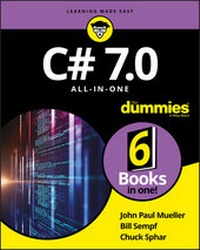
C# 7.0 All-in-One For Dummies
Description

C# know-how is a must if you want to be a professional Microsoft developer. It's also good to know a little C# if you're building tools for the web, mobile apps, or other development tasks. C# 7.0 All-in-One For Dummies offers a deep dive into C# for coders still learning the nuances of the valuable programming language. Pop it open to get an intro into coding with C#, how to design secure apps and databases, and even pointers on building web and mobile apps with C#.
C# remains one of the most in-demand programming language skills. The language regularly ranks in the top five among "most in-demand" languages, typically along with Java/JavaScript, C++, and Python. A December 2016 ZDNet article noted 'If your employer is a Microsoft developer, you better know C#." Lucky for you, this approachable, all-in-one guide is here to help you do just that--without ever breaking a sweat!
Includes coverage of the latest changes to C#
* Shows you exactly what the language can (and can't) do
* Presents familiar tasks that you can accomplish with C#
* Provides insight into developing applications that provide protection against hackers
If you have a basic understanding of coding and need to learn C#--or need a reference on the language in order to launch or further your career--look no further.
More details
Other editions
Additional editions
Content
Chapter 1
Creating Your First C# Console Application
IN THIS CHAPTER
Getting a quick introduction to programming
Creating a simple console application
Examining the console application
Saving code for later
This chapter explains a little bit about computers, computer languages - including the computer language C# (pronounced "see sharp") - and Visual Studio 2017. You then create a simple program written in C#.
Getting a Handle on Computer Languages, C#, and .NET
A computer is an amazingly fast but incredibly stupid servant. Computers will do anything you ask them to (within reason); they do it extremely fast - and they're getting faster all the time.
Unfortunately, computers don't understand anything that resembles a human language. Oh, you may come back at me and say something like, "Hey, my telephone lets me dial my friend by just speaking his name." Yes, a tiny computer runs your telephone. So that computer speaks English. But that's a computer program that understands English, not the computer itself.
The language that computers truly understand is machine language. It's possible, but extremely difficult and error prone, for humans to write machine language.
Humans and computers have decided to meet somewhere in the middle. Programmers create programs in a language that isn't nearly as free as human speech, but it's a lot more flexible and easier to use than machine language. The languages occupying this middle ground - C#, for example - are high-level computer languages. (High is a relative term here.)
What's a program?
What is a program? In a practical sense, a Windows program is an executable file that you can run by double-clicking its icon. For example, Microsoft Word, the editor used to write this book, is a program. You call that an executable program, or executable for short. The names of executable program files generally end with the extension .exe. Word, for example, is Winword.exe.
But a program is something else as well. An executable program consists of one or more source files. A C# source file, for instance, is a text file that contains a sequence of C# commands, which fit together according to the laws of C# grammar. This file is known as a source file, probably because it's a source of frustration and anxiety.
Uh, grammar? There's going to be grammar? Just the C# kind, which is much easier than the kind most people struggled with in junior high school.
What's C#?
The C# programming language is one of those intermediate languages that programmers use to create executable programs. C# combines the range of the powerful but complicated C++ (pronounced "see plus plus") with the ease of use of the friendly but more verbose Visual Basic. (Visual Basic's newer .NET incarnation is almost on par with C# in most respects. As the flagship language of .NET, C# tends to introduce most new features first.) A C# program file carries the extension .cs.
Some people have pointed out that C sharp and D flat are the same note, but you shouldn't refer to this new language as "D flat" within earshot of Redmond, Washington.
C# is
- Flexible: C# programs can execute on the current machine, or they can be transmitted over the web and executed on some distant computer.
- Powerful: C# has essentially the same command set as C++ but with the rough edges filed smooth.
- Easier to use: C# error-proofs the commands responsible for most C++ errors, so you spend far less time chasing down those errors.
-
Visually oriented: The .NET code library that C# uses for many of its capabilities provides the help needed to readily create complicated display frames with drop-down lists, tabbed windows, grouped buttons, scroll bars, and background images, to name just a few.
.NET is pronounced "dot net."
- Internet-friendly: C# plays a pivotal role in the .NET Framework, Microsoft's current approach to programming for Windows, the Internet, and beyond.
- Secure: Any language intended for use on the Internet must include serious security to protect against malevolent hackers.
Finally, C# is an integral part of .NET.
This book is primarily about the C# language. If your primary goal is to use Visual Studio, program Windows 8 or 10 apps, or ASP.NET, the For Dummies books on those topics go well with this book. You can find a good amount of information later in this book on how to use C# to write Windows, web, and service applications.
What's .NET?
.NET began several years ago as Microsoft's strategy to open the web to mere mortals like you and me. Today, it's bigger than that, encompassing everything Microsoft does. In particular, it's the new way to program for Windows. It also gives a C-based language, C#, the simple, visual tools that made Visual Basic so popular.
A little background helps you see the roots of C# and .NET. Internet programming was traditionally very difficult in older languages such as C and C++. Sun Microsystems responded to that problem by creating the Java programming language. To create Java, Sun took the grammar of C++, made it a lot more user friendly, and centered it around distributed development.
When programmers say "distributed," they're describing geographically dispersed computers running programs that talk to each other - via the Internet in many cases.
When Microsoft licensed Java some years ago, it ran into legal difficulties with Sun over changes it wanted to make to the language. As a result, Microsoft more or less gave up on Java and started looking for ways to compete with it.
Being forced out of Java was just as well because Java has a serious problem: Although Java is a capable language, you pretty much have to write your entire program in Java to get the full benefit. Microsoft had too many developers and too many millions of lines of existing source code, so Microsoft had to come up with some way to support multiple languages. Enter .NET.
.NET is a framework, in many ways similar to Java's libraries - and the C# language is highly similar to the Java language. Just as Java is both the language itself and its extensive code library, C# is really much more than just the keywords and syntax of the C# language. It's those things empowered by a well-organized library containing thousands of code elements that simplify doing about any kind of programming you can imagine, from web-based databases to cryptography to the humble Windows dialog box.
Microsoft would claim that .NET is much superior to Sun's suite of web tools based on Java, but that's not the point. Unlike Java, .NET doesn't require you to rewrite existing programs. A Visual Basic programmer can add just a few lines to make an existing program web-knowledgeable (meaning that it knows how to get data off the Internet). .NET supports all the common Microsoft languages - and hundreds of other languages written by third-party vendors. However, C# is the flagship language of the .NET fleet. C# is always the first language to access every new feature of .NET.
What is Visual Studio 2017? What about Visual C#?
(You sure ask lots of questions.) The first "Visual" language from Microsoft was Visual Basic. The first popular C-based language from Microsoft was Visual C++. Like Visual Basic, it had Visual in its name because it had a built-in graphical user interface (GUI - pronounced "GOO-ee"). This GUI included everything you needed to develop nifty-gifty C++ programs.
Eventually, Microsoft rolled all its languages into a single environment - Visual Studio. As Visual Studio 6.0 started getting a little long in the tooth, developers anxiously awaited version 7. Shortly before its release, however, Microsoft decided to rename it Visual Studio .NET to highlight this new environment's relationship to .NET.
That sounded like a marketing ploy to a lot of people - until they started delving into it. Visual Studio .NET differed quite a bit from its predecessors - enough to warrant a new name. Visual Studio 2017 is the ninth-generation successor to the original Visual Studio .NET. (Book 4 is full of Visual Studio goodness, including instructions for customizing it. You may want to use the instructions in Book 4, Chapter 1 to install a copy of Visual Studio before you get to the example later in this chapter. If you're completely unfamiliar with Visual Studio, then reviewing all of Book 4 is helpful.)
Microsoft calls its implementation of the language Visual C#. In reality, Visual C# is nothing more than the C# component of Visual Studio. C# is C#, with or without Visual Studio. Theoretically, you could write C# programs by using any text editor and a few special tools, but using Visual Studio is so much easier that you wouldn't want to try.
Okay, that's it. No more questions. (For now, anyway.)
Creating Your First Console Application
Visual Studio 2017 includes an Application Wizard that builds template programs and saves you a...
