

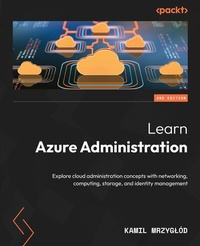
Learn Azure Administration
Explore cloud administration concepts with networking, computing, storage, and identity management
2nd Edition
Published on 29. December 2023
346 pages
978-1-80107-986-0 (ISBN)
Description

Build cloud infrastructure expertise by elevating your Azure admin skills, mastering core services, and boosting productivity with helpful toolsKey Features - Learn about infrastructure as code, deploy resources with ARM templates, and migrate to Azure Bicep
- Deploy Azure Policy and explore ideas for implementing policies based on real-world scenarios
- Understand the structure and hierarchy of Azure resources and Azure subscriptions and the authorization and authentication mechanism
Book DescriptionComplete with the latest advancements in Azure services, this second edition of Learn Azure Administration is a comprehensive guide to scaling your cloud administration skills, offering an updated exploration of Azure fundamentals and delving into the intricacies of Azure Resource Manager and Azure Active Directory. Starting with infrastructure as code (IaC) basics, this book guides you through the seamless migration to Azure Bicep and ARM templates. From Azure virtual networks planning to deployment, you'll get to grips with the complexities of Azure Load Balancer, virtual machines, and configuring essential virtual machine extensions. You'll handle the identity and security for users with the Microsoft Entra ID and centralize access using policies and defined roles. Further chapters strengthen your grasp of Azure Storage security, supplemented by an overview of tools such as Network Watcher. By the end of the book, you'll have a holistic grasp of Azure administration principles to tackle contemporary challenges and expand your proficiency to administer your Azure-based cloud environment using various tools like Azure CLI, Azure PowerShell, and infrastructure as code.What you will learn - Discover the workings of Azure Load Balancer, grasp its use cases, and configure load balancer rules
- Gain insights into various solutions for provisioning infrastructure and configuration
- Create and configure workspaces, query data in Log Analytics, and visualize data
- Plan and deploy virtual networks and configure network security groups
- Validate and verify multiple authentication and authorization scenarios
Who this book is forThis book is for cloud administrators, system administrators, and IT professionals who want to expand their skill set to enter the world of cloud computing. For IT professionals and engineers who are already familiar with the basics of Azure services, this book will serve as a step-by-step guide to solving the most common Azure problems. A basic understanding of cloud concepts such as IaaS, PaaS, virtualization, networking, and common Azure services is required.
- Deploy Azure Policy and explore ideas for implementing policies based on real-world scenarios
- Understand the structure and hierarchy of Azure resources and Azure subscriptions and the authorization and authentication mechanism
Book DescriptionComplete with the latest advancements in Azure services, this second edition of Learn Azure Administration is a comprehensive guide to scaling your cloud administration skills, offering an updated exploration of Azure fundamentals and delving into the intricacies of Azure Resource Manager and Azure Active Directory. Starting with infrastructure as code (IaC) basics, this book guides you through the seamless migration to Azure Bicep and ARM templates. From Azure virtual networks planning to deployment, you'll get to grips with the complexities of Azure Load Balancer, virtual machines, and configuring essential virtual machine extensions. You'll handle the identity and security for users with the Microsoft Entra ID and centralize access using policies and defined roles. Further chapters strengthen your grasp of Azure Storage security, supplemented by an overview of tools such as Network Watcher. By the end of the book, you'll have a holistic grasp of Azure administration principles to tackle contemporary challenges and expand your proficiency to administer your Azure-based cloud environment using various tools like Azure CLI, Azure PowerShell, and infrastructure as code.What you will learn - Discover the workings of Azure Load Balancer, grasp its use cases, and configure load balancer rules
- Gain insights into various solutions for provisioning infrastructure and configuration
- Create and configure workspaces, query data in Log Analytics, and visualize data
- Plan and deploy virtual networks and configure network security groups
- Validate and verify multiple authentication and authorization scenarios
Who this book is forThis book is for cloud administrators, system administrators, and IT professionals who want to expand their skill set to enter the world of cloud computing. For IT professionals and engineers who are already familiar with the basics of Azure services, this book will serve as a step-by-step guide to solving the most common Azure problems. A basic understanding of cloud concepts such as IaaS, PaaS, virtualization, networking, and common Azure services is required.
All prices
More details
Other editions
Additional editions
Kamil Mrzyglod
Learn Azure Administration
Explore cloud administration concepts with networking, computing, storage, and identity management
Book
12/2023
2nd Edition
Packt Publishing
€57.30
Shipment within 3-4 weeks
Previous edition
Kamil Mrzyglód
Learn Azure Administration
Solve your cloud administration issues relating to networking, storage, and identity management speedily and efficiently
E-Book
06/2024
1st Edition
Packt Publishing Limited
€29.49
Available for download
Content
- Cover
- Title Page
- Copyright and Credit
- Dedication
- Contributors
- Table of Contents
- Preface
- Part 1: Introduction to Azure for Azure Administrators
- Chapter 1: Azure Fundamentals
- Technical requirements
- Exploring Azure Resource Manager
- Architecture and terminology of ARM
- Scopes
- Resource groups
- Tags
- Quotas and limits
- Microsoft Entra ID
- Terminology
- Users and groups
- Applications and service principals
- Authorization using RBAC and ABAC
- RBAC
- ABAC
- Basic toolset - the Azure CLI, Azure PowerShell, and Cloud Shell
- Azure CLI
- Azure PowerShell
- Cloud Shell
- Summary
- Chapter 2: Basics of Infrastructure as Code
- Technical requirements
- What is IaC?
- Exploring ARM templates
- Template schema
- Creating a deployment
- Deployment modes
- Creating and deploying a simple template
- Listing deployments
- Migrating to Azure Bicep
- Bicep language
- ARM templates and Bicep compatibility
- Performing deployments
- Decompiling an ARM template to Bicep
- Using ACR as a repository of modules
- What is ACR?
- Creating an ACR instance
- Creating a module
- Publishing a Bicep module
- Using the published Bicep module
- Summary
- Part 2: Networking for Azure Administrator
- Chapter 3: Understanding Azure Virtual Networks
- Technical requirements
- Planning and deploying virtual networks
- Planning a network in Azure
- Deploying a virtual network
- Understanding NSGs
- How do NSGs work?
- Working with NSGs
- ASGs
- Working with virtual network peerings
- How does peering work?
- Setting up peerings
- Network routing and endpoints
- System routes
- Custom routes
- Service and private endpoints
- Summary
- Chapter 4: Exploring Azure Load Balancer
- Technical requirements
- Overview of Azure Load Balancer
- Load balancing in Azure
- Components of Azure Load Balancer
- Algorithm of Azure Load Balancer
- The differences between public and internal load balancers
- Delving into backend pools
- Adding a frontend IP configuration
- Adding a backend pool
- Understanding load balancer rules
- Creating a load balancer rule
- High availability ports
- Floating IP
- Comprehending health probes
- Creating a health probe
- Linking a health probe to a load-balancing rule
- Differences between probe protocols
- Additional guidelines for health probes
- Summary
- Part 3: Administration of Azure Virtual Machines
- Chapter 5: Provisioning Azure Virtual Machines
- Technical requirements
- Exploring the sizes and families of Azure VMs
- Families and their pricing
- Operating systems
- Delving into Azure VM storage
- Types of disks
- Redundancy of disks
- Deploying a VM
- Deploying a single VM
- Connecting to a VM
- Connecting using SSH
- Connecting using RDP
- Connecting with the DNS name
- Connecting using Azure Bastion
- The availability of Azure VMs
- Availability sets
- VMSS
- Summary
- Chapter 6: Configuring Virtual Machine Extensions
- Technical requirements
- Using virtual machine extensions
- Employing an extension in a Windows Azure Virtual Machine
- Using extension in Linux Azure Virtual Machines
- Installing extensions
- Implementing the Custom Script Extension
- Installing software with the Custom Script Extension
- Executing a script
- What is the Desired State Configuration?
- Azure Automation State Configuration
- Understanding DSC - general concepts
- Summary
- Chapter 7: Configuring Backups
- Technical requirements
- Protecting VM data
- Coping with accidental deletion
- Utilizing images and snapshots for securing data
- Understanding backup and restore for Azure VMs
- Setting up backup for Azure VMs
- Recovery of Azure VM
- Using Azure Backup Server
- Installation platforms
- Installation of Azure Backup Server
- Exploring Azure Site Recovery
- Replication
- RTO and RPO targets
- Network integration
- Configuring Azure Site Recovery
- Summary
- Chapter 8: Configuring and Managing Disks
- Technical requirements
- Expanding on OS and data disks
- Shared disks
- Encryption
- Exploring ephemeral OS disks
- Deploying a virtual machine with an ephemeral OS disk
- Adding, detaching, and expanding disks
- Adding a disk to a virtual machine
- Mounting a disk
- Detaching disks
- Expanding a disk
- Swapping OS disks
- Summary
- Part 4: Azure Storage for Administrators
- Chapter 9: Configuring Blob Storage
- Technical requirements
- Exploring storage accounts, containers, and blobs
- Storage accounts
- Containers and blobs
- Configuring access tiers in Blob Storage
- Hot and cold storage
- Configuring the access tier
- Configuring the access tier on a blob level
- Archive tier
- Configuring lifecycle and replication in Blob Storage
- Replication of a storage account
- Lifecycle of blobs in Blob Storage
- Uploading blobs to Blob Storage
- Using the Azure CLI to upload a file
- Using azcopy to upload a file
- Summary
- Chapter 10: Azure Files and Azure File Sync
- Technical requirements
- Managing Azure Files (File Service)
- Available access protocols
- Creating a File Service instance
- Creating a File Service share
- Mounting a file share
- Working with file share snapshots
- Creating a file share snapshot
- Configuring soft delete
- Working with Azure File Sync
- Planning for Azure File Sync
- Summary
- Chapter 11: Azure Storage Security and Additional Tooling
- Technical requirements
- Configuring soft delete in Blob Storage
- Enabling soft delete for containers
- Enabling soft delete for blobs
- Use cases for soft delete and versioning in Blob Storage
- Using Azure AD for authorization
- Azure AD authorization benefits
- Data plane and data actions in role-based access control
- Examples of roles in Azure for Azure Storage
- Using Azure AD in Azure CLI
- Using managed identities
- Definition of managed identity
- Incorporating a managed identity into an application
- Considering various options for automation
- Automated cleanup of data
- SAS token handling
- Stored access policies
- Rotating access keys
- Using the Azure Import/Export service
- Azure Import/Export technical details
- Azure Import/Export requirements
- Preparing disks and configuring the job
- Summary
- Part 5: Governance and Monitoring
- Chapter 12: Using Azure Policy
- Technical requirements
- The basics of Azure Policy
- Azure Resource Manager and Azure Policy
- Deploying policies
- Deploying a policy using the Azure CLI
- Creating custom policies
- Understanding the syntax
- Building and deploying custom policy
- Simplifying the deployment of policies using initiatives
- The idea behind initiatives
- When to use initiatives
- Reviewing example policies
- Policy - secrets should not be active for longer than the specified number of days
- Policy - allowed virtual machine size SKUs
- Policy - assign a built-in user-assigned managed identity to Virtual Machine Scale Sets
- Summary
- Chapter 13: Azure Monitor and Alerts
- Technical requirements
- Chapter materials
- Getting started - an overview of Azure Monitor
- Monitoring scenarios
- Understanding logs in Azure Monitor
- Platform logs
- Understanding data types and events in Azure Monitor
- Using custom logs
- Querying activity logs
- Using the Azure CLI to query activity logs
- Using the Azure CLI to find correlated events
- Implementing custom alerts for Azure infrastructure
- Defining an alert
- Implementing an alert
- Summary
- Chapter 14: Azure Log Analytics
- Technical requirements
- Getting started - an overview of Azure Log Analytics
- Use cases for Azure Log Analytics
- Structure of Azure Log Analytics
- Using workspaces
- Using Azure Log Analytics Workspace
- Querying data
- The basic syntax of Kusto
- Common operators in Kusto
- Aggregate functions
- Visualizing results
- render function
- Summary
- Chapter 15: Exploring Network Watcher
- Technical requirements
- Getting started - an overview of Network Watcher
- Network Watcher toolset
- Verifying flows
- Diagnosing next hops
- Visualizing the network topology
- Summary
- Index
- Other Books You May Enjoy
