

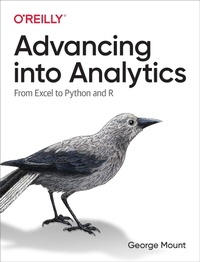
Advancing into Analytics
Description

Data analytics may seem daunting, but if you''re an experienced Excel user, you have a unique head start. With this hands-on guide, intermediate Excel users will gain a solid understanding of analytics and the data stack. By the time you complete this book, you''ll be able to conduct exploratory data analysis and hypothesis testing using a programming language.
Exploring and testing relationships are core to analytics. By using the tools and frameworks in this book, you''ll be well positioned to continue learning more advanced data analysis techniques. Author George Mount, founder and CEO of Stringfest Analytics, demonstrates key statistical concepts with spreadsheets, then pivots your existing knowledge about data manipulation into R and Python programming.
This practical book guides you through:
- Foundations of analytics in Excel: Use Excel to test relationships between variables and build compelling demonstrations of important concepts in statistics and analytics
- From Excel to R: Cleanly transfer what you''ve learned about working with data from Excel to R
- From Excel to Python: Learn how to pivot your Excel data chops into Python and conduct a complete data analysis
More details
Other editions
Additional editions
Content
- Cover
- Copyright
- Table of Contents
- Preface
- Learning Objective
- Prerequisites
- Technical Requirements
- Technological Requirements
- How I Got Here
- "Excel Bad, Coding Good"
- The Instructional Benefits of Excel
- Book Overview
- End-of-Chapter Exercises
- This Is Not a Laundry List
- Don't Panic
- Conventions Used in This Book
- Using Code Examples
- O'Reilly Online Learning
- How to Contact Us
- Acknowledgments
- Part I. Foundations of Analytics in Excel
- Chapter 1. Foundations of Exploratory Data Analysis
- What Is Exploratory Data Analysis?
- Observations
- Variables
- Demonstration: Classifying Variables
- Recap: Variable Types
- Exploring Variables in Excel
- Exploring Categorical Variables
- Exploring Quantitative Variables
- Conclusion
- Exercises
- Chapter 2. Foundations of Probability
- Probability and Randomness
- Probability and Sample Space
- Probability and Experiments
- Unconditional and Conditional Probability
- Probability Distributions
- Discrete Probability Distributions
- Continuous Probability Distributions
- Conclusion
- Exercises
- Chapter 3. Foundations of Inferential Statistics
- The Framework of Statistical Inference
- Collect a Representative Sample
- State the Hypotheses
- Formulate an Analysis Plan
- Analyze the Data
- Make a Decision
- It's Your World.the Data's Only Living in It
- Conclusion
- Exercises
- Chapter 4. Correlation and Regression
- "Correlation Does Not Imply Causation"
- Introducing Correlation
- From Correlation to Regression
- Linear Regression in Excel
- Rethinking Our Results: Spurious Relationships
- Conclusion
- Advancing into Programming
- Exercises
- Chapter 5. The Data Analytics Stack
- Statistics Versus Data Analytics Versus Data Science
- Statistics
- Data Analytics
- Business Analytics
- Data Science
- Machine Learning
- Distinct, but Not Exclusive
- The Importance of the Data Analytics Stack
- Spreadsheets
- Databases
- Business Intelligence Platforms
- Data Programming Languages
- Conclusion
- What's Next
- Exercises
- Part II. From Excel to R
- Chapter 6. First Steps with R for Excel Users
- Downloading R
- Getting Started with RStudio
- Packages in R
- Upgrading R, RStudio, and R Packages
- Conclusion
- Exercises
- Chapter 7. Data Structures in R
- Vectors
- Indexing and Subsetting Vectors
- From Excel Tables to R Data Frames
- Importing Data in R
- Exploring a Data Frame
- Indexing and Subsetting Data Frames
- Writing Data Frames
- Conclusion
- Exercises
- Chapter 8. Data Manipulation and Visualization in R
- Data Manipulation with dplyr
- Column-Wise Operations
- Row-Wise Operations
- Aggregating and Joining Data
- dplyr and the Power of the Pipe (%&%)
- Reshaping Data with tidyr
- Data Visualization with ggplot2
- Conclusion
- Exercises
- Chapter 9. Capstone: R for Data Analytics
- Exploratory Data Analysis
- Hypothesis Testing
- Independent Samples t-test
- Linear Regression
- Train/Test Split and Validation
- Conclusion
- Exercises
- Part III. From Excel to Python
- Chapter 10. First Steps with Python for Excel Users
- Downloading Python
- Getting Started with Jupyter
- Modules in Python
- Upgrading Python, Anaconda, and Python packages
- Conclusion
- Exercises
- Chapter 11. Data Structures in Python
- NumPy arrays
- Indexing and Subsetting NumPy Arrays
- Introducing Pandas DataFrames
- Importing Data in Python
- Exploring a DataFrame
- Indexing and Subsetting DataFrames
- Writing DataFrames
- Conclusion
- Exercises
- Chapter 12. Data Manipulation and Visualization in Python
- Column-Wise Operations
- Row-Wise Operations
- Aggregating and Joining Data
- Reshaping Data
- Data Visualization
- Conclusion
- Exercises
- Chapter 13. Capstone: Python for Data Analytics
- Exploratory Data Analysis
- Hypothesis Testing
- Independent Samples T-test
- Linear Regression
- Train/Test Split and Validation
- Conclusion
- Exercises
- Chapter 14. Conclusion and Next Steps
- Further Slices of the Stack
- Research Design and Business Experiments
- Further Statistical Methods
- Data Science and Machine Learning
- Version Control
- Ethics
- Go Forth and Data How You Please
- Parting Words
- Index
- About the Author
- Colophon
