

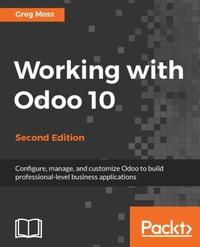
Working with Odoo 10
One stop guide for your enterprise needs
2nd Edition
Published on 13. January 2025
426 pages
978-1-78646-974-8 (ISBN)
Description

Configure, manage, and customize Odoo to build professional-level business applications
Key Features
Build an Odoo module and integrate it with other platforms through this practical guide
This book is the perfect companion to help you customize your Odoo installations for your enterprise requirements
Use project management along with analytics for better reporting
Book DescriptionPara 1: Take full advantage of the benefits of the Odoo module ecosystem whilst learning how to modernise your business with Working with Odoo 10. Covering everything from Odoo development essentials through to CRM and analytic accounting, this guide is a must-have for Odoo beginners. Para 2: A powerful set of open source enterprise management applications, Odoo 10 gives you access to a website builder, integrated e-commerce features, and a fast-growing community to allow you to transform your business. Para 3: With this Odoo book you?ll learn how to set up Odoo online, configure basic company settings, and then explore CRM in Odoo. You?ll cover all the Odoo development essentials and much more, including purchasing application, ERP systems, analytic accounting, and other recent Odoo features. Para 4: What?s Inside ? Understand Odoo installation & the basics of implementing Odoo in your business ? Explore accounting & finance setup and modules to help business efficiency ? Build a website with Odoo ? Customise and configure Odoo to an advanced levelWhat you will learn
Configure a functioning customer relationship management system
Set up a purchasing and receiving system
Implement manufacturing operations and processes using real-world examples
Discover the capabilities of Odoo's financial accounting and reporting features
Integrate powerful human resource applications
Utilize Odoo's project management application to organize tasks
Customize Odoo without writing a line a code
Who this book is forIdeal for Odoo 10 beginners, IT professionals, and anyone interested in implementing an ERP system in a business organisation, Working with Odoo 10 allows you to quickly and easily learn advanced-level Odoo features such as creating your own custom modules. No prior knowledge or experience of using Odoo is required.
Key Features
Build an Odoo module and integrate it with other platforms through this practical guide
This book is the perfect companion to help you customize your Odoo installations for your enterprise requirements
Use project management along with analytics for better reporting
Book DescriptionPara 1: Take full advantage of the benefits of the Odoo module ecosystem whilst learning how to modernise your business with Working with Odoo 10. Covering everything from Odoo development essentials through to CRM and analytic accounting, this guide is a must-have for Odoo beginners. Para 2: A powerful set of open source enterprise management applications, Odoo 10 gives you access to a website builder, integrated e-commerce features, and a fast-growing community to allow you to transform your business. Para 3: With this Odoo book you?ll learn how to set up Odoo online, configure basic company settings, and then explore CRM in Odoo. You?ll cover all the Odoo development essentials and much more, including purchasing application, ERP systems, analytic accounting, and other recent Odoo features. Para 4: What?s Inside ? Understand Odoo installation & the basics of implementing Odoo in your business ? Explore accounting & finance setup and modules to help business efficiency ? Build a website with Odoo ? Customise and configure Odoo to an advanced levelWhat you will learn
Configure a functioning customer relationship management system
Set up a purchasing and receiving system
Implement manufacturing operations and processes using real-world examples
Discover the capabilities of Odoo's financial accounting and reporting features
Integrate powerful human resource applications
Utilize Odoo's project management application to organize tasks
Customize Odoo without writing a line a code
Who this book is forIdeal for Odoo 10 beginners, IT professionals, and anyone interested in implementing an ERP system in a business organisation, Working with Odoo 10 allows you to quickly and easily learn advanced-level Odoo features such as creating your own custom modules. No prior knowledge or experience of using Odoo is required.
All prices
More details
Edition
2nd Revised edition
Language
English
Place of publication
Birmingham
United Kingdom
Target group
Professional and scholarly
US School Grade: College Graduate Student
Edition type
Revised edition
File size
21,06 MB
ISBN-13
978-1-78646-974-8 (9781786469748)
Copyright in bibliographic data and cover images is held by Nielsen Book Services Limited or by the publishers or by their respective licensors: all rights reserved.
Schweitzer Classification
Other editions
Additional editions
Book
01/2017
2nd Edition
Packt Publishing
€64.10
Shipment within 3-4 weeks
Person
Greg Moss has been a business and information systems consultant for over 30 years and is both a Certified Information Systems Auditor (CISA) and a Certified Six Sigma Black Belt. He also has an Information Assurance Certification from Carnegie Melon University. Presently, Greg is the CEO of First Class Ventures, LLC., the owner of First Class Computer Consulting-Odoo consulting and training, the Odoo Class website, and an Odoo Ready partner.
Greg is the founder of Odoo Class, a technical training platform for Odoo. He has published more than 20 courses on Udemy.
In his spare time, Greg enjoys playing the trumpet, saxophone, keyboard, and guitar, and taking cross-country road trips with his African grey parrot, Bibi.
Greg is the founder of Odoo Class, a technical training platform for Odoo. He has published more than 20 courses on Udemy.
In his spare time, Greg enjoys playing the trumpet, saxophone, keyboard, and guitar, and taking cross-country road trips with his African grey parrot, Bibi.
Content
Table of Contents
Setting Up Odoo 10
Installing Your First Application
Exploring Customer Relationship Management in Odoo 10
Purchasing with Odoo
Making Goods with Manufacturing Resource Planning
Configuring Accounting Finance
Administering an Odoo Installation
Implementing the Human Resources Application
Understanding Project Management
Creating Advanced Searches and Dashboards
Building a Website with Odoo
Implementing E-Commerce with Odoo
Customizing Odoo for Your Business
Modifying Documents and Reports
Discovering Custom Odoo Modules
Comparative Analysis of Community vs Enterprise Edition
Appendix
Setting Up Odoo 10
Installing Your First Application
Exploring Customer Relationship Management in Odoo 10
Purchasing with Odoo
Making Goods with Manufacturing Resource Planning
Configuring Accounting Finance
Administering an Odoo Installation
Implementing the Human Resources Application
Understanding Project Management
Creating Advanced Searches and Dashboards
Building a Website with Odoo
Implementing E-Commerce with Odoo
Customizing Odoo for Your Business
Modifying Documents and Reports
Discovering Custom Odoo Modules
Comparative Analysis of Community vs Enterprise Edition
Appendix

