

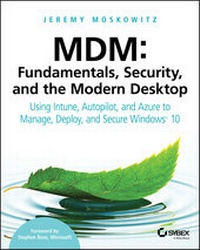
MDM
Fundamentals, Security, and the Modern Desktop: Using Intune, Autopilot, and Azure to Manage, Deploy, and Secure Windows 10
1st Edition
Published on 2. July 2019
528 pages
978-1-119-56434-8 (ISBN)
Description

The first major book on MDM written by Group Policy and Enterprise Mobility MVP and renowned expert, Jeremy Moskowitz!
With Windows 10, organizations can create a consistent set of configurations across the modern enterprise desktop--for PCs, tablets, and phones--through the common Mobile Device Management (MDM) layer. MDM gives organizations a way to configure settings that achieve their administrative intent without exposing every possible setting. One benefit of MDM is that it enables organizations to apply broader privacy, security, and application management settings through lighter and more efficient tools. MDM also allows organizations to target Internet-connected devices to manage policies without using Group Policy (GP) that requires on-premises domain-joined devices. This makes MDM the best choice for devices that are constantly on the go.
With Microsoft making this shift to using Mobile Device Management (MDM), a cloud-based policy-management system, IT professionals need to know how to do similar tasks they do with Group Policy, but now using MDM, with its differences and pitfalls.
* What is MDM (and how is it different than GP)
* Setup Azure AD and MDM Auto-Enrollment
* New PC Rollouts and Remote Refreshes: Autopilot and Configuration Designer
* Enterprise State Roaming and OneDrive Documents Roaming
Renowned expert and Microsoft Group Policy and Enterprise Mobility MVP Jeremy Moskowitz teaches you MDM fundamentals, essential troubleshooting techniques, and how to manage your enterprise desktops.
With Windows 10, organizations can create a consistent set of configurations across the modern enterprise desktop--for PCs, tablets, and phones--through the common Mobile Device Management (MDM) layer. MDM gives organizations a way to configure settings that achieve their administrative intent without exposing every possible setting. One benefit of MDM is that it enables organizations to apply broader privacy, security, and application management settings through lighter and more efficient tools. MDM also allows organizations to target Internet-connected devices to manage policies without using Group Policy (GP) that requires on-premises domain-joined devices. This makes MDM the best choice for devices that are constantly on the go.
With Microsoft making this shift to using Mobile Device Management (MDM), a cloud-based policy-management system, IT professionals need to know how to do similar tasks they do with Group Policy, but now using MDM, with its differences and pitfalls.
* What is MDM (and how is it different than GP)
* Setup Azure AD and MDM Auto-Enrollment
* New PC Rollouts and Remote Refreshes: Autopilot and Configuration Designer
* Enterprise State Roaming and OneDrive Documents Roaming
Renowned expert and Microsoft Group Policy and Enterprise Mobility MVP Jeremy Moskowitz teaches you MDM fundamentals, essential troubleshooting techniques, and how to manage your enterprise desktops.
More details
Other editions
Additional editions
Jeremy Moskowitz
MDM: Fundamentals, Security, and the Modern Desktop
Using Intune, Autopilot, and Azure to Manage, Deploy, and Secure Windows 10
Book
09/2019
1st Edition
Sybex Inc.,U.S.
€47.00
Article not available at the moment
Person
JEREMY MOSKOWITZ, is a 15-year Microsoft MVP awardee and is founder of MDMandGPanswers.com and CTO of PolicyPak Software. Since becoming one of the world's first MCSEs, he has performed Active Directory, Group Policy and MDM planning and implementations for some of the nation's largest organizations. His best-selling book Group Policy Fundamentals, Security, and Troubleshooting, Third Edition is on desks of administrators everywhere.
Content
- Intro
- MDM: Fundamentals, Security, and the Modern Desktop
- Acknowledgments
- About the Author
- Contents at a Glance
- Contents
- Foreword
- Introduction
- EMM and MDM Redefined
- Terminology
- What You'll Need to Get Started with This Book
- What I Won't Be Covering in This Book
- How Do You Know This Book Won't Be Out-of-Date 80 Seconds after You Buy It?
- A Final Note about Group Policy vs. MDM
- A Little about Me, This Book, PolicyPak, and Beyond
- Chapter 1 Enterprise Mobility and MDM Essentials
- Getting Ready to Use This Book
- Why the Need for MDM
- Group Policy and MDM Compared
- MDM: Guts, Protocols, and Moving Parts
- OMA-DM: The Protocol
- CSPs: Configuration Service Providers
- MDM Service
- Extending Your MDM Services with Third-Party Tools
- Final Thoughts
- Chapter 2 Set Up Azure AD and MDM
- Comparative Analysis of Different MDM Services
- Azure AD Premium, Enterprise Mobility + Security, and Microsoft 365
- Office 365's Built-In MDM Management
- Microsoft Intune
- VMware Workspace ONE
- MobileIron
- Setting Up Auto-Enrollment and Enrolling Your First Machines
- Turning On MDM Enrollment
- Add Your First User to Azure AD
- Enroll Your First Windows 10 Machine into MDM
- Optional Steps: Custom Domain Names and AD to AAD Synchronization
- Custom Domain Names: Goodbye to "onmicrosoft.com" Names
- Syncing Your On-Prem AD to Azure AD Automatically
- Final Thoughts
- Chapter 3 MDM Profiles, Policies, and Groups
- MDM Policies and the Policy CSP
- MDM: Getting Started with Policies
- Profiles and Policies
- What Makes an MDM Policy?
- ADMX-Backed Policies
- Ingesting Third-Party ADMX Files
- Creating and Using Groups
- Creating Assigned Groups
- Creating Dynamic Groups
- Advanced Dynamic Rules
- Utilizing Groups in Intune
- Final Thoughts
- Chapter 4 Co-Management and Co-Policy Management
- Co-Management of SCCM and Intune
- Co-Policy Management: Group Policy and Your MDM Service
- Auto-Enroll in Your MDM Service Using Group Policy
- Co-Policy Management.Who Wins: MDM or Group Policy?
- Final Thoughts
- Chapter 5 MDM Migration and MDM Troubleshooting
- MMAT: Microsoft MDM Migration and Analysis Tool
- Troubleshooting MDM
- MDM Service Reports, Diagnostic Logs, and Event Logs
- Delivery Reports from Your MDM Service
- Advanced Diagnostic Reports and Resolving Conflicts
- Final Thoughts about the Advanced MDM Settings Report
- Resolving Conflicts
- Investigating Event Logs
- Remotely Collecting Logs from Windows 10
- Remember MdmWinsOverGP Setting and Gotchas
- Other Miscellaneous Notes, Traps, and Gotchas
- Final Thoughts
- Chapter 6 Deploying Software and Scripts
- Preparing for the Remainder of the Chapter
- What to Download to Get Settled In for This Chapter
- How to (Generally) Deploy Applications with Intune
- Deploying MSI Applications with MDM
- Deploying Your First MSI Application
- Deploying AppX Apps via the Microsoft Store for Business
- Getting Started with and Activating the Microsoft Store for Business
- Acquiring AppX Packages to Distribute Using Microsoft Store for Business
- Deploying MSIX with MDM
- Repackaging an App with the MSIX Packaging Tool
- Deploying Office 365 ProPlus with MDM
- Deploying Win32 Apps with MDM
- Microsoft Intune Win32 Content Prep Tool
- Gathering All the Needed Items in One Place 2
- Preparing the Win32 Application Contents
- Add the .intunewin File to Intune
- Assign the App and See Results
- Other Win32 Deployment Examples, Troubleshooting, and Final Thoughts
- Deploying Scripts with Your MDM Service
- Deploying Scripts (That Deploy Software) with Intune
- Delivering Other Software and Files with MDM (Using PolicyPak File Delivery Manager)
- Downloading Unusual File Types
- Downloading .EXEs, .MSIs, or Unusual Software, Then Running a Script (and Cleaning Up When You're Done)
- Downloading a ZIP and Automatically Unpacking Its Contents
- Final Thoughts
- Chapter 7 Enterprise State Roaming and OneDrive for Business
- Pregame Setup for This Chapter
- Get Your Azure Tennant ID
- Enterprise State Roaming
- Setting Up Enterprise State Roaming
- OneDrive for Business
- Managing the OneDrive Tenant
- SharePoint and SharePoint Migration Tool
- OneDrive Sync Client
- OneDrive's Magic Trick: Known Folder Move
- Files Restore (from Malware or User Error)
- Final Thoughts
- Chapter 8 Rollouts and Refreshes with Configuration Designer and Autopilot
- Windows Configuration Designer
- Get WCD from the Windows Store
- What Can You Do with WCD? (And What Shouldn't You Do with WCD?)
- WCD Example
- Implementing the .PPKG File
- Results from Using a .PPKG File
- Final Thoughts about WCD
- Autopilot
- Getting Devices Registered into Autopilot
- Creating Groups for Your Autopilot Machines
- Setting Up Your Autopilot Deployment Profile
- Automatically Harvesting Hardware IDs into Autopilot
- Autopilot: Resets, Retire, Wipes, and Fresh Starts
- Linking a Specific User to a Specific Hardware ID
- Autopilot Self-Deploying Mode
- Autopilot Hybrid Azure AD Join
- Autopilot White Glove
- Final Autopilot Resources
- Chapter 9 Windows 10 Health and Happiness: Servicing, Readiness, Analytics, and Compliance
- Windows, Office, and OneDrive as a Service
- Servicing Windows
- Servicing Office
- Servicing OneDrive (Revisited)
- Making Your Own Rings for Windows, Office, and OneDrive
- Office and Application Readiness
- Office 365 Readiness Toolkit
- App Health Analyzer
- Desktop Analytics
- Introduction to Desktop Analytics
- Prepare, Pilot, and Deploy Phases
- Final Thoughts on Desktop Analytics
- Device Compliance and Health Attestation
- Getting Started with Compliance Policy
- Final Thoughts on Windows Health and Happiness
- Chapter 10 Security with Baselines, BitLocker, AppLocker, and Conditional Access
- Security Baselines
- Creating Your Security Baselines in Intune
- Assigning Your Security Baseline to a Group
- Syncing Your Client to Get the Baseline
- Testing Your Baseline
- Reporting and Monitoring Baselines
- BitLocker: Full Disk Encryption
- Enabling BitLocker Using Intune
- BitLocker Key Recovery and Management
- BitLocker Final Thoughts and Additional Resources
- Application Whitelisting with AppLocker or PolicyPak Least Privilege Manager
- Using AppLocker for Whitelisting
- Using Your AppLocker Rule with Intune
- PolicyPak Least Privilege Manager for Whitelisting
- Conditional Access
- Setting Up Azure Conditional Access
- Final Thoughts on Security
- Chapter 11 MDM Add-On Tools: Free and Pay
- Company Portal App
- Setting Up Company Portal Branding
- Users Interacting with the Company Portal App
- Microsoft Graph and the Graph Explorer
- PolicyPak On-Prem & MDM Edition
- Getting Started with PolicyPak
- Using PolicyPak to Export Existing Group Policy to MDM
- Using PolicyPak to Overcome UAC Prompts
- Using PolicyPak to Block and Allow UWP Applications
- Using PolicyPak to Manage Application, Browser, and Java Settings
- Using PolicyPak to Manage Windows Features (and Optional Features)
- PolicyPak Deployment with Intune (or Any MDM)
- Interesting Things I Found on the Internet
- Untested, but Seemingly Useful Scripts
- Yodamiitti Intune Management GUI
- Final Thoughts (on This Chapter, and about the Book!)
- Index
- EULA
