

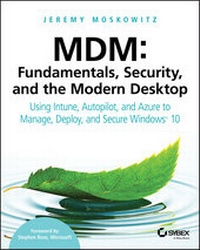
MDM
Fundamentals, Security, and the Modern Desktop: Using Intune, Autopilot, and Azure to Manage, Deploy, and Secure Windows 10
1st Edition
Published on 21. August 2019
528 pages
978-1-119-56427-0 (ISBN)
Description

The first major book on MDM written by Group Policy and Enterprise Mobility MVP and renowned expert, Jeremy Moskowitz!
With Windows 10, organizations can create a consistent set of configurations across the modern enterprise desktop--for PCs, tablets, and phones--through the common Mobile Device Management (MDM) layer. MDM gives organizations a way to configure settings that achieve their administrative intent without exposing every possible setting. One benefit of MDM is that it enables organizations to apply broader privacy, security, and application management settings through lighter and more efficient tools. MDM also allows organizations to target Internet-connected devices to manage policies without using Group Policy (GP) that requires on-premises domain-joined devices. This makes MDM the best choice for devices that are constantly on the go.
With Microsoft making this shift to using Mobile Device Management (MDM), a cloud-based policy-management system, IT professionals need to know how to do similar tasks they do with Group Policy, but now using MDM, with its differences and pitfalls.
* What is MDM (and how is it different than GP)
* Setup Azure AD and MDM Auto-Enrollment
* New PC Rollouts and Remote Refreshes: Autopilot and Configuration Designer
* Enterprise State Roaming and OneDrive Documents Roaming
Renowned expert and Microsoft Group Policy and Enterprise Mobility MVP Jeremy Moskowitz teaches you MDM fundamentals, essential troubleshooting techniques, and how to manage your enterprise desktops.
With Windows 10, organizations can create a consistent set of configurations across the modern enterprise desktop--for PCs, tablets, and phones--through the common Mobile Device Management (MDM) layer. MDM gives organizations a way to configure settings that achieve their administrative intent without exposing every possible setting. One benefit of MDM is that it enables organizations to apply broader privacy, security, and application management settings through lighter and more efficient tools. MDM also allows organizations to target Internet-connected devices to manage policies without using Group Policy (GP) that requires on-premises domain-joined devices. This makes MDM the best choice for devices that are constantly on the go.
With Microsoft making this shift to using Mobile Device Management (MDM), a cloud-based policy-management system, IT professionals need to know how to do similar tasks they do with Group Policy, but now using MDM, with its differences and pitfalls.
* What is MDM (and how is it different than GP)
* Setup Azure AD and MDM Auto-Enrollment
* New PC Rollouts and Remote Refreshes: Autopilot and Configuration Designer
* Enterprise State Roaming and OneDrive Documents Roaming
Renowned expert and Microsoft Group Policy and Enterprise Mobility MVP Jeremy Moskowitz teaches you MDM fundamentals, essential troubleshooting techniques, and how to manage your enterprise desktops.
More details
Other editions
Additional editions
Jeremy Moskowitz
MDM: Fundamentals, Security, and the Modern Desktop
Using Intune, Autopilot, and Azure to Manage, Deploy, and Secure Windows 10
Book
09/2019
1st Edition
Sybex Inc.,U.S.
€47.00
Article not available at the moment
