

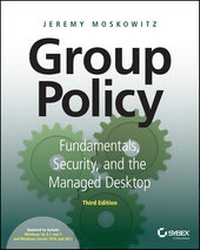
Group Policy
Fundamentals, Security, and the Managed Desktop
3rd Edition
Published on 11. August 2015
1056 pages
978-1-119-03567-1 (ISBN)
Description

Get up to speed on the latest Group Policy tools, features, andbest practices
Group Policy, Fundamentals, Security, and the ManagedDesktop, 3rd Edition helps you streamline Windows andWindows Server management using the latest Group Policy tools andtechniques. This updated edition covers Windows 10 and WindowsServer vNext, bringing you up to speed on all the newest settings,features, and best practices. Microsoft Group Policy MVP JeremyMoskowitz teaches you the major categories of Group Policy,essential troubleshooting techniques, and how to manage yourWindows desktops.
This is your complete guide to the latest Group Policy featuresand functions for all modern Windows clients and servers, helpingyou manage more efficiently and effectively.
* Perform true desktop and server management with the GroupPolicy Preferences, ADMX files, and additional add-ons
* Use every feature of the GPMC and become a top-notchadministrator
* Troubleshoot Group Policy using tools, enhanced logs, ResourceKit utilities, and third-party tools
* Manage printers, drive maps, restrict hardware, and configureInternet Explorer
* Deploy software to your desktops, set up roaming profiles, andconfigure Offline Files for all your Windows clients--andmanage it all with Group Policy settings
* Secure your desktops and servers with AppLocker, WindowsFirewall with Advanced Security, and the Security ConfigurationManager
This is your comprehensive resource to staying current,with expert tips, techniques, and insight.
More details
Other editions
Additional editions
Book
08/2015
3rd Edition
Sybex Inc.,U.S.
€56.00
Shipment within 15-20 days
Person
Jeremy Moskowitz is a Group Policy MVP and a nationally recognized authority on Windows Server, Active Directory, Group Policy, and other Windows management topics. One of less than a dozen Group Policy MVPs, Jeremy runs GPanswers.com, ranked by ComputerWorld as a "Top 20 Resource for Microsoft IT Professionals." Jeremy is the founder of PolicyPak Software, which enables administrators to manage applications, stay compliant, and deliver settings over the Internet. He is a sought-after speaker at many industry conferences.
Content
1 - Cover [Seite 1]
2 - Title Page [Seite 5]
3 - Copyright [Seite 6]
4 - Acknowledgments [Seite 9]
5 - About the Author [Seite 10]
6 - About The Contributors [Seite 11]
7 - Contents [Seite 15]
8 - Introduction [Seite 27]
9 - Chapter 1: Group Policy Essentials [Seite 37]
9.1 - Getting Ready to Use This Book [Seite 38]
9.2 - Getting Started with Group Policy [Seite 43]
9.3 - Active Directory and Local Group Policy [Seite 45]
9.4 - An Example of Group Policy Application [Seite 57]
9.5 - Examining the Resultant Set of Policy [Seite 59]
9.6 - Group Policy, Active Directory, and the GPMC [Seite 62]
9.7 - Group Policy 101 and Active Directory [Seite 68]
9.8 - Our Own Group Policy Examples [Seite 73]
9.9 - Final Thoughts [Seite 100]
10 - Chapter 2: Managing Group Policy with the GPMC and via PowerShell [Seite 103]
10.1 - Common Procedures with the GPMC and PowerShell [Seite 105]
10.2 - Security Filtering and Delegation with the GPMC [Seite 126]
10.3 - Performing RSoP Calculations with the GPMC [Seite 145]
10.4 - Searching and Commenting Group Policy Objects and Policy Settings [Seite 154]
10.5 - Starter GPOs [Seite 173]
10.6 - Back Up and Restore for Group Policy [Seite 181]
10.7 - Migrating Group Policy Objects between Domains [Seite 190]
10.8 - GPMC At-a-Glance Icon View [Seite 202]
10.9 - Final Thoughts [Seite 203]
11 - Chapter 3: Group Policy Processing Behavior Essentials [Seite 205]
11.1 - Group Policy Processing Principles [Seite 206]
11.2 - Policy Application via Remote Access, Slow Links, and after Hibernation [Seite 236]
11.3 - Using Group Policy to AffectGroup Policy [Seite 241]
11.4 - Final Thoughts [Seite 257]
12 - Chapter 4: Advanced Group Policy Processing [Seite 259]
12.1 - Fine-Tuning When and WhereGroup Policy Applies [Seite 259]
12.2 - Group Policy Loopback Processing [Seite 267]
12.3 - Group Policy with Cross-Forest Trusts [Seite 278]
12.4 - Final Thoughts [Seite 283]
13 - Chapter 5: Group Policy Preferences [Seite 285]
13.1 - Powers of the Group Policy Preferences [Seite 288]
13.2 - Group Policy Preferences Concepts [Seite 314]
13.3 - Group Policy Preferences Tips, Tricks, and Troubleshooting [Seite 349]
13.4 - Giving Group Policy Preferences a "Boost" (Using PolicyPak Preferences Manager and PolicyPak Cloud) [Seite 365]
13.5 - Final Thoughts [Seite 368]
14 - Chapter 6: Managing Applications and Settings Using Group Policy [Seite 371]
14.1 - Understanding Administrative Templates [Seite 372]
14.2 - Exploring ADM vs. ADMXand ADML Files [Seite 378]
14.3 - ADMX and ADML Files: What They Do and the Problems They Solve [Seite 381]
14.4 - The Central Store [Seite 385]
14.5 - Creating and Editing GPOs in aMixed Environment [Seite 391]
14.6 - Using ADM and ADMX Templatesfrom Other Sources [Seite 395]
14.7 - ADMX Migrator and ADMX Editor Tools [Seite 398]
14.8 - PolicyPak Application Manager [Seite 401]
14.9 - Final Thoughts [Seite 412]
15 - Chapter 7: Troubleshooting Group Policy [Seite 415]
15.1 - Under the Hood of Group Policy [Seite 417]
15.2 - The Birth, Life, and Death of a GPO [Seite 421]
15.3 - How Client Systems Get GroupPolicy Objects [Seite 452]
15.4 - Why Isn't Group Policy Applying? [Seite 465]
15.5 - Client-Side Troubleshooting [Seite 477]
15.6 - Advanced Group Policy Troubleshooting with the Event Viewer Logs [Seite 486]
15.7 - Final Thoughts [Seite 499]
16 - Chapter 8: Implementing Security [Seite 501]
16.1 - The Two Default Group Policy Objects [Seite 502]
16.2 - The Strange Life of Password Policy [Seite 511]
16.3 - Inside Basic and Advanced Auditing [Seite 518]
16.4 - Restricted Groups [Seite 531]
16.5 - Restrict Software Using AppLocker [Seite 536]
16.6 - Controlling User Account Controlwith Group Policy [Seite 567]
16.7 - Wireless (802.3) and Wired Network (802.11) Policies [Seite 587]
16.8 - Configuring Windows Firewallwith Group Policy [Seite 590]
16.9 - Final Thoughts [Seite 612]
17 - Chapter 9: Profiles: Local, Roaming, and Mandatory [Seite 615]
17.1 - Setting the Stage for Multiple Clients [Seite 615]
17.2 - What Is a User Profile? [Seite 619]
17.3 - Roaming Profiles [Seite 635]
17.4 - Mandatory Profiles [Seite 671]
17.5 - Final Thoughts [Seite 678]
18 - Chapter 10: The Managed Desktop, Part 1: Redirected Folders, Offline Files, and the Synchronization Manager [Seite 679]
18.1 - Redirected Folders [Seite 680]
18.2 - Offline Files and Synchronization [Seite 708]
18.3 - Using Folder Redirection and Offline Files over Slow Links [Seite 730]
18.4 - Final Thoughts [Seite 756]
19 - Chapter 11: The Managed Desktop, Part 2: Software Depolyment via Group Policy [Seite 759]
19.1 - Group Policy Software Installation (GPSI) Overview [Seite 760]
19.2 - Assigning and Publishing Applications [Seite 768]
19.3 - Advanced Published or Assigned [Seite 781]
19.4 - Default Group Policy Software Installation Properties [Seite 791]
19.5 - Removing Applications [Seite 793]
19.6 - Using Group Policy Software Installation over Slow Links [Seite 797]
19.7 - MSI, the Windows Installer, and Group Policy [Seite 800]
19.8 - Deploying Office 2010 and Later Using Group Policy (MSI Version) [Seite 807]
19.9 - Installing Office Using Click-to-Run [Seite 819]
19.10 - System Center Configuration Manager vs. Group Policy (and Alternatives) [Seite 829]
19.11 - Final Thoughts [Seite 832]
20 - Chapter 12: Finishing Touches with Group Policy: Scripts, Internet Explorer, Hardware Control, Printer Deployment, Local Admin Password Control [Seite 833]
20.1 - Scripts: Logon, Logoff, Startup, and Shutdown [Seite 834]
20.2 - Managing Internet Explorer with Group Policy [Seite 838]
20.3 - Restricting Access to Hardware via Group Policy [Seite 844]
20.4 - Assigning Printers via Group Policy [Seite 857]
20.5 - Implementing Rotating Local Passwords with LAPS [Seite 866]
20.6 - Final Thoughts for This Chapter and for the Book [Seite 874]
21 - Appendix A: Scripting Group Policy Operations with Windows PowerShell [Seite 875]
21.1 - Using PowerShell to Do Morewith Group Policy [Seite 876]
21.2 - Replacing Microsoft's GPMC Scripts with PowerShell Equivalents [Seite 917]
21.3 - Final Thoughts [Seite 919]
22 - Appendix B: Group Policy and VDI [Seite 921]
22.1 - Why Is VDI Different? [Seite 922]
22.2 - Tuning Your Images for VDI [Seite 923]
22.3 - Group Policy Tweaks for Fast VDI Video [Seite 927]
22.4 - Final Thoughts for VDI and Group Policy [Seite 930]
23 - Appendix C: Advanced Group Policy Management [Seite 933]
23.1 - The Challenge of Group Policy Change Management [Seite 934]
23.2 - Architecture and Installation of AGPM [Seite 935]
23.3 - What Happens after AGPM Is Installed? [Seite 942]
23.4 - Understanding the AGPM Delegation Model [Seite 944]
23.5 - AGPM Common Tasks [Seite 948]
23.6 - AGPM Tasks with Multiple Admins [Seite 971]
23.7 - Advanced Configuration and Troubleshooting of AGPM [Seite 986]
23.8 - Final Thoughts [Seite 1004]
24 - Appendix D: Security Compliance Manager [Seite 1005]
24.1 - SCM: Installation [Seite 1006]
24.2 - LocalGPO Tool [Seite 1019]
24.3 - Final Thoughts on LocalGPO and SCM [Seite 1025]
25 - Appendix E: Microsoft Intune and PolicyPak Cloud [Seite 1027]
25.1 - Microsoft Intune [Seite 1027]
25.2 - PolicyPak Cloud [Seite 1034]
25.3 - Final Thoughts on Microsoft Intuneand PolicyPak Cloud [Seite 1039]
26 - Index [Seite 1041]
27 - EULA [Seite 1059]
2 - Title Page [Seite 5]
3 - Copyright [Seite 6]
4 - Acknowledgments [Seite 9]
5 - About the Author [Seite 10]
6 - About The Contributors [Seite 11]
7 - Contents [Seite 15]
8 - Introduction [Seite 27]
9 - Chapter 1: Group Policy Essentials [Seite 37]
9.1 - Getting Ready to Use This Book [Seite 38]
9.2 - Getting Started with Group Policy [Seite 43]
9.3 - Active Directory and Local Group Policy [Seite 45]
9.4 - An Example of Group Policy Application [Seite 57]
9.5 - Examining the Resultant Set of Policy [Seite 59]
9.6 - Group Policy, Active Directory, and the GPMC [Seite 62]
9.7 - Group Policy 101 and Active Directory [Seite 68]
9.8 - Our Own Group Policy Examples [Seite 73]
9.9 - Final Thoughts [Seite 100]
10 - Chapter 2: Managing Group Policy with the GPMC and via PowerShell [Seite 103]
10.1 - Common Procedures with the GPMC and PowerShell [Seite 105]
10.2 - Security Filtering and Delegation with the GPMC [Seite 126]
10.3 - Performing RSoP Calculations with the GPMC [Seite 145]
10.4 - Searching and Commenting Group Policy Objects and Policy Settings [Seite 154]
10.5 - Starter GPOs [Seite 173]
10.6 - Back Up and Restore for Group Policy [Seite 181]
10.7 - Migrating Group Policy Objects between Domains [Seite 190]
10.8 - GPMC At-a-Glance Icon View [Seite 202]
10.9 - Final Thoughts [Seite 203]
11 - Chapter 3: Group Policy Processing Behavior Essentials [Seite 205]
11.1 - Group Policy Processing Principles [Seite 206]
11.2 - Policy Application via Remote Access, Slow Links, and after Hibernation [Seite 236]
11.3 - Using Group Policy to AffectGroup Policy [Seite 241]
11.4 - Final Thoughts [Seite 257]
12 - Chapter 4: Advanced Group Policy Processing [Seite 259]
12.1 - Fine-Tuning When and WhereGroup Policy Applies [Seite 259]
12.2 - Group Policy Loopback Processing [Seite 267]
12.3 - Group Policy with Cross-Forest Trusts [Seite 278]
12.4 - Final Thoughts [Seite 283]
13 - Chapter 5: Group Policy Preferences [Seite 285]
13.1 - Powers of the Group Policy Preferences [Seite 288]
13.2 - Group Policy Preferences Concepts [Seite 314]
13.3 - Group Policy Preferences Tips, Tricks, and Troubleshooting [Seite 349]
13.4 - Giving Group Policy Preferences a "Boost" (Using PolicyPak Preferences Manager and PolicyPak Cloud) [Seite 365]
13.5 - Final Thoughts [Seite 368]
14 - Chapter 6: Managing Applications and Settings Using Group Policy [Seite 371]
14.1 - Understanding Administrative Templates [Seite 372]
14.2 - Exploring ADM vs. ADMXand ADML Files [Seite 378]
14.3 - ADMX and ADML Files: What They Do and the Problems They Solve [Seite 381]
14.4 - The Central Store [Seite 385]
14.5 - Creating and Editing GPOs in aMixed Environment [Seite 391]
14.6 - Using ADM and ADMX Templatesfrom Other Sources [Seite 395]
14.7 - ADMX Migrator and ADMX Editor Tools [Seite 398]
14.8 - PolicyPak Application Manager [Seite 401]
14.9 - Final Thoughts [Seite 412]
15 - Chapter 7: Troubleshooting Group Policy [Seite 415]
15.1 - Under the Hood of Group Policy [Seite 417]
15.2 - The Birth, Life, and Death of a GPO [Seite 421]
15.3 - How Client Systems Get GroupPolicy Objects [Seite 452]
15.4 - Why Isn't Group Policy Applying? [Seite 465]
15.5 - Client-Side Troubleshooting [Seite 477]
15.6 - Advanced Group Policy Troubleshooting with the Event Viewer Logs [Seite 486]
15.7 - Final Thoughts [Seite 499]
16 - Chapter 8: Implementing Security [Seite 501]
16.1 - The Two Default Group Policy Objects [Seite 502]
16.2 - The Strange Life of Password Policy [Seite 511]
16.3 - Inside Basic and Advanced Auditing [Seite 518]
16.4 - Restricted Groups [Seite 531]
16.5 - Restrict Software Using AppLocker [Seite 536]
16.6 - Controlling User Account Controlwith Group Policy [Seite 567]
16.7 - Wireless (802.3) and Wired Network (802.11) Policies [Seite 587]
16.8 - Configuring Windows Firewallwith Group Policy [Seite 590]
16.9 - Final Thoughts [Seite 612]
17 - Chapter 9: Profiles: Local, Roaming, and Mandatory [Seite 615]
17.1 - Setting the Stage for Multiple Clients [Seite 615]
17.2 - What Is a User Profile? [Seite 619]
17.3 - Roaming Profiles [Seite 635]
17.4 - Mandatory Profiles [Seite 671]
17.5 - Final Thoughts [Seite 678]
18 - Chapter 10: The Managed Desktop, Part 1: Redirected Folders, Offline Files, and the Synchronization Manager [Seite 679]
18.1 - Redirected Folders [Seite 680]
18.2 - Offline Files and Synchronization [Seite 708]
18.3 - Using Folder Redirection and Offline Files over Slow Links [Seite 730]
18.4 - Final Thoughts [Seite 756]
19 - Chapter 11: The Managed Desktop, Part 2: Software Depolyment via Group Policy [Seite 759]
19.1 - Group Policy Software Installation (GPSI) Overview [Seite 760]
19.2 - Assigning and Publishing Applications [Seite 768]
19.3 - Advanced Published or Assigned [Seite 781]
19.4 - Default Group Policy Software Installation Properties [Seite 791]
19.5 - Removing Applications [Seite 793]
19.6 - Using Group Policy Software Installation over Slow Links [Seite 797]
19.7 - MSI, the Windows Installer, and Group Policy [Seite 800]
19.8 - Deploying Office 2010 and Later Using Group Policy (MSI Version) [Seite 807]
19.9 - Installing Office Using Click-to-Run [Seite 819]
19.10 - System Center Configuration Manager vs. Group Policy (and Alternatives) [Seite 829]
19.11 - Final Thoughts [Seite 832]
20 - Chapter 12: Finishing Touches with Group Policy: Scripts, Internet Explorer, Hardware Control, Printer Deployment, Local Admin Password Control [Seite 833]
20.1 - Scripts: Logon, Logoff, Startup, and Shutdown [Seite 834]
20.2 - Managing Internet Explorer with Group Policy [Seite 838]
20.3 - Restricting Access to Hardware via Group Policy [Seite 844]
20.4 - Assigning Printers via Group Policy [Seite 857]
20.5 - Implementing Rotating Local Passwords with LAPS [Seite 866]
20.6 - Final Thoughts for This Chapter and for the Book [Seite 874]
21 - Appendix A: Scripting Group Policy Operations with Windows PowerShell [Seite 875]
21.1 - Using PowerShell to Do Morewith Group Policy [Seite 876]
21.2 - Replacing Microsoft's GPMC Scripts with PowerShell Equivalents [Seite 917]
21.3 - Final Thoughts [Seite 919]
22 - Appendix B: Group Policy and VDI [Seite 921]
22.1 - Why Is VDI Different? [Seite 922]
22.2 - Tuning Your Images for VDI [Seite 923]
22.3 - Group Policy Tweaks for Fast VDI Video [Seite 927]
22.4 - Final Thoughts for VDI and Group Policy [Seite 930]
23 - Appendix C: Advanced Group Policy Management [Seite 933]
23.1 - The Challenge of Group Policy Change Management [Seite 934]
23.2 - Architecture and Installation of AGPM [Seite 935]
23.3 - What Happens after AGPM Is Installed? [Seite 942]
23.4 - Understanding the AGPM Delegation Model [Seite 944]
23.5 - AGPM Common Tasks [Seite 948]
23.6 - AGPM Tasks with Multiple Admins [Seite 971]
23.7 - Advanced Configuration and Troubleshooting of AGPM [Seite 986]
23.8 - Final Thoughts [Seite 1004]
24 - Appendix D: Security Compliance Manager [Seite 1005]
24.1 - SCM: Installation [Seite 1006]
24.2 - LocalGPO Tool [Seite 1019]
24.3 - Final Thoughts on LocalGPO and SCM [Seite 1025]
25 - Appendix E: Microsoft Intune and PolicyPak Cloud [Seite 1027]
25.1 - Microsoft Intune [Seite 1027]
25.2 - PolicyPak Cloud [Seite 1034]
25.3 - Final Thoughts on Microsoft Intuneand PolicyPak Cloud [Seite 1039]
26 - Index [Seite 1041]
27 - EULA [Seite 1059]
