

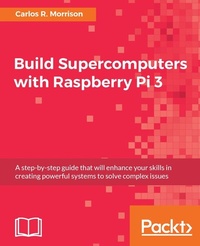
Build Supercomputers with Raspberry Pi 3
A step-by-step guide that will enhance your skills in creating powerful systems to solve complex issues
Published on 13. January 2025
254 pages
978-1-78728-915-4 (ISBN)
Description

Leverage the microchip to achieve solution to mammoth tasks
Key Features
[*]Carlos R. Morrison from NASA will teach you to build a supercomputer with Raspberry Pi 3
[*]Deepen your understanding of setting up host nodes, configuring networks, and automating mountable drives
[*]Learn various math, physics, and engineering applications to solve complex problems
Book DescriptionAuthor Carlos R. Morrison (Staff Scientist, NASA) will empower the uninitiated reader to quickly assemble and operate a Pi3 supercomputer in the shortest possible time. The lifeblood of a supercomputer, the MPI code, is introduced early, and sample MPI code provides additional practice opportunities for you to test the effectiveness of your creation. You will learn how to configure various nodes and switches so that they can effectively communicate with each other. By the end of this book, you will have successfully built a supercomputer and the various applications related to it. What you will learn
[*]Understand the concept of Message Passing Interface (MPI)
[*]Understand node networking
[*]Configure nodes so that they can communicate with each other via the network switch
[*]Build a Raspberry Pi3 supercomputer
[*]Test the supercluster
[*]Use the supercomputer to calculate MPI ? codes
[*]Learn various practical supercomputer applications
Who this book is forThis book targets hobbyists and enthusiasts who want to explore building supercomputers with microcomputers. Researchers will also find this book useful. Prior programming knowledge is necessary; knowledge of supercomputers is not.
Key Features
[*]Carlos R. Morrison from NASA will teach you to build a supercomputer with Raspberry Pi 3
[*]Deepen your understanding of setting up host nodes, configuring networks, and automating mountable drives
[*]Learn various math, physics, and engineering applications to solve complex problems
Book DescriptionAuthor Carlos R. Morrison (Staff Scientist, NASA) will empower the uninitiated reader to quickly assemble and operate a Pi3 supercomputer in the shortest possible time. The lifeblood of a supercomputer, the MPI code, is introduced early, and sample MPI code provides additional practice opportunities for you to test the effectiveness of your creation. You will learn how to configure various nodes and switches so that they can effectively communicate with each other. By the end of this book, you will have successfully built a supercomputer and the various applications related to it. What you will learn
[*]Understand the concept of Message Passing Interface (MPI)
[*]Understand node networking
[*]Configure nodes so that they can communicate with each other via the network switch
[*]Build a Raspberry Pi3 supercomputer
[*]Test the supercluster
[*]Use the supercomputer to calculate MPI ? codes
[*]Learn various practical supercomputer applications
Who this book is forThis book targets hobbyists and enthusiasts who want to explore building supercomputers with microcomputers. Researchers will also find this book useful. Prior programming knowledge is necessary; knowledge of supercomputers is not.
All prices
More details
Edition
Digital original
Language
English
Place of publication
Birmingham
United Kingdom
Target group
US School Grade: College Graduate Student
Edition type
Digital original
File size
22,35 MB
ISBN-13
978-1-78728-915-4 (9781787289154)
Copyright in bibliographic data and cover images is held by Nielsen Book Services Limited or by the publishers or by their respective licensors: all rights reserved.
Schweitzer Classification
Other editions
Additional editions
Carlos R. Morrison
Build Supercomputers with Raspberry Pi 3
A step-by-step guide that will enhance your skills in creating powerful systems to solve complex issues
Book
03/2017
Packt Publishing
€50.70
Shipment within 3-4 weeks
Person
R. Morrison Carlos :
Carlos R. Morrison was born in Kingston, Jamaica, West Indies. He received a B.S. (Hons) degree in physics with a mathematics minor in 1986 from Hofstra University, Hempstead, NY, and an M.S. degree in physics in 1989 from Polytechnic University, Brooklyn, NY. In 1989, he joined the NASA Glenn Research Center, Cleveland, OH, as a staff scientist in the solid-state physics branch and, in 1999, he transferred to the structures and dynamics branch. He has authored and coauthored several journal and technical articles associated with aerospace and electromagnetic devices. He holds several patents, including one on the Morrison Motor for which he won the 2004 R&D 100 Award, and software technologies used to control magnetic bearings. He is currently engaged in research associated with room temperature and superconducting reluctance motors, and Simulink Simulation of said motors. Mr. Morrison is a member of the American Physical Society and the National Technical Association.
Carlos R. Morrison was born in Kingston, Jamaica, West Indies. He received a B.S. (Hons) degree in physics with a mathematics minor in 1986 from Hofstra University, Hempstead, NY, and an M.S. degree in physics in 1989 from Polytechnic University, Brooklyn, NY. In 1989, he joined the NASA Glenn Research Center, Cleveland, OH, as a staff scientist in the solid-state physics branch and, in 1999, he transferred to the structures and dynamics branch. He has authored and coauthored several journal and technical articles associated with aerospace and electromagnetic devices. He holds several patents, including one on the Morrison Motor for which he won the 2004 R&D 100 Award, and software technologies used to control magnetic bearings. He is currently engaged in research associated with room temperature and superconducting reluctance motors, and Simulink Simulation of said motors. Mr. Morrison is a member of the American Physical Society and the National Technical Association.
Content
Table of Contents
Getting started with supercomputing
One Node Supercomputing
Preparing the Initial Two Nodes
Static IP Address and Host File Setup
Creating a Common User for All Nodes
Creating a Mountable Drive on the Master Node
Configuring the Eight Nodes
Testing the Super Cluster
Real-World Math Application
Real-World Physics Application
Real-World Engineering Application
Getting started with supercomputing
One Node Supercomputing
Preparing the Initial Two Nodes
Static IP Address and Host File Setup
Creating a Common User for All Nodes
Creating a Mountable Drive on the Master Node
Configuring the Eight Nodes
Testing the Super Cluster
Real-World Math Application
Real-World Physics Application
Real-World Engineering Application

