

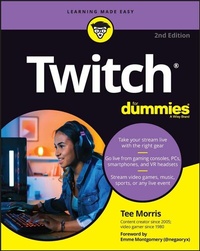
Twitch For Dummies
2nd Edition
Published on 28. July 2022
336 pages
978-1-119-90159-4 (ISBN)
Description

Find your own streaming success with Dummies
Twitch For Dummies will get you up to date with Twitch, the breakthrough streaming platform where you can set up a channel, increase your viewership, and find your people. Step-by-step guides and helpful, real-life examples get you ready to go live and, who knows, maybe even earn a little money while having fun online. Check out this new edition for all the details on the new Creator Dashboard interface, streaming in the metaverse, and details you need to know to get the world watching. This handy reference even covers the latest Twitch integrations for streaming from your mobile devices. Community-based entertainment has never been hotter, and Dummies shows you how to get on board.
* Discover why the streaming platform Twitch is taking the world by storm
* Set up your first channel, stream gameplay, create highlight reels, and find viewers
* Understand the ad revenue structure so you can earn cash from your stream
* Get current on going live from the latest console models to Virtual Reality
This is the perfect Dummies guide for new and established Twitch streamers who want to improve their audience and skills.
Twitch For Dummies will get you up to date with Twitch, the breakthrough streaming platform where you can set up a channel, increase your viewership, and find your people. Step-by-step guides and helpful, real-life examples get you ready to go live and, who knows, maybe even earn a little money while having fun online. Check out this new edition for all the details on the new Creator Dashboard interface, streaming in the metaverse, and details you need to know to get the world watching. This handy reference even covers the latest Twitch integrations for streaming from your mobile devices. Community-based entertainment has never been hotter, and Dummies shows you how to get on board.
* Discover why the streaming platform Twitch is taking the world by storm
* Set up your first channel, stream gameplay, create highlight reels, and find viewers
* Understand the ad revenue structure so you can earn cash from your stream
* Get current on going live from the latest console models to Virtual Reality
This is the perfect Dummies guide for new and established Twitch streamers who want to improve their audience and skills.
More details
Other editions
Additional editions
Person
Tee Morris, an early adopter of podcasting, is no stranger to building audiences and releasing original content online. Now he adds Twitch to his online arsenal of creativity, managing his own streaming channel featuring a variety of gaming, cooking, and talk shows. Tee is co-author of Podcasting For Dummies, 4th Edition, a contributor to Making YouTube Videos, 2nd Edition (Dummies Junior), and a writer of science fiction and fantasy, including the award-winning steampunk series The Ministry of Peculiar Occurrences.
Content
- Intro
- Title Page
- Copyright Page
- Table of Contents
- Foreword
- Introduction
- About This Book
- How to Use This Book
- Icons Used in This Book
- Beyond the Book
- Where to Go from Here
- Part 1 Getting Your Game On
- Chapter 1 Welcome to the World of Twitch
- Creating a Twitch Account
- Press X to begin: The basics
- "New Twitch, who dis?": Completing the Profile
- All in the details: Channel and Videos settings
- Controlling the signal: From privacy to connected third parties
- Learning at the Feet of Masters: Following and Subscribing to Twitch Channels
- Following on Twitch
- Subscribing on Twitch
- Other Twitch Resources
- Chapter 2 Turning a Console into a Streamer's Studio
- What's Your Preferred Platform?
- PlayStation
- Xbox
- Nonessentials . . . That Are Essential
- Video cameras
- Audio gear
- Laptop computer or mobile device (on a stand)
- Green screen
- Virtual assistants
- Chapter 3 Making First Impressions
- Creating a Complete Twitch Channel
- Creating an Info Panel
- Deciding which Info Panels to create
- Editing and deleting Info Panels
- Streaming Off Your Console
- Setting up your PlayStation for streaming
- Setting up your Xbox for streaming
- Chapter 4 And We're Live! (Wait, We're LIVE?!)
- Streaming Your First Gameplay
- OMG! I'm live! What do I do now?!
- Wrapping up your stream
- Post-Show Production: What to Do After a Stream
- Take a bow: Social media shout-outs
- YouTube: Your content, on demand
- Creating a highlight
- Chapter 5 Setting Schedules and Managing Social Media
- Same Bat-Time, Same Bat-Channel: Setting Your Schedule
- From start to finish: A basic schedule
- Your own pocket of time: The length of your stream
- Consistency and Communication
- Notifications on Twitch
- Notifications on Social Media
- Notifications on Discord
- When Life Happens: Changes in the Schedule
- Chapter 6 Improving Your Stream: Being Your Own Harshest Critic
- G, PG, PG-13, or R: What's the Rating?
- Setting the Mature Content option
- The parameters of adult content
- Popularity Versus Pleasure: What Are You Streaming?
- Streaming popular games
- Streaming games you enjoy
- Streaming retro games
- Beyond Consoles: Streaming without Video Games
- Part 2 Creating Your Broadcasting Studio
- Chapter 7 Streaming without Constraints: Streaming from a PC
- Looking under the Hood: What a PC Needs
- The computer processor
- Cooling systems
- Random access memory
- Graphics card
- Capture card
- Power supply
- Setting Up Your Console
- Making Creativity and Interactivity Happen with StreamElements and OBS
- Downloading a template from Nerd or Die
- Setting up OBS with StreamElements
- Incorporating your template
- Customizing your template
- Adding a camera to your template
- Adding a console to your template
- Setting Up Audio: Easier Said than Done
- Setting up your audio in OBS
- Using Discord as your Party Chat solution
- Chapter 8 Bells & Whistles: Nifty Add-Ons for Your Twitch Stream
- Stand By for Stream: Introduction and Intermission B-roll
- Second-in-Command: Channel Moderators
- StreamElements: Your Friendly Neighborhood Virtual Assistant
- Say it again and again: Using custom commands
- Locking it down: Spam protection
- Complete Control: The Elgato Stream Deck
- Chapter 9 All the World's Your Stage
- Quiet on the Set: A Critical Look at Your Twitch Studio
- Couchcasting
- Streaming from the office studio
- Streaming from the set
- Twitch on the Go: Streaming from a Mobile Phone
- Setting up your mobile stream with Streamlabs
- Customizing your mobile stream on Streamlabs
- Live from the Metaverse: Streaming in Virtual Reality
- Setting up your PC for VR streaming
- Launching a VR stream
- Part 3 Levelling Up with Twitch
- Chapter 10 Let's GOOOOO, Chat: Welcome to the Show!
- Announcing Who, What, Where: Your Show Intro
- Gittin' Gud at Multitasking: Responding to Chat
- Checking in with Chat in real time
- Checking in with Chat at specific points
- Creating Content for Two (or More): Hosting Interviews
- Extending interview requests
- Asking really great questions
- Avoiding really bad questions
- Taking a Bow: Ending Your Stream
- Chapter 11 In between the Streams
- Meanwhile, at Penguin's Secret Lair: Your Channel between Streams
- Why host other streamers?
- Selecting other streamers
- Twitch on Demand: Past Broadcasts
- Past broadcasts on Twitch
- Past broadcasts on YouTube
- Highlight Reels, Revisited
- Creating highlight reels with iMovie
- Leveling up: video editing with HitFilm Express
- Chapter 12 From Hobby to Side Hustle . . . to Full-Time Job?
- Semi-Pro: The Affiliate Streamer
- Expressing yourself: Emotes
- Patrons of the Arts: Subscribers
- Expressing your loyalty: Subscriber badges
- A penny for your thoughts: Bits
- Skipping the intermediary: the Tip
- Achievement Unlocked: Partnership
- Why become a Twitch Partner?
- The checklist for a Twitch Partner
- Show Me the Money: Revenue Opportunities
- This Twitch stream is sponsored by . . .
- Affiliate programs: Working together
- So, Chat, let me tell you about this amazing product from . . .
- Show me your swag!
- Don't Quit Your Day Job Just Yet
- Part 4 Beyond the Console
- Chapter 13 Building Your Twitch Community
- Check Me Out Now: Publicizing Your Stream
- TikTok
- Hover
- YouTube
- Creating a social media strategy
- Who Is "The Fam" and Why Do They Matter?
- Oh hai, Mark: Talking to Chat
- The Fam includes other streamers too
- The Community Board: Discord
- Setting up channels
- Share with the class: Talking to your Chat
- Family Matters: The Unseen Community Members
- The significant other
- When your kids want to stream
- Chapter 14 Twitch Etiquette
- Don't Let the Door Hit You on the Way Out: Bad Behavior on Twitch
- Yo, check out my stream . . .
- Hey, Streamer! Hey! Listen! Pay attention to ME!
- Well, I support this stream, so you owe me
- They See Me Trollin' and Hatin' . . .
- You just earned a timeout, kiddo: Muting trolls in stream
- Hate raids
- Not-So-Merry Melodies: Twitch, the RIAA, and the DMCA
- What the DMCA is
- When the DMCA leveled up
- The simple (but complicated) relationship between the RIAA and Twitch
- Where to find stream-safe music
- Positive Impressions: Putting your best foot forward on Twitch
- Chapter 15 Game Over: Twitch Outside of Gaming
- Game On: The Rise of Esports
- NASA TV: Going Live in the Sky
- The Food of Love on Twitch: Music
- Harping on a passion: Meadow Fox
- Sing a song: Ashley Abbink and Camila Knight
- The Sounds of Serenity: ASMR
- Phasmo for Real: Old Spirits Investigations Live
- Gaming for Good: Charity Streaming
- Remembering rule 1: Charity streaming is not about you!
- Setting up a Tiltify profile
- Doing a little prep before you get started
- Part 5 The Part of Tens
- Chapter 16 Ten (or More) Life Lessons from Twitch
- Twitch Enabled Me to Take Center Stage
- Twitch Opened the World to Me
- Twitch Helped Me Realize I Am Not Alone
- Success Is Waiting for You If You're Willing to Work for It
- Twitch Encourages Me to Look for Improvement
- You Always Have Someone Watching Your Back
- Twitch Can Surprise You in the Best of Ways
- One Life Lesson from Twitch
- It's a Glimpse of How Good We Can Be
- Twitch Took My Education and Leveled It Up
- Twitch Restored My Faith in People
- To Thine Own Self Be True
- Twitch Doesn't Believe in a Comfort Zone, and That's a Good Thing
- Twitch Opened Doors I Didn't Know Existed
- There Are a Lot of Good People in the World - Connect with Them
- Twitch Taught Me the Power of Community
- If You Have Something to Share, You Have to Make It Happen
- Twitch Proves the Power of Paying It Forward
- Chapter 17 Ten Final Thoughts from a TeeMonster on Twitch
- Five Lessons from Five Years
- Grow at your own pace
- Don't let life pass you by
- Stream fearlessly
- Make yourself your stream's top priority
- Stream because you love it
- Five Goals for the Streams to Come
- Don't define yourself by analytics
- A good mantra to focus on: My stream is a fun place to be
- Remember, there's no silver bullet to success
- To thine own self be true
- Partnership is not the endgame
- Index
- EULA
