

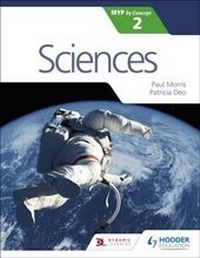
Sciences for the IB MYP 2
Published on 26. December 2016
160 pages
978-1-4718-8045-2 (ISBN)
Description

Exam Board: IB
Level: MYP
Subject: Science
First Teaching: September 2016
First Exam: June 2017
Develop your skills to become an inquiring learner; ensure you navigate the MYP framework with confidence using a concept-driven and assessment-focused approach to Sciences presented in global contexts.
- Develop conceptual understanding with key MYP concepts and related concepts at the heart of each chapter.
- Learn by asking questions with a statement of inquiry in each chapter.
- Prepare for every aspect of assessment using support and tasks designed by experienced educators.
- Understand how to extend your learning through research projects and interdisciplinary opportunities.
Contents list
1 Where are we now and where are we going?
2 How do we map matter?
3 Who are we?
4 How can we find out?
5 How does our planet work?
6 How do we respond to our world?
Level: MYP
Subject: Science
First Teaching: September 2016
First Exam: June 2017
Develop your skills to become an inquiring learner; ensure you navigate the MYP framework with confidence using a concept-driven and assessment-focused approach to Sciences presented in global contexts.
- Develop conceptual understanding with key MYP concepts and related concepts at the heart of each chapter.
- Learn by asking questions with a statement of inquiry in each chapter.
- Prepare for every aspect of assessment using support and tasks designed by experienced educators.
- Understand how to extend your learning through research projects and interdisciplinary opportunities.
Contents list
1 Where are we now and where are we going?
2 How do we map matter?
3 Who are we?
4 How can we find out?
5 How does our planet work?
6 How do we respond to our world?
More details
Edition
Digital original
Language
English
Place of publication
United Kingdom
Publishing group
Hachette Learning
Target group
College/higher education
Interest Age: From 11 to 16 years
Edition type
Digital original
ISBN-13
978-1-4718-8045-2 (9781471880452)
Copyright in bibliographic data and cover images is held by Nielsen Book Services Limited or by the publishers or by their respective licensors: all rights reserved.
Schweitzer Classification
Other editions
Additional editions
Persons
Paul Morris and Patricia Deo
