
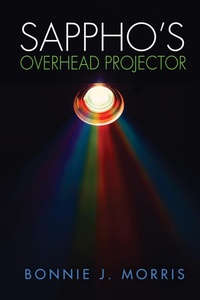
Sappho's Overhead Projector
Description
Alles über E-Books | Antworten auf Fragen rund um E-Books, Kopierschutz und Dateiformate finden Sie in unserem Info- & Hilfebereich.
Picking up where time-travel novel Sappho's Bar and Grill left off, feminist scholar Hannah Stern finds herself working at the Library of Congress, assigned to catalogue a donation of rare lesbian books. But it's more than a one-year job in Washington: it's a mission handed to her by a powerful and mysterious goddess, The Overhead Herself. When a series of desperate, haunted phone calls from the ghosts of lesbian writers directs her to rescue even more at-risk books, Hannah begins a journey into the love affair between banned writers and newly-out readers.
Will hearing others' fond memories of lesbian books from the 1920s and 1970s help Hannah save their legacy for future generations? Or will Isabel, Hannah's partner and the mystical proprietor of Sappho's Bar and Grill, have to summon her magic to save the entire bar membership?
Set in the actual buildings and spaces of the Library of Congress, this new work invites us to consider how we can preserve?and recirculate?the daring lesbian books that helped bring out so many generations of women.

More details
Person
System requirements
File format: ePUB
Copy protection: Adobe-DRM (Digital Rights Management)
System requirements:
- Computer (Windows; MacOS X; Linux): Install the free reader Adobe Digital Editions prior to download (see eBook Help).
- Tablet/smartphone (Android; iOS): Install the free app Adobe Digital Editions or the app PocketBook before downloading (see eBook Help).
- E-reader: Bookeen, Kobo, Pocketbook, Sony, Tolino and many more (not Kindle).
The file format ePub works well for novels and non-fiction books – i.e., „flowing” text without complex layout. On an e-reader or smartphone, line and page breaks automatically adjust to fit the small displays.
This eBook uses Adobe-DRM, a „hard” copy protection. If the necessary requirements are not met, unfortunately you will not be able to open the eBook. You will therefore need to prepare your reading hardware before downloading.
Please note: We strongly recommend that you authorise using your personal Adobe ID after installation of any reading software.
For more information, see our ebook Help page.