

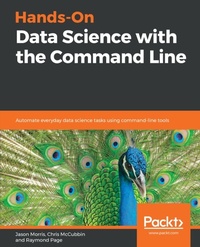
Hands-On Data Science with the Command Line
Automate everyday data science tasks using command-line tools
Published on 23. September 2024
124 pages
978-1-78899-191-9 (ISBN)
Description

No detailed description available for "Hands-On Data Science with the Command Line".
More details
Edition
Digital original
Language
English
Place of publication
Birmingham
United Kingdom
Target group
Professional and scholarly
US School Grade: College Graduate Student
Edition type
Digital original
File size
12,11 MB
ISBN-13
978-1-78899-191-9 (9781788991919)
Copyright in bibliographic data and cover images is held by Nielsen Book Services Limited or by the publishers or by their respective licensors: all rights reserved.
Schweitzer Classification
Other editions
Additional editions
Jason Morris | Chris McCubbin | Raymond Page
Hands-On Data Science with the Command Line
Automate everyday data science tasks using command-line tools
Book
01/2019
Packt Publishing
€38.60
Shipment within 3-4 weeks
Persons
Morris Jason :
Jason Morris is a systems and research engineer with over 19 years of experience in system architecture, research engineering, and large data analysis. His primary focus is machine learning with TensorFlow, CUDA, and Apache Spark. Jason is also a speaker and a consultant for designing large-scale architectures, implementing best security practices on the cloud, creating near real-time image detection analytics with deep learning, and developing serverless architectures to aid in ETL. His most recent roles include solution architect, big data engineer, big data specialist, and instructor at Amazon Web Services. He is currently the Chief Technology Officer of Next Rev Technologies and his favorite command line program is netcatMcCubbin Chris :
Chris McCubbin is a data scientist and software developer with 20 years experience in developing complex systems and analytics. He co-founded the successful big data security startup Sqrrl, since acquired by Amazon. He has also developed smart swarming systems for drones, social network analysis systems in MapReduce and big data security analytic platforms using the Apache projects Accumulo and Spark. He has been using the Unix command line starting on IRIX platforms in college and his favorite command line program is find.Page Raymond :
Raymond Page is a computer engineer specializing in site reliability. His experience with embedded development engendered a passion for removing the pervasive bloat from web technologies and cloud computing. His favorite command is cat.
Jason Morris is a systems and research engineer with over 19 years of experience in system architecture, research engineering, and large data analysis. His primary focus is machine learning with TensorFlow, CUDA, and Apache Spark. Jason is also a speaker and a consultant for designing large-scale architectures, implementing best security practices on the cloud, creating near real-time image detection analytics with deep learning, and developing serverless architectures to aid in ETL. His most recent roles include solution architect, big data engineer, big data specialist, and instructor at Amazon Web Services. He is currently the Chief Technology Officer of Next Rev Technologies and his favorite command line program is netcatMcCubbin Chris :
Chris McCubbin is a data scientist and software developer with 20 years experience in developing complex systems and analytics. He co-founded the successful big data security startup Sqrrl, since acquired by Amazon. He has also developed smart swarming systems for drones, social network analysis systems in MapReduce and big data security analytic platforms using the Apache projects Accumulo and Spark. He has been using the Unix command line starting on IRIX platforms in college and his favorite command line program is find.Page Raymond :
Raymond Page is a computer engineer specializing in site reliability. His experience with embedded development engendered a passion for removing the pervasive bloat from web technologies and cloud computing. His favorite command is cat.
Content
Table of Contents
Data Science at the Command line and Setting it up
Essential Commands
Obtaining and Working with Data,Detached Processing and Terminal Multiplexers
Bash Functions and Data Visualization
Loops, Functions and String Processing
The Command Line as a Database, Math in Bash, and Bringing It All Together
Data Science at the Command line and Setting it up
Essential Commands
Obtaining and Working with Data,Detached Processing and Terminal Multiplexers
Bash Functions and Data Visualization
Loops, Functions and String Processing
The Command Line as a Database, Math in Bash, and Bringing It All Together
