

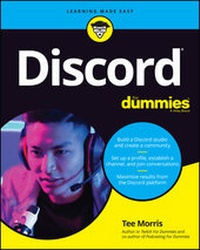
Discord For Dummies
Description

Though it was originally a virtual meeting place primarily for gamers, Discord's userbase has quintupled in size in just two years and branched to include discussions on a multitude of topics. Discord For Dummies shows readers how to connect with the massive Discord audience, both within and well beyond the gaming niche.
Celebrated writer, broadcaster, gamer, and technologist Tee Morris teaches readers how to set up a profile, establish channels, and join other conversations. Along the way, he'll show you how to grow your audience and utilize Discord in your business. You'll also learn to:
· Play by the rules of Discord, both written and unwritten
· Build a Discord studio
· Create a community
· Acquire must-have accessories
With an audience of over 250,000,000 active users, you can't afford to ignore the Discord community. Discord For Dummies is perfect for businesses seeking a larger audience, established media looking for a presence in private chat, and groups looking to organize their communication.
More details
Other editions
Additional editions
Person
Content
Introduction
I'm just going to come out and address the massive gorilla in the room: naming a communications platform Discord is just plain weird.
And naming a platform as powerful, as efficient, and as awesome as the one I'm about to introduce you to Discord makes no sense to me.
Yet here we are. Discord For Dummies.
Maybe you've already heard of this platform and are looking to broaden your skill set on it. Maybe you are, like me, on a streaming platform - Twitch (https://twitch.tv) being my preferred place for streaming shenanigans - and people on your chat are asking about your Discord. Maybe you are looking to find something to replace your Facebook seeing as Discord hasn't been called before Congress concerning privacy issues. Maybe you are just plain curious about this platform. (Or maybe you are one of those folks who has mastered Discord, is making a nice chunk of change from it, wanted to see who the heck I was in writing this book, and intend to poke fun at it next time you're online, to which, all I can say is "Yooooo, thanks for the shout-out!") Whatever the reason, you're here, and I appreciate it. I'm here to talk to you about Discord. It's a chat engine. It's an audio app. It's a video chat app. A lot is happening here, and I'm your guide in this beginner's approach to this communications platform.
Discord For Dummies offers you a deep dive and a step-by-step approach to an exciting platform that, while designed for gamers, offers so much more in the ways of communication. Beginning with the question at the forefront of your mind - what is Discord? - this book takes you through an up-and-coming platform that serves as primary game comms for fireteams worldwide and virtual meeting spaces for event organizers. By the time you reach the end of this book, you should know where to go in Discord to get things done, how to build a community, how to connect with people through audio and video, and even have some fun on this journey with me.
About This Book
Discord For Dummies should be these things to all who pick up and read it (whether straight through or by jumping around in the chapters):
- A user-friendly guide in how to establish a server, work with audio, work with video, and build a community
- A terrific reference for choosing the right hardware and software to improve on your Internet communications, whether it is for gaming or otherwise
- The starting point for the person who knows nothing about audio, video, VoIP, chat, community building, community management, or how to turn a computer into a communications bank
- A handy go-to think tank for any beginning server manager who's hungry for new ideas on what goes into a good stream and fresh points of view
- A really fun read
There will be plenty of answers in these pages, and if you find the answers too elementary, I will provide you plenty of points of reference to research. I don't claim to have all the solutions, quick fixes, and resolutions to all possible Discord queries, but I will present to you the basic building blocks and first steps for building a community around your favorite game(s), charity, non-profit, podcast, or stream. As with any For Dummies book, my responsibility is to offer you a foundation on which to build your Channel and grow. You may not hear me talk about your favorite Discord server. In fact, you may think "Why didn't you talk to [insert favorite Discord server admin here]? They would have been a great feature." My mission is to teach you the basics, and in covering the basics, I might have missed some details. However, this book should provide you with a solid foundation.
This book was written as a linear path from setting up a profile for yourself to strategies in community engagement and management. However, not everyone will read this book from page one to the end. If you've already gotten your feet wet with the various aspects of Discord, feel free to jump around from section to section and read the parts that you need. I provide plenty of guides back to other relevant chapters for when the going gets murky.
Foolish Assumptions
It doesn't matter what platform you're on. If you have a browser, Discord can work for you. If you have a computer, a solid connection to the Internet, and a lot of curiosity, you are ready to go. Just remember, the operating system just makes the computer go. It's the browser that offers you a first look at the platform. I'm here to provide you tools not only for making Discord work, but also for making all aspects of it work - text, audio, and video.
What you have in your hands here is a detailed look at Discord, a mix of how-to exercises for a variety of the platform's features, and offered strategies on how to build, engage, and manage a community. I go into communication via text, via audio, and via video. There's a look in here at working on Discord through your browser, on your desktop, on your smartphone, and on your tablet. So if you know nothing about Discord, "You have chosen wisely," as we heard in Indiana Jones and the Last Crusade. If you know something about Discord, you might gain some insight into community management strategy, in working with bots, or upgrading your Discord rig. So, yes, Discord For Dummies offers something for everyone.
However, as I've seen after For Dummies books hit the shelves, there are going to be assumptions made about this title. So let's cover the short list on what this book is not, and never will be:
- This book offers suggestions and strategies on creating a community around your Discord. This platform is not a turnkey solution. Your community just won't "appear" nor does this book make the claim "If you build it, they will come." Building a community takes time and effort, and Discord For Dummies won't build a community for you.
- There is a revenue-generating option in Discord, and although I cover it, I do not encourage you to quit your day job. This is not a "Make Money with Discord" book.
- This book will have some answers for you, but when changes happen, this book will not instantly update. (Not until a 2nd Edition, at least.) I will, however, try to address any major changes on my stream. See "Beyond the Book" for details.
If you are looking for a solid start to Discord, this is the book for you. I'm thrilled you're here.
Icons Used in This Book
You might be working through an exercise or reading a chapter, making some real progress with understanding Discord, when suddenly these little icons leap out, grab you by the throat, and wrestle you to the ground. (Who would have thought Discord was so action-packed. Like an episode of Altered Carbon, huh?) What do all these icons mean? Let's take a look.
When I'm in the middle of a discussion and suddenly I have one of those "Say, that reminds me ." moments, I give you one of these tips. There are those handy little extras that are good to know and might even make your background in Discord a little better than average.
So you're working hard on one of these exercises, and you come across this icon. Skip this at your own peril. This is one of those "Seriously, you can't forget this part! Otherwise the bus drops under 55 mph and explodes!" Okay, maybe you don't have to worry about the bus, but the Remember icon is one you want to pay close attention to.
Sometimes I interrupt my train of thought with a "Taihoa, Bro." (That's Maori for "Pump the brakes, man.") moment - and this is where I ask for your completely undivided attention. The Warnings are exactly that: flashing lights, ah-ooga horns, dire portents. They're reminders not to try this at home because you'll definitely regret it.
Beyond the Book
You can find a little more helpful Discord-related information on https://www.dummies.com, where you can peruse this book's Cheat Sheet. To get this handy resource, go to the website and type Discord For Dummies Cheat Sheet in the Search box.
In addition to the website, this book comes with a companion stream on Twitch, airing on Sunday afternoons. From your browser of choice, visit https://www.twitch.tv/theteemonster, and follow (or subscribe) to receive notifications when I go live to take your questions on Discord, Twitch, podcasting, and content creation. And maybe, on occasion, I may be joined online or in-studio by special guests. Your questions are encouraged, as I'll try and cover concepts in this book explored in greater detail, and maybe touch base on topics too advanced for this title but more than suitable for the stream.
Where to Go from Here
At this point, many For Dummies authors say something snappy, clever, or even a bit snarky. Chuck and I did so often throughout editions of Podcasting For Dummies and Twitch for Dummies. My best tongue-in-cheek material is saved for the pages inside, so here's a more serious approach.
If you want to hop around the book, that's your decision, but I suggest planting yourself in front of a...
