

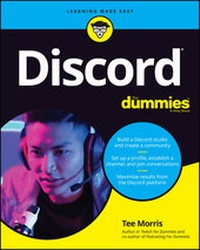
Discord For Dummies
1st Edition
Published on 4. June 2020
288 pages
978-1-119-68801-3 (ISBN)
Description

Connect with the newest and most vibrant online community
Though it was originally a virtual meeting place primarily for gamers, Discord's userbase has quintupled in size in just two years and branched to include discussions on a multitude of topics. Discord For Dummies shows readers how to connect with the massive Discord audience, both within and well beyond the gaming niche.
Celebrated writer, broadcaster, gamer, and technologist Tee Morris teaches readers how to set up a profile, establish channels, and join other conversations. Along the way, he'll show you how to grow your audience and utilize Discord in your business. You'll also learn to:
· Play by the rules of Discord, both written and unwritten
· Build a Discord studio
· Create a community
· Acquire must-have accessories
With an audience of over 250,000,000 active users, you can't afford to ignore the Discord community. Discord For Dummies is perfect for businesses seeking a larger audience, established media looking for a presence in private chat, and groups looking to organize their communication.
Though it was originally a virtual meeting place primarily for gamers, Discord's userbase has quintupled in size in just two years and branched to include discussions on a multitude of topics. Discord For Dummies shows readers how to connect with the massive Discord audience, both within and well beyond the gaming niche.
Celebrated writer, broadcaster, gamer, and technologist Tee Morris teaches readers how to set up a profile, establish channels, and join other conversations. Along the way, he'll show you how to grow your audience and utilize Discord in your business. You'll also learn to:
· Play by the rules of Discord, both written and unwritten
· Build a Discord studio
· Create a community
· Acquire must-have accessories
With an audience of over 250,000,000 active users, you can't afford to ignore the Discord community. Discord For Dummies is perfect for businesses seeking a larger audience, established media looking for a presence in private chat, and groups looking to organize their communication.
More details
Other editions
Additional editions
Person
Tee Morris is a writer, broadcaster, and cutting-edge technologist. An early adopter of using social media to reach audiences for his sci-fi and fantasy novels, he continues to blog, podcast, and stream content of all kinds. He's the author of Twitch For Dummies and co-author of Podcasting For Dummies.
Content
- Intro
- Title Page
- Copyright Page
- Table of Contents
- Introduction
- About This Book
- Foolish Assumptions
- Icons Used in This Book
- Beyond the Book
- Where to Go from Here
- Part 1 Getting Started with Discord
- Chapter 1 The Lowdown on Discord
- So What Exactly Is VoIP?
- So What Exactly Is In-Game Chat?
- So What Exactly Is Discord?
- Setting Up Your Discord Account
- Setting up your server
- Setting up your profile and parameters
- Setting up your Discord application
- Joining a Discord Server
- No cover at the door: Joining open servers
- By invitation only: Joining private servers
- Chapter 2 Hailing Frequencies Open
- Connecting with Friends
- Something to Talk About: Channels
- Sharing Is Caring: Putting a Post Together
- Wanna Come on by for a Chat?
- Streaming platforms
- Blog and website menus
- Chapter 3 Straight Talk
- Formatting Text
- Talk to Me: Making a Discord Post Personal
- Role-in', Role-in', Role-in': Roles in Your Community
- The Big Kahunas: Moderators
- Your mission, should you choose to accept it: Assigning roles
- Now hear this: Blasts with the @here and @everyone tags
- Just Between Us: Direct Messaging
- Security Clearance: Roles and Permissions Revisited
- Runes of power: General permissions
- Smart talk: Text permissions
- Part 2 Communication in Discord beyond Text
- Chapter 4 Discord beyond the Browser
- Using Discord on Your Desktop
- Working with the Desktop Discord
- Using Discord on the Go: Mobile Options
- Leveling Up: Discord Nitro
- Serving Up Awesome: Server Types in Discord
- Public servers
- Private servers
- Verified servers
- Partnered servers
- Chapter 5 Audio Check
- Sound Strategy: Audio on Discord
- Making the call: Audio conversations
- Holding pattern: Creating a green room
- The Mystery of Microphones
- USB mics
- XLR microphones
- Thingamajigs, Whammerwhips, and Doodads: Audio Accessories
- Chapter 6 Ready for That Close-Up: Video on Discord
- Moving Pictures: Video on Discord
- Setting the stage: Video settings
- You have to be there: Video conversations
- A Go for Launch: Using Discord's Go Live
- Going Live with Go Live
- Growing Pains: Limitations with Go Live
- Check this out: Using Go Live as a screen-sharing app
- Building on the Basics: Video Accessories and Upgrades
- Video cameras
- Open Broadcasting Software (OBS)
- Green screen
- LED ring lights
- One More Thing: Integrating Twitch with Discord
- Chapter 7 Setting the Stage: Making Discord Your Digital Hangout
- Greetings, Fellow Programs: The Value of a #Welcome Channel
- Ya basic: Putting together a simple #welcome channel
- Access granted: Putting together a #welcome channel with Carl-bot
- Attention, All Personnel: The Value of an #Announcements Channel
- Setting up Mee6 on your #announcements channel
- Posting an announcement (manually) on your #announcements channel
- Getting in the Last Word with Discord
- Chapter 8 Discord in Name Only: Etiquette
- Bye, Felicia: Causing Discord on Discord
- You know, over on my server . . .
- I hate everyone: Dealing with trolls
- Hate speech
- Getting Your Gab On: Interview Tips
- Rules for guests and hosts
- Off-the-cuff interviews
- Interview requests
- It's All in the Planning: Preparing for Interviews
- Asking really great questions
- How to tick off a guest: Bad interview behavior
- Feelin' the synergy
- Recording Discord with OBS
- Setting op OBS for Discord
- Recording with OBS
- Part 3 Working Discord into Your Routine
- Chapter 9 Building on Your Foundation
- Forward Momentum: The After-Show on Discord
- The Importance of Your Own Presence on Discord
- Being on your own server shows that you care
- Discord is a platform with a wide reach
- You might just make someone's day
- Meet and Greet: Working with Meetups in Discord
- Find the right place
- Book the right date
- Set up an RSVP
- Start the promotion
- Other Kinds of Engagement
- Creative endeavors
- Spoiler channels
- Selfies
- Why Engagement Matters
- Chapter 10 A Day on Discord
- Discord in the Morning
- Discord in the Afternoon
- The Unexpected Alert
- Discord in the Evening
- Part 4 The Part of Tens
- Chapter 11 Top Ten Essentials for Discord
- Corsair's Void Pro Headset
- Blue Microphone Yeti X
- MXL 990 XLR Microphone
- Shure X2u XLR-to-USB Microphone Adapter
- Røde Boom Mic Stand
- Logitech C922 Pro HD Stream Webcam
- ZOMEi 16-Inch LED Ring Light
- Mee6
- Carl-bot
- Nightbot
- Chapter 12 Top Ten Ideas for Channel Topics
- Five Topics for the Fun of It
- Games
- Movies and television
- Music
- Pets
- Food
- Five Topics for the Professional
- Travel
- Tech support
- Works in progress
- Event planning
- Resources
- Index
- EULA
