

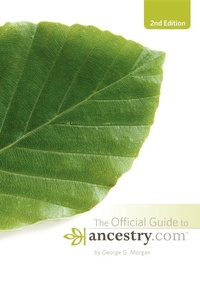
Official Guide to Ancestry.com, 2nd edition
2nd Edition
Published on 1. October 2008
324 pages
978-1-61858-986-6 (ISBN)
Description

Whether you are coming to Ancestry.com for the first time or have used it for years, you need The Official Guide to Ancestry.com. Written by noted genealogist and lecturer George G. Morgan, this official guide takes you inside the #1 website for family history research for an unprecedented tour. This second edition includes chapters on the new search at Ancestry, MyCanvas, and Ancestry DNA. In addition, it helps you create and develop your own Family Tree, explore obscure databases you didn't know existed, and more. You've always known Ancestry.com was a valuable resource. Now you can learn to use it like never before.
More details
Other editions
Additional editions
George G. Morgan
Official Guide to Ancestry.com, 2nd edition
Book
11/2008
2nd Edition
Turner Publishing Company
€27.40
Article not available at the moment
George G. Morgan
Official Guide to Ancestry.com, 2nd edition
Book
11/2008
2nd Edition
Turner Publishing Company
€34.70
Article not available at the moment
Content
- Intro
- ancestry.com
- Title Page
- Copyright Page
- Table of Contents
- Dedication
- Acknowledgments
- Introduction
- Chapter 1 - Getting Around the Site
- Logging In
- Navigating the Site
- The Tabs
- Search
- Summary
- Chapter 2 - Searching for Your Ancestors
- The Search Basics
- New Search Overview
- Searching
- Finding a Specific Database Title
- Search Strategy
- Summary
- Chapter 3 - Working with Digitized Image Collections
- How to Access a Digital Image
- View Record
- View Image
- The Toolbar
- Summary
- Chapter 4 - Family Trees
- Creating a New Family Tree
- Working with Your Family Trees
- Summary
- Chapter 5 - Working with Census Records
- United States Federal Census Records
- Searching the Census Records
- U.S. State and County Census Records
- UK Census Records
- Canadian Census Records
- Summary
- Chapter 6 - Birth, Marriage, and Death Records
- The Major Record Types
- The Social Security Death Index (SSDI)
- A Sample Marriage Database: Maryland 1655-1850
- Banffshire, Scotland: Parish and Probate Records
- England & Wales, FreeBMD Birth Index: 1837-1983
- Summary
- Chapter 7 - Military Records
- Early American Military Databases
- American Civil War Records
- World War I Draft Registration Cards, 1917-1918
- U.S. World War II Army Enlistment Records, 1938-1946
- WW II United News Newsreels, 1942-1946
- Summary
- Chapter 8 - Immigration Records
- Immigration Records at Ancestry.com
- Searching the Collections
- Sample Immigration Databases and Titles
- Summary
- Chapter 9 - Pictures, Newspapers, and Maps
- Searching for Pictures
- Member Photos
- Searching Newspapers and Periodicals
- Maps, Atlases, and Gazetteers
- Working with the Maps, Atlases & Gazetteers Collection
- Summary
- Chapter 10 - Stories, Memories, and Histories
- Searching and Browsing the Collection
- Exploring Different Types of Books from the Collection
- Summary
- Chapter 11 - Directories and Member List Records
- Searching a City Directory
- U.S. School Yearbooks
- U.S. Public Records Index
- UK and U.S. Directories, 1680-1830
- British Phone Books 1880-1984
- Summary
- Chapter 12 - Court and Land Records
- Searching the Databases
- Summary
- Chapter 13 - Reference and Finding Aids
- Searching the Reference and Finding Aids Records
- Searching Books
- The Periodical Source Index (PERSI)
- Summary
- Chapter 14 - Printing and Sharing
- Getting Started
- Making a Family History Book
- Working with Your Project
- Editing Page Elements
- Previewing and Ordering
- Sharing Projects
- Printing Records
- Summary
- Chapter 15 - Ancestry Community
- The Components of the Ancestry Community
- My Public Profile
- Message Boards
- Member Connections
- The Member Directory
- Summary
- Chapter 16 - DNA
- Testing at Ancestry.com
- The DNA Homepage
- Your DNA Test
- Looking at Your Test Results
- DNA Groups
- Summary
- Chapter 17 - The Learning Center
- Welcome to the Learning Center
- Find Answers
- Build a Tree
- Join the Community
- Discover More
- Keep Learning
- Searching the Archive
- Summary
- Chapter 18 - The Ancestry Store
- Books
- Records
- Software
- Photos
- Maps
- Gifts
- Ordering
- Summary
- Chapter 19 - Putting It All Together
- Traditional versus Electronic Evidence
- Using the Help Tool at Ancestry.com
- Happy Hunting
- Index
- About the Author
