

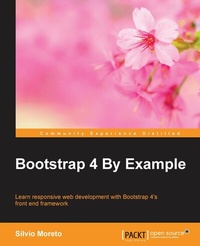
Bootstrap 4 By Example
Click here to enter text.
1st Edition
Published on 3. June 2024
324 pages
978-1-78528-705-3 (ISBN)
Description

Learn responsive web development with Bootstrap 4\'s front end frameworkKey Features - [] Become an expert in Bootstrap framework, and speed up front-end development and prototyping through real-life examples
- [] An applied guide exploring two web applications such as Twitter and Dashboard from scratch
- [] Hands on the Bootstrap version 4 even before the official release
Book DescriptionBootstrap is a free, open source collection of tools that helps developers create websites or web applications. It provides a faster, easier, and less repetitive solution to designing and building applications. Before Bootstrap's release, it was necessary to import a variety of libraries into your project that offered different components and features for web interface development. Plus with the increased popularity of smartphones there were lack of libraries that could handle the responsiveness of a web page. Bootstrap's existence let it quickly become famous as a front-end framework that offered a wide set of tools from page grid up to components that render a web page in the best possible way for any device. This book will be a tutorial covering various examples as well as step-by-step methodology to create interesting web applications using Bootstrap and to understand the front-end framework to its core. We begin with an introduction to the Bootstrap framework and setting up an environment to build a simple web page. We then cover the grid system, basic Bootstrap components, HTML elements, and customization components for responsive and mobile first development. This is presented by creating a beautiful Landing page sample. You will also learn how to create a web application like Twitter by using the full set of components offered in the framework. Finally, you will learn to create a dashboard web app, using Bootstrap to its finest potential including component customizations, event handling, and external library integration. All these examples are explained step-by-step and in depth, while covering the versions 3 and the most recent version 4 of Bootstrap. So, you will be in the state of the art for front-end development. By the end of this book, you will be familiar with the development of a plugin for the framework and Bootstrap's world which is popular for fast paced front-end web development, used in countless projects all over the world, and now yours.What you will learn - [] Discover how to use Bootstrap's components and elements, and to customize them for your own projects
- [] Understand the framework's usage in the best way with the recommended development patterns
- [] Create web pages for any kind of device like tablet, mobile, computer, etc.
- [] Construct a Twitter app by exploring the advanced bootstrap components like Breadcrumbs, Pagination, Media objects, and so on
- [] Combine the power of JavaScript with your Bootstrap app for more functionality
- [] Create a Dashboard web app using Bootstrap's JavaScript plugins
- [] Learn the difference between Bootstrap's version 3 and 4 of the framework
- [] Extend your knowledge on Bootstrap's external plugins, their incorporation and usage
Who this book is forIf you are a frontend developer with no knowledge of Bootstrap, then this book is for you. Basic knowledge of HTML, CSS, and JavaScript is expected, as well as a reasonable understanding of web frameworks, such as jQuery.
- [] An applied guide exploring two web applications such as Twitter and Dashboard from scratch
- [] Hands on the Bootstrap version 4 even before the official release
Book DescriptionBootstrap is a free, open source collection of tools that helps developers create websites or web applications. It provides a faster, easier, and less repetitive solution to designing and building applications. Before Bootstrap's release, it was necessary to import a variety of libraries into your project that offered different components and features for web interface development. Plus with the increased popularity of smartphones there were lack of libraries that could handle the responsiveness of a web page. Bootstrap's existence let it quickly become famous as a front-end framework that offered a wide set of tools from page grid up to components that render a web page in the best possible way for any device. This book will be a tutorial covering various examples as well as step-by-step methodology to create interesting web applications using Bootstrap and to understand the front-end framework to its core. We begin with an introduction to the Bootstrap framework and setting up an environment to build a simple web page. We then cover the grid system, basic Bootstrap components, HTML elements, and customization components for responsive and mobile first development. This is presented by creating a beautiful Landing page sample. You will also learn how to create a web application like Twitter by using the full set of components offered in the framework. Finally, you will learn to create a dashboard web app, using Bootstrap to its finest potential including component customizations, event handling, and external library integration. All these examples are explained step-by-step and in depth, while covering the versions 3 and the most recent version 4 of Bootstrap. So, you will be in the state of the art for front-end development. By the end of this book, you will be familiar with the development of a plugin for the framework and Bootstrap's world which is popular for fast paced front-end web development, used in countless projects all over the world, and now yours.What you will learn - [] Discover how to use Bootstrap's components and elements, and to customize them for your own projects
- [] Understand the framework's usage in the best way with the recommended development patterns
- [] Create web pages for any kind of device like tablet, mobile, computer, etc.
- [] Construct a Twitter app by exploring the advanced bootstrap components like Breadcrumbs, Pagination, Media objects, and so on
- [] Combine the power of JavaScript with your Bootstrap app for more functionality
- [] Create a Dashboard web app using Bootstrap's JavaScript plugins
- [] Learn the difference between Bootstrap's version 3 and 4 of the framework
- [] Extend your knowledge on Bootstrap's external plugins, their incorporation and usage
Who this book is forIf you are a frontend developer with no knowledge of Bootstrap, then this book is for you. Basic knowledge of HTML, CSS, and JavaScript is expected, as well as a reasonable understanding of web frameworks, such as jQuery.
All prices
More details
Other editions
Additional editions
Silvio Moreto Pereira
Bootstrap 4 By Example
Learn responsive web development with Bootstrap 4's front end framework
Book
03/2016
Packt Publishing
€56.30
Shipment within 3-4 weeks
Content
Table of Contents - Getting started
- Create a solid scaffolding
- Yes, you should go mobile first
- Applying the Bootstrap style
- Make it fancy
- Can you build a web app?
- Of course you can build a web app
- Working with JavaScript
- Enter in the advanced mode
- Bring components to life
- Make it to your taste
- Create a solid scaffolding
- Yes, you should go mobile first
- Applying the Bootstrap style
- Make it fancy
- Can you build a web app?
- Of course you can build a web app
- Working with JavaScript
- Enter in the advanced mode
- Bring components to life
- Make it to your taste

