

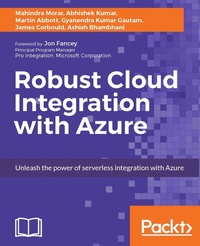
Robust Cloud integration with Azure
Unleash the power of serverless integration with Azure
Published on 8. July 2025
696 pages
978-1-78646-818-5 (ISBN)
Description

Deliver fast and seamless integration in the cloud and build apps that connect anywhere - in the cloud, on-premises, or to the IoT
Key Features
Build and support highly available and scalable API Apps by learning powerful Azure-based cloud integration
Deploy and deliver applications that integrate seamlessly in the cloud and quickly adapt as per your integration needs
Deploy hybrid applications that work and integrate on the cloud (using Logic Apps and BizTalk Server)
Book DescriptionAny software developers, architects, and technical managers lookng to learn about Azure IaaS essentials need look no further. This book is ideal for Microsoft Enterprise developers, DevOps or any IT professionals looking to connect cloud-based and on-premises systems with Azure.What you will learn
With this book, you?ll learn about: ? Building and supporting highly available and scalable API Apps ? Deploying and delivering applications that integrate and adapt seamlessly in the cloud ? Deploying hybrid applications that work and integrate on the cloud (using Logic Apps and BizTalk Server) ? Exploring new models of robust cloud integration in Microsoft Azure ? Creating your own connector and learn how to publish and manage it ? Building reliable, scalable, and secure business workflows using Azure Logic Apps ? Simplifying SaaS connectivity with Azure using Logic Apps ? Connecting your on-premises system to Azure securely
Who this book is forThis book is for Microsoft Enterprise developers, DevOps, and IT professionals who would like to use Azure App Service and Microsoft Cloud Integration technologies to create cloud-based web and mobile apps.
Key Features
Build and support highly available and scalable API Apps by learning powerful Azure-based cloud integration
Deploy and deliver applications that integrate seamlessly in the cloud and quickly adapt as per your integration needs
Deploy hybrid applications that work and integrate on the cloud (using Logic Apps and BizTalk Server)
Book DescriptionAny software developers, architects, and technical managers lookng to learn about Azure IaaS essentials need look no further. This book is ideal for Microsoft Enterprise developers, DevOps or any IT professionals looking to connect cloud-based and on-premises systems with Azure.What you will learn
With this book, you?ll learn about: ? Building and supporting highly available and scalable API Apps ? Deploying and delivering applications that integrate and adapt seamlessly in the cloud ? Deploying hybrid applications that work and integrate on the cloud (using Logic Apps and BizTalk Server) ? Exploring new models of robust cloud integration in Microsoft Azure ? Creating your own connector and learn how to publish and manage it ? Building reliable, scalable, and secure business workflows using Azure Logic Apps ? Simplifying SaaS connectivity with Azure using Logic Apps ? Connecting your on-premises system to Azure securely
Who this book is forThis book is for Microsoft Enterprise developers, DevOps, and IT professionals who would like to use Azure App Service and Microsoft Cloud Integration technologies to create cloud-based web and mobile apps.
All prices
More details
Edition
Digital original
Language
English
Place of publication
Birmingham
United Kingdom
Target group
Professional and scholarly
US School Grade: College Graduate Student
Edition type
Digital original
File size
29,87 MB
ISBN-13
978-1-78646-818-5 (9781786468185)
Copyright in bibliographic data and cover images is held by Nielsen Book Services Limited or by the publishers or by their respective licensors: all rights reserved.
Schweitzer Classification
Other editions
Additional editions
Mahindra Morar | Abhishek Kumar | Gyanendra Kumar Gautam
Robust Cloud Integration with Azure
Book
03/2017
Packt Publishing
€77.20
Shipment within 3-4 weeks
Persons
Abbott Martin :
Martin Abbott is a Microsoft Azure MVP living in Perth, Western Australia. He started his career developing subroutines for commercial computational fluid dynamics software, eventually moving on to more mainstream development and systems integration. He has been working with BizTalk Server since the early days of the product, has spent a lot of time with WCF, but more recently has moved in to providing his customers with integration solutions spanning both on-premises and cloud workloads.Corbould James :
James Corbould has been working in the IT sector since 2003, developing and supporting applications in New Zealand and the United Kingdom. Since 2010, James has been working in the software integration field, designing and building integration solutions using Microsoft technologies such as BizTalk, SQL Server, WCF, .NET, and now Azure, for a wide range of different customers. Recently, he has been working in the health insurance sector and in the building supplies sector.James currently works for Datacom Systems as a consultant and team lead.Morar Mahindra :
Mahindra Morar has been working in the IT sector from 1997, developing Windows and website enterprise applications. In 2009, he has been focusing primarily on integrating systems as a principle integration consultant. Having come from an electronics engineering background, he is able to use this knowledge to design solutions that integrate between wetware, software and hardware.Kumar Abhishek :
Abhishek Kumar works with New Zealand Trade and Enterprise as an integration and data specialist. He is a Microsoft Azure MVP with deep expertise in software development and design. He is a co-author of Robust Cloud Integration and a seasoned contributor to Microsoft blogs, forums, and events. As a technological evangelist, he is specialized in cloud-based technologies such as Azure Functions, Microsoft Graph, Logic Apps, Web API, and Cosmos DB, along with various Software-as-a-Service (SaaS) such as Salesforce, Office 365, and ServiceNow. As a technology advocate, he promotes loosely coupled solution design along with event-based programming.Bhambhani Ashish :
Ashish Bhambhani is an Integration Sr. Premier Field Engineer working for Microsoft. He lives in the Seattle region. He has been working in the integration space for more than a decade. In his current role he helps Microsofts enterprise customers by architecting, designing, building, and maintaining their integration solutions. Recently, he has been able to roll out Azure technologies enterprise-wide for his clients and replace their legacy solutions. He is a content creator and master trainer for some of a Microsofts training that is delivered to clients worldwide. Additionally, he was part of the team that wrote the BizTalk performance whitepaper for msdn.com
Martin Abbott is a Microsoft Azure MVP living in Perth, Western Australia. He started his career developing subroutines for commercial computational fluid dynamics software, eventually moving on to more mainstream development and systems integration. He has been working with BizTalk Server since the early days of the product, has spent a lot of time with WCF, but more recently has moved in to providing his customers with integration solutions spanning both on-premises and cloud workloads.Corbould James :
James Corbould has been working in the IT sector since 2003, developing and supporting applications in New Zealand and the United Kingdom. Since 2010, James has been working in the software integration field, designing and building integration solutions using Microsoft technologies such as BizTalk, SQL Server, WCF, .NET, and now Azure, for a wide range of different customers. Recently, he has been working in the health insurance sector and in the building supplies sector.James currently works for Datacom Systems as a consultant and team lead.Morar Mahindra :
Mahindra Morar has been working in the IT sector from 1997, developing Windows and website enterprise applications. In 2009, he has been focusing primarily on integrating systems as a principle integration consultant. Having come from an electronics engineering background, he is able to use this knowledge to design solutions that integrate between wetware, software and hardware.Kumar Abhishek :
Abhishek Kumar works with New Zealand Trade and Enterprise as an integration and data specialist. He is a Microsoft Azure MVP with deep expertise in software development and design. He is a co-author of Robust Cloud Integration and a seasoned contributor to Microsoft blogs, forums, and events. As a technological evangelist, he is specialized in cloud-based technologies such as Azure Functions, Microsoft Graph, Logic Apps, Web API, and Cosmos DB, along with various Software-as-a-Service (SaaS) such as Salesforce, Office 365, and ServiceNow. As a technology advocate, he promotes loosely coupled solution design along with event-based programming.Bhambhani Ashish :
Ashish Bhambhani is an Integration Sr. Premier Field Engineer working for Microsoft. He lives in the Seattle region. He has been working in the integration space for more than a decade. In his current role he helps Microsofts enterprise customers by architecting, designing, building, and maintaining their integration solutions. Recently, he has been able to roll out Azure technologies enterprise-wide for his clients and replace their legacy solutions. He is a content creator and master trainer for some of a Microsofts training that is delivered to clients worldwide. Additionally, he was part of the team that wrote the BizTalk performance whitepaper for msdn.com
Content
Table of Contents
Introduction to Azure App Service
What is an Azure App Service
Getting Started with API Apps
Azure API Management
Trigger your first Logic App in Azure
Working with Connectors in Logic App
Azure Functions in Logic Apps
Deep Dive into Logic Apps
Powerful Integration with SaaS using Logic Apps
Advanced Integration with Powerful, Scalable, Service Bus in the Cloud
Connecting to Event Hubs and an Introduction IoT Hubs
EAI/B2B Integration using Logic Apps
Hybrid Integration using BizTalk Server 2016 and Logic Apps
Tooling and Monitoring for Logic Apps
What
Introduction to Azure App Service
What is an Azure App Service
Getting Started with API Apps
Azure API Management
Trigger your first Logic App in Azure
Working with Connectors in Logic App
Azure Functions in Logic Apps
Deep Dive into Logic Apps
Powerful Integration with SaaS using Logic Apps
Advanced Integration with Powerful, Scalable, Service Bus in the Cloud
Connecting to Event Hubs and an Introduction IoT Hubs
EAI/B2B Integration using Logic Apps
Hybrid Integration using BizTalk Server 2016 and Logic Apps
Tooling and Monitoring for Logic Apps
What

