

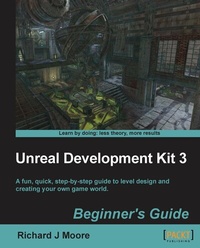
Unreal Development Kit Beginner's Guide
A fun, quick, step by step guide to level design and creating your own game world.
1st Edition
Published on 13. January 2025
244 pages
978-1-84969-053-9 (ISBN)
Description

A fun, quick, step by step guide to level design and creating your own game world.Key Features - Full of illustrations, diagrams, and tips for creating your first level and game environment.
- Clear step-by-step instructions and fun practical examples.
- Master the essentials of level design and environment creation
Book DescriptionUnreal Development Kit (UDK) is the free version of the award-winning Unreal Engine 3. It is used to create a wide variety of games ranging from amateur to professional standard next generation AAA titles. This book will show you exactly how to create an enjoyable and immersive game environment using the UDK. You will learn how to implement, level design, lighting, environmental effects, movement, terrain, map creation, item placement, kismet, materials and complex event sequences. You will work through the level design process from navigating round the editor to learning how to develop a fully playable environment. You will quickly master all of the engine's key tools that are accessible through Unreal Engine 3. You will then start putting together your first level using step-by-step instructions. Next we will implement real world features such as dynamic lighting and shadows, particle effects, physics, terrain, item placement and advanced AI/bot pathing. Finally you will learn how to use UDK's cutting edge high level scripting. By the end of this book you will be equipped with the skills to create an entertaining and imaginative game world.What you will learn - Installing the software and navigating around the editor.
- Build your first map.
- Add cool particle effects like fog, foliage and water.
- Create fun physics.
- Create real world terrain.
- Use the kismet to spawn characters and toggle lighting.
- Cutting edge UDK High level scripting.
- Item placement and AI bot navigation.
Who this book is forAspiring game developers who want to learn how to create their own levels, maps, game worlds and environments. You don't need game design or game development experience and no experience of UDK is required
- Clear step-by-step instructions and fun practical examples.
- Master the essentials of level design and environment creation
Book DescriptionUnreal Development Kit (UDK) is the free version of the award-winning Unreal Engine 3. It is used to create a wide variety of games ranging from amateur to professional standard next generation AAA titles. This book will show you exactly how to create an enjoyable and immersive game environment using the UDK. You will learn how to implement, level design, lighting, environmental effects, movement, terrain, map creation, item placement, kismet, materials and complex event sequences. You will work through the level design process from navigating round the editor to learning how to develop a fully playable environment. You will quickly master all of the engine's key tools that are accessible through Unreal Engine 3. You will then start putting together your first level using step-by-step instructions. Next we will implement real world features such as dynamic lighting and shadows, particle effects, physics, terrain, item placement and advanced AI/bot pathing. Finally you will learn how to use UDK's cutting edge high level scripting. By the end of this book you will be equipped with the skills to create an entertaining and imaginative game world.What you will learn - Installing the software and navigating around the editor.
- Build your first map.
- Add cool particle effects like fog, foliage and water.
- Create fun physics.
- Create real world terrain.
- Use the kismet to spawn characters and toggle lighting.
- Cutting edge UDK High level scripting.
- Item placement and AI bot navigation.
Who this book is forAspiring game developers who want to learn how to create their own levels, maps, game worlds and environments. You don't need game design or game development experience and no experience of UDK is required
All prices
More details
Other editions
Additional editions
Richard Moore
Unreal Development Kit 3 Beginner's Guide
Book
08/2011
Packt Publishing
€50.70
Shipment within 3-4 weeks
Person
Moore Richard :
Richard graduated in 2009 studying video games design at Hull School of Art and Design but has expanded his creativity by working as a web designer/illustrator in Hull, East Yorkshire and London for 3 years. He is very passionate about 3D modelling, level design, concept drawing, web development and graphical illustrations. He has worked on a number of different projects with clients from different industry backgrounds. A collection of stylish web templates, logos, brochures, business cards, web banners, animated graphics and email marketing campaigns. Through the clouds lies my passion in video game development. Complete creation of 3D art including modeling, texturing and high resolution rendering. He also dazzles in game documentation and conceptual drawings. He will always take any opportunity to meet as many different people from the game development community as possible and as a result, I have attended the Games Grads career fair for one consecutive year, participated in the Game Republic 2009 student showcase in Sheffield and Platform 2010, Hulls ¬1st Digital and Gaming event where I won the award for best character and a cheque for £100. In March 2011 he was involved in Platform Expo's 2011, Hull's second video game expo where I entered in this year's video game showcase and won 2nd prize for my outstanding contribution to video game design and is now involved in Platform Expo's 2012. In July 2011 he volunteered as a marketing assistant/designer for an on-line based video games magazine assisting the editor-in-chief in designing templates for latest issues of the magazine, writing reviews on latest video game titles and talking to clients about potential advertising coverage within our magazine and online. In his spare time now focuses on more freelance design and development work with up and coming companies. As a result, Richard has had some impressive feedback from fellow designers and clients and is very much interested in starting up his very own design company focusing on all the things that he loves. He has the ideas, the drive and determination to put it together. 2011 is the start of something big for this video game designer.
Richard graduated in 2009 studying video games design at Hull School of Art and Design but has expanded his creativity by working as a web designer/illustrator in Hull, East Yorkshire and London for 3 years. He is very passionate about 3D modelling, level design, concept drawing, web development and graphical illustrations. He has worked on a number of different projects with clients from different industry backgrounds. A collection of stylish web templates, logos, brochures, business cards, web banners, animated graphics and email marketing campaigns. Through the clouds lies my passion in video game development. Complete creation of 3D art including modeling, texturing and high resolution rendering. He also dazzles in game documentation and conceptual drawings. He will always take any opportunity to meet as many different people from the game development community as possible and as a result, I have attended the Games Grads career fair for one consecutive year, participated in the Game Republic 2009 student showcase in Sheffield and Platform 2010, Hulls ¬1st Digital and Gaming event where I won the award for best character and a cheque for £100. In March 2011 he was involved in Platform Expo's 2011, Hull's second video game expo where I entered in this year's video game showcase and won 2nd prize for my outstanding contribution to video game design and is now involved in Platform Expo's 2012. In July 2011 he volunteered as a marketing assistant/designer for an on-line based video games magazine assisting the editor-in-chief in designing templates for latest issues of the magazine, writing reviews on latest video game titles and talking to clients about potential advertising coverage within our magazine and online. In his spare time now focuses on more freelance design and development work with up and coming companies. As a result, Richard has had some impressive feedback from fellow designers and clients and is very much interested in starting up his very own design company focusing on all the things that he loves. He has the ideas, the drive and determination to put it together. 2011 is the start of something big for this video game designer.
Content
- Intro
- Unreal Development Kit 3
- Table of Contents
- Unreal Development Kit 3
- Credits
- About the Author
- About the Reviewers
- www.PacktPub.com
- Support files, eBooks, discount offers and more
- Why Subscribe?
- Free Access for Packt account holders
- Preface
- What this book covers
- What you need for this book
- Who this book is for
- Conventions
- Time for action - heading
- What just happened?
- Pop quiz - heading
- Have a go hero - heading
- Reader feedback
- Customer support
- Errata
- Piracy
- Questions
- 1. Level Design HQ
- Time for action - UDK download and installation
- UDK folder structure
- Time for action - launching the editor
- Autosave
- Content browser
- What just happened?
- Time for action - movement and rotation
- Navigation
- UDK
- WASD key navigation
- MAYA users
- What just happened?
- BSP
- Why use BSP?
- Can I use static meshes to create my map without using BSP?
- Dominance of static meshes
- Brushes only, no static meshes
- Brushes and static meshes
- Time for action - using BSP brushes and static meshes
- Additive and subtractive
- Additive
- Subtractive
- Unreal scale and proportions
- Grid snapping
- Viewport options
- What just happened?
- Have a go hero - wireframe brush
- Pop quiz
- Summary
- 2. Hello UDK
- Your first map
- Time for action - setup, where to save the file, what to name it
- What just happened?
- Why CSG?
- Time for action - the builder brush and our first cube
- Subtractive
- Brush Order
- What just happened?
- Time for action - geometry editing tool
- What just happened?
- Time for action - building our first room
- What just happened?
- Have a go hero - second floor
- Time for action - placing lights and a player start
- What just happened?
- Have a go hero - advanced lighting
- Time for action - creating a hallway and a second room
- What just happened?
- Time for action - applying materials to CSG surfaces
- Surface Properties
- What just happened?
- Have a go hero - adding more elements to your level
- Time for action - test map and add bots
- What just happened?
- Have a go hero - content browser
- Have a go hero - bot navigation
- Pop quiz
- Summary
- 3. Applying Lighting Effects
- Directional lights
- Point lights
- Spotlights
- Skylights
- Time for action - different types of light
- Point lights
- Spotlights
- Directional lights
- Skylights
- What just happened?
- Time for action - lightmaps
- What just happened?
- Time for action - adjusting lightmaps on CSG surfaces
- What just happened?
- Have a go hero - reduce lightmap resolution on surfaces
- Time for action - lightmaps on static meshes
- What just happened?
- Have a go hero - creating lightmaps for custom static meshes
- Pop quiz
- Summary
- 4. Battling the Elements
- Time for action - the basics
- Time for action - add a new particle emitter
- What just happened?
- Time for action - the smoke example
- What just happened?
- Time for action - adding height fog
- Setting parameters
- Uses
- Atmospheric haze
- Localized fog
- Dense haze
- What just happened?
- Have a go hero - alternatives to height fog
- Time for action - creating the surface
- What just happened?
- Time for action - water volumes
- What just happened?
- Time for action - underwater
- What just happened?
- Have a go hero - animated cloud shadows
- Pop quiz
- Summary
- 5. Movement with Movers
- Time for action - a basic elevator/door
- What just happened?
- Time for action - elevators UT style
- What just happened?
- Time for action - a continuously looping animation
- What just happened?
- Time for action - a continuously rotating animation
- What just happened?
- Time for action - attaching something
- What just happened?
- Have a go hero - triggering sounds
- Pop quiz
- Summary
- 6. Terrain
- Time for action - your first terrain
- What just happened?
- Time for action - applying materials
- What just happened?
- Have a go hero - deco layers
- Time for action - light mapping
- What just happened?
- Have a go hero - foliage layers
- Pop quiz
- Summary
- 7. Adding Gameplay Elements into your Map
- Adding gameplay elements
- Time for action - naming your map
- What just happened?
- Time for action - adding a player start
- What just happened?
- Time for action - play in editor
- What just happened?
- Time for action - placing pickups
- What just happened?
- Time for action - placing weapons
- What just happened?
- Time for action - placing jump pads
- What just happened?
- Time for action - adding other game object types
- What just happened?
- Have a go hero - adding music to your map
- Bot pathing
- Time for action - adding path nodes
- What just happened?
- Pop quiz
- Summary
- 8. Complex Event Sequences
- Time for action - a simple sequence
- What just happened?
- Have a go hero - preview screenshot
- Time for action - basic UIScene
- What just happened?
- Time for action - basic cut scene
- What just happened?
- Summary
- 9. Materials
- What is a material?
- Time for action - creating a new material
- What just happened?
- Time for action - adding textures to a material
- What just happened?
- Time for action - creating a shiny metal surface
- What just happened?
- Time for action - adding a normal map
- What just happened?
- Time for action - seeing your material in the world
- What just happened?
- Time for action - giving a perfect texture to your material
- What just happened?
- Time for action - color specular highlight
- What just happened?
- Time for action - adding a tint to the diffuse color
- What just happened?
- Time for action - making your material easy to read
- What just happened?
- Summary
- Pop Quiz Answers
- Chapter 1
- Level Design HQ
- Chapter 2
- Hello UDK
- Chapter 3
- Applying Lighting Effects
- Chapter 4
- Battling the Elements
- Chapter 5
- Movement with Movers
- Chapter 6
- Terrain
- Chapter 7
- Adding Gameplay Elements into your Map
- Index

