

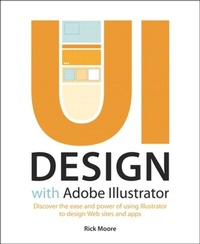
UI Design with Adobe Illustrator
Discover the ease and power of using Illustrator to design Web sites and apps
1st Edition
Published on 24. July 2012
256 pages
978-0-13-303837-8 (ISBN)
Description

Create high fidelity prototypes for complex websites and applications with the easy-to-learn and super-efficient vector capabilities of Illustrator and make the fear of client changes a thing of the past. Whether you're a seasoned Photoshop veteran, a budding designer, or someone who simply has a good eye and artistic vision, this book will show you how to produce mockups and UI elements in a creative and productive way.
Strongly of the opinion that design should not happen solely in a browser, Rick Moore demonstrates how to design mockups and UI elements with Illustrator in a way you may not have realized was possible. Learn which tools are best suited to a UI design workflow and how to customize Illustrator in a way that fits your style and flow. Rick provides expert guidance throughout the process from the initial planning stages to finalizing and sharing your work with clients and others.
Strongly of the opinion that design should not happen solely in a browser, Rick Moore demonstrates how to design mockups and UI elements with Illustrator in a way you may not have realized was possible. Learn which tools are best suited to a UI design workflow and how to customize Illustrator in a way that fits your style and flow. Rick provides expert guidance throughout the process from the initial planning stages to finalizing and sharing your work with clients and others.
More details
Language
English
Place of publication
Indianapolis
United States
Publishing group
Pearson Education (US)
Target group
Professional and scholarly
ISBN-13
978-0-13-303837-8 (9780133038378)
Copyright in bibliographic data and cover images is held by Nielsen Book Services Limited or by the publishers or by their respective licensors: all rights reserved.
Schweitzer Classification
Other editions
Additional editions
Rick Moore
UI Design with Adobe Illustrator
Discover the ease and power of using Illustrator to design Web sites and apps
Book
08/2012
Adobe Press,U.S.
€37.13
Article exhausted; check different version
Person
Rick started his career as a graphic designer at the dawn of the Internet and quickly realized what the future of the web would bring. He has been an Illustrator user since 1997, designing everything from branding and illustrations to enterprise software user experiences. He currently works as an in-house User Experience Designer for a non-profit, where he has been since 2007. Rick lives in Farmington, Utah with his beautiful wife and two vivacious daughters.
Content
<> Introduction
Why Did I Choose Illustrator?
An Air of Familiarity
Let's Get Started!
Ch 1 UI Design with Adobe Illustrator: An Overview
It's All About the Vector
Typography + Color = Power
Design for Consistency
Layouts with Precision
Conclusion
Ch 2 Tools and Panels
Choosing Your Tools
Selection Tools
Drawing
Typography
Transformation Tools
Color
Workspace Tools
Modes
Panels
Workspaces
Conclusion
Ch 3 The Illustrator Workspace
Going From Print to Pixels
Working With Artboards
Organizing Artboards
Conclusion
Ch 4 UI Design Building Blocks
Guides Objectified
Smart Guides
Grids Made Easy
Achieving Pixel Precision
Beginning the Layout
Typography for the UI
Conclusion
Ch 5 Getting Stylish with Graphics
Adding Style to Appearances
Using Symbols
Going Off the Pixel Grid
Using Layers for Organization
Conclusion
Ch 6 Finishing Touches
Taking Appearances to the Next Level
Additional Type Techniques
Working with Images
Conclusion
Ch 7 Working Smarter
UI Design Planning
Communicate Your Design Intentions
Style Libraries
Getting Your Work Out of Illustrator
Conclusion
Why Did I Choose Illustrator?
An Air of Familiarity
Let's Get Started!
Ch 1 UI Design with Adobe Illustrator: An Overview
It's All About the Vector
Typography + Color = Power
Design for Consistency
Layouts with Precision
Conclusion
Ch 2 Tools and Panels
Choosing Your Tools
Selection Tools
Drawing
Typography
Transformation Tools
Color
Workspace Tools
Modes
Panels
Workspaces
Conclusion
Ch 3 The Illustrator Workspace
Going From Print to Pixels
Working With Artboards
Organizing Artboards
Conclusion
Ch 4 UI Design Building Blocks
Guides Objectified
Smart Guides
Grids Made Easy
Achieving Pixel Precision
Beginning the Layout
Typography for the UI
Conclusion
Ch 5 Getting Stylish with Graphics
Adding Style to Appearances
Using Symbols
Going Off the Pixel Grid
Using Layers for Organization
Conclusion
Ch 6 Finishing Touches
Taking Appearances to the Next Level
Additional Type Techniques
Working with Images
Conclusion
Ch 7 Working Smarter
UI Design Planning
Communicate Your Design Intentions
Style Libraries
Getting Your Work Out of Illustrator
Conclusion
