

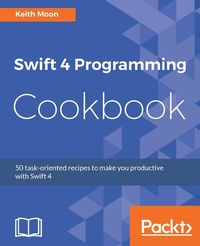
Swift 4 Programming Cookbook
50 task-oriented recipes to maximise Swift 4 productivity
Published on 13. January 2025
384 pages
978-1-78646-663-1 (ISBN)
Description

No detailed description available for "Swift 4 Programming Cookbook".
All prices
More details
Edition
Digital original
Language
English
Place of publication
Birmingham
United Kingdom
Target group
Professional and scholarly
US School Grade: College Graduate Student
Edition type
Digital original
File size
14,90 MB
ISBN-13
978-1-78646-663-1 (9781786466631)
Copyright in bibliographic data and cover images is held by Nielsen Book Services Limited or by the publishers or by their respective licensors: all rights reserved.
Schweitzer Classification
Other editions
Additional editions
Person
Keith Moon is an award-winning iOS developer, author and speaker based in London. He has worked with some of the biggest companies in the world to create engaging and personal mobile experiences. Keith has been developing in Swift since its release, working on projects both fully Swift, and mixed Swift and Objective-C. Keith has been invited to speak about Swift development in conferences from Moscow to Minsk and London.
Content
- Cover
- Title Page
- Copyright
- Credits
- About the Author
- About the Reviewer
- www.PacktPub.com
- Customer Feedback
- Table of Contents
- Preface
- Chapter 1: Swift Building Blocks
- Introduction
- Your first Swift program
- Getting ready
- Downloading Xcode
- How to do it...
- There's more...
- See also
- Strings, Ints, Floats, and Bools
- Getting ready
- How to do it...
- How it works...
- There's more...
- See also
- Optionals, unwrap, and force unwrap
- Getting started
- How to do it...
- How it works...
- There's more...
- See also
- Functions
- How to do it...
- How it works...
- There's more...
- Default parameter values
- Parameter overloading
- See also
- Object classes
- Getting ready
- How to do it...
- How it works...
- There's more...
- See also
- Structs
- Getting ready
- How to do it...
- How it works...
- There's more...
- See also
- Enumerations
- Getting ready
- How to do it...
- How it works...
- There's more...
- Methods and computed variables
- Associated values
- See also
- Closures
- Getting ready
- How to do it...
- How it works...
- There's more...
- See also
- Protocols
- Getting ready
- How to do it...
- How it works...
- There's more...
- See also
- Chapter 2: Building on the Building Blocks
- Introduction
- Bundling variables into tuples
- Getting ready
- How to do it...
- How it works...
- There's more...
- See also
- Ordering your data with arrays
- How to do it...
- How it works...
- There's more...
- See also
- Containing your data with sets
- How to do it...
- How it works...
- Union
- Intersection
- Symmetric difference
- Subtracting
- There's more...
- See also
- Storing key-value pairs with Dictionaries
- Getting ready
- How to do it...
- How it works...
- There's more...
- See also
- Subscripts for custom types
- Getting ready
- How to do it...
- How it works...
- There's more...
- See also
- Changing your name with typealias
- How to do it...
- There's more...
- See also
- Getting property changing notifications using property observers
- Getting ready
- How to do it...
- How it works...
- There's more...
- See also
- Controlling access with access control
- Getting ready
- How to do it...
- How it works...
- There's more...
- See also
- Extending functionality with extensions
- Getting ready
- How to do it...
- How it works...
- There's more...
- See also
- Chapter 3: Data Wrangling with Swift Control Flow
- Introduction
- Making decisions with if/else
- Getting ready
- How to do it...
- How it works...
- There's more...
- Conditional unwrap
- Chain unwrapping Optionals
- Enum with associated values
- See also
- Switch it up
- Getting ready
- How to do it...
- How it works...
- See also
- For the love of loops
- How to do it...
- How it works...
- See also
- While loops
- Getting ready
- How to do it...
- How it works...
- There's more...
- See also
- Try, throw, do and, catch - Swift error handling
- How to do it...
- How it works...
- There's more...
- See also
- Checking up front with guard
- How to do it...
- How it works...
- See also
- Doing it later with defer
- Getting ready
- How to do it...
- How it works...
- There's more...
- See also
- Bailing out with fatalError and precondition
- Getting ready
- How to do it...
- How it works...
- See also
- Chapter 4: Generics, Operators, and Nested Types
- Introduction
- Using generics with types
- How to do it...
- How it works...
- There's more...
- See also
- Using generics with functions
- How to do it...
- How it works...
- There's more...
- See also
- Using generics with protocols
- Getting ready
- How to do it...
- There's more...
- See also
- Advanced operators
- Getting ready
- How to do it...
- See also
- Option set
- How to do it...
- How it works...
- See also
- Create custom operators
- Getting ready
- How to do it...
- How it works...
- There's more...
- See also
- Nested types
- Getting ready
- How to do it...
- How it works...
- There's more...
- See also
- Chapter 5: Beyond the Standard Library
- Introduction
- Foundation
- Getting ready
- How to do it...
- How it works...
- See also
- Networking
- How to do it...
- How it works...
- See also
- JSON
- Getting ready
- How to do it...
- There's more...
- See also
- XML
- Getting ready
- How to do it...
- How it works...
- There's more...
- See also
- Cocoa Touch
- Getting ready
- How to do it...
- There's more...
- See also
- Chapter 6: Swift Playgrounds
- Introduction
- Using Swift Playgrounds for UI
- Getting ready
- How to do it...
- How it works...
- There's more...
- See also
- Import Resources into Playgrounds
- Getting ready
- How to do it...
- How it works...
- See also
- Import Code into Playgrounds
- Getting ready
- How to do it...
- How it works...
- See also
- Multi-Page Playgrounds
- Getting ready
- How to do it...
- How it works...
- There's more...
- See also
- Chapter 7: Server-Side Swift
- Introduction
- Swift on Ubuntu
- Getting started
- How to do it...
- There's more...
- Building a REST API using Vapor
- Getting started
- How to do it...
- How it works...
- There's more...
- See also
- Persistence with Vapor using Postgres
- Getting started
- How to do it...
- There's more...
- See also
- Hosting your Vapor app on Heroku
- Getting started
- How to do it...
- See also
- Chapter 8: Performance and Responsiveness in Swift
- Introduction
- Value and reference semantics
- Getting ready
- How to do it...
- How it works...
- See also
- Dispatch Queues
- Getting ready
- How to do it...
- How it works...
- See also
- Concurrent queues and dispatch groups
- Getting ready
- How to do it...
- How it works...
- See also
- Operations
- Getting ready
- How to do it...
- How it works...
- There's more...
- See also
- Index

