


Programming FPGAs: Getting Started with Verilog
1st Edition
Published on 11. November 2016
208 pages
978-1-259-64377-4 (ISBN)
Available for download
Description

Take your creations to the next level with FPGAs and VerilogThis fun guide shows how to get started with FPGA technology using the popular Mojo, Papilio One, and Elbert 2 boards. Written by electronics guru Simon Monk, Programming FPGAs: Getting Started with Verilog features clear explanations, easy-to-follow examples, and downloadable sample programs. You ll get start-to-finish assembly and programming instructions for numerous projects, including an LED decoder, a timer, a tone generator even a memory-mapped video display! The book serves both as a hobbyists guide and as an introduction for professional developers. Explore the basics of digital electronics and digital logic Examine the features of the Mojo, Papilio One, and Elbert 2 boards Set up your computer and dive in to Verilog programming Work with the ISE Design Suite and user constraints files Understand and apply modular Verilog programming methods Generate electrical pulses through your board s GPIO ports Control servomotors and create your own sounds Attach a VGA TV or computer monitor and generate video All source code and finished bit files available for download
More details
Other editions
Additional editions
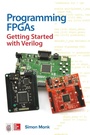
Book
12/2016
McGraw-Hill Education
€22.90
Shipment within 15-20 days
Content
- Cover
- Title Page
- Copyright Page
- Dedication
- Contents
- Preface
- Acknowledgments
- 1 Logic
- Logic Gates
- The NOT Gate
- The AND Gate
- The OR Gate
- NAND and NOR Gates
- XOR Gates
- Binary
- Adding with Logic
- Flip-Flops
- Set-Reset Flip-Flop
- Shift Registers
- Binary Counters
- Summary
- 2 FPGAs
- How an FPGA Works
- The Elbert 2
- The Mojo
- The Papilio
- Software Setup
- Installing ISE
- Installing Elbert Software
- Installing Mojo Software
- Installing Papilio Software
- Project Files
- Summary
- 3 Drawing Logic
- A Data Selector Example
- Step 1: Create a New Project
- Step 2: Create a New Schematic Source
- Step 3: Add the Logic Symbols
- Step 4: Connect the Gates
- Step 5: Add the IO Markers
- Step 6: Create a User Constraints File
- Step 7: Generate the .bit File
- Step 8: Program Your Board
- Testing the Result
- A 4-Bit Counter Example
- Drawing the Schematic
- Implementation Constraints Files
- Testing the Counter
- Summary
- 4 Introducing Verilog
- Modules
- Wires, Registers, and Buses
- Parallel Execution
- Number Format
- Data Selector in Verilog
- A Counter in Verilog
- Synchronous Logic
- Summary
- 5 Modular Verilog
- A Seven-Segment Decoder
- Button Debouncing
- Multiplexed Seven-Segment Display and Counter
- Project Structure
- Display_7_seg
- Counter_7_seg
- User Constraints File
- Importing Source Code for Modules
- Setting the Top-Level Module
- The Three-Digit Version
- Testing
- Summary
- 6 Timer Example
- State Machines
- State Machine Design
- Hardware
- You Will Need
- Construction
- Modules
- User Constraints File
- The Timer Module
- Inputs and Outputs
- Push Buttons
- Alarm Module Instance
- Modeling Time and the Display
- State Machine Implementation
- Tasks
- Testing
- Summary
- 7 PWM and Servomotors
- Pulse-Width Modulation
- A PWM Module
- PWM Module Inputs and Outputs
- A Tester of the PWM Module
- Trying It Out
- Servomotors
- Hardware
- You Will Need
- Construction
- A Servo Module
- Summary
- 8 Audio
- Simple Tone Generation
- Audio Output from the Mojo
- A General-Purpose Tone/Frequency Generator
- The Tone Module
- The tone_tester Module
- Testing
- Playing an Audio File
- Audio Files
- RAM
- The wav_player Module
- Testing
- Preparing Your Own Sounds
- Summary
- 9 Video
- VGA
- VGA Timings
- Drawing Rectangles
- A VGA Module
- VGA and the Elbert 2
- Making Things Move
- A Memory-Mapped Display
- Preparing an Image
- Summary
- 10 What Next
- Simulation
- Under the Hood
- Cores and Soft Processors
- More on the Papilio
- More on the Mojo
- Summary
- A Resources
- Buying FPGA Boards
- Components
- Other FPGA Boards
- Web Resources
- B Elbert 2 Reference
- ISE New Project Settings
- Prototype Net Mapping
- LEDs
- Three-Digit Display
- DIP Slide Switches
- Push Switches
- VGA
- Audio and Micro-SD
- GPIO Pins
- Header P1
- Header P6
- Header P2
- Header P4
- Clock
- C Mojo Reference
- ISE New Project Settings
- NET Mapping (IO Shield)
- LEDs
- Four-Digit Display
- Slide Switches
- Push Buttons
- Clock Pin
- Complete UCF for IO Shield
- D Papilio One Reference
- ISE New Project Settings
- LogicStart MegaWing NET Mapping
- LEDs
- Four-Digit Display
- DIP Slide Switches
- Joystick Switches
- VGA
- Audio
- Analog-to-Digital Converter
- Clock Pin
- GPIO Pins
- Index

