

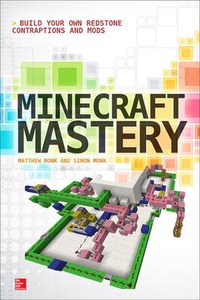
Minecraft Mastery: Build Your Own Redstone Contraptions and Mods
1st Edition
Published on 16. October 2014
203 pages
978-0-07-183967-9 (ISBN)
Available for download
Description

SUPERCHARGE YOUR MINECRAFT REDSTONE SKILLSEnhance your Minecraft world by creating innovative devices and elements with Redstone. Minecraft Mastery: Build Your Own Redstone Contraptions and Mods reveals how to maximize the capabilities of this powerful, versatile red ore. Learn how to create logic gates, advanced mechanisms, and much more. You'll also find out how to host a Minecraft server, use the qCraft and Computer-Craft mods, and develop your own custom mods. Exponentially expand the dimensions of your world with help from this hands-on guide--the only limit is your imagination! - Use basic Redstone items like levers, buttons, and lamps, and make an automated door
- Create Redstone logic gates, clocks, and T-flip-flops
- Build advanced contraptions--block swappers, concealed doors, a functional seven segment display, and more
- Use miscellaneous Redstone items such as rails, minecarts, liquids, hoppers, and command blocks
- Host a Minecraft server to open your world up to other players
- Edit Minecraft worlds offline using MCEdit
- Interact with Minecraft using Python on a Raspberry Pi
- Create quantum physics-based contraptions and special effects with qCraft
- Build ComputerCraft blocks and turtles and program them in Lua
- Set up a Minecraft modding development environment using Forge and Eclipse
- Make your own block-based mods and item mods
All code and example worlds from the book are available for download.
- Create Redstone logic gates, clocks, and T-flip-flops
- Build advanced contraptions--block swappers, concealed doors, a functional seven segment display, and more
- Use miscellaneous Redstone items such as rails, minecarts, liquids, hoppers, and command blocks
- Host a Minecraft server to open your world up to other players
- Edit Minecraft worlds offline using MCEdit
- Interact with Minecraft using Python on a Raspberry Pi
- Create quantum physics-based contraptions and special effects with qCraft
- Build ComputerCraft blocks and turtles and program them in Lua
- Set up a Minecraft modding development environment using Forge and Eclipse
- Make your own block-based mods and item mods
All code and example worlds from the book are available for download.
More details
Other editions
Additional editions
Matthew Monk | Simon Monk
Minecraft Mastery: Build Your Own Redstone Contraptions and Mods
Book
09/2014
TAB Books Inc
€22.27
Shipment within 15-20 days
Content
- Cover
- Title Page
- About the Authors
- Copyright Page
- Contents at a Glance
- Contents
- Acknowledgments
- Introduction
- 1. Introduction
- What Is Minecraft?
- Minecraft Versions
- Getting Started
- Basic Crafting
- Forging
- Creative Mode
- Cheats
- Redstone
- Using Mods
- Making Mods
- Installing the Example World
- Summary
- 2. Basic Redstone
- The Very Basics
- Obtaining Redstone
- Coordinates in Minecraft
- Placing Redstone
- Redstone Power
- Levers
- Buttons
- Pressure Plates
- Tripwires
- Redstone Blocks
- The Redstone Tick Rate
- Torches
- Redstone Lamps
- Redstone Repeaters
- Comparators
- Pistons
- Making a Door
- Hoppers, Dispensers, and Droppers
- Hoppers
- Dispensers
- Droppers
- Summary
- 3. Redstone Logic Gates
- Basic Logic Gates
- Inverters
- AND Gates
- De Morgan's Law
- Or Gates
- XOR Gates
- Logic Gate Example
- Clocks
- RS NOR Latches
- Monostables
- T-Flip-Flops
- Logic Theory
- Binary
- Logic Diagrams
- Summary
- 4. Advanced Redstone
- Block Updater Detector Switches
- Making Piston Doors
- Building a 2×2 Door
- Building a 2×2 Flush Door
- Block Swappers
- The Very Compact Block Swapper
- The Flush Block Swapper
- Piston-Tape Memory
- Displays
- Summary
- 5. Miscellaneous Redstone
- Rails and Minecarts
- Rails
- Minecarts
- A Minecart Example
- Liquid Physics
- Lava
- Water
- Hoppers
- Command Blocks
- Player Traps
- Command Block Player Trap
- A Redstone Player Trap
- TNT Cannons
- Summary
- 6. Server Hosting and Tools
- Server Hosting
- Server Hosting on a LAN
- Server Hosting Using Hamachi
- Server Hosting Using Port Forwarding
- Server Properties Options
- Renting Servers
- MCEdit
- Minecraft, Python, and Pi
- Installing Minecraft on the Raspberry Pi
- Running Minecraft
- Connect to the Pi from a Second Computer
- Summary
- 7. qCraft
- Getting qCraft
- Installing the Example World
- Quantum Dust
- Essence of Observation
- Essence of Superposition
- Essence of Entanglement
- Automated Observers
- Quantum Computers
- Quantum Portals
- Summary
- 8. ComputerCraft
- Installing the Example World
- A Computer Block
- Getting Started
- Example Code
- A Light Chaser Example
- Computer Networks
- Disk Drives
- Monitors
- Clock Example
- Turtles
- Summary
- 9. Modding with Forge
- Overview of the Modding Process
- Preparing Your Computer
- Install Minecraft
- Installing Java
- Adding Java to Your Path
- Installing Eclipse
- Installing Forge
- Setting Up Eclipse
- A Quick Tour of Eclipse
- Java Basics
- Packages
- Classes
- Member Variables
- Methods
- Classes and Instances
- Inheritance
- Public and Private
- Naming Conventions
- Summary
- 10. Example Mod: Thorium
- Setting Up the Project
- Creating a Project
- Creating a Package
- Linking the Projects
- Basic Block Ore
- Creating the ThoriumOreBlock Class
- Packages and Eclipse
- Creating the Thorium Mod Class
- Creating the mcmod.info File
- First Run
- Making the Mod Usable
- Adding a Custom Texture
- Creating a Texture Image File
- Localized Names
- Spawning Ore Blocks
- Mining Thorium
- Forging Thorium Ore into Thorium
- Creating a New Block
- Adding a Crafting Recipe
- Making Thorium Glow
- Summary
- 11. More Modding Examples
- Releasing a Mod
- Building a JAR File
- Installing a Mod
- More on Modding
- Item Example: Cooked Bone
- Item Example: Hardened Diamond
- Item Example: Obsidian Axe
- Armor Example
- Armor Item Classes
- Armor Texture Files
- Adding Armor to the Mod File
- Armor Recipes
- Graphical User Interfaces (GUIs)
- Changes to the Mod Class
- The "BlockSwitchableLight" Class
- The "SmallThingsGUI" Class
- Summary
- Appendix: Resources
- Index

