


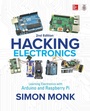
Hacking Electronics: Learning Electronics with Arduino and Raspberry Pi, Second Edition
1st Edition
Published on 29. September 2017
336 pages
978-1-260-01221-7 (ISBN)
Available for download
Description

This hands-on guide will teach you all you need to know to bring your electronic inventions to life!This fully updated guide shows, step-by-step, how to disassemble, tweak, and re-purpose everyday devices for use in your own electronics creations. Written in the clear, easy-to-follow style that Dr. Simon Monk is famous for, this expanded edition includes coverage of both Arduino AND Raspberry Pi.Hacking Electronics: Learning Electronics with Arduino and Raspberry Pi, Second Edition, demonstrates each technique through fun DIY projects. Packed with full-color illustrations, photos, and diagrams, the book gets you up and running on your own projects right away. You will discover how to hack sensors, accelerometers, remote controllers, ultrasonic rangefinders, motors, stereo equipment, FM transmitters, and more. Contains start-to-finish hacks for both Arduino AND Raspberry Pi! Features new coverage of ready-made modules available online Offers tips on working with Simon s hacking electronics kit
More details
Other editions
Additional editions
Book
04/2018
2nd Edition
McGraw-Hill Education
€58.40
Shipment within 10-20 days
Content
- Cover
- Title Page
- Copyright Page
- Dedication
- Contents at a Glance
- Contents
- Acknowledgments
- Introduction
- CHAPTER 1 Getting Started
- Getting Stuff
- Buying Components
- Where to Buy Things to Hack
- A Basic Toolkit
- Stripping Wire
- You Will Need
- Joining Wires Together by Twisting
- You Will Need
- Joining Wires by Soldering
- Safety
- You Will Need
- Soldering
- Joining Wires
- Testing a Connection
- You Will Need
- Hacking a Computer Fan to Keep Soldering Fumes Away
- You Will Need
- Construction
- Summary
- CHAPTER 2 Components
- A Starter Kit of Components
- Identifying Electronic Components
- Resistors
- Capacitors
- Diodes
- LEDs
- Transistors
- Integrated Circuits
- Other Stuff
- Surface Mount Components
- What Are Current, Resistance, and Voltage?
- Current
- Resistance
- Voltage
- Ohm's Law
- What Is Power?
- Reading a Schematic Diagram
- The First Rule of Schematics: Positive Voltages Are Uppermost
- Second Rule of Schematics: Things Happen Left to Right
- Names and Values
- Component Symbols
- Summary
- CHAPTER 3 Basic Hacks
- Making a Resistor Get Hot
- You Will Need
- The Experiment
- Using Resistors to Divide a Voltage
- You Will Need
- Construction
- Converting a Resistance to a Voltage (and Make a Light Meter)
- You Will Need
- Hacking a Push Light to Make It Light Sensing
- You Will Need
- Breadboard
- Construction
- MOSFET Transistors
- PNP and P-Channel Transistors
- Common Transistors
- Using a Power MOSFET to Control a Motor
- You Will Need
- Breadboard
- Selecting a Switch
- Push-Button Switches
- Microswitches
- Toggle Switches
- Summary
- CHAPTER 4 LEDs
- Preventing an LED from Burning Out
- You Will Need
- Diodes
- LEDs
- Trying It Out
- Selecting the Right LED for the Job
- Brightness and Angle
- Multicolor
- IR and UV
- LEDs for Illumination
- Experimenting with RGB LEDs
- You Will Need
- Making a Constant Current Driver
- You Will Need
- Design
- Breadboard
- Construction
- Powering Large Numbers of LEDs
- Making LEDs Flash
- You Will Need
- Breadboard
- How to Use Protoboard (LED Flasher)
- Using Stripboard (LED Flasher)
- Designing the Stripboard Layout
- Construction
- Troubleshooting
- Laser Diode Modules
- Hacking a Slot Car Racer
- You Will Need
- Storing Charge in a Capacitor
- Design
- Construction
- Testing
- Summary
- CHAPTER 5 Batteries and Power
- Selecting the Right Battery
- Battery Capacity
- Maximum Discharge Rate
- Single-Use Batteries
- Rechargeable Batteries
- Charging Batteries (in General)
- C
- Over-Charging
- Over-Discharging
- Battery Life
- Charging a NiMH Battery
- Simple Charging
- Fast Charging
- Charging a Sealed Lead-Acid Battery
- Charging with a Variable Power Supply
- Charging a LiPo Battery
- Hacking a Cell Phone Battery
- Controlling the Voltage from a Battery
- You Will Need
- Breadboard
- Boosting Voltage
- Calculating How Long a Battery Will Last
- Battery Backup
- Diodes
- Trickle Charging
- Using Solar Cells
- Testing a Solar Panel
- Trickle Charging with a Solar Panel
- Minimizing Power Consumption
- Summary
- CHAPTER 6 Hacking with Arduino
- Blinking an LED
- You Will Need
- Setting Up Arduino
- Modifying the Blink Sketch
- Controlling a Relay Using an Arduino
- Relays
- Arduino Outputs
- You Will Need
- Construction
- Software
- Hacking a Toy for Arduino Control
- You Will Need
- Construction
- The Serial Monitor
- Software
- Measuring Voltage with an Arduino
- You Will Need
- Construction
- Software
- Controlling an LED with an Arduino
- You Will Need
- Construction
- Software (Flashing)
- Software (Brightness)
- Playing a Sound with an Arduino
- You Will Need
- Construction
- Software
- Using Arduino Shields
- Controlling a Relay from a Web Page
- You Will Need
- Switching with an Arduino and Transistor
- You Will Need
- Construction
- Software
- Using an Alphanumeric LCD Shield with Arduino
- You Will Need
- Construction
- Software
- Controlling a Servo Motor with an Arduino
- You Will Need
- Construction
- Software
- Typing Passwords Automatically
- You Will Need
- Construction
- Software
- Summary
- CHAPTER 7 Hacking with Raspberry Pi
- Setting Up a Raspberry Pi
- Preparation
- Fetching the Example Code
- Connecting to Your Pi from a Second Computer
- Blinking an LED
- You Will Need
- Software
- Controlling a Relay with Raspberry Pi
- Controlling a Relay from a Web Page
- Software
- Summary
- CHAPTER 8 Hacking with Modules
- Detecting Movement
- You Will Need (PIR and LED)
- Breadboard
- You Will Need (PIR and Arduino)
- Construction
- Software
- PIR and Raspberry Pi
- Using Ultrasonic Rangefinder Modules
- You Will Need
- The HC-SR04 Rangefinder
- Using a Wireless Remote Module
- You Will Need
- Breadboard
- Using a Wireless Remote Module with Arduino
- You Will Need
- Software
- Using a Motor Control Module
- You Will Need
- Breadboard
- Using the Control Pins
- Making a Robot Rover with Raspberry Pi
- You Will Need
- Construction
- Software
- Using a Seven-Segment Display with Arduino
- You Will Need
- Construction
- Software
- Using a Seven-Segment Display with Raspberry Pi
- You Will Need
- Construction
- Software
- Using RFID Modules
- You Will Need
- Construction
- Software
- Summary
- CHAPTER 9 Hacking with Sensors
- Measuring Temperature with an Arduino
- You Will Need
- Construction
- Software
- Threshold Sensing with Raspberry Pi
- You Will Need
- Construction
- Software
- Switching with a Sensor and Comparator Chip
- You Will Need
- Construction
- Using a Digital Temperature Sensor
- You Will Need
- Construction
- Software
- Arduino Egg and Spoon
- You Will Need
- Construction
- Software
- Measuring Something's Color
- You Will Need
- Construction
- Software
- Summary
- CHAPTER 10 Audio Hacks
- Hacking Audio Leads
- General Principals
- Soldering Audio Connectors
- Converting a Stereo Signal to Mono
- Using a Microphone Module
- Making an FM Bug
- You Will Need
- Construction
- Testing
- Selecting Loudspeakers
- Making a 1-Watt Audio Amplifier
- You Will Need
- Construction
- Testing
- Generating Tones with a 555 Timer
- You Will Need
- Construction
- Making a USB Music Controller
- You Will Need
- Construction
- Software
- Summary
- CHAPTER 11 Mending and Breaking Electronics
- Avoiding Electrocution
- Taking Something Apart AND Putting It Back Together Again
- Checking a Fuse
- Testing a Battery
- Testing a Heating Element
- Finding and Replacing Failed Components
- Testing Components
- Desoldering
- Replacement
- Scavenging Useful Components
- Reusing a Cell Phone Power Adapter
- Summary
- CHAPTER 12 Tools
- Using a Multimeter (General)
- Continuity and Diode Test
- Resistance
- Capacitance
- Temperature
- AC Voltage
- DC Voltage
- DC Current
- AC Current
- Frequency
- Using a Multimeter to Test a Transistor
- Using a Lab Power Supply
- Introducing the Oscilloscope
- Software Tools
- Simulation
- Fritzing
- EAGLE PCB
- Online Calculators
- Summary
- Appendix Parts
- Kits to Accompany This Book
- Tools
- Components
- Component Starter Kits
- Resistors
- Capacitors
- Semiconductors
- Hardware and Miscellaneous
- Modules
- Index

