

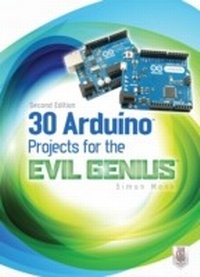
30 Arduino Projects for the Evil Genius
Second Edition
1st Edition
Published on 5. March 2013
379 pages
978-0-07-181773-8 (ISBN)
Available for download
Description

So Many Fiendishly Fun Ways to Use the Latest Arduino Boards!Fully updated throughout, this do-it-yourself guide shows you how to program and build fascinating projects with the Arduino Uno and Leonardo boards and the Arduino 1.0 development environment. 30 Arduino Projects for the Evil Genius, Second Edition, gets you started right away with the simplified C programming you need to know and demonstrates how to take advantage of the latest Arduino capabilities.You'll learn how to attach an Arduino board to your computer, program it, and connect electronics to it to create your own devious devices. A bonus chapter uses the special USB keyboard/mouse-impersonation feature exclusive to the Arduino Leonardo.30 Arduino Projects for the Evil Genius, Second Edition:Features step-by-step instructions and helpful illustrationsProvides full schematic and construction details for every projectCovers the scientific principles behind the projectsRemoves the frustration factor--all required parts are listed along with sourcesBuild these and other clever creations:High-brightness Morse code translatorSeasonal affective disorder lightKeypad security codePulse rate monitorSeven-segment LED double diceUSB message boardOscilloscopeTune playerVU meterLCD thermostatComputer-controlled fanHypnotizerServo-controlled laserLie detectorMagnetic door lockInfrared remoteLilypad clockEvil Genius countdown timerKeyboard prankAutomatic password typerAccelerometer mouse
More details
Other editions
Additional editions
Book
07/2013
2nd Edition
TAB Books Inc
€28.50
Shipment within 15-20 days
Content
- Cover
- 30 ArduinoT Projects for the Evil GeniusT, Second Edition
- Copyright Page
- Dedication
- About the Author
- Contents
- Acknowledgments
- Introduction
- 1 Quickstart
- Powering Up
- Installing the Software
- Configuring Your Arduino Environment
- Downloading the Project Software
- Project 1 Flashing LED
- Breadboard
- Summary
- 2 A Tour of Arduino
- Microcontrollers
- What's on an Arduino Board?
- The Arduino Family
- The C Language
- Summary
- 3 LED Projects
- Project 2 Morse Code S.O.S. Flasher
- Loops
- Arrays
- Project 3 Morse Code Translator
- Project 4 High-Brightness Morse Code Translator
- Summary
- 4 More LED Projects
- Digital Inputs and Outputs
- Project 5 Model Traffic Signal
- Project 6 Strobe Light
- Project 7 SAD Light
- Project 8 High-Powered Strobe Light
- Random Number Generation
- Project 9 LED Dice
- Summary
- 5 Sensor Projects
- Project 10 Keypad Security Code
- Rotary Encoders
- Project 11 Model Traffic Signal Using a Rotary Encoder
- Sensing Light
- Project 12 Pulse-Rate Monitor
- Measuring Temperature
- Project 13 USB Temperature Logger
- Summary
- 6 Light Projects
- Project 14 Multicolor Light Display
- Seven-Segment LEDs
- Project 15 Seven-Segment LED Double Dice
- Project 16 LED Array
- Project 17 USB Message Board
- Summary
- 7 Sound Projects
- Project 18 Oscilloscope
- Sound Generation
- Project 19 Tune Player
- Project 20 Light Harp
- Project 21 VU Meter
- Summary
- 8 Power Projects
- Project 22 LCD Thermostat
- Project 23 Computer-Controlled Fan
- H-Bridge Controllers
- Project 24 Hypnotizer
- Servo Motors
- Project 25 Servo-Controlled Laser
- 9 Miscellaneous Projects
- Project 26 Lie Detector
- Project 27 Magnetic Door Lock
- Project 28 Infrared Remote
- Project 29 Lilypad Clock
- Project 30 Evil Genius Countdown Timer
- Summary
- 10 USB Projects with the Leonardo
- Project 31 Keyboard Prank
- Project 32 Automatic Password Typer
- Project 33 Accelerometer Mouse
- Summary
- 11 Your Projects
- Circuits
- Components
- Tools
- Project Ideas
- Appendix: Components and Supplies
- Suppliers
- Component Sources
- Index

