

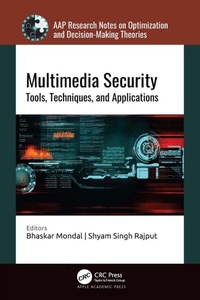
Multimedia Security
Tools, Techniques, and Applications
1st Edition
Published on 7. July 2025
370 pages
978-1-000-99405-6 (ISBN)
Description

Multimedia security has become one of the most important topics for organizations and individuals. Presenting important state-of-the art multimedia security techniques and algorithms, this book focuses on data encryption, steganography, watermarking, authentication, data hiding, biometric template security, quantum-based video cryptosystems, pan sharpening, and digital signatures to help in protecting the unauthorized access/alteration of multimedia over the Internet and cloud. It also covers the application of machine learning, blockchain, and AI-based methods for multimedia security. Mathematical models used in data hiding and data evaluation techniques are discussed thoroughly to provide a good understanding of the principles of multimedia security.
More details
Series
Language
English
Place of publication
London
United Kingdom
Publishing group
Taylor & Francis Ltd
Target group
College/higher education
Professional and scholarly
Illustrations
92 Illustrations, black and white
File size
27,79 MB
ISBN-13
978-1-000-99405-6 (9781000994056)
Copyright in bibliographic data and cover images is held by Nielsen Book Services Limited or by the publishers or by their respective licensors: all rights reserved.
Schweitzer Classification
Other editions
Additional editions
Book
07/2025
1st Edition
Apple Academic Press Inc.
€192.80
Shipment within 3-4 weeks
Persons
Bhaskar Mondal, PhD, is an Assistant Professor in the Department of Computer Science and Engineering at the National Institute of Technology Patna, India. He has more than 10 years of experience in academia during which he has worked at XIM University Bhubaneswar; Birsa Institute of Technology Sindri, Dhanbad; and National Institute of Technology Jamshedpur, all in India. He has published more than 40 research papers in journals and international conferences and has delivered many expert talks on cybersecurity and machine learning. He is a senior member of IEEE and the Association for Computing Machinery, and a life member of the Computer Society of India and the Cryptology Research Society of India. He has served at several international conferences as session chair. He is the editor of CRC Press's Cyber Security book series and has acted as a guest editor (lead) for a special issue in the International Journal of Computers and Electrical Engineering. His research interests include cybersecurity, machine learning, and quantum computing. He received his PhD from the National Institute of Technology Jamshedpur, India, and his MTech (CSE) from Kalyani Government Engineering College, India.
Shyam Singh Rajput, PhD, has more than six years of experience in teaching undergraduate and postgraduate classes. Presently, he is working as an Assistant Professor in the Department of Computer Science and Engineering at the National Institute of Technology Patna, India. His current research interests include image processing and computer vision. He has published more than 40 journal and conference papers and book chapters in the domain of image processing, biometrics, wireless ad hoc networks, and information security. He has published two Indian patents and edited a book. He is a member of IEEE and the Association for Computing Machinery. Dr. Rajput received a BE degree in Computer Science & Engineering from R.G.P.V., Bhopal, Madhya Pradesh, India. He earned his MTech degree and PhD degree in CSE from ABV-Indian Institute of Information Technology & Management (ABV-IIITM), Gwalior, India.
Shyam Singh Rajput, PhD, has more than six years of experience in teaching undergraduate and postgraduate classes. Presently, he is working as an Assistant Professor in the Department of Computer Science and Engineering at the National Institute of Technology Patna, India. His current research interests include image processing and computer vision. He has published more than 40 journal and conference papers and book chapters in the domain of image processing, biometrics, wireless ad hoc networks, and information security. He has published two Indian patents and edited a book. He is a member of IEEE and the Association for Computing Machinery. Dr. Rajput received a BE degree in Computer Science & Engineering from R.G.P.V., Bhopal, Madhya Pradesh, India. He earned his MTech degree and PhD degree in CSE from ABV-Indian Institute of Information Technology & Management (ABV-IIITM), Gwalior, India.
Content
1. Understanding Multimedia Security 2. Evaluation Metrics Used for Image Encryption to Analyze the Efficiency Toward Various Attacks 3. Machine Learning Approaches to Malware Detection Systems 4. Securing Identities Through Biometric Template Security 5. Watermarking and Copyright Protection of Remotely Sensed Images 6. A Future Cybersecurity for Secured Smart Home Applications Using the Internet of Things and Blockchain Technology 7. A Secure and Efficient Quantum Adopted Chaotic Cryptosystem for Video Surveillance Applications 8. Evaluation of Pansharpening Techniques for Multimedia Image Enhancement 9. Spam Remark Revelation Utilizing Supervised Machine Learning Approaches in Security Issues 10. Secure Chaos-Based Image Encryption Techniques Based on a Feedback Convolution Method
