

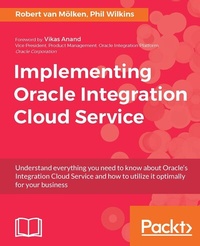
Implementing Oracle Integration Cloud Service
Click here to enter text.
Published on 13. January 2025
506 pages
978-1-78646-956-4 (ISBN)
Description

Understand everything you need to know about Oracle's Integration Cloud Service and how to utilize it optimally for your business
Key Features
The only guide to Integration Cloud Service in the market
Focused on practical action to deliver business value
A professional's guide to an expensive product, providing comprehensive training, and showing how to extract real business value from the product
Book DescriptionDiscover how to use ICS to solve your integration needs with this Oracle Cloud book. Written by Oracle ACE Robert and ACE Associate Phil, you?ll learn how to deliver business value using ICS. ? The only guide to Integration Cloud Service on the market ? A comprehensive guide to building successful integrations on ICS ? Features practical examples and handy toolsWhat you will learn
After a practical introduction to ICS capabilities, you?ll find out how to use ICS to integrate different systems together. Discover advanced integrations and learn how to achieve sophisticated results using ICS, before covering cloud app monitoring and even more powerful integrated applications.
Who this book is forWho is this book for? ? A range of readers from Citizen Integrators to software architects and developers ? Web developers and others with no knowledge of WebStorm but are experienced in JavaScript, Node.js, HTML and CSS
Key Features
The only guide to Integration Cloud Service in the market
Focused on practical action to deliver business value
A professional's guide to an expensive product, providing comprehensive training, and showing how to extract real business value from the product
Book DescriptionDiscover how to use ICS to solve your integration needs with this Oracle Cloud book. Written by Oracle ACE Robert and ACE Associate Phil, you?ll learn how to deliver business value using ICS. ? The only guide to Integration Cloud Service on the market ? A comprehensive guide to building successful integrations on ICS ? Features practical examples and handy toolsWhat you will learn
After a practical introduction to ICS capabilities, you?ll find out how to use ICS to integrate different systems together. Discover advanced integrations and learn how to achieve sophisticated results using ICS, before covering cloud app monitoring and even more powerful integrated applications.
Who this book is forWho is this book for? ? A range of readers from Citizen Integrators to software architects and developers ? Web developers and others with no knowledge of WebStorm but are experienced in JavaScript, Node.js, HTML and CSS
All prices
More details
Edition
Digital original
Language
English
Place of publication
Birmingham
United Kingdom
Target group
Professional and scholarly
US School Grade: College Graduate Student
Edition type
Digital original
File size
41,27 MB
ISBN-13
978-1-78646-956-4 (9781786469564)
Copyright in bibliographic data and cover images is held by Nielsen Book Services Limited or by the publishers or by their respective licensors: all rights reserved.
Schweitzer Classification
Other editions
Additional editions
Robert van Molken | Philip Wilkins
Implementing Oracle Integration Cloud Service
Click here to enter text.
Book
01/2017
Packt Publishing
€70.50
Shipment within 3-4 weeks
Persons
Robert van Moelken lives in Utrecht, the Netherlands, and he studied Computer Science at the University of Applied Sciences in Utrecht and received his BCS in 2007. He started his professional career as a graphic designer and web developer, but soon shifted his focus to Fusion Middleware. Robert is now a Senior Application Integration Specialist and one of the expertise leads on Integration, Internet of Things, and cloud at AMIS with over 11 years of IT experience. Robert's transition from building service-oriented business processes using Fusion Middleware 12c, toward connecting the physical world with the world of IoT using Oracle Cloud offerings and open source solutions has helped him become a leader in this emerging technology. His fascination for using the latest technology led to the research of blockchain to replace the currently used B2B and B2C patterns and tooling. Besides this book, Robert is also the co-author of the first Oracle PaaS book, Implementing Oracle Integration Cloud Service, which was published by Packt in 2017. Robert is also heavily involved in the Oracle developer community. He is an international speaker at conferences, author/blogger on the AMIS Technology blog, the Oracle Technology Network, and participates in OTN ArchBeat Podcasts. Robert is a member of the board of the Dutch Oracle User Group (nlOUG) and organizes meetups. He works closely with several Oracle Product Management teams participating in Beta programs and takes what he learns and applies it to new presentations, blog posts, and community engagement. Robert was awarded Oracle ACE (Acknowledged Community Expert) Associate in 2015, Oracle ACE in 2016, and Developer Champion in 2017. As his designations expanded, so have his areas of expertise. Phil Wilkins has spent over 25 years in the software industry with a breadth of experience in different businesses and environments from multinationals to software start-ups and customer organizations including a global optical and auditory healthcare provider.
Content
Table of Contents
Introducing the concepts and terminology
Integrating Our First Two Applications
Distribute Messages Using Pub
Integrations between SaaS applications
Going Social with Twitter, and Google
Creating complex transformations
Routing and Filtering
Publish / subscribe to external applications
Managed File Transfers with scheduling
Advanced Orchestration with Branching and Asynchronous Flows
Calling an on-premises API
Are My Integrations Running Fine, and What If They Are not?
Where Can I Go from Here?
Introducing the concepts and terminology
Integrating Our First Two Applications
Distribute Messages Using Pub
Integrations between SaaS applications
Going Social with Twitter, and Google
Creating complex transformations
Routing and Filtering
Publish / subscribe to external applications
Managed File Transfers with scheduling
Advanced Orchestration with Branching and Asynchronous Flows
Calling an on-premises API
Are My Integrations Running Fine, and What If They Are not?
Where Can I Go from Here?

