

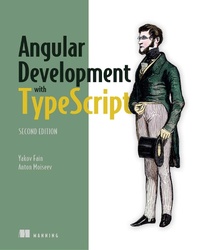
Angular Development with TypeScript
1st Edition
Published on 5. December 2018
560 pages
978-1-63835-525-0 (ISBN)
Description

Summary
Angular Development with TypeScript, Second Edition is an intermediate-level tutorial that introduces Angular and TypeScript to developers comfortable with building web applications using other frameworks and tools.
Purchase of the print book includes a free eBook in PDF, Kindle, and ePub formats from Manning Publications.
About the Technology
Whether you're building lightweight web clients or full-featured SPAs, Angular is a clear choice. The Angular framework is fast, efficient, and widely adopted. Add the benefits of developing in the statically typed, fully integrated TypeScript language, and you get a programming experience other JavaScript frameworks just can't match.
About the Book
Angular Development with TypeScript, Second Edition teaches you how to build web applications with Angular and TypeScript. Written in an accessible, lively style, this illuminating guide covers core concerns like state management, data, forms, and server communication as you build a full-featured online auction app. You'll get the skills you need to write type-aware classes, interfaces, and generics with TypeScript, and discover time-saving best practices to use in your own work.
What's inside
About the Reader
Written for intermediate web developers familiar with HTML, CSS, and JavaScript.
About the Author
Yakov Fain and Anton Moiseev are experienced trainers and web application developers. They have coauthored several books on software development.
Table of Contents
Angular Development with TypeScript, Second Edition is an intermediate-level tutorial that introduces Angular and TypeScript to developers comfortable with building web applications using other frameworks and tools.
Purchase of the print book includes a free eBook in PDF, Kindle, and ePub formats from Manning Publications.
About the Technology
Whether you're building lightweight web clients or full-featured SPAs, Angular is a clear choice. The Angular framework is fast, efficient, and widely adopted. Add the benefits of developing in the statically typed, fully integrated TypeScript language, and you get a programming experience other JavaScript frameworks just can't match.
About the Book
Angular Development with TypeScript, Second Edition teaches you how to build web applications with Angular and TypeScript. Written in an accessible, lively style, this illuminating guide covers core concerns like state management, data, forms, and server communication as you build a full-featured online auction app. You'll get the skills you need to write type-aware classes, interfaces, and generics with TypeScript, and discover time-saving best practices to use in your own work.
What's inside
- Code samples for Angular 5, 6, and 7
- Dependency injection
- Reactive programming
- The Angular Forms API
About the Reader
Written for intermediate web developers familiar with HTML, CSS, and JavaScript.
About the Author
Yakov Fain and Anton Moiseev are experienced trainers and web application developers. They have coauthored several books on software development.
Table of Contents
- Introducing Angular
- The main artifacts of an Angular app
- Router basics
- Router advanced
- Dependency injection in Angular
- Reactive programming in Angular
- Laying out pages with Flex Layout
- Implementing component communications
- Change detection and component lifecycle
- Introducing the Forms API
- Validating forms
- Interacting with servers using HTTP
- Interacting with servers using the WebSocket protocol
- Testing Angular applications
- Maintaining app state with ngrx
More details
Other editions
Additional editions
Yakov Fain | Anton Moiseev
Angular Development with TypeScript
Book
03/2019
2nd Edition
Manning Publications
€47.00
Shipment within 10-20 days
Persons
Anton Moiseev has 8 years of software development experience, specializing in enterprise web applications.
Yakov Fain has been a developer for more than 25 years and has written multiple books on software development.
Yakov Fain has been a developer for more than 25 years and has written multiple books on software development.
Content
- Intro
- Copyright
- Brief Table of Contents
- Table of Contents
- Praise for the First Edition
- Preface
- Acknowledgments
- About this book
- Who should read this book
- Where to get the source code
- How this book is organized
- Book forum
- About the authors
- About the cover illustration
- Chapter 1. Introducing Angular
- 1.1. Why select Angular for web development?
- 1.2. Why develop in TypeScript and not in JavaScript?
- 1.3. Overview of Angular
- 1.4. Introducing Angular CLI
- 1.5. JIT vs. AOT compilation
- 1.6. Introducing the sample ngAuction app
- Summary
- Chapter 2. The main artifacts of an Angular app
- 2.1. Components
- 2.2. Services
- 2.3. Directives
- 2.4. Pipes
- 2.5. Modules
- 2.6. Understanding data binding
- 2.7. Hands-on: Getting started with ngAuction
- Summary
- Chapter 3. Router basics
- 3.1. Routing basics
- 3.2. Location strategies
- 3.3. The building blocks of client-side navigation
- 3.4. Navigating to routes with navigate()
- 3.5. Passing data to routes
- 3.6. Child routes
- 3.7. Hands-on: Adding navigation to the online auction
- Summary
- Chapter 4. Router advanced
- 4.1. Guarding routes
- 4.2. Developing an SPA with multiple router outlets
- Summary
- Chapter 5. Dependency injection in Angular
- 5.1. The dependency injection pattern
- 5.2. Benefits of DI in Angular apps
- 5.3. Injectors and providers
- 5.4. A simple app with Angular DI
- 5.5. Switching injectables made easy
- 5.6. Declaring providers with useFactory and useValue
- 5.7. Providers in lazy-loaded modules
- 5.8. Providers in eagerly loaded modules
- 5.9. Hands-on: Using Angular Material components in ngAuction
- Summary
- Chapter 6. Reactive programming in Angular
- 6.1. Handling events without observables
- 6.2. Turning DOM events into observables
- 6.3. Handling observable events with the Forms API
- 6.4. Discarding results of unwanted HTTP requests with switchMap
- 6.5. Using AsyncPipe
- 6.6. Observables and the router
- Summary
- Chapter 7. Laying out pages with Flex Layout
- 7.1. Flex Layout and ObservableMedia
- 7.2. Hands-on: Rewriting ngAuction
- Summary
- Chapter 8. Implementing component communications
- 8.1. Intercomponent communication
- 8.2. Input and output properties
- 8.3. Implementing the Mediator design pattern
- 8.4. Exposing a child component's API
- 8.5. Projecting templates at runtime with ngContent
- Summary
- Chapter 9. Change detection and component lifecycle
- 9.1. A high-level overview of change detection
- 9.2. Component lifecycle
- 9.3. Hands-on: Adding the product view to ngAuction
- Summary
- Chapter 10. Introducing the Forms API
- 10.1. Two Forms APIs
- 10.2. Template-driven forms
- 10.3. Reactive forms
- 10.4. Forms API directives summary
- 10.5. Updating form data
- 10.6. Using FormBuilder
- Summary
- Chapter 11. Validating forms
- 11.1. Using built-in validators
- 11.2. Controlling when validation starts
- 11.3. Custom validators in reactive forms
- 11.4. Validating a group of controls
- 11.5. Checking a form control's status and validity
- 11.6. Changing validators dynamically in reactive forms
- 11.7. Asynchronous validators
- 11.8. Custom validators in template-driven forms
- 11.9. Adding a search form to ngAuction
- Summary
- Chapter 12. Interacting with servers using HTTP
- 12.1. Overview of the HttpClient service
- 12.2. Reading a JSON file with HttpClient
- 12.3. Creating a web server with Node, Express, and TypeScript
- 12.4. Bringing Angular and Node together
- 12.5. Posting data to the server
- 12.6. HTTP interceptors
- 12.7. Progress events
- Summary
- Chapter 13. Interacting with servers using the WebSocket protocol
- 13.1. Comparing HTTP and WebSockets
- 13.2. Pushing data from a Node server to a plain client
- 13.3. Using WebSockets in Angular clients
- 13.4. Hands-on: Node server with WebSockets support
- Summary
- Chapter 14. Testing Angular applications
- 14.1. Unit testing
- 14.2. Running Jasmine scripts with Karma
- 14.3. Using the Angular testing library
- 14.4. End-to-end testing with Protractor
- 14.5. Hands-on: Adding an E2E test to ngAuction
- Summary
- Chapter 15. Maintaining app state with ngrx
- 15.1. From a convenience store to Redux architecture
- 15.2. Introducing ngrx
- 15.3. To ngrx or not to ngrx
- 15.4. Hands-on: Using ngrx in ngAuction
- Summary
- Angular 6, 7, and beyond
- Appendix A. An overview of ECMAScript
- A.1. How to run the code samples
- A.2. Scope of variables and this
- A.3. Template literals
- A.4. Optional parameters and default values
- A.5. Arrow function expressions, this, and that
- A.6. The rest operator
- A.7. The spread operator
- A.8. Generator functions
- A.9. Destructuring
- A.10. Iterating with forEach(), for-in, and for-of
- A.11. Classes and inheritance
- A.12. Asynchronous processing
- A.13. ES6 modules
- Appendix B. TypeScript essentials
- B.1. The role of transpilers
- B.2. Getting started with TypeScript
- B.3. How to run the code samples
- B.4. Optional types
- B.5. Functions
- B.6. Classes
- B.7. Interfaces
- B.8. Generics
- B.9. The readonly modifier
- B.10. Decorators
- B.11. The union type
- B.12. Using type definition files
- B.13. Controlling code style with TSLint
- Appendix C. Using the npm package manager
- C.1. Specifying project dependencies in package.json
- C.2. Semantic versioning
- C.3. Yarn as an alternative to npm
- Appendix D. RxJS essentials
- D.1. Getting familiar with RxJS terminology
- D.2. Observable, observer, and subscriber
- D.3. Creating observables
- D.4. Getting familiar with RxJS operators
- D.5. Using an observer API
- D.6. Using RxJS Subject
- D.7. The flatMap operator
- D.8. The switchMap operator
- D.9. Error handling with catchError
- Index
- List of Figures
- List of Tables
- List of Listings
