

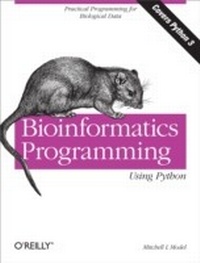
Bioinformatics Programming Using Python
Practical Programming for Biological Data
1st Edition
Published on 8. December 2009
524 pages
978-1-4493-8290-2 (ISBN)
Description

Powerful, flexible, and easy to use, Python is an ideal language for building software tools and applications for life science research and development. This unique book shows you how to program with Python, using code examples taken directly from bioinformatics. In a short time, you'll be using sophisticated techniques and Python modules that are particularly effective for bioinformatics programming.Bioinformatics Programming Using Python is perfect for anyone involved with bioinformatics -- researchers, support staff, students, and software developers interested in writing bioinformatics applications. You'll find it useful whether you already use Python, write code in another language, or have no programming experience at all. It's an excellent self-instruction tool, as well as a handy reference when facing the challenges of real-life programming tasks.Become familiar with Python's fundamentals, including ways to develop simple applicationsLearn how to use Python modules for pattern matching, structured text processing, online data retrieval, and database accessDiscover generalized patterns that cover a large proportion of how Python code is used in bioinformaticsLearn how to apply the principles and techniques of object-oriented programmingBenefit from the "e;tips and traps"e; section in each chapter
More details
Other editions
Additional editions
Mitchell L Model
Bioinformatics Programming Using Python
Book
01/2010
1st Edition
O'Reilly
€59.50
Shipment within 10-20 days
Content
- Intro
- Table of Contents
- Preface
- Introduction
- About This Book
- About Bioinformatics
- About the Reader
- Python
- Some Context
- The Python Language
- Installing Python
- Running Python
- Notes
- Reading and Reference Recommendations
- Example Code
- Unfortunate and Unavoidable Vocabulary Overlap
- Comments
- Conventions Used in This Book
- We'd Like to Hear from You
- Using Code Examples
- Safari® Books Online
- Acknowledgments
- Chapter 1. Primitives
- Simple Values
- Booleans
- Integers
- Floats
- Strings
- Expressions
- Numeric Operators
- Logical Operations
- String Operations
- String operators
- Subscription
- Slicing
- Calls
- Function calls
- Method calls
- Compound Expressions
- Tips, Traps, and Tracebacks
- Tips
- Statements and expressions
- Running Python interactively
- Traps
- Tracebacks
- Chapter 2. Names, Functions, and Modules
- Assigning Names
- Defining Functions
- Function Parameters
- Comments and Documentation
- Assertions
- Default Parameter Values
- Using Modules
- Importing
- Module namespaces
- The random module
- Python Files
- Tips, Traps, and Tracebacks
- Tips
- Names
- Function definitions
- Executing code
- Using IDLE
- Managing Python files
- Traps
- Tracebacks
- Chapter 3. Collections
- Sets
- Sequences
- Strings, Bytes, and Bytearrays
- Creating
- Testing
- Searching
- Replacing
- Changing case
- Reformatting
- The format method and function
- Ranges
- Tuples
- Tuple syntax
- Tuple packing and unpacking
- Lists
- Statements that modify lists
- List modification methods
- Sequence-oriented string methods
- Mappings
- Dictionaries
- Dictionary example: RNA codon translation table
- Dictionary operations
- Dictionary methods
- Streams
- Files
- Creating file objects
- File methods
- Example
- Generators
- Collection-Related Expression Features
- Comprehensions
- List comprehensions
- Set and dictionary comprehensions
- Generator expressions
- Conditional comprehensions
- Nested comprehensions
- Functional Parameters
- The parameter "key"
- Function objects
- Anonymous functions
- Tips, Traps, and Tracebacks
- Tips
- Language features
- Developing and testing code
- Traps
- Tracebacks
- Chapter 4. Control Statements
- Conditionals
- Loops
- Simple Loop Examples
- Initialization of Loop Values
- Looping Forever
- Loops with Guard Conditions
- Iterations
- Iteration Statements
- Kinds of Iterations
- Do
- Collect
- Combine
- Search
- Filter
- Nested iterations
- Recursive iterations
- Exception Handlers
- Python Errors
- Tracebacks
- Runtime errors
- Exception Handling Statements
- Optional features of exception handling statements
- Exception handling and generator objects
- Raising Exceptions
- The raise statement
- Raising an exception to end a loop
- Extended Examples
- Extracting Information from an HTML File
- The Grand Unified Bioinformatics File Parser
- Reading the sequences in a FASTA file
- Generalized parsing
- Parsing GenBank Files
- Translating RNA Sequences
- Step 1
- Step 2
- Step 3
- Step 4
- Step 5
- Constructing a Table from a Text File
- Step 1
- Step 2
- Step 3
- Step 4
- Step 5
- Tips, Traps, and Tracebacks
- Tips
- Traps
- Tracebacks
- Chapter 5. Classes
- Defining Classes
- Instance Attributes
- Access methods
- Predicate methods
- Initialization methods
- String methods
- Modification methods
- Action methods
- Support methods
- Summary
- Class Attributes
- Class fields
- Class methods
- Classes as objects
- Class and Method Relationships
- Decomposition
- Class decomposition
- Method decomposition
- Singleton classes
- Inheritance
- Defining subclasses
- Factoring out common code
- Generalization
- Subclass methods
- Tips, Traps, and Tracebacks
- Tips
- Traps
- Tracebacks
- Chapter 6. Utilities
- System Environment
- Dates and Times: datetime
- Classes
- Instance creation
- Operations
- Methods
- System Information
- The Python runtime environment: sys
- The system clock: time
- Command-Line Utilities
- Reading multiple files: fileinput
- Command-line options: optparse
- Command-line commands: subprocess
- Communications
- Sending email: smtplib
- Logging: logging
- The Filesystem
- Operating System Interface: os
- Environment access
- Managing files and directories
- Directories
- Files
- Directory contents
- Temporary files: tempfile
- Manipulating Paths: os.path
- Path components
- Path manipulations
- Path information
- Filename Expansion: fnmatch and glob
- fnmatch
- glob
- Shell Utilities: shutil
- Comparing Files and Directories
- File and directory comparison: filecmp
- Showing the differences between two files: difflib
- Working with Text
- Formatting Blocks of Text: textwrap
- String Utilities: string
- Comma- and Tab-Separated Formats: csv
- String-Based Reading and Writing: io
- Persistent Storage
- Persistent Text: dbm
- Persistent Objects: pickle
- Keyed Persistent Object Storage: shelve
- Debugging Tools
- The Python debugger: pdb
- The IDLE debugger
- Tips, Traps, and Tracebacks
- Tips
- Traps
- Tracebacks
- Chapter 7. Pattern Matching
- Fundamental Syntax
- Fixed-Length Matching
- Literal matches
- Character sets
- Character classes
- Boundaries
- Variable-Length Matching
- Repetition
- Greedy Versus Nongreedy Matching
- Grouping and Disjunction
- The Actions of the re Module
- Functions
- Flags
- Methods
- Results of re Functions and Methods
- Match Object Fields
- Match Object Methods
- Putting It All Together: Examples
- Some Quick Examples
- Using regular expressions to ignore case
- Listing files in a directory, excluding some
- Finding open reading frames
- Extracting Descriptions from Sequence Files
- Extracting Entries From Sequence Files
- Using regular expressions to extract entries
- Keeping track of the position between calls
- Buffering input
- Tips, Traps, and Tracebacks
- Tips
- Traps
- Tracebacks
- Chapter 8. Structured Text
- HTML
- Simple HTML Processing
- Searching HTML text
- More elaborate HTML pattern matching
- Turning HTML into plain text
- Structured HTML Processing
- Problems with HTML pattern matching
- Structured HTML parsing: html.parser
- XML
- The Nature of XML
- An XML File for a Complete Genome
- The ElementTree Module
- Getting started with ElementTree
- Navigating around an ElementTree
- Event-Based Processing
- Function calls, exceptions, and the call stack
- Callbacks: Reversed function calls
- Programming for an event-based processor
- expat
- Obtaining a single piece of information
- Extracting a few pieces of data
- Getting the content of all tags with a specified name
- Tips, Traps, and Tracebacks
- Tips
- Traps
- Tracebacks
- Chapter 9. Web Programming
- Manipulating URLs: urllib.parse
- Disassembling URLs
- Assembling URLs
- Opening Web Pages: webbrowser
- Module Functions
- Constructing and Submitting Queries
- Constructing and Viewing an HTML Page
- Web Clients
- Making the URLs in a Response Absolute
- Constructing an HTML Page of Extracted Links
- Downloading a Web Page's Linked Files
- Web Servers
- Sockets and Servers
- Server fundamentals
- Running a server: The http.server module
- CGI
- Serving CGI requests
- Setting up CGI
- CGI script arguments and responses
- Simple Web Applications
- Using CGI scripts
- HTML forms with CGI scripts
- Tips, Traps, and Tracebacks
- Tips
- Web pages
- Debugging CGI scripts
- HTTP servers
- Traps
- Tracebacks
- Chapter 10. Relational Databases
- Representation in Relational Databases
- Database Tables
- Avoiding duplication of values
- Representation of relationships
- Database definition
- A Restriction Enzyme Database
- The data
- Reading the data
- A schema for the Rebase database
- Using Relational Data
- SQL Basics
- Using the sqlite3 module
- Connecting to the database
- Creating the database
- Loading data into tables
- SQL Queries
- Simple database queries
- Qualified database queries
- Relationship queries
- Querying the Database from a Web Page
- HTML frames
- An HTML page of query forms
- Tips, Traps, and Tracebacks
- Tips
- Traps
- Tracebacks
- Chapter 11. Structured Graphics
- Introduction to Graphics Programming
- Concepts
- Coordinate system
- Components
- Properties
- GUI Toolkits
- GUI toolkits for Python
- Using a GUI toolkit
- Structured Graphics with tkinter
- tkinter Fundamentals
- The basic steps
- Common widget options
- Canvas drawing methods
- Writing the contents of a canvas to a PostScript file
- Examples
- An abstract class for tkinter graphics
- Dot plots
- Histograms
- Structured Graphics with SVG
- SVG File Contents
- SVG tags
- SVG styles
- Examples
- Histograms of codon use
- Sequencing trace file curves using SVG
- Tips, Traps, and Tracebacks
- Tips
- Traps
- SVG traps
- Tracebacks
- Appendix A. Python Language Summary
- Language Components
- Special Syntactic Elements
- Keywords
- Special Names
- Operators
- Anonymous Functions
- Types and Expressions
- Statements
- Notes
- Appendix B. Collection Type Summary
- Types and General Operations
- Common Operations
- Creating Collections
- Specific Collection Types
- Sets
- Sequences
- Strings
- Lists
- Mappings
- Streams
- File objects
- Generators
- Iteration Templates
- Basic Iteration Templates
- Filtering Templates
- Other Kinds of Templates
- Index
