

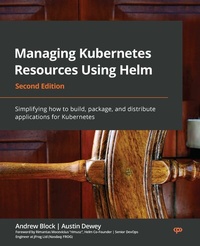
Managing Kubernetes Resources Using Helm
Simplifying how to build, package, and distribute applications for Kubernetes
2nd Edition
Published on 3. June 2024
310 pages
978-1-80323-929-3 (ISBN)
Description

No detailed description available for "Managing Kubernetes Resources Using Helm".
All prices
More details
Other editions
Additional editions
Andrew Block | Austin Dewey
Managing Kubernetes Resources Using Helm
Simplifying how to build, package, and distribute applications for Kubernetes, 2nd Edition
Book
09/2022
2nd Edition
Packt Publishing
€60.00
Shipment within 3-4 weeks
Persons
Block Andrew :
Andrew Block is a core maintainer on the Helm project and a Distinguished Architect at Red Hat. He specializes in the use of continuous integration and continuous delivery methodologies to streamline the delivery process and incorporate security at each stage. He works with organizations to adopt and implement these technologies and concepts within their organization. As an open source enthusiast, Andrew not only has authored several publications, but he is also a contributor to several open source communities and a lead within the sigstore project, which aims at simplifying how software is signed and verified. Dewey Austin :
Austin Dewey is a DevOps engineer focused on delivering a streamlined developer experience on cloud and container technologies. Austin started his career with Red Hat's consulting organization, where he helped drive success at Fortune 500 companies by automating deployments on Red Hat's Kubernetes-based PaaS, OpenShift Container Platform. Currently, Austin works at fintech start-up Prime Trust, where he builds automation to scale financial infrastructure and supports developers on Kubernetes and AWS.
Andrew Block is a core maintainer on the Helm project and a Distinguished Architect at Red Hat. He specializes in the use of continuous integration and continuous delivery methodologies to streamline the delivery process and incorporate security at each stage. He works with organizations to adopt and implement these technologies and concepts within their organization. As an open source enthusiast, Andrew not only has authored several publications, but he is also a contributor to several open source communities and a lead within the sigstore project, which aims at simplifying how software is signed and verified. Dewey Austin :
Austin Dewey is a DevOps engineer focused on delivering a streamlined developer experience on cloud and container technologies. Austin started his career with Red Hat's consulting organization, where he helped drive success at Fortune 500 companies by automating deployments on Red Hat's Kubernetes-based PaaS, OpenShift Container Platform. Currently, Austin works at fintech start-up Prime Trust, where he builds automation to scale financial infrastructure and supports developers on Kubernetes and AWS.
Content
Table of Contents - Understanding Kubernetes and Helm
- Preparing a Kubernetes and Helm Environment
- Installing Your First App with Helm
- Scaffolding a New Helm Chart
- Helm Dependency Management
- Understanding Helm Templates
- Helm Lifecycle Hooks
- Publishing to a Helm Chart Repository
- Testing Helm Charts
- Automating Helm with CD and GitOps
- Using Helm with the Operator Framework
- Helm Security Considerations
- Preparing a Kubernetes and Helm Environment
- Installing Your First App with Helm
- Scaffolding a New Helm Chart
- Helm Dependency Management
- Understanding Helm Templates
- Helm Lifecycle Hooks
- Publishing to a Helm Chart Repository
- Testing Helm Charts
- Automating Helm with CD and GitOps
- Using Helm with the Operator Framework
- Helm Security Considerations
