

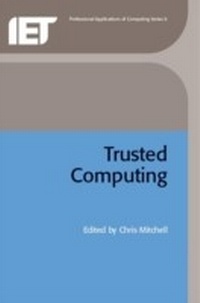
Trusted Computing
1st Edition
Published on 19. January 2009
328 pages
978-1-84919-047-3 (ISBN)
Description

As computers are increasingly embedded, ubiquitous and wirelessly connected, security becomes imperative. This has led to the development of the notion of a 'trusted platform', the chief characteristic of which is the possession of a trusted hardware element which is able to check all or part of the software running on this platform. This enables parties to verify the software environment running on a remote trusted platform, and hence to have some trust that the data sent to that machine will be processed in accordance with agreed rules.
This new text introduces recent technological developments in trusted computing, and surveys the various current approaches to providing trusted platforms. It also includes application examples based on recent and ongoing research. The core of the book is based on an open workshop on Trusted Computing, held at Royal Holloway, University of London, UK.
This new text introduces recent technological developments in trusted computing, and surveys the various current approaches to providing trusted platforms. It also includes application examples based on recent and ongoing research. The core of the book is based on an open workshop on Trusted Computing, held at Royal Holloway, University of London, UK.
More details
Series
Language
English
Place of publication
Stevenage
United Kingdom
Target group
College/higher education
Professional and scholarly
ISBN-13
978-1-84919-047-3 (9781849190473)
Copyright in bibliographic data and cover images is held by Nielsen Book Services Limited or by the publishers or by their respective licensors: all rights reserved.
Schweitzer Classification
Other editions
Additional editions
Chris Mitchell
Trusted Computing
Book
10/2005
Institution of Engineering and Technology
€143.50
Shipment within 3-4 weeks
Person
Chris Mitchell is Professor of Computer Science at Royal Holloway. He helped establish the Information Security Group and the M.Sc in Information Security. He has been involved with a number of international projects, including the Mobile VCE Core 3 programme, the Mobile VCE Core 2 programme, four recent EU 5th Framework projects, and two EU ACTS projects on security for third generation mobile telecommunications systems. He is currently convenor of Technical Panel 2 of BSI IST/33 and is involved with ISO/IEC JTC1/SC27. Professor Mitchell has edited eight international security standards, authored six books, and published well over 150 research papers. He is academic editor of Computer and Communications Security Abstracts, and a member of the Editorial Advisory Board for the journals of the London Mathematical Society. He is a member of Microsoft's Trustworthy Computing Academic Advisory Board, and he continues to act as a consultant on a variety of topics in information security.
Content
Chapter 1: What is trusted computing?
Chapter 2: Concepts of trusted computing
Chapter 3: An overview of trusted computing technology
Chapter 4: An overview of NGSCB
Chapter 5: The DAA scheme in context
Chapter 6: Single Sign-On using TCG-conformant platforms
Chapter 7: Secure delivery of conditional access applications to mobile receivers
Chapter 8: Enhancing user privacy using trusted computing
Chapter 9: Certificate management using distributed trusted third parties
Chapter 10: Securing peer-to-peer networks using trusted computing
Chapter 11: The future of trusted computing: an outlook
Chapter 2: Concepts of trusted computing
Chapter 3: An overview of trusted computing technology
Chapter 4: An overview of NGSCB
Chapter 5: The DAA scheme in context
Chapter 6: Single Sign-On using TCG-conformant platforms
Chapter 7: Secure delivery of conditional access applications to mobile receivers
Chapter 8: Enhancing user privacy using trusted computing
Chapter 9: Certificate management using distributed trusted third parties
Chapter 10: Securing peer-to-peer networks using trusted computing
Chapter 11: The future of trusted computing: an outlook
