

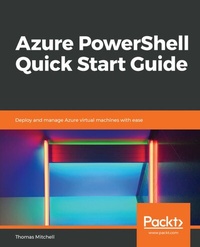
Azure PowerShell Quick Start Guide
Deploy and manage Azure virtual machines with ease
Published on 23. September 2024
118 pages
978-1-78961-948-5 (ISBN)
Description

No detailed description available for "Azure PowerShell Quick Start Guide".
More details
Edition
Digital original
Language
English
Place of publication
Birmingham
United Kingdom
Target group
Professional and scholarly
US School Grade: College Graduate Student
Edition type
Digital original
File size
1,60 MB
ISBN-13
978-1-78961-948-5 (9781789619485)
Copyright in bibliographic data and cover images is held by Nielsen Book Services Limited or by the publishers or by their respective licensors: all rights reserved.
Schweitzer Classification
Other editions
Additional editions
Thomas Mitchell
Azure PowerShell Quick Start Guide
Deploy and manage Azure virtual machines with ease
Book
12/2018
Packt Publishing
€38.70
Shipment within 3-4 weeks
Person
Mitchell Thomas :
Thomas Mitchell is a 25+ year veteran of the IT industry and carries numerous industry certifications. He has built a rather in-depth skill set that spans numerous IT disciplines. Tom's disciplines include Microsoft Exchange, Microsoft Office 365, Microsoft Azure, and Active Directory. He is now an independent IT consultant, a freelance author, and online IT trainer, has written about numerous IT topics for several online publications, and has even published several of his own IT courses on Udemy (dot) com. You can find a complete list of his courses at thomasmitchell (dot) net/udemy. Tom is the managing editor for understandingazure (dot) com. He lives with his wife, Darlene, and five kids, Michael, Tommy, Joey, Brittany, and Matthew.
Thomas Mitchell is a 25+ year veteran of the IT industry and carries numerous industry certifications. He has built a rather in-depth skill set that spans numerous IT disciplines. Tom's disciplines include Microsoft Exchange, Microsoft Office 365, Microsoft Azure, and Active Directory. He is now an independent IT consultant, a freelance author, and online IT trainer, has written about numerous IT topics for several online publications, and has even published several of his own IT courses on Udemy (dot) com. You can find a complete list of his courses at thomasmitchell (dot) net/udemy. Tom is the managing editor for understandingazure (dot) com. He lives with his wife, Darlene, and five kids, Michael, Tommy, Joey, Brittany, and Matthew.
Content
Table of Contents
Getting Started
Working with Images
Working with Disks
High Availability
Other Cool Stuff
Getting Started
Working with Images
Working with Disks
High Availability
Other Cool Stuff
