

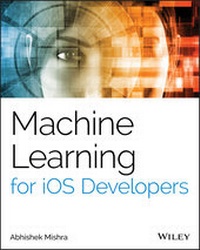
Machine Learning for iOS Developers
1st Edition
Published on 12. February 2020
352 pages
978-1-119-60291-0 (ISBN)
Description

Harness the power of Apple iOS machine learning (ML) capabilities and learn the concepts and techniques necessary to be a successful Apple iOS machine learning practitioner!
Machine earning (ML) is the science of getting computers to act without being explicitly programmed. A branch of Artificial Intelligence (AI), machine learning techniques offer ways to identify trends, forecast behavior, and make recommendations. The Apple iOS Software Development Kit (SDK) allows developers to integrate ML services, such as speech recognition and language translation, into mobile devices, most of which can be used in multi-cloud settings. Focusing on Apple's ML services, Machine Learning for iOS Developers is an up-to-date introduction to the field, instructing readers to implement machine learning in iOS applications.
Assuming no prior experience with machine learning, this reader-friendly guide offers expert instruction and practical examples of ML integration in iOS. Organized into two sections, the book's clearly-written chapters first cover fundamental ML concepts, the different types of ML systems, their practical uses, and the potential challenges of ML solutions. The second section teaches readers to use models--both pre-trained and user-built--with Apple's CoreML framework. Source code examples are provided for readers to download and use in their own projects. This book helps readers:
* Understand the theoretical concepts and practical applications of machine learning used in predictive data analytics
* Build, deploy, and maintain ML systems for tasks such as model validation, optimization, scalability, and real-time streaming
* Develop skills in data acquisition and modeling, classification, and regression.
* Compare traditional vs. ML approaches, and machine learning on handsets vs. machine learning as a service (MLaaS)
* Implement decision tree based models, an instance-based machine learning system, and integrate Scikit-learn & Keras models with CoreML
Machine Learning for iOS Developers is a must-have resource software engineers and mobile solutions architects wishing to learn ML concepts and implement machine learning on iOS Apps.
Machine earning (ML) is the science of getting computers to act without being explicitly programmed. A branch of Artificial Intelligence (AI), machine learning techniques offer ways to identify trends, forecast behavior, and make recommendations. The Apple iOS Software Development Kit (SDK) allows developers to integrate ML services, such as speech recognition and language translation, into mobile devices, most of which can be used in multi-cloud settings. Focusing on Apple's ML services, Machine Learning for iOS Developers is an up-to-date introduction to the field, instructing readers to implement machine learning in iOS applications.
Assuming no prior experience with machine learning, this reader-friendly guide offers expert instruction and practical examples of ML integration in iOS. Organized into two sections, the book's clearly-written chapters first cover fundamental ML concepts, the different types of ML systems, their practical uses, and the potential challenges of ML solutions. The second section teaches readers to use models--both pre-trained and user-built--with Apple's CoreML framework. Source code examples are provided for readers to download and use in their own projects. This book helps readers:
* Understand the theoretical concepts and practical applications of machine learning used in predictive data analytics
* Build, deploy, and maintain ML systems for tasks such as model validation, optimization, scalability, and real-time streaming
* Develop skills in data acquisition and modeling, classification, and regression.
* Compare traditional vs. ML approaches, and machine learning on handsets vs. machine learning as a service (MLaaS)
* Implement decision tree based models, an instance-based machine learning system, and integrate Scikit-learn & Keras models with CoreML
Machine Learning for iOS Developers is a must-have resource software engineers and mobile solutions architects wishing to learn ML concepts and implement machine learning on iOS Apps.
More details
Other editions
Additional editions
Abhishek Mishra
Machine Learning for IOS Developers
Book
02/2020
1st Edition
Sybex Inc.,U.S.
€47.00
Shipment within 15-20 days
Person
Abhishek Mishra has more than 19 years of experience across a broad range of mobile and enterprise technologies. He consults as a security and fraud solution architect with Lloyds Banking group PLC in London. He is the author of Machine Learning on the AWS Cloud, Amazon Web Services for Mobile Developers, iOS Code Testing, and Swift iOS: 24-Hour Trainer.
Content
- Cover
- Title Page
- Copyright
- About the Author
- About the Technical Editor
- Acknowledgments
- Contents at a Glance
- Contents
- Introduction
- What Does This Book Cover?
- Additional Resources
- Reader Support for This Book
- Part 1 Fundamentals of Machine Learning
- Chapter 1 Introduction to Machine Learning
- What Is Machine Learning?
- Tools Commonly Used by Data Scientists
- Common Terminology
- Real-World Applications of Machine Learning
- Types of Machine Learning Systems
- Supervised Learning
- Unsupervised Learning
- Semisupervised Learning
- Reinforcement Learning
- Batch Learning
- Incremental Learning
- Instance-Based Learning
- Model-Based Learning
- Common Machine Learning Algorithms
- Linear Regression
- Support Vector Machines
- Logistic Regression
- Decision Trees
- Artificial Neural Networks
- Sources of Machine Learning Datasets
- Scikit-learn Datasets
- AWS Public Datasets
- Kaggle.com Datasets
- UCI Machine Learning Repository
- Summary
- Chapter 2 The Machine-Learning Approach
- The Traditional Rule-Based Approach
- A Machine-Learning System
- Picking Input Features
- Preparing the Training and Test Set
- Picking a Machine-Learning Algorithm
- Evaluating Model Performance
- The Machine-Learning Process
- Data Collection and Preprocessing
- Preparation of Training, Test, and Validation Datasets
- Model Building
- Model Evaluation
- Model Tuning
- Model Deployment
- Summary
- Chapter 3 Data Exploration and Preprocessing
- Data Preprocessing Techniques
- Obtaining an Overview of the Data
- Handling Missing Values
- Creating New Features
- Transforming Numeric Features
- One-Hot Encoding Categorical Features
- Selecting Training Features
- Correlation
- Principal Component Analysis
- Recursive Feature Elimination
- Summary
- Chapter 4 Implementing Machine Learning on Mobile Apps
- Device-Based vs. Server-Based Approaches
- Apple's Machine Learning Frameworks and Tools
- Task-Level Frameworks
- Model-Level Frameworks
- Format Converters
- Transfer Learning Tools
- Third-Party Machine-Learning Frameworks and Tools
- Summary
- Part 2 Machine Learning with CoreML, CreateML, and TuriCreate
- Chapter 5 Object Detection Using Pre-trained Models
- What Is Object Detection?
- A Brief Introduction to Artificial Neural Networks
- Downloading the ResNet50 Model
- Creating the iOS Project
- Creating the User Interface
- Updating Privacy Settings
- Using the Resnet50 Model in the iOS Project
- Summary
- Chapter 6 Creating an Image Classifier with the Create ML App
- Introduction to the Create ML App
- Creating the Image Classification Model with the Create ML App
- Creating the iOS Project
- Creating the User Interface
- Updating Privacy Settings
- Using the Core ML Model in the iOS Project
- Summary
- Chapter 7 Creating a Tabular Classifier with Create ML
- Preparing the Dataset for the Create ML App
- Creating the Tabular Classification Model with the Create ML App
- Creating the iOS Project
- Creating the User Interface
- Using the Classification Model in the iOS Project
- Testing the App
- Summary
- Chapter 8 Creating a Decision Tree Classifier
- Decision Tree Recap
- Examining the Dataset
- Creating Training and Test Datasets
- Creating the Decision Tree Classification Model with Scikit-learn
- Using Core ML Tools to Convert the Scikit-learn Model to the Core ML Format
- Creating the iOS Project
- Creating the User Interface
- Using the Scikit-learn DecisionTreeClassifier Model in the iOS Project
- Testing the App
- Summary
- Chapter 9 Creating a Logistic Regression Model Using Scikit-learn and Core ML
- Examining the Dataset
- Creating a Training and Test Dataset
- Creating the Logistic Regression Model with Scikit-learn
- Using Core ML Tools to Convert the Scikit-learn Model to the Core ML Format
- Creating the iOS Project
- Creating the User Interface
- Using the Scikit-learn Model in the iOS Project
- Testing the App
- Summary
- Chapter 10 Building a Deep Convolutional Neural Network with Keras
- Introduction to the Inception Family of Deep Convolutional Neural Networks
- GoogLeNet (aka Inception-v1)
- Inception-v2 and Inception-v3
- Inception-v4 and Inception-ResNet
- A Brief Introduction to Keras
- Implementing Inception-v4 with the Keras Functional API
- Training the Inception-v4 Model
- Exporting the Keras Inception-v4 Model to the Core ML Format
- Creating the iOS Project
- Creating the User Interface
- Updating Privacy Settings
- Using the Inception-v4 Model in the iOS Project
- Summary
- Appendix A Anaconda and Jupyter Notebook Setup
- Installing the Anaconda Distribution
- Creating a Conda Python Environment
- Installing Python Packages
- Installing Jupyter Notebook
- Summary
- Appendix B Introduction to NumPy and Pandas
- NumPy
- Creating NumPy Arrays
- Modifying Arrays
- Indexing and Slicing
- Pandas
- Creating Series and Dataframes
- Getting Dataframe Information
- Selecting Data
- Summary
- Index
- EULA
