

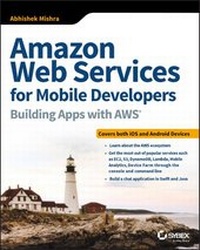
Amazon Web Services for Mobile Developers
Description

More details
Other editions
Additional editions
Person
Content
- Intro
- Amazon Web Services for Mobile Developers: Building Apps with AWS®
- Acknowledgments
- About the Author
- About the Technical Editor
- Contents at a Glance
- Contents
- Introduction
- Who This Book Is For
- What This Book Covers
- How This Book Is Structured
- What You Need to Use This Book
- Conventions
- Source Code
- Part I Introduction to Amazon Web Services
- Chapter 1 Introduction to Cloud Computing and Amazon Web Services
- What Is Cloud Computing?
- Cloud Service Models
- Cloud Deployment Models
- The AWS Ecosystem
- Sign Up for an AWS Free Tier Account
- Step 1: Contact Information
- Step 2: Payment Information
- Step 3: Identity Verification
- Step 4: Support Plan Selection
- Step 5: Confirmation
- Summary
- Chapter 2 Regions, Availability Zones, and Edge Locations
- Regions and Availability Zones
- Edge Locations
- Accessing AWS
- The AWS Management Console
- Summary
- Chapter 3 AWS Identity and Access Management
- Key Concepts
- Root Account
- User
- Group
- Policy
- Role
- Common Tasks
- Creating a User
- Assigning Permissions to an Existing User
- Creating a Group
- Adding Users from a Group
- Creating a Role
- Securing the Root Account with MFA
- Setting Up an IAM Password Rotation Policy
- Summary
- Chapter 4 Amazon EC2
- Key Concepts
- Instances and Instance Types
- Amazon Machine Images
- Security Groups
- Pricing Models
- Data Storage
- Instance Life Cycle
- Common Tasks
- Creating an Instance
- Managing Existing Instances
- Accessing Amazon EC2 Instances Using the AWS CLI
- Linux, Mac OSX, Unix Users
- Windows Users
- Summary
- Chapter 5 Amazon S3
- Key Concepts
- Buckets
- Object Key
- Object Value
- Version ID
- Storage Class
- Costs
- Subresources
- Object Metadata
- Common Tasks
- Creating a Bucket
- Uploading an Object
- Accessing an Object
- Changing the Storage Class of an Object
- Deleting an Object
- Amazon S3 Bucket Versioning
- Accessing Amazon S3 Using the AWS CLI
- Summary
- Chapter 6 Amazon DynamoDB
- Key Concepts
- Tables
- Items
- Attributes
- Primary Keys
- Secondary Indexes
- Queries
- Scans
- Read Consistency
- Provisioned Throughput
- Common Tasks
- Creating a Table
- Adding Items to a Table
- Creating an Index
- Performing a Scan
- Performing a Query
- Summary
- Chapter 7 AWS Lambda
- Common Use Cases for AWS Lambda
- Key Concepts
- Supported Languages
- AWS Lambda Functions
- Programming Model
- Execution Environment
- Common Tasks
- Creating a Simple Node.js Lambda Function Using the AWS Management Console
- Testing an AWS Lambda Function Using the AWS Management Console
- Deleting an AWS Lambda Function Using the AWS Management Console
- Summary
- Part II AWS for iOS Developers
- Chapter 8 Integrating the AWS SDK for iOS
- Integrating the AWS SDK for iOS Using CocoaPods
- Integrating the AWS SDK for iOS Using Carthage
- Integrating the AWS SDK for iOS Using Dynamic Frameworks
- Summary
- Chapter 9 Implementing User Signup and Login Using Amazon Cognito User Pools
- Introducing Amazon Cognito User Pools
- Examining the AWSChat Xcode Project
- Creating an Amazon Cognito User Pool
- Pool Name
- User Attributes
- Password Security Policy
- MFA and Account Verification
- Message Customization
- Cost Allocation Tags
- Devices
- Apps
- Review and Create
- Retrieving the App Client Secret
- Updating the AWS Chat Application
- Creating the User Pool Controller Class
- Updating the Login View Controller
- Updating the Signup View Controller
- Updating the Home View Controller
- Managing Users
- Summary
- Chapter 10 Implementing Login Using Facebook
- Creating an App on Facebook
- Adding the Facebook SDK to the Xcode Project
- Creating an Amazon Cognito Identity Pool
- Updating the Application User Interface
- Summary
- Chapter 11 Implementing Login Using Google
- Adding the Google SDK to the Xcode Project
- Updating the Identity Pool
- Updating the AWSChat Application
- Summary
- Chapter 12 Accessing Amazon DynamoDB
- Creating Amazon DynamoDB Tables
- Creating the User Table
- Creating the Friend Table
- Creating the Chat Table
- Creating the Message Table
- Updating the IAM Policy Used by the Identity Pool
- Creating an IAM Service Role
- Populating the User Table with an AWS Lambda Function
- Testing the AWS Lambda Function
- Updating the AWSChat App
- Creating Model Classes
- Creating the ChatManager Class
- Creating the DynamoDBController Class
- Updating the CognitoIdentityPoolController Class and the Amazon Cognito Identity Pool
- Updating the Home View Controller
- Adding Friends
- Summary
- Chapter 13 Adding AWSChat Support with Amazon DynamoDB and Amazon S3
- Updating the DynamoDBController Class
- Configuring Amazon S3
- Creating Buckets
- Updating the Authenticated Identity Role
- Creating the S3Controller Class
- Updating the ChatManager Class
- Updating the User Interface of the App
- Summary
- Chapter 14 Using AWS Lambda to Generate Thumbnails
- Creating a Node.JS Lambda Function Deployment Package
- Updating the AWS Lambda Execution Service Role
- Creating an AWS Lambda Function Using the AWS Management Console
- Testing the AWS Lambda Function
- Updating the S3Controller Class
- Updating the ChatManager Class
- Updating the User Interface of the App
- Summary
- Part III AWS for Android Developers
- Chapter 15 Integrating the AWS SDK for Android with Android Studio
- Integrating the AWS SDK for Android Using Gradle
- Integrating the AWS SDK for Android by Importing JAR Files
- Summary
- Chapter 16 Implementing User Signup and Login Using Amazon Cognito User Pools
- Introducing Amazon Cognito User Pools
- Examining the AWSChat Android Studio Project
- Creating an Amazon Cognito User Pool
- Pool Name
- User Attributes
- Password Security Policy
- MFA and Account Verification
- Message Customization
- Cost Allocation Tags
- Devices
- Apps
- Review and Create
- Retrieving the App Client Secret
- Updating the AWS Chat Application
- Creating the User Pool Controller Class
- Updating the Login Activity
- Updating the Signup Activity
- Managing Users
- Summary
- Chapter 17 Implementing Login Using Facebook
- Creating an App on Facebook
- Adding the Facebook SDK to the Android Studio Project
- Creating an Amazon Cognito Identity Pool
- Retrieving the Identity Pool ID
- Creating the Identity Pool Controller Class
- Updating the Application User Interface
- Summary
- Chapter 18 Implementing Login Using Google
- Installing the Google Play Services SDK
- Creating an App on the Google Developer Console
- Updating the Android Studio Project
- Updating the Identity Pool
- Using a Google+ Authentication Provider
- Using an OpenID Connect Authentication Provider
- Updating the Identity Pool Controller Class
- Updating the Application User Interface
- Summary
- Chapter 19 Accessing Amazon DynamoDB
- Creating Amazon DynamoDB Tables
- Creating the User Table
- Creating the Friend Table
- Creating the Chat Table
- Creating the Message Table
- Updating the IAM Policy Used by the Identity Pool
- Creating an IAM Service Role
- Populating the User Table with an AWS Lambda Function
- Testing the AWS Lambda Function
- Updating the AWSChat App
- Model Classes
- The ChatManager Class
- The DynamoDBController Class
- Linking the User Pool to the Identity Pool
- The Updated Home Activity
- The AddFriendActivity Class
- Summary
- Chapter 20 Adding AWSChat Support with Amazon DynamoDB and Amazon S3
- Updating Project Settings
- Updating the DynamoDBManager Class
- Configuring Amazon S3
- Creating Buckets
- Updating the Authenticated Identity Role
- Creating the S3Controller Class
- Updating the ChatManager Class
- Updating the User Interface of the App
- Summary
- Chapter 21 Using AWS Lambda to Generate Thumbnails
- Creating a Node.js Lambda Function Deployment Package
- Updating the AWS Lambda Execution Service Role
- Creating an AWS Lambda Function Using the AWS Management Console
- Testing the AWS Lambda Function
- Updating the S3Controller Class
- Updating the ChatManager Class
- Updating the User Interface of the App
- Summary
- Index
- EULA
Introduction
Amazon Web Services (AWS) is one of the leading cloud-computing platforms in the industry today. At the time this book was written, AWS offered 97 services, each of which resided in one of 18 different service categories. For someone who is new to cloud computing or to the AWS ecosystem, the sheer number of services on offer can be daunting. It can be difficult to know where to begin and what services to focus on.
Developers working in the mobile space are often ignorant of the power of the public cloud and AWS in particular. They end up spending months writing applications and server-side code for commonly used features such as user registration, user login, password recovery, server-side data storage-features that are already provided by AWS and can be integrated in a fraction of the time.
Architects who have primarily worked in on-premise (private cloud) environments often shy away from designing solutions that leverage public cloud capabilities.
This book is written to provide developers and architects working in the mobile space an introduction to some of the services offered by AWS along with step-by-step examples of how to leverage AWS cloud features to build an iOS- and Android-based chat application similar to WhatsApp.
This is one of the first few books that addresses both iOS and Android developers. AWS is vast and rapidly evolving, and I have had to make hard choices on what services to include and exclude in this book.
I have also made every attempt to keep the content up-to-date and relevant. Even though this makes the book susceptible to being outdated on a few rare instances, I am confident the content will remain useful and relevant through the next versions of the AWS services, Swift, Java, Xcode, and Android Studio.
The book at all times attempts to balance theory and practice, giving you enough visibility into the underlying concepts and providing you with the best practices and practical advice that you can apply at your workplace right away.
Who This Book Is For
This book is best suited for intermediate to advanced iOS and Android developers who want to learn to leverage aspects of the Amazon cloud from their apps. The book is also useful to system architects, application architects, and devops engineers who want to be introduced to some of the commonly used AWS services in the mobile space.
I advise that you read all chapters in Part I of the book from start to finish. If you are a developer, you may then want to proceed to Part II or III for step-by-step instructions on how to build a chat application using AWS cloud-based resources for iOS and Android.
What This Book Covers
This book covers aspects of Amazon IAM, Amazon Cognito, Amazon S3, Amazon DynamoDB, AWS Lambda, AWS Device Farm, Amazon SNS, and Amazon Mobile Analytics.
The iOS code in this book is written in Swift 3 and tested on Xcode 8.3.3. You may need to make minor modifications to the code if you are using a newer version of Xcode.
The Android code in this book is written in Java 6 and tested using Android Studio 2.3.1.
Services provided by Amazon, Apple, and Google are updated frequently. Therefore, sometimes you may encounter a newer version of a screen when you follow the instructions in a chapter.
How This Book Is Structured
This book consists of 29 chapters that are grouped into three sections. The first section, consisting of seven chapters, introduces the fundamentals of cloud computing and covers commonly used AWS products such as AWS IAM, Amazon Cognito, Amazon EC2, Amazon S3, Amazon DynamoDB, and AWS Lambda. The first section of the book also contains four additional bonus chapters that you can download from the book's website.
Part II of the book is targeted at iOS developers and consists of seven chapters. Each chapter in this section progressively adds features to a chat application similar to WhatsApp. In addition to iOS code, several chapters in this section provide instructions to set up required resources in your AWS account to support the iOS code. You can download the source code that accompanies each chapter from this books' web page on Sybex.com or using a GitHub link. You need to substitute AWS resources for things like Amazon S3 buckets, Amazon Cognito identity pools, and Amazon Cognito user pools. The text of each chapter in this part summarizes the AWS resources that you need to configure to follow along with the chapter. Part II of the book also contains two additional bonus chapters that you can download from the book's website.
Part III of the book is targeted at Android developers and consists of seven chapters. Each chapter in this section progressively adds features to an Android version of a chat application similar to the one built in Part II. In addition to Android code, several chapters in this section provide instructions to set up required resources in your AWS account to support the Android code. If you have already followed the instructions in Part II of the book while developing the iOS version of the chat application, you can skip these instructions. Where applicable, chapters contain a note to indicate what sections can be skipped.
You can download the source code that accompanies each chapter from this book's web page on Sybex.com or using a GitHub link. You need to substitute AWS resources for things like Amazon S3 buckets, Amazon Cognito identity pools, and Amazon Cognito user pools. The text of each chapter in this part provides a summary of the AWS resources that you need to configure to follow along with the chapter. Part III of the book also contains two additional bonus chapters that you can download from the book's website.
If you are completely new to AWS, I recommend that you read every chapter in Part I sequentially and then proceed to either Part II or Part III depending on whether you are an iOS or an Android developer.
The chapters in Part I cover:
- Introduction to Cloud Computing and Amazon Web Services (Chapter 1)-A brief primer to cloud computing and Amazon Web Services. Covers commonly encountered service and deployment models.
- Regions, Availability Zones, and Edge Locations (Chapter 2)-This chapter introduces components of the AWS global infrastructure.
- AWS Identity and Access Management (Chapter 3)-This chapter introduces one of the key services provided by AWS to secure your resources in the Amazon cloud. It also provides instructions to sign up for an account under the AWS free tier.
- Amazon EC2 (Chapter 4)-This chapter introduces one of the core services provided by AWS: Amazon Elastic Compute Cloud (EC2).
- Amazon S3 (Chapter 5)-This chapter introduces one of the most commonly used storage services provided by AWS: Amazon Simple Storage Service (S3).
- Amazon DynamoDB (Chapter 6)-This chapter introduces Amazon's managed NoSQL database service: DynamoDB.
- AWS Lambda (Chapter 7)-This chapter introduces AWS Lambda, a service designed to allow you to run code in the Amazon cloud without having to provision or manage an infrastructure.
- Amazon Simple Notification Service (Bonus Chapter 1)-This chapter introduces Amazon SNS, a service that allows you to send notifications through services such as APNS, GCM, SMS, and e-mail.
- Amazon Mobile Analytics (Bonus Chapter 2)-This chapter introduces Amazon Mobile Analytics, a service that allows you to capture application usage data and generate usage reports.
- AWS Device Farm (Bonus Chapter 3)-This chapter covers AWS Device Farm, a cloud-based app testing service.
- Installing WordPress on Amazon EC2 (Bonus Chapter 4)-This chapter provides step-by-step instructions to install WordPress onto an EC2 instance using the AWS CLI tools.
The chapters in Part II are for iOS developers and cover the following:
- Integrating the AWS SDK for iOS (Chapter 8)-This chapter contains instructions to integrate the AWS SDK for iOS in an Xcode project using CocoaPods, Carthage, and dynamic frameworks.
- Implementing User Signup and Login Using Amazon Cognito User Pools (Chapter 9)-This chapter contains instructions to create an Amazon Cognito user pool and use this user pool in a new Xcode project called AWSChat to allow new users to log in or sign up.
- Implementing Login Using Facebook (Chapter 10)-This chapter contains instructions to create an Amazon Cognito identity pool and use this identity pool in the iOS app along with the Facebook SDK to give users the option to log in to the AWSChat app using their Facebook credentials.
- Implementing Login Using Google (Chapter 11)-This chapter contains instructions to update the AWSChat app to allow users to log in using their Google credentials.
- Accessing Amazon DynamoDB (Chapter 12)-This chapter contains instructions to create a set of tables in Amazon DynamoDB and update the AWSChat app to allow users to add other users of the app as their friends.
- Adding AWSChat Support Using Amazon DynamoDB and Amazon S3 (Chapter 13)-This chapter contains instructions to create a set of Amazon S3 buckets and update the AWSChat app to allow users to send messages to their friends.
- Using AWS Lambda to Generate Thumbnails (Chapter...
