

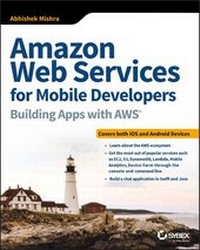
Amazon Web Services for Mobile Developers
Building Apps with AWS
Published on 17. October 2017
792 pages
978-1-119-37784-9 (ISBN)
Description

A practical, real-world introduction to AWS tools and concepts
Amazon Web Services for Mobile Developers: Building Apps with AWS presents a professional view of cloud computing and AWS for experienced iOS/Android developers and technical/solution architects. Cloud computing is a rapidly expanding ecosystem, and working professionals need a practical resource to bring them up-to-date on tools that are rapidly becoming indispensable; this book helps expand your skill set by introducing you to AWS offerings that can make your job easier, with a focus on real-world application. Author and mobile applications developer Abhishek Mishra shows you how to create IAM accounts and try out some of the most popular services, including EC2, Lambda, Mobile Analytics, Device Farm, and more. You'll build a chat application in both Swift (iOS) and Java (Andoid), running completely off AWS Infrastructure to explore SDK installation, Xcode, Cognito authentication, DynamoDB, Amazon SNA Notifications, and other useful tools. By actually using the tools as you learn about them, you develop a more intuitive understanding that feels less like a shift and more like a streamlined integration.
If you have prior experience with Swift or Java and a solid knowledge of web services, this book can help you quickly take your skills to the next level with a practical approach to learning that translates easily into real-world use.
* Understand the key concepts of AWS as applied to both iOS and Android developers
* Explore major AWS offerings for mobile developers, including DynamoDB, RDS, EC2, SNS, Cognito, and more
* Learn what people are talking about when they use buzzwords like PaaS, IaaS, SaaS, and APaaS
* Work through explanations by building apps that tie into the AWS ecosystem
Any job is easier with the right tools, and Amazon Web Services for Mobile Developers: Building Apps with AWS gets you acquainted with an ever-expanding toolkit for mobile app development.
More details
Other editions
Additional editions
Book
12/2017
Sybex Inc.,U.S.
€52.62
Article exhausted; check different version
Person
ABOUT THE AUTHOR
Abhishek Mishra has been active in the IT industry for over 19 years and has extensive experience with a wide range of programming languages, enterprise systems and platforms. He holds a master's degree in Computer Science from the University of London and currently provides consultancy services to Barclays Bank PLC in London as a Solutions Architect. He is the author of iOS Code Testing, iPhone and iPad App - 24 Hour Trainer, Swift iOS - 24 Hour Trainer, and the technical reviewer of Professional iOS Programming.
ABOUT AMAZON WEB SERVICES
Amazon Web Services offers a broad array of global cloud-based products, including tools for computing, storage, databases, analytics, and networking; mobile and developer tools; management tools; lot, security, and enterprise applications. AWS is used by large enterprises and hot startups alike to power a wide variety of workloads, including web and mobile applications, game development, data processing and warehousing, storage, archiving, and many more. Learn more at https://aws.amazon.com.
Content
1 - Amazon Web Services for Mobile Developers: Building Apps with AWS® [Seite 3]
2 - Acknowledgments [Seite 7]
3 - About the Author [Seite 7]
4 - About the Technical Editor [Seite 7]
5 - Contents at a Glance [Seite 9]
6 - Contents [Seite 11]
7 - Introduction [Seite 21]
7.1 - Who This Book Is For [Seite 21]
7.2 - What This Book Covers [Seite 22]
7.3 - How This Book Is Structured [Seite 22]
7.4 - What You Need to Use This Book [Seite 25]
7.5 - Conventions [Seite 25]
7.6 - Source Code [Seite 26]
8 - Part I Introduction to Amazon Web Services [Seite 27]
8.1 - Chapter 1 Introduction to Cloud Computing and Amazon Web Services [Seite 29]
8.1.1 - What Is Cloud Computing? [Seite 30]
8.1.2 - Cloud Service Models [Seite 31]
8.1.3 - Cloud Deployment Models [Seite 33]
8.1.4 - The AWS Ecosystem [Seite 33]
8.1.5 - Sign Up for an AWS Free Tier Account [Seite 36]
8.1.5.1 - Step 1: Contact Information [Seite 36]
8.1.5.2 - Step 2: Payment Information [Seite 38]
8.1.5.3 - Step 3: Identity Verification [Seite 40]
8.1.5.4 - Step 4: Support Plan Selection [Seite 42]
8.1.5.5 - Step 5: Confirmation [Seite 43]
8.1.6 - Summary [Seite 43]
8.2 - Chapter 2 Regions, Availability Zones, and Edge Locations [Seite 45]
8.2.1 - Regions and Availability Zones [Seite 46]
8.2.2 - Edge Locations [Seite 48]
8.2.3 - Accessing AWS [Seite 50]
8.2.3.1 - The AWS Management Console [Seite 51]
8.2.4 - Summary [Seite 57]
8.3 - Chapter 3 AWS Identity and Access Management [Seite 59]
8.3.1 - Key Concepts [Seite 60]
8.3.1.1 - Root Account [Seite 60]
8.3.1.2 - User [Seite 61]
8.3.1.3 - Group [Seite 63]
8.3.1.4 - Policy [Seite 64]
8.3.1.5 - Role [Seite 64]
8.3.2 - Common Tasks [Seite 65]
8.3.2.1 - Creating a User [Seite 68]
8.3.2.2 - Assigning Permissions to an Existing User [Seite 73]
8.3.2.3 - Creating a Group [Seite 75]
8.3.2.4 - Adding Users from a Group [Seite 76]
8.3.2.5 - Creating a Role [Seite 77]
8.3.2.6 - Securing the Root Account with MFA [Seite 80]
8.3.2.7 - Setting Up an IAM Password Rotation Policy [Seite 83]
8.3.3 - Summary [Seite 85]
8.4 - Chapter 4 Amazon EC2 [Seite 87]
8.4.1 - Key Concepts [Seite 88]
8.4.1.1 - Instances and Instance Types [Seite 88]
8.4.1.2 - Amazon Machine Images [Seite 91]
8.4.1.3 - Security Groups [Seite 92]
8.4.1.4 - Pricing Models [Seite 93]
8.4.1.5 - Data Storage [Seite 94]
8.4.1.6 - Instance Life Cycle [Seite 94]
8.4.2 - Common Tasks [Seite 96]
8.4.2.1 - Creating an Instance [Seite 96]
8.4.2.2 - Managing Existing Instances [Seite 107]
8.4.3 - Accessing Amazon EC2 Instances Using the AWS CLI [Seite 114]
8.4.3.1 - Linux, Mac OSX, Unix Users [Seite 114]
8.4.3.2 - Windows Users [Seite 118]
8.4.4 - Summary [Seite 126]
8.5 - Chapter 5 Amazon S3 [Seite 127]
8.5.1 - Key Concepts [Seite 128]
8.5.1.1 - Buckets [Seite 128]
8.5.1.2 - Object Key [Seite 128]
8.5.1.3 - Object Value [Seite 129]
8.5.1.4 - Version ID [Seite 129]
8.5.1.5 - Storage Class [Seite 129]
8.5.1.6 - Costs [Seite 130]
8.5.1.7 - Subresources [Seite 130]
8.5.1.8 - Object Metadata [Seite 131]
8.5.2 - Common Tasks [Seite 132]
8.5.2.1 - Creating a Bucket [Seite 132]
8.5.2.2 - Uploading an Object [Seite 136]
8.5.2.3 - Accessing an Object [Seite 140]
8.5.2.4 - Changing the Storage Class of an Object [Seite 144]
8.5.2.5 - Deleting an Object [Seite 144]
8.5.2.6 - Amazon S3 Bucket Versioning [Seite 145]
8.5.2.7 - Accessing Amazon S3 Using the AWS CLI [Seite 149]
8.5.3 - Summary [Seite 150]
8.6 - Chapter 6 Amazon DynamoDB [Seite 151]
8.6.1 - Key Concepts [Seite 152]
8.6.1.1 - Tables [Seite 152]
8.6.1.2 - Items [Seite 152]
8.6.1.3 - Attributes [Seite 153]
8.6.1.4 - Primary Keys [Seite 153]
8.6.1.5 - Secondary Indexes [Seite 153]
8.6.1.6 - Queries [Seite 154]
8.6.1.7 - Scans [Seite 154]
8.6.1.8 - Read Consistency [Seite 154]
8.6.1.9 - Provisioned Throughput [Seite 155]
8.6.2 - Common Tasks [Seite 156]
8.6.2.1 - Creating a Table [Seite 156]
8.6.2.2 - Adding Items to a Table [Seite 160]
8.6.2.3 - Creating an Index [Seite 164]
8.6.2.4 - Performing a Scan [Seite 166]
8.6.2.5 - Performing a Query [Seite 168]
8.6.3 - Summary [Seite 169]
8.7 - Chapter 7 AWS Lambda [Seite 171]
8.7.1 - Common Use Cases for AWS Lambda [Seite 172]
8.7.2 - Key Concepts [Seite 173]
8.7.2.1 - Supported Languages [Seite 173]
8.7.2.2 - AWS Lambda Functions [Seite 173]
8.7.2.3 - Programming Model [Seite 174]
8.7.2.4 - Execution Environment [Seite 178]
8.7.3 - Common Tasks [Seite 179]
8.7.3.1 - Creating a Simple Node.js Lambda Function Using the AWS Management Console [Seite 180]
8.7.3.2 - Testing an AWS Lambda Function Using the AWS Management Console [Seite 186]
8.7.3.3 - Deleting an AWS Lambda Function Using the AWS Management Console [Seite 189]
8.7.4 - Summary [Seite 191]
9 - Part II AWS for iOS Developers [Seite 193]
9.1 - Chapter 8 Integrating the AWS SDK for iOS [Seite 195]
9.1.1 - Integrating the AWS SDK for iOS Using CocoaPods [Seite 196]
9.1.2 - Integrating the AWS SDK for iOS Using Carthage [Seite 201]
9.1.3 - Integrating the AWS SDK for iOS Using Dynamic Frameworks [Seite 208]
9.1.4 - Summary [Seite 211]
9.2 - Chapter 9 Implementing User Signup and Login Using Amazon Cognito User Pools [Seite 213]
9.2.1 - Introducing Amazon Cognito User Pools [Seite 214]
9.2.2 - Examining the AWSChat Xcode Project [Seite 215]
9.2.3 - Creating an Amazon Cognito User Pool [Seite 216]
9.2.3.1 - Pool Name [Seite 218]
9.2.3.2 - User Attributes [Seite 219]
9.2.3.3 - Password Security Policy [Seite 220]
9.2.3.4 - MFA and Account Verification [Seite 221]
9.2.3.5 - Message Customization [Seite 222]
9.2.3.6 - Cost Allocation Tags [Seite 223]
9.2.3.7 - Devices [Seite 224]
9.2.3.8 - Apps [Seite 224]
9.2.3.9 - Review and Create [Seite 227]
9.2.4 - Retrieving the App Client Secret [Seite 228]
9.2.5 - Updating the AWS Chat Application [Seite 230]
9.2.5.1 - Creating the User Pool Controller Class [Seite 230]
9.2.5.2 - Updating the Login View Controller [Seite 241]
9.2.5.3 - Updating the Signup View Controller [Seite 245]
9.2.5.4 - Updating the Home View Controller [Seite 257]
9.2.5.5 - Managing Users [Seite 257]
9.2.6 - Summary [Seite 258]
9.3 - Chapter 10 Implementing Login Using Facebook [Seite 259]
9.3.1 - Creating an App on Facebook [Seite 260]
9.3.2 - Adding the Facebook SDK to the Xcode Project [Seite 265]
9.3.3 - Creating an Amazon Cognito Identity Pool [Seite 272]
9.3.4 - Updating the Application User Interface [Seite 277]
9.3.5 - Summary [Seite 293]
9.4 - Chapter 11 Implementing Login Using Google [Seite 295]
9.4.1 - Adding the Google SDK to the Xcode Project [Seite 296]
9.4.2 - Updating the Identity Pool [Seite 303]
9.4.3 - Updating the AWSChat Application [Seite 306]
9.4.4 - Summary [Seite 318]
9.5 - Chapter 12 Accessing Amazon DynamoDB [Seite 319]
9.5.1 - Creating Amazon DynamoDB Tables [Seite 321]
9.5.1.1 - Creating the User Table [Seite 322]
9.5.1.2 - Creating the Friend Table [Seite 326]
9.5.1.3 - Creating the Chat Table [Seite 326]
9.5.1.4 - Creating the Message Table [Seite 327]
9.5.1.5 - Updating the IAM Policy Used by the Identity Pool [Seite 329]
9.5.1.6 - Creating an IAM Service Role [Seite 333]
9.5.2 - Populating the User Table with an AWS Lambda Function [Seite 336]
9.5.3 - Testing the AWS Lambda Function [Seite 346]
9.5.4 - Updating the AWSChat App [Seite 348]
9.5.4.1 - Creating Model Classes [Seite 349]
9.5.4.2 - Creating the ChatManager Class [Seite 354]
9.5.4.3 - Creating the DynamoDBController Class [Seite 355]
9.5.4.4 - Updating the CognitoIdentityPoolController Class and the Amazon Cognito Identity Pool [Seite 367]
9.5.4.5 - Updating the Home View Controller [Seite 375]
9.5.4.6 - Adding Friends [Seite 380]
9.5.5 - Summary [Seite 387]
9.6 - Chapter 13 Adding AWSChat Support with Amazon DynamoDB and Amazon S3 [Seite 389]
9.6.1 - Updating the DynamoDBController Class [Seite 391]
9.6.2 - Configuring Amazon S3 [Seite 396]
9.6.2.1 - Creating Buckets [Seite 396]
9.6.2.2 - Updating the Authenticated Identity Role [Seite 401]
9.6.3 - Creating the S3Controller Class [Seite 407]
9.6.4 - Updating the ChatManager Class [Seite 409]
9.6.5 - Updating the User Interface of the App [Seite 417]
9.6.6 - Summary [Seite 429]
9.7 - Chapter 14 Using AWS Lambda to Generate Thumbnails [Seite 431]
9.7.1 - Creating a Node.JS Lambda Function Deployment Package [Seite 433]
9.7.1.1 - Updating the AWS Lambda Execution Service Role [Seite 441]
9.7.2 - Creating an AWS Lambda Function Using the AWS Management Console [Seite 444]
9.7.3 - Testing the AWS Lambda Function [Seite 449]
9.7.4 - Updating the S3Controller Class [Seite 454]
9.7.5 - Updating the ChatManager Class [Seite 457]
9.7.6 - Updating the User Interface of the App [Seite 458]
9.7.7 - Summary [Seite 460]
10 - Part III AWS for Android Developers [Seite 461]
10.1 - Chapter 15 Integrating the AWS SDK for Android with Android Studio [Seite 463]
10.1.1 - Integrating the AWS SDK for Android Using Gradle [Seite 464]
10.1.2 - Integrating the AWS SDK for Android by Importing JAR Files [Seite 468]
10.1.3 - Summary [Seite 469]
10.2 - Chapter 16 Implementing User Signup and Login Using Amazon Cognito User Pools [Seite 471]
10.2.1 - Introducing Amazon Cognito User Pools [Seite 472]
10.2.2 - Examining the AWSChat Android Studio Project [Seite 473]
10.2.3 - Creating an Amazon Cognito User Pool [Seite 474]
10.2.3.1 - Pool Name [Seite 477]
10.2.3.2 - User Attributes [Seite 477]
10.2.3.3 - Password Security Policy [Seite 479]
10.2.3.4 - MFA and Account Verification [Seite 480]
10.2.3.5 - Message Customization [Seite 481]
10.2.3.6 - Cost Allocation Tags [Seite 482]
10.2.3.7 - Devices [Seite 482]
10.2.3.8 - Apps [Seite 483]
10.2.3.9 - Review and Create [Seite 485]
10.2.4 - Retrieving the App Client Secret [Seite 486]
10.2.5 - Updating the AWS Chat Application [Seite 488]
10.2.5.1 - Creating the User Pool Controller Class [Seite 489]
10.2.5.2 - Updating the Login Activity [Seite 505]
10.2.5.3 - Updating the Signup Activity [Seite 509]
10.2.5.4 - Managing Users [Seite 521]
10.2.6 - Summary [Seite 522]
10.3 - Chapter 17 Implementing Login Using Facebook [Seite 523]
10.3.1 - Creating an App on Facebook [Seite 525]
10.3.2 - Adding the Facebook SDK to the Android Studio Project [Seite 530]
10.3.3 - Creating an Amazon Cognito Identity Pool [Seite 533]
10.3.3.1 - Retrieving the Identity Pool ID [Seite 538]
10.3.3.2 - Creating the Identity Pool Controller Class [Seite 540]
10.3.4 - Updating the Application User Interface [Seite 547]
10.3.5 - Summary [Seite 560]
10.4 - Chapter 18 Implementing Login Using Google [Seite 561]
10.4.1 - Installing the Google Play Services SDK [Seite 563]
10.4.2 - Creating an App on the Google Developer Console [Seite 563]
10.4.3 - Updating the Android Studio Project [Seite 569]
10.4.4 - Updating the Identity Pool [Seite 571]
10.4.4.1 - Using a Google+ Authentication Provider [Seite 574]
10.4.4.2 - Using an OpenID Connect Authentication Provider [Seite 575]
10.4.5 - Updating the Identity Pool Controller Class [Seite 580]
10.4.6 - Updating the Application User Interface [Seite 586]
10.4.7 - Summary [Seite 601]
10.5 - Chapter 19 Accessing Amazon DynamoDB [Seite 603]
10.5.1 - Creating Amazon DynamoDB Tables [Seite 605]
10.5.1.1 - Creating the User Table [Seite 606]
10.5.1.2 - Creating the Friend Table [Seite 611]
10.5.1.3 - Creating the Chat Table [Seite 611]
10.5.1.4 - Creating the Message Table [Seite 612]
10.5.1.5 - Updating the IAM Policy Used by the Identity Pool [Seite 613]
10.5.1.6 - Creating an IAM Service Role [Seite 618]
10.5.2 - Populating the User Table with an AWS Lambda Function [Seite 622]
10.5.3 - Testing the AWS Lambda Function [Seite 632]
10.5.4 - Updating the AWSChat App [Seite 634]
10.5.4.1 - Model Classes [Seite 635]
10.5.4.2 - The ChatManager Class [Seite 641]
10.5.4.3 - The DynamoDBController Class [Seite 642]
10.5.4.4 - Linking the User Pool to the Identity Pool [Seite 658]
10.5.4.5 - The Updated Home Activity [Seite 670]
10.5.4.6 - The AddFriendActivity Class [Seite 676]
10.5.5 - Summary [Seite 682]
10.6 - Chapter 20 Adding AWSChat Support with Amazon DynamoDB and Amazon S3 [Seite 683]
10.6.1 - Updating Project Settings [Seite 685]
10.6.2 - Updating the DynamoDBManager Class [Seite 685]
10.6.3 - Configuring Amazon S3 [Seite 692]
10.6.3.1 - Creating Buckets [Seite 692]
10.6.3.2 - Updating the Authenticated Identity Role [Seite 697]
10.6.4 - Creating the S3Controller Class [Seite 702]
10.6.5 - Updating the ChatManager Class [Seite 705]
10.6.6 - Updating the User Interface of the App [Seite 713]
10.6.7 - Summary [Seite 736]
10.7 - Chapter 21 Using AWS Lambda to Generate Thumbnails [Seite 737]
10.7.1 - Creating a Node.js Lambda Function Deployment Package [Seite 739]
10.7.1.1 - Updating the AWS Lambda Execution Service Role [Seite 747]
10.7.2 - Creating an AWS Lambda Function Using the AWS Management Console [Seite 750]
10.7.3 - Testing the AWS Lambda Function [Seite 756]
10.7.4 - Updating the S3Controller Class [Seite 761]
10.7.5 - Updating the ChatManager Class [Seite 763]
10.7.6 - Updating the User Interface of the App [Seite 764]
10.7.7 - Summary [Seite 772]
11 - Index [Seite 773]
12 - EULA [Seite 795]
2 - Acknowledgments [Seite 7]
3 - About the Author [Seite 7]
4 - About the Technical Editor [Seite 7]
5 - Contents at a Glance [Seite 9]
6 - Contents [Seite 11]
7 - Introduction [Seite 21]
7.1 - Who This Book Is For [Seite 21]
7.2 - What This Book Covers [Seite 22]
7.3 - How This Book Is Structured [Seite 22]
7.4 - What You Need to Use This Book [Seite 25]
7.5 - Conventions [Seite 25]
7.6 - Source Code [Seite 26]
8 - Part I Introduction to Amazon Web Services [Seite 27]
8.1 - Chapter 1 Introduction to Cloud Computing and Amazon Web Services [Seite 29]
8.1.1 - What Is Cloud Computing? [Seite 30]
8.1.2 - Cloud Service Models [Seite 31]
8.1.3 - Cloud Deployment Models [Seite 33]
8.1.4 - The AWS Ecosystem [Seite 33]
8.1.5 - Sign Up for an AWS Free Tier Account [Seite 36]
8.1.5.1 - Step 1: Contact Information [Seite 36]
8.1.5.2 - Step 2: Payment Information [Seite 38]
8.1.5.3 - Step 3: Identity Verification [Seite 40]
8.1.5.4 - Step 4: Support Plan Selection [Seite 42]
8.1.5.5 - Step 5: Confirmation [Seite 43]
8.1.6 - Summary [Seite 43]
8.2 - Chapter 2 Regions, Availability Zones, and Edge Locations [Seite 45]
8.2.1 - Regions and Availability Zones [Seite 46]
8.2.2 - Edge Locations [Seite 48]
8.2.3 - Accessing AWS [Seite 50]
8.2.3.1 - The AWS Management Console [Seite 51]
8.2.4 - Summary [Seite 57]
8.3 - Chapter 3 AWS Identity and Access Management [Seite 59]
8.3.1 - Key Concepts [Seite 60]
8.3.1.1 - Root Account [Seite 60]
8.3.1.2 - User [Seite 61]
8.3.1.3 - Group [Seite 63]
8.3.1.4 - Policy [Seite 64]
8.3.1.5 - Role [Seite 64]
8.3.2 - Common Tasks [Seite 65]
8.3.2.1 - Creating a User [Seite 68]
8.3.2.2 - Assigning Permissions to an Existing User [Seite 73]
8.3.2.3 - Creating a Group [Seite 75]
8.3.2.4 - Adding Users from a Group [Seite 76]
8.3.2.5 - Creating a Role [Seite 77]
8.3.2.6 - Securing the Root Account with MFA [Seite 80]
8.3.2.7 - Setting Up an IAM Password Rotation Policy [Seite 83]
8.3.3 - Summary [Seite 85]
8.4 - Chapter 4 Amazon EC2 [Seite 87]
8.4.1 - Key Concepts [Seite 88]
8.4.1.1 - Instances and Instance Types [Seite 88]
8.4.1.2 - Amazon Machine Images [Seite 91]
8.4.1.3 - Security Groups [Seite 92]
8.4.1.4 - Pricing Models [Seite 93]
8.4.1.5 - Data Storage [Seite 94]
8.4.1.6 - Instance Life Cycle [Seite 94]
8.4.2 - Common Tasks [Seite 96]
8.4.2.1 - Creating an Instance [Seite 96]
8.4.2.2 - Managing Existing Instances [Seite 107]
8.4.3 - Accessing Amazon EC2 Instances Using the AWS CLI [Seite 114]
8.4.3.1 - Linux, Mac OSX, Unix Users [Seite 114]
8.4.3.2 - Windows Users [Seite 118]
8.4.4 - Summary [Seite 126]
8.5 - Chapter 5 Amazon S3 [Seite 127]
8.5.1 - Key Concepts [Seite 128]
8.5.1.1 - Buckets [Seite 128]
8.5.1.2 - Object Key [Seite 128]
8.5.1.3 - Object Value [Seite 129]
8.5.1.4 - Version ID [Seite 129]
8.5.1.5 - Storage Class [Seite 129]
8.5.1.6 - Costs [Seite 130]
8.5.1.7 - Subresources [Seite 130]
8.5.1.8 - Object Metadata [Seite 131]
8.5.2 - Common Tasks [Seite 132]
8.5.2.1 - Creating a Bucket [Seite 132]
8.5.2.2 - Uploading an Object [Seite 136]
8.5.2.3 - Accessing an Object [Seite 140]
8.5.2.4 - Changing the Storage Class of an Object [Seite 144]
8.5.2.5 - Deleting an Object [Seite 144]
8.5.2.6 - Amazon S3 Bucket Versioning [Seite 145]
8.5.2.7 - Accessing Amazon S3 Using the AWS CLI [Seite 149]
8.5.3 - Summary [Seite 150]
8.6 - Chapter 6 Amazon DynamoDB [Seite 151]
8.6.1 - Key Concepts [Seite 152]
8.6.1.1 - Tables [Seite 152]
8.6.1.2 - Items [Seite 152]
8.6.1.3 - Attributes [Seite 153]
8.6.1.4 - Primary Keys [Seite 153]
8.6.1.5 - Secondary Indexes [Seite 153]
8.6.1.6 - Queries [Seite 154]
8.6.1.7 - Scans [Seite 154]
8.6.1.8 - Read Consistency [Seite 154]
8.6.1.9 - Provisioned Throughput [Seite 155]
8.6.2 - Common Tasks [Seite 156]
8.6.2.1 - Creating a Table [Seite 156]
8.6.2.2 - Adding Items to a Table [Seite 160]
8.6.2.3 - Creating an Index [Seite 164]
8.6.2.4 - Performing a Scan [Seite 166]
8.6.2.5 - Performing a Query [Seite 168]
8.6.3 - Summary [Seite 169]
8.7 - Chapter 7 AWS Lambda [Seite 171]
8.7.1 - Common Use Cases for AWS Lambda [Seite 172]
8.7.2 - Key Concepts [Seite 173]
8.7.2.1 - Supported Languages [Seite 173]
8.7.2.2 - AWS Lambda Functions [Seite 173]
8.7.2.3 - Programming Model [Seite 174]
8.7.2.4 - Execution Environment [Seite 178]
8.7.3 - Common Tasks [Seite 179]
8.7.3.1 - Creating a Simple Node.js Lambda Function Using the AWS Management Console [Seite 180]
8.7.3.2 - Testing an AWS Lambda Function Using the AWS Management Console [Seite 186]
8.7.3.3 - Deleting an AWS Lambda Function Using the AWS Management Console [Seite 189]
8.7.4 - Summary [Seite 191]
9 - Part II AWS for iOS Developers [Seite 193]
9.1 - Chapter 8 Integrating the AWS SDK for iOS [Seite 195]
9.1.1 - Integrating the AWS SDK for iOS Using CocoaPods [Seite 196]
9.1.2 - Integrating the AWS SDK for iOS Using Carthage [Seite 201]
9.1.3 - Integrating the AWS SDK for iOS Using Dynamic Frameworks [Seite 208]
9.1.4 - Summary [Seite 211]
9.2 - Chapter 9 Implementing User Signup and Login Using Amazon Cognito User Pools [Seite 213]
9.2.1 - Introducing Amazon Cognito User Pools [Seite 214]
9.2.2 - Examining the AWSChat Xcode Project [Seite 215]
9.2.3 - Creating an Amazon Cognito User Pool [Seite 216]
9.2.3.1 - Pool Name [Seite 218]
9.2.3.2 - User Attributes [Seite 219]
9.2.3.3 - Password Security Policy [Seite 220]
9.2.3.4 - MFA and Account Verification [Seite 221]
9.2.3.5 - Message Customization [Seite 222]
9.2.3.6 - Cost Allocation Tags [Seite 223]
9.2.3.7 - Devices [Seite 224]
9.2.3.8 - Apps [Seite 224]
9.2.3.9 - Review and Create [Seite 227]
9.2.4 - Retrieving the App Client Secret [Seite 228]
9.2.5 - Updating the AWS Chat Application [Seite 230]
9.2.5.1 - Creating the User Pool Controller Class [Seite 230]
9.2.5.2 - Updating the Login View Controller [Seite 241]
9.2.5.3 - Updating the Signup View Controller [Seite 245]
9.2.5.4 - Updating the Home View Controller [Seite 257]
9.2.5.5 - Managing Users [Seite 257]
9.2.6 - Summary [Seite 258]
9.3 - Chapter 10 Implementing Login Using Facebook [Seite 259]
9.3.1 - Creating an App on Facebook [Seite 260]
9.3.2 - Adding the Facebook SDK to the Xcode Project [Seite 265]
9.3.3 - Creating an Amazon Cognito Identity Pool [Seite 272]
9.3.4 - Updating the Application User Interface [Seite 277]
9.3.5 - Summary [Seite 293]
9.4 - Chapter 11 Implementing Login Using Google [Seite 295]
9.4.1 - Adding the Google SDK to the Xcode Project [Seite 296]
9.4.2 - Updating the Identity Pool [Seite 303]
9.4.3 - Updating the AWSChat Application [Seite 306]
9.4.4 - Summary [Seite 318]
9.5 - Chapter 12 Accessing Amazon DynamoDB [Seite 319]
9.5.1 - Creating Amazon DynamoDB Tables [Seite 321]
9.5.1.1 - Creating the User Table [Seite 322]
9.5.1.2 - Creating the Friend Table [Seite 326]
9.5.1.3 - Creating the Chat Table [Seite 326]
9.5.1.4 - Creating the Message Table [Seite 327]
9.5.1.5 - Updating the IAM Policy Used by the Identity Pool [Seite 329]
9.5.1.6 - Creating an IAM Service Role [Seite 333]
9.5.2 - Populating the User Table with an AWS Lambda Function [Seite 336]
9.5.3 - Testing the AWS Lambda Function [Seite 346]
9.5.4 - Updating the AWSChat App [Seite 348]
9.5.4.1 - Creating Model Classes [Seite 349]
9.5.4.2 - Creating the ChatManager Class [Seite 354]
9.5.4.3 - Creating the DynamoDBController Class [Seite 355]
9.5.4.4 - Updating the CognitoIdentityPoolController Class and the Amazon Cognito Identity Pool [Seite 367]
9.5.4.5 - Updating the Home View Controller [Seite 375]
9.5.4.6 - Adding Friends [Seite 380]
9.5.5 - Summary [Seite 387]
9.6 - Chapter 13 Adding AWSChat Support with Amazon DynamoDB and Amazon S3 [Seite 389]
9.6.1 - Updating the DynamoDBController Class [Seite 391]
9.6.2 - Configuring Amazon S3 [Seite 396]
9.6.2.1 - Creating Buckets [Seite 396]
9.6.2.2 - Updating the Authenticated Identity Role [Seite 401]
9.6.3 - Creating the S3Controller Class [Seite 407]
9.6.4 - Updating the ChatManager Class [Seite 409]
9.6.5 - Updating the User Interface of the App [Seite 417]
9.6.6 - Summary [Seite 429]
9.7 - Chapter 14 Using AWS Lambda to Generate Thumbnails [Seite 431]
9.7.1 - Creating a Node.JS Lambda Function Deployment Package [Seite 433]
9.7.1.1 - Updating the AWS Lambda Execution Service Role [Seite 441]
9.7.2 - Creating an AWS Lambda Function Using the AWS Management Console [Seite 444]
9.7.3 - Testing the AWS Lambda Function [Seite 449]
9.7.4 - Updating the S3Controller Class [Seite 454]
9.7.5 - Updating the ChatManager Class [Seite 457]
9.7.6 - Updating the User Interface of the App [Seite 458]
9.7.7 - Summary [Seite 460]
10 - Part III AWS for Android Developers [Seite 461]
10.1 - Chapter 15 Integrating the AWS SDK for Android with Android Studio [Seite 463]
10.1.1 - Integrating the AWS SDK for Android Using Gradle [Seite 464]
10.1.2 - Integrating the AWS SDK for Android by Importing JAR Files [Seite 468]
10.1.3 - Summary [Seite 469]
10.2 - Chapter 16 Implementing User Signup and Login Using Amazon Cognito User Pools [Seite 471]
10.2.1 - Introducing Amazon Cognito User Pools [Seite 472]
10.2.2 - Examining the AWSChat Android Studio Project [Seite 473]
10.2.3 - Creating an Amazon Cognito User Pool [Seite 474]
10.2.3.1 - Pool Name [Seite 477]
10.2.3.2 - User Attributes [Seite 477]
10.2.3.3 - Password Security Policy [Seite 479]
10.2.3.4 - MFA and Account Verification [Seite 480]
10.2.3.5 - Message Customization [Seite 481]
10.2.3.6 - Cost Allocation Tags [Seite 482]
10.2.3.7 - Devices [Seite 482]
10.2.3.8 - Apps [Seite 483]
10.2.3.9 - Review and Create [Seite 485]
10.2.4 - Retrieving the App Client Secret [Seite 486]
10.2.5 - Updating the AWS Chat Application [Seite 488]
10.2.5.1 - Creating the User Pool Controller Class [Seite 489]
10.2.5.2 - Updating the Login Activity [Seite 505]
10.2.5.3 - Updating the Signup Activity [Seite 509]
10.2.5.4 - Managing Users [Seite 521]
10.2.6 - Summary [Seite 522]
10.3 - Chapter 17 Implementing Login Using Facebook [Seite 523]
10.3.1 - Creating an App on Facebook [Seite 525]
10.3.2 - Adding the Facebook SDK to the Android Studio Project [Seite 530]
10.3.3 - Creating an Amazon Cognito Identity Pool [Seite 533]
10.3.3.1 - Retrieving the Identity Pool ID [Seite 538]
10.3.3.2 - Creating the Identity Pool Controller Class [Seite 540]
10.3.4 - Updating the Application User Interface [Seite 547]
10.3.5 - Summary [Seite 560]
10.4 - Chapter 18 Implementing Login Using Google [Seite 561]
10.4.1 - Installing the Google Play Services SDK [Seite 563]
10.4.2 - Creating an App on the Google Developer Console [Seite 563]
10.4.3 - Updating the Android Studio Project [Seite 569]
10.4.4 - Updating the Identity Pool [Seite 571]
10.4.4.1 - Using a Google+ Authentication Provider [Seite 574]
10.4.4.2 - Using an OpenID Connect Authentication Provider [Seite 575]
10.4.5 - Updating the Identity Pool Controller Class [Seite 580]
10.4.6 - Updating the Application User Interface [Seite 586]
10.4.7 - Summary [Seite 601]
10.5 - Chapter 19 Accessing Amazon DynamoDB [Seite 603]
10.5.1 - Creating Amazon DynamoDB Tables [Seite 605]
10.5.1.1 - Creating the User Table [Seite 606]
10.5.1.2 - Creating the Friend Table [Seite 611]
10.5.1.3 - Creating the Chat Table [Seite 611]
10.5.1.4 - Creating the Message Table [Seite 612]
10.5.1.5 - Updating the IAM Policy Used by the Identity Pool [Seite 613]
10.5.1.6 - Creating an IAM Service Role [Seite 618]
10.5.2 - Populating the User Table with an AWS Lambda Function [Seite 622]
10.5.3 - Testing the AWS Lambda Function [Seite 632]
10.5.4 - Updating the AWSChat App [Seite 634]
10.5.4.1 - Model Classes [Seite 635]
10.5.4.2 - The ChatManager Class [Seite 641]
10.5.4.3 - The DynamoDBController Class [Seite 642]
10.5.4.4 - Linking the User Pool to the Identity Pool [Seite 658]
10.5.4.5 - The Updated Home Activity [Seite 670]
10.5.4.6 - The AddFriendActivity Class [Seite 676]
10.5.5 - Summary [Seite 682]
10.6 - Chapter 20 Adding AWSChat Support with Amazon DynamoDB and Amazon S3 [Seite 683]
10.6.1 - Updating Project Settings [Seite 685]
10.6.2 - Updating the DynamoDBManager Class [Seite 685]
10.6.3 - Configuring Amazon S3 [Seite 692]
10.6.3.1 - Creating Buckets [Seite 692]
10.6.3.2 - Updating the Authenticated Identity Role [Seite 697]
10.6.4 - Creating the S3Controller Class [Seite 702]
10.6.5 - Updating the ChatManager Class [Seite 705]
10.6.6 - Updating the User Interface of the App [Seite 713]
10.6.7 - Summary [Seite 736]
10.7 - Chapter 21 Using AWS Lambda to Generate Thumbnails [Seite 737]
10.7.1 - Creating a Node.js Lambda Function Deployment Package [Seite 739]
10.7.1.1 - Updating the AWS Lambda Execution Service Role [Seite 747]
10.7.2 - Creating an AWS Lambda Function Using the AWS Management Console [Seite 750]
10.7.3 - Testing the AWS Lambda Function [Seite 756]
10.7.4 - Updating the S3Controller Class [Seite 761]
10.7.5 - Updating the ChatManager Class [Seite 763]
10.7.6 - Updating the User Interface of the App [Seite 764]
10.7.7 - Summary [Seite 772]
11 - Index [Seite 773]
12 - EULA [Seite 795]
