

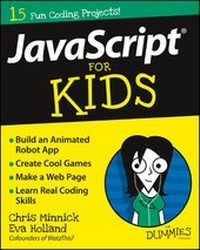
JavaScript For Kids For Dummies
Description

If we've learned one thing from the Millennial generation, it's that no one is too young to make history online. JavaScript For Kids For Dummies introduces pre-teens and early teens alike to the world of JavaScript, which is an integral programming language that drives the functionality of websites and apps. This informative, yet engaging text guides you through the basics of coding with JavaScript, and is an essential resource if you want to expand your technology skills while following easy, step-by-step instructions. Through small, goal-oriented projects, you learn key coding concepts, while actually creating apps, games, and more. This hands-on experience, coupled with the presentation of ideas in a simple style, allows you to both learn and retain JavaScript fundamentals.
JavaScript has been heralded as 'the programming language of the web,' and many kids are interested in learning how to use it; however, most schools don't offer coding classes at this level, and most families can't afford the high cost of coding classes through a summer camp. But this can't stop you from developing your JavaScript coding skills! This fun text is all you need to get started on your JavaScript journey.
* Explore the basics of JavaScript through the creation of a calculator app
* Deepen your understanding of HTML, arrays, and variables by building a grocery shopping app
* Learn conditional logic through the development of a choose your own adventure game
* Discover loops and strings by creating a lemonade stand app and MadLibs-style game
JavaScript For Kids For Dummies brings pre-teens and early teens into the world of coding by teaching them one of the key Web design languages.
More details
Other editions
Additional editions
Persons
Content
Part I: What Is JavaScript? Alert! JavaScript Is Awesome! 5
Chapter 1: Programming the Web 7
Chapter 2: Understanding Syntax 22
Chapter 3: Giving and Receiving Data 33
Chapter 4: Fiddling with Web Applications 51
Part II: Animating the Web 69
Chapter 5: JavaScript and HTML 71
Chapter 6: JavaScript and CSS 89
Chapter 7: Building an Animated Robot 104
Part III: Getting Operations 123
Chapter 8: Building Your Dream Car with Operands 125
Chapter 9: Putting It Together with Operators 136
Chapter 10: Creating Your Own JavaScript Word Game 153
Part IV: Arrays and Functions 171
Chapter 11: Creating and Changing Arrays 173
Chapter 12: Making It Functional 190
Chapter 13: Creating a Wish List Program 206
Part V: Freedom of Choice 231
Chapter 14: Making Decisions with the If...Else Statement 233
Chapter 15: Doing Different Things with Switch 252
Chapter 16: Choose Your Own Adventure 267
Part VI: Loops 293
Chapter 17: What's This Loop For? 295
Chapter 18: Using While Loops 309
Chapter 19: Building a Lemonade Stand 326
Index 355
Chapter 1
Programming the Web
JavaScript is a powerful language that's easy to learn! In this chapter, we explain the basics of programming, tell you what JavaScript is, and get you started with writing your first JavaScript commands.
One of the most important parts of starting any new project is to make sure you have your workshop stocked with all the correct tools. In this chapter, you install and configure all the programs you need and start experimenting with some real JavaScript programs!
What Is Programming?
A computer program is a series of instructions that can be understood and followed by a computer. Computer programming, also known as coding, is what we call it when we write these instructions. Computers can't do things on their own. They need a computer program to tell them what to do. Computer programmers write code to make computers do all sort of things.
The women who invented programming
Electronic computers as we know them were first invented in the 1930s. But it was the middle of the 1800s when the first computer program - a set of instructions designed to be carried out by a machine - was written.
The author of the first computer program - and, therefore, the world's first computer programmer - was a woman named Ada Lovelace. A mathematician in England, she was the first person to envision computers that could do much more than just crunch numbers. She foresaw computers being able to do all the things we use computers for today: including working with words, displaying pictures, and playing music. Her unique insights earned her the nickname "The Enchantress of Numbers."
Compilers are programs for converting programming languages into machine language. The first compiler was created by Grace Murray Hopper in 1944. This invention led to computer programs that could run on different types of computers, and eventually to JavaScript. Hopper is also credited with being the inventor of the term debugging for fixing problems in computer programs. The term was inspired by the removal of an actual moth from an early computer. Hopper became known as "The Queen of Software" or "Amazing Grace" for her contributions to modern computing.
Another name for a computer program is software.
Computer programs help people to do many thousands of things, including the following:
- Playing music and videos
- Performing scientific experiments
- Designing cars
- Inventing medicines
- Playing games
- Controlling robots
- Guiding satellites and spaceships
- Creating magazines
- Teaching people new skills
Can you think of more examples of things that computers can do?
Talking to Computers
At the heart of every computer is a central processing unit (CPU). This CPU is made up of millions of tiny, very fast switches (called transistors) that can be either on or off. The position of each of these switches at any time determines what the computer will do.
Software written by programmers tells these switches when to turn on or off and in what combination by using binary codes. Binary codes use zeros and ones to form letters, numbers, and symbols that can be put together in order to perform tasks.
Every single thing that a computer does is the result of a different combination of many zeros and ones. For example, to represent a lowercase letter a, computers use the following binary code:
0110 0001
Each zero or one in a binary number is called a bit, and a combination of eight bits is called a byte. When you hear the words kilobyte, megabyte, and gigabyte used to tell how big a file is, what it's talking about is the number of eight-bit binary codes it takes to store the file.
Table 1-1 lists the most commonly used storage sizes.
Table 1-1 How Many Bytes Is That?
Name
Number of Bytes
What It Can Store
Kilobyte (KB)
1,024
Two to three paragraphs of text
Megabyte (MB)
1,048,576
800 pages of text
Gigabyte (GB)
1,073,741,824
250 songs (as MP3s)
Terabyte (TB)
1,099,511,627,776
350,000 digital pictures
Petabyte (PB)
1,125,899,906,842,624
41,943 Blu-ray discs
A typical small computer program might contain anywhere from a couple kilobytes to a couple megabytes of instructions, images, and other data. Because it's unlikely that you have enough time in your busy day to type out thousands, or even millions, of ones and zeros, if you want to tell a computer what to do, you need a translator who speaks both human languages and computer (or machine) language. Computer programming languages are this translator.
Every computer program is written using a computer programming language. Programming languages allow you to write complex series of instructions that can be translated (also known as compiled) into machine language. Through compilation, these instructions are eventually turned into binary codes that a computer can understand.
Choosing a Language
People have created hundreds of different computer programming languages. You might ask yourself why there are so many programming languages, if they all essentially do the same thing: translate human language into machine language. That's an excellent question!
There are a few main reasons why there are so many different programming languages. New programming languages are written to allow programmers to
- Write programs in new and better ways than were previously available.
- Write programs for new or specialized types of computers.
- Create new kinds of software.
Examples of computer programming languages include the following:
- C
- Java
- JavaScript
- Logo
- Objective C
- Perl
- Python
- Ruby
- Scratch
- Swift
- Visual Basic
Our short list of programming languages only scratches the surface. For a more complete list of programming languages, visit http://en.wikipedia.org/wiki/List_of_programming_languages.
With so many programming languages to choose from, how do you know which one to use? In many cases, the answer is determined by what you want to do with the languages. For example, if you want to program apps for the iPhone, you have three choices: Objective C, JavaScript, or Swift. If you want to program games to run on Mac or Windows, you have more choices, including C, Java, or JavaScript. If you want to make an interactive website, you need to use JavaScript.
Are you seeing a pattern here? JavaScript is everywhere.
What Is JavaScript?
In the early days of the web, every web page consisted of nothing but plain text in different sizes with links between pages. There were no web forms, there certainly wasn't any animation, and there weren't even different styles of text or pictures!
We're not complaining! When the web was new, it was exciting to click from page to page and discover new things. Even more exciting was how easy the web made it for anyone to be able to publish anything at all and have the potential for anyone else on the Internet to read it.
But when people got a taste of what the web could do, they wanted more features! Graphics, text colors, forms, and many other features were introduced very quickly.
Of all the things that were invented in the earliest days of the web, the thing that has had the biggest impact over the longest time was JavaScript.
JavaScript was created in order to make it possible for web browsers to be interactive. Interactive web pages can range from simple forms that provide feedback when you make a mistake, to 3D games that run in your web browser. Whenever you visit a website and see something moving, or you see data appearing and changing on the page, or you see interactive maps or browser-based games, chances are, it's JavaScript at work.
To see some examples of websites that are made possible by JavaScript, open up your web browser and visit the following sites:
-
ShinyText (
http://cabbi.bo/ShinyText): ShinyText is an experimental website that uses JavaScript to display a word. You can adjust different properties of the word, such as Reflection Power and Repulsion Power to see what effect these changes have on how the letters in the word react when you move them around with your mouse. Figure 1-1 shows ShinyText in action.Even if you don't understand how it works (we sure don't!), ShinyText is fun to play with, and it's a great example of what's possible with JavaScript.
- Interactive Sock Puppet (
www.mediosyproyectos.com/puppetic): Interactive Sock Puppet is...
