

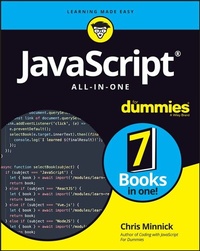
JavaScript All-in-One For Dummies
1st Edition
Published on 29. March 2023
800 pages
978-1-119-90684-1 (ISBN)
Description

A developer's resource to learning one of the most-used scripting languages
JavaScript All-in-One For Dummies saves you shelf space by offering a complete introduction to JavaScript and how it's used in the real world. This book serves up JavaScript coding basics before diving into the tools, libraries, frameworks, and runtime environments new and experienced coders need to know. Start by learning the basics of JavaScript and progress through the techniques and tools used by professional JavaScript developers, even if you've never written code before. You also get the details of today's hottest libraries and frameworks--React.js, Vue.js, Svelte, and Node.js.
* Learn the basics of web and application development with the JavaScript language
* Grasp the similarities and differences between React.js, Vue.js, and Svelte
* Discover how to write server-side JavaScript and how to access databases with Node.js
* Gain a highly marketable skill, with one of the most popular coding languages
* Launch or further your career as a coder with easy-to-follow instruction
* This is the go-to Dummies guide for future and current coders who need an all-inclusive guide JavaScript.
This is the go-to Dummies guide for future and current coders who need an all-inclusive guide to the world of JavaScript.
JavaScript All-in-One For Dummies saves you shelf space by offering a complete introduction to JavaScript and how it's used in the real world. This book serves up JavaScript coding basics before diving into the tools, libraries, frameworks, and runtime environments new and experienced coders need to know. Start by learning the basics of JavaScript and progress through the techniques and tools used by professional JavaScript developers, even if you've never written code before. You also get the details of today's hottest libraries and frameworks--React.js, Vue.js, Svelte, and Node.js.
* Learn the basics of web and application development with the JavaScript language
* Grasp the similarities and differences between React.js, Vue.js, and Svelte
* Discover how to write server-side JavaScript and how to access databases with Node.js
* Gain a highly marketable skill, with one of the most popular coding languages
* Launch or further your career as a coder with easy-to-follow instruction
* This is the go-to Dummies guide for future and current coders who need an all-inclusive guide JavaScript.
This is the go-to Dummies guide for future and current coders who need an all-inclusive guide to the world of JavaScript.
More details
Other editions
Additional editions
Book
05/2023
1st Edition
Wiley
€35.00
Shipment within 15-20 days
Content
- Intro
- Title Page
- Copyright Page
- Table of Contents
- Introduction
- Why This Book?
- JavaScript is a huge topic
- How this book is different
- Learn JavaScript as it's used
- Understand similarities between the most popular libraries
- Adapt to new technologies
- Conventions Used in This Book
- Foolish Assumptions
- Icons Used in This Book
- Beyond the Book
- Where to Go from Here
- Book 1 JavaScript Fundamentals
- Chapter 1 Jumping into JavaScript
- JavaScript, the Basics
- JavaScript is a programming language
- A look at programming language levels
- Machine code is processor-specific
- High-level languages are abstractions
- Compilation makes programs portable
- A short and epic history of JavaScript
- The two superpowers
- The early battles
- Eich is back with a brand-new invention
- Imitation is the sincerest form of flattery
- The long road to standardization
- How JavaScript changes
- Reading and Copying JavaScript Code
- How the web works
- Front end and back end
- The front end is open, the back end is closed
- The value of a service
- JavaScript on the server
- Starting Your Development Environment
- Installing Visual Studio Code
- Learning to use Visual Studio Code
- Creating a new project
- Learning the one essential command
- Writing Your First JavaScript Program
- JavaScript is made of statements
- JavaScript is case-sensitive
- JavaScript ignores white space
- JavaScript programmers use camelCase and underscores
- camelCase
- Underscore
- Dashes
- Running Code in the Console
- Rerunning Commands in the Console
- Running Code in a Browser Window
- Running JavaScript from HTML event attributes
- Running HTML inside script elements
- Including JavaScript files in your HTML
- Chapter 2 Filling Your JavaScript Toolbox
- Installing Node.js
- Configuring Visual Studio Code
- Getting prettier
- Installing Live Server
- Documenting Your Code
- Line comments
- Block comments
- The README file
- The basics of Markdown
- Coding Responsibly with Git
- Introducing Git
- Installing Git
- Configuring and testing Git
- Learning the basics of Git
- Moving forward with Git and GitHub
- Chapter 3 Using Data
- Making Variables with let
- Declaring variables
- Initializing variables
- Using variables
- Naming variables
- Making Constants with const
- When to use constants
- Naming constants
- Taking a Look at the Data Types
- JavaScript is loose and dynamic
- Passing by value
- String data type
- Escaping characters
- Creating strings with template literal notation
- Working with string functions
- Number data type
- Working with number functions
- Knowing when to convert between strings and numbers
- bigInt data type
- Boolean data type
- Converting to Boolean
- Getting Truthy and Falsy
- NaN data type
- Undefined data type
- Symbol data type
- Wrangling the Object: The Complex Data Type
- Examining the Array - a Special Kind of Object
- Getting a Handle on Scope
- Chapter 4 Working with Operators and Expressions
- Building Expressions
- Operators: The Lineup
- Operator precedence
- Using parentheses
- Assignment operators
- Comparison operators
- Arithmetic operators
- Concatenation operator
- Logical operators
- Combining operators
- Other Operators
- Chapter 5 Controlling Flow
- Choosing a Path
- if . . . else statements
- Multiple paths with if else
- The ternary operator
- Switch statements
- Making Loops
- for loops
- for . . . in loops
- for . . . of loops
- while loops
- do . . . while loops
- break and continue statements
- Chapter 6 Using Arrays
- Introducing Arrays
- Creating Arrays
- Using the Array() constructor
- Using array literal notation
- Using the split function
- Accessing Array Elements
- Modifying Arrays
- Deleting Array Elements
- Programming with Array Methods
- Pushing and popping
- Shifting and unshifting
- Slicing an array
- Splicing an array
- Looping with Array Methods
- Passing callback functions to array methods
- Reducing an array
- Mapping an array
- Filtering arrays
- Destructuring Arrays
- Spreading Arrays
- Chapter 7 Making and Using Objects
- Objects: The Basics
- Creating Objects
- Making objects using literal notation
- Making objects using a constructor function
- Making objects with class
- Making objects with Object.create()
- Modifying Objects
- Using dot notation
- Using square brackets notation
- Comparing and Copying Objects
- Understanding Prototypes
- Deleting Object Properties
- Chapter 8 Writing and Running Functions
- Functions: An Introduction
- Using Top-level functions
- Using methods of built-in objects
- Passing by value
- Passing by reference
- Writing Functions
- Naming functions
- Passing arguments
- Using rest parameters
- Using the arguments object
- Passing functions as arguments
- Setting default parameters
- Writing a function body
- Returning data
- Using a return value as an argument
- Creating conditional code with return
- Function declaration scope and hoisting
- Declaring Anonymous functions
- Defining function expressions
- Writing anonymous functions as arrow functions
- Simplifying arrow functions
- Knowing the limits of arrow functions
- Arrow functions don't have this
- Arrow functions don't have the arguments object
- Writing Methods
- Understanding Context and this
- Passing an object to a function
- Setting the context of a function
- Using call()
- Using apply()
- Using bind()
- Passing a function from one object to another
- Passing a function to a child to change the parent
- Chaining Functions
- Chapter 9 Getting Oriented with Classes
- Encapsulation
- Abstraction
- Inheritance
- Polymorphism
- Base Classes
- Recognizing that classes aren't hoisted
- Using class expressions
- Making instances of base classes
- Derived Classes
- Constructors
- Properties and Methods
- Creating methods in a class
- Overriding methods in a derived class
- Defining methods, properties, and fields
- Public members
- Private members
- Static members
- Practicing and Becoming comfortable with Classes
- Chapter 10 Making Things Happen with Events
- Understanding the JavaScript Runtime Model
- Stacking function calls
- Heaping objects
- Queuing messages
- The Event Loop
- JavaScript is single-threaded
- Messages run until they're done
- Listening for Events
- Listening with HTML event attributes
- Listening with Event handler properties
- Using addEventListener()
- Selecting your event target
- Setting addEventListener()'s parameters
- The Event object
- Listening on multiple targets
- Dispatching events programmatically
- Triggering built-in events
- Creating and triggering custom events
- Removing event listeners
- Preventing default actions
- Chapter 11 Writing Asynchronous JavaScript
- Understanding Asynchronous JavaScript
- Reading synchronous code
- Events to the rescue
- Calling you back
- Making Promises
- Writing promises
- Introducing async functions
- Converting nested callbacks to async functions
- Converting promise chains to async functions
- Handling errors with async/await
- Using AJAX
- Getting data with the Fetch API
- Getting a response with fetch()
- Parsing the Response
- Calling other Response methods
- Response.blob()
- Response.text()
- Handling fetch() errors
- The fetch init object
- Introducing HTTP
- The request method
- HTTP status codes
- Making requests with CORS
- Making a simple request
- Making a non-simple request
- Working with JSON data
- Getting JSON data
- Sending JSON data
- Chapter 12 Using JavaScript Modules
- Defining Modules
- Exporting Modules
- Named exports
- Default exports
- Importing Modules
- Importing named modules
- Importing default modules
- Renaming Exports and Imports
- Importing a Module Object
- Loading Dynamic Modules
- Importing Modules into HTML
- Book 2 Meet Your Web Browser
- Chapter 1 What a Web Browser Does
- Interfacing with a Browser
- Introducing the Browser Engine
- The Rendering Engine
- The JavaScript engine
- Identifying and preventing render blocking
- Unblocking your code with async and defer
- Networking
- Data storage
- Chapter 2 Programming the Browser
- Understanding Web APIs and Interfaces
- Hooking into interfaces
- Built-in browser APIs
- Custom APIs
- Getting Around the Navigator
- Inspecting the navigator's quirks
- Navigator properties
- Stealing a Glimpse Through the Window
- Window properties
- Window methods
- Introducing the HTML DOM
- Document properties
- Document methods
- Selecting element nodes
- Selecting with getElementById()
- Selecting using selectors
- Creating and adding elements to the DOM
- Element nodes
- Element methods
- Knowing Your History
- Book 3 React
- Chapter 1 Getting Started with React
- Understanding ReactJS
- Distilling "Thinking in React"
- Building a React UI
- Step 1: Design the component hierarchy
- Step 2: Build a static version in React
- Step 3: Identify the state
- Step 4: Determine where the state should live
- Step 5: Implement inverse data flow
- React is component-based
- React is declarative
- React is just JavaScript
- Initializing a Project with Vite
- Introducing Vite
- Launching the VS Code terminal
- Touring the structure of a React app
- node_modules
- public
- src
- .gitignore
- package-lock.json
- package.json
- vite.config.js
- Modifying a React project
- Introducing ReactDOM and the Virtual DOM
- Chapter 2 Writing JSX
- Learning the Fundamentals of JSX
- JSX is not HTML
- JSX is XML
- Transpiling with Babel
- Writing HTML output with JSX
- Using built-in components
- Attributes that are different in JSX
- JSX uses camelCase
- JSX must be valid XML
- Using JavaScript Expressions in JSX
- Conditionally Rendering JSX
- Conditional rendering with element variables
- Conditional rendering with &&
- Conditional rendering with the conditional operator
- Making a List
- Styling React Apps and Components
- Adding global styles
- Using local styles
- Using the style attribute
- Using style objects
- Making style modules
- Other style strategies
- Chapter 3 Building React Components
- Thinking in Components
- Designing your own elements
- Returning valid values
- Recognizing the Two Types of Data
- Props
- Getting reactive with state
- How state enables reactivity
- Function Components
- Functions are stateless
- Introducing useState()
- Class Components
- The Component Lifecycle
- The mounting methods
- Kicking it off with the constructor
- Getting the derived state
- Rendering the output
- Finishing the mount
- The updating methods
- Optimizing with shouldComponentUpdate()
- Getting a snapshot
- Finishing the update
- Unmounting a component
- Using the Lifecycle in Function Components
- Running effects less often
- Performing an effect on unmounting
- Composing Components
- How inheritance works in object-oriented programming
- Composition using explicit props
- Composition using the children prop
- Composition with custom hooks
- Chapter 4 Using Data and Events in React
- Event Handling in React
- Using event attributes
- Dispatching Synthetic Events
- Specifying a handler function
- Passing arguments to an event handler
- Passing functions as props
- Defining event handlers in class components
- Defining methods using arrow syntax
- Passing event handler functions from function components
- Making Forms with React
- Using controlled inputs
- Using uncontrolled forms
- Book 4 Vue
- Chapter 1 Getting an Overview of Vue
- Comparing Vue to React
- Scaffolding Your First Vue.js Application
- Bootstrapping with vue-create
- Installing Volar
- Exploring the structure of a Vue app
- Going to the src
- Mounting a Root Component
- Configuring an app
- Mounting multiple apps
- Exploring Vue's Two Styles
- The Options API
- The Composition API
- Deciding which API to use
- Installing Vue DevTools
- Chapter 2 Introducing Vue Components
- Introducing the Single-File Component
- The script element
- The setup() function
- The setup shortcut
- Naming Components
- Following the Component Lifecycle
- onMounted()
- onUpdated()
- onUnmounted()
- onBeforeMount()
- onBeforeUpdate()
- onBeforeUnmount()
- onErrorCaptured()
- Handling Errors in Components
- Chapter 3 Making Vue Templates
- Writing HTML Templates
- Using JavaScript in Templates
- Calling functions
- JavaScript in templates is restricted
- Using globals in templates
- Introducing Directives
- Built-in directives
- Directive shorthand names
- Passing arguments to directives
- Dynamic arguments
- Directive modifiers
- Custom directives
- Conditional Rendering
- Conditional rendering with JavaScript
- Conditional rendering using directives
- Using v-show
- Using v-if, v-else, and v-else-if
- Rendering Lists
- Using v-for with numbers and strings
- Using v-for with objects
- Using v-for with arrays
- Specifying a key
- Composing with Slots
- Specifying fallback content
- Naming slots
- Adding Style to Components
- Global CSS
- Scoped CSS
- Multiple style blocks
- CSS modules
- v-bind in CSS
- Chapter 4 Using Data and Reactivity
- Passing and Using Props
- Defining props with &script setup&
- Defining props with setup()
- Binding Data to Templates
- Initializing and Changing Reactive Data
- reactive() creates a Proxy object
- Limitations of reactive()
- Introducing ref()
- Experimenting with Reactivity Transform
- Computing Properties
- Reacting to State Changes with Watch()
- Chapter 5 Responding to Events
- Setting Listeners with v-on
- Inline handlers
- Method handlers
- Choosing between method and inline handlers
- Using Event Modifiers
- Using key modifiers
- Detecting exact combinations
- Binding Forms to Events and Data
- Making two-way bindings with v-model
- Using v-model with various input types
- Book 5 Svelte
- Chapter 1 Getting Started with Svelte
- What Makes Svelte Different?
- Building Your Scaffolding
- Getting the Svelte for VS Code Extension
- Exploring a Svelte App
- Playing with Svelte
- Building the basic look-and-feel
- Making reactive data
- Handling the event
- Chapter 2 Building with Components
- Writing Lean Components
- Identifying What's in a Component
- Scripting in Svelte components
- Exporting and using props
- Defining props
- Passing props
- Triggering reactivity with assignments
- Recognizing that array methods don't trigger updates
- Creating reactive statements
- Using &script& data and functions
- Adding Style to a Component
- Chapter 3 Designing Templates
- Elements Are the Building Blocks
- Using the built-in elements
- No adjustments necessary
- Some attributes don't require quotes
- Using custom elements
- Documenting Svelte with Comments
- Choosing a Path
- Creating Loops
- Writing Text Expressions
- Composing with Slots
- Chapter 4 Using Directives
- Listening for Events with on:
- Basic event handling
- Attaching modifiers to event listeners
- Forwarding events
- Handling multiple events
- Creating Two-Way Bindings with :bind
- Recognizing that number inputs create numbers
- Binding select inputs
- Using Transition Animations
- Creating your first transition
- Passing arguments to transitions
- Creating unidirectional transitions
- Chapter 5 Using the Component Lifecycle
- The Svelte Lifecycle
- Mounting
- Using beforeUpdate() and afterUpdate()
- Using onDestroy()
- Getting ticks
- Fetching Data in Svelte
- Refreshing data
- Awaiting asynchronous requests
- Chapter 6 Advanced Svelte Reactivity
- Constructing and Stocking the Store
- Creating a writable store
- Creating a readable store
- Subscribing to a store
- Unsubscribing from a store
- Setting and updating a store
- Using the reactive shortcut
- Store starting and stopping functions
- Getting and Setting Context
- Book 6 Sharpening Your Tools
- Chapter 1 Building from Scratch
- Why You Need a Build Tool
- Back in my day . . .
- The road to dependency hell
- Enter package management
- Managing Dependencies with npm
- Initializing a project
- Learning the parts of package.json
- Metadata in package.json
- Npm scripts
- Dependencies
- Reading semver
- Using the node_modules folder
- Local-versus-global installs
- Updating npm
- Writing Your First Files
- Writing a dev Script
- Making Modules
- Refactoring index.js
- The moveBall() function
- The generateMap() function
- Adding style
- Testing for collisions
- Testing it out
- Chapter 2 Optimizing and Bundling
- Automating Your Build Script
- Installing and using a module bundler
- Configuring your dev server
- Building it up
- Copying static assets
- Cleaning up
- Converting to React
- Configuring Webpack for React
- Converting the UI to React
- Detecting collisions
- Chapter 3 Testing Your JavaScript
- Using a Linter
- Debugging in Chrome
- Getting started with the Sources panel
- Building a source map
- Editing your code in the Sources panel
- Setting breakpoints
- Using watch expressions
- Unit Testing
- Installing and configuring Jest
- Writing your first test
- Learning how Jest works
- Test suites
- Test specs
- Expectations
- Writing better code through testing
- Using testing-library
- Book 7 Node.js
- Chapter 1 Node.js Fundamentals
- Learning What Makes Node.js Tick
- Node.js is not a programming language
- Node.js is not a framework
- Node.js is a runtime environment
- Web browsers are runtime environments, too
- Node.js lets JavaScript out of the sandbox
- Why developers need Node.js
- Learning the Parts of Node.js
- The V8 engine
- libuv
- Node.js bindings
- The Node.js standard library
- Introducing the Node.js Core Modules
- Recognizing What Node.js Is Good For
- Why is Node.js so fast?
- What is Node.js not good at?
- Working with Node.js
- Writing a Node.js program
- Monitoring your script
- Running a code on the command line
- Using REPL
- Playing with the Node.js REPL
- Working with REPL commands
- Making and Using Node.js Modules
- Using CommonJS
- Using ES modules
- Setting the module type in package.json
- Getting Data to Node Modules
- Environment variables
- Setting environment variables from the command line
- Setting environment variables with .env
- Passing arguments
- Node's Callback Pattern
- Chapter 2 Streaming
- Jumping into Streams
- Chunking is the key
- Loading without streams
- Converting to streams
- Viewing chunks
- Identifying types of streams
- Creating Readable Streams
- Reading readable streams from the fs module
- Distinguishing between the two read modes
- Flowing mode
- Paused mode
- Creating Writable Streams
- Producing Duplex Streams
- Backpressure
- PassThrough
- Transforming Streams
- Chaining Streams
- Chapter 3 Working with Buffers
- Knowing Your Buffer Basics
- Differentiating between encoding and decoding
- Examining buffer content
- Decoding Buffers
- Creating Buffers
- Using Other Buffer Methods
- Iterating over Buffers
- Chapter 4 Accessing the File System
- Importing the fs module
- Reading Files
- Reading from a file with fs.read()
- Opening a file with fs.open() and callbacks
- Opening, writing to, and closing a file using Promises
- Using readFile()
- Using readFileSync()
- Writing Files
- Writing it to disk with fs.write()
- Using fs.writeFile()
- Using Paths
- Getting File and Directory Information
- Listing the files in a directory
- Finding directories
- Getting file stats
- Chapter 5 Networking with Node
- A Note about Security
- Making a Web Server
- Understanding the Request object
- Understanding the response object
- The response header
- The response body
- Methods of the response object
- The writeHead() method
- The end() method
- The write() method
- Using implicit headers
- Knowing the differences between setHeader() and writeHead()
- Chapter 6 Using Events
- Introducing EventEmitter
- Creating custom events
- Extending EventEmitter
- Passing arguments to listeners
- Using this in an event handler function
- Using arrow functions as event handlers
- Understanding and Using maxListeners
- Finding the value of defaultMaxListeners
- Exceeding the maximum listeners for an emitter
- Increasing the maximum number of listeners
- Removing Listeners
- Removing individual listeners
- Removing all listeners
- Emitting Once
- Chapter 7 Error Handling and Debugging
- Knowing the Types of Errors
- Operational errors
- Programmer errors
- Understanding Node.js's Error Object
- Reading error.stack
- Reading a stack frame
- Exceptions versus Errors
- Handling Exceptions
- Catching exceptions with promises
- Creating an uncaught Promise rejection
- Catching a promise rejection
- Using finally()
- Catching exceptions with async functions
- Debugging Node.js Programs
- Using the command-line debugger
- Debugging in Chrome DevTools
- Adding a workspace
- Setting breakpoints
- Setting a watch expression
- Setting log points
- Learning more about Chrome's DevTools Inspect interface
- Chapter 8 Accessing Databases
- Getting Started with MongoDB
- Discerning between relational and NoSQL databases
- Data types in relational databases
- Data types in NoSQL databases
- Installing MongoDB
- Installing MongoDB on Windows
- Installing MongoDB on macOS
- Installing MongoDB on Linux
- Starting MongoDB
- Starting MongoDB on Windows
- Starting MongoDB on macOS
- Using Mongosh
- Connecting to MongoDB and creating a database
- Creating a collection
- Making an id and listing documents
- Finding documents
- Returning fewer fields
- Sorting lists
- Limiting lists
- Making complex queries using operators
- Learning MongoDB Shell commands
- Working with users and roles
- Using MongoDB from Node.js
- Installing the Node.js driver
- Connecting to a MongoDB server
- Inserting documents into a collection
- Getting data
- Database operations are asynchronous
- Using a Cursor object
- Using results in your program
- Using findOne()
- Examining your Find options
- Updating data
- Update options
- Combining update and insert
- Deleting data
- Chapter 9 Riding on the Express Train
- Installing Express
- Server-Side Routing with Express
- Introducing routing methods
- Using routing methods
- String paths
- Path patterns
- Path regular expressions
- Path parameters
- Using Express Middleware
- The next() function
- Types of middleware
- Application-level middleware
- Router-level middleware
- Error-handling middleware
- Built-in middleware
- Third-party middleware
- Serving static files
- Analyzing a Complete Express Server
- Installing the server and dependencies
- Setting up a REST client
- Testing the API server
- Serving a View
- Benefiting from a template engine
- Introducing Pug
- Using the Express Application Generator
- Chapter 10 Registration and Authentication
- Making and Configuring the Directory
- Adding the App and Server Modules
- Making Some Basic Routes
- Testing Your Routes
- Making a Schema with Mongoose
- Using mongoose.Schema and mongoose.model
- Installing Mongoose and connecting to a database
- Creating the User model
- Create the post model
- Implementing User Registration
- Understanding the basics of authentication
- Programming the user sign-up route
- Understanding password security
- Understanding hashes
- Adding salt to hashing
- Hashing and saving
- Testing user registration
- Handling Authentication
- Generating and Using Tokens
- Recognizing that tokens must expire
- Sending a refresh token
- Handling tokens securely
- Understanding XSS attacks
- Finishing the Login Route
- Testing the login route
- Looking at an access token
- Using an access token
- Index
- EULA
