

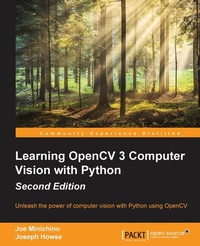
Learning OpenCV 3 Computer Vision with Python (Update)
Unleash the power of computer vision with Python using OpenCV
Published on 5. August 2025
266 pages
978-1-78528-977-4 (ISBN)
Description

Unleash the power of computer vision with Python using OpenCV
Key Features
Book DescriptionOpenCV 3 is a state-of-the-art computer vision library that allows a great variety of image and video processing operations. Some of the more spectacular and futuristic features such as face recognition or object tracking are easily achievable with OpenCV 3. Learning the basic concepts behind computer vision algorithms, models, and OpenCV's API will enable the development of all sorts of real-world applications, including security and surveillance. Starting with basic image processing operations, the book will take you through to advanced computer vision concepts. Computer vision is a rapidly evolving science whose applications in the real world are exploding, so this book will appeal to computer vision novices as well as experts of the subject wanting to learn the brand new OpenCV 3.0.0. You will build a theoretical foundation of image processing and video analysis, and progress to the concepts of classification through machine learning, acquiring the technical know-how that will allow you to create and use object detectors and classifiers, and even track objects in movies or video camera feeds. Finally, the journey will end in the world of artificial neural networks, along with the development of a hand-written digits recognition application.What you will learn
Who this book is for
Key Features
Book DescriptionOpenCV 3 is a state-of-the-art computer vision library that allows a great variety of image and video processing operations. Some of the more spectacular and futuristic features such as face recognition or object tracking are easily achievable with OpenCV 3. Learning the basic concepts behind computer vision algorithms, models, and OpenCV's API will enable the development of all sorts of real-world applications, including security and surveillance. Starting with basic image processing operations, the book will take you through to advanced computer vision concepts. Computer vision is a rapidly evolving science whose applications in the real world are exploding, so this book will appeal to computer vision novices as well as experts of the subject wanting to learn the brand new OpenCV 3.0.0. You will build a theoretical foundation of image processing and video analysis, and progress to the concepts of classification through machine learning, acquiring the technical know-how that will allow you to create and use object detectors and classifiers, and even track objects in movies or video camera feeds. Finally, the journey will end in the world of artificial neural networks, along with the development of a hand-written digits recognition application.What you will learn
Who this book is for
All prices
More details
Edition
Digital original
Language
English
Place of publication
Birmingham
United Kingdom
Target group
US School Grade: College Graduate Student
Edition type
Digital original
File size
4,52 MB
ISBN-13
978-1-78528-977-4 (9781785289774)
Copyright in bibliographic data and cover images is held by Nielsen Book Services Limited or by the publishers or by their respective licensors: all rights reserved.
Schweitzer Classification
Other editions
Additional editions
Joe Minichino | Joseph Howse
Learning OpenCV 3 Computer Vision with Python - Second Edition
Unleash the power of computer vision with Python using OpenCV
Book
09/2015
Packt Publishing
€62.60
Shipment within 3-4 weeks
Persons
Joe Minichino is an R&D labs engineer at Teamwork. He is a passionate programmer who is immensely curious about programming languages and technologies and constantly experimenting with them. Born and raised in Varese, Lombardy, Italy, and coming from a humanistic background in philosophy (at Milan's Universita Statale), Joe has lived in Cork, Ireland, since 2004. There, he became a computer science graduate at the Cork Institute of Technology. Joseph Howse lives in a Canadian fishing village, where he chats with his cats, crafts his books, and nurtures an orchard of hardy fruit trees. He is President of Nummist Media Corporation, which exists to support his books and to provide mentoring and consulting services, with a specialty in computer vision. On average, in 2015-2022, Joseph has written 1.4 new books or new editions per year for Packt. He also writes fiction, including an upcoming novel about the lives of a group of young people in the last days of the Soviet Union.
Content
Table of Contents
Setting up OpenCV
Handling Images, Videos and Cameras
Processing Images with OpenCV
Segmentation and Depth estimation
Detecting and recognizing Faces
Retrieving Images and Search using Image Descriptors
Detecting and Recognizing Objects
Tracking Objects
Neural Networks with OpenCV
Setting up OpenCV
Handling Images, Videos and Cameras
Processing Images with OpenCV
Segmentation and Depth estimation
Detecting and recognizing Faces
Retrieving Images and Search using Image Descriptors
Detecting and Recognizing Objects
Tracking Objects
Neural Networks with OpenCV

