

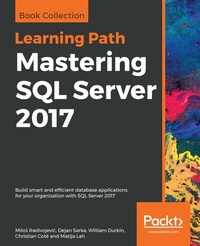
Mastering SQL Server 2017
Build smart and efficient database applications for your organization with SQL Server 2017
1st Edition
Published on 22. August 2019
696 pages
978-1-83898-752-7 (ISBN)
Description

Leverage the power of SQL Server 2017 Integration Services to build data integration solutions with easeKey FeaturesWork with temporal tables to access information stored in a table at any timeGet familiar with the latest features in SQL Server 2017 Integration ServicesProgram and extend your packages to enhance their functionalityBook DescriptionMicrosoft SQL Server 2017 uses the power of R and Python for machine learning and containerization-based deployment on Windows and Linux. By learning how to use the features of SQL Server 2017 effectively, you can build scalable apps and easily perform data integration and transformation. You'll start by brushing up on the features of SQL Server 2017. This Learning Path will then demonstrate how you can use Query Store, columnstore indexes, and In-Memory OLTP in your apps. You'll also learn to integrate Python code in SQL Server and graph database implementations for development and testing. Next, you'll get up to speed with designing and building SQL Server Integration Services (SSIS) data warehouse packages using SQL server data tools. Toward the concluding chapters, you'll discover how to develop SSIS packages designed to maintain a data warehouse using the data flow and other control flow tasks.By the end of this Learning Path, you'll be equipped with the skills you need to design efficient, high-performance database applications with confidence.This Learning Path includes content from the following Packt books: SQL Server 2017 Developer's Guide by Milos Radivojevic, Dejan Sarka, et. al SQL Server 2017 Integration Services Cookbook by Christian Cote, Dejan Sarka, et. alWhat you will learnUse columnstore indexes to make storage and performance improvementsExtend database design solutions using temporal tablesExchange JSON data between applications and SQL ServerMigrate historical data to Microsoft Azure by using Stretch DatabaseDesign the architecture of a modern Extract, Transform, and Load (ETL) solutionImplement ETL solutions using Integration Services for both on-premise and Azure dataWho this book is forThis Learning Path is for database developers and solution architects looking to develop ETL solutions with SSIS, and explore the new features in SSIS 2017. Advanced analysis practitioners, business intelligence developers, and database consultants dealing with performance tuning will also find this book useful. Basic understanding of database concepts and T-SQL is required to get the best out of this Learning Path.
More details
Other editions
Additional editions
Milos Radivojevic | Dejan Sarka | William Durkin
Mastering SQL Server 2017
Build smart and efficient database applications for your organization with SQL Server 2017
Book
08/2019
Packt Publishing
€58.50
Shipment within 3-4 weeks
Content
- Cover
- Title Page
- Copyright
- Contributors
- About Packt
- Table of Contents
- Preface
- Chapter 1: Introduction to SQL Server 2017
- Security
- Row-Level Security
- Dynamic data masking
- Always Encrypted
- Engine features
- Query Store
- Live query statistics
- Stretch Database
- Database scoped configuration
- Temporal Tables
- Columnstore indexes
- Containers and SQL Server on Linux
- Programming
- Transact-SQL enhancements
- JSON
- In-Memory OLTP
- SQL Server Tools
- Business intelligence
- R in SQL server
- Release cycles
- Summary
- Chapter 2: SQL Server Tools
- Installing and updating SQL Server Tools
- New SSMS features and enhancements
- Autosave open tabs
- Searchable options
- Enhanced scroll bar
- Execution plan comparison
- Live query statistics
- Importing flat file Wizard
- Vulnerability assessment
- SQL Server Data Tools
- Tools for developing R and Python code
- RStudio IDE
- R Tools for Visual Studio 2015
- Setting up Visual Studio 2017 for data science applications
- Summary
- Chapter 3: JSON Support in SQL Server
- Why JSON?
- What is JSON?
- Why is it popular?
- JSON versus XML
- JSON objects
- JSON object
- JSON array
- Primitive JSON data types
- JSON in SQL Server prior to SQL Server 2016
- JSON4SQL
- JSON.SQL
- Transact-SQL-based solution
- Retrieving SQL Server data in JSON format
- FOR JSON AUTO
- FOR JSON PATH
- FOR JSON additional options
- Add a root node to JSON output
- Include NULL values in the JSON output
- Formatting a JSON output as a single object
- Converting data types
- Escaping characters
- Converting JSON data in a tabular format
- OPENJSON with the default schema
- Processing data from a comma-separated list of values
- Returning the difference between two table rows
- OPENJSON with an explicit schema
- Import the JSON data from a file
- JSON storage in SQL Server 2017
- Validating JSON data
- Extracting values from a JSON text
- JSON_VALUE
- JSON_QUERY
- Modifying JSON data
- Adding a new JSON property
- Updating the value for a JSON property
- Removing a JSON property
- Multiple changes
- Performance considerations
- Indexes on computed columns
- Full-text indexes
- Summary
- Chapter 4: Stretch Database
- Stretch DB architecture
- Is this for you?
- Using Data Migration Assistant
- Limitations of using Stretch Database
- Limitations that prevent you from enabling the Stretch DB features for a table
- Table limitations
- Column limitations
- Limitations for Stretch-enabled tables
- Use cases for Stretch Database
- Archiving of historical data
- Archiving of logging tables
- Testing Azure SQL database
- Enabling Stretch Database
- Enabling Stretch Database at the database level
- Enabling Stretch Database by using wizard
- Enabling Stretch Database by using Transact-SQL
- Enabling Stretch Database for a table
- Enabling Stretch DB for a table by using wizard
- Enabling Stretch Database for a table by using Transact-SQL
- Filter predicate with sliding window
- Querying stretch databases
- Querying and updating remote data
- SQL Server Stretch Database pricing
- Stretch DB management and troubleshooting
- Monitoring Stretch Databases
- Pause and resume data migration
- Disabling Stretch Database
- Disable Stretch Database for tables by using SSMS
- Disabling Stretch Database for tables using Transact-SQL
- Disabling Stretch Database for a database
- Backing up and restoring Stretch-enabled databases
- Summary
- Chapter 5: Temporal Tables
- What is temporal data?
- Types of temporal tables
- Allen's interval algebra
- Temporal constraints
- Temporal data in SQL Server before 2016
- Optimizing temporal queries
- Temporal features in SQL:2011
- System-versioned temporal tables in SQL Server 2017
- How temporal tables work in SQL Server 2017
- Creating temporal tables
- Period columns as hidden attributes
- Converting non-temporal tables to temporal tables
- Migrating an existing temporal solution to system-versioned tables
- Altering temporal tables
- Dropping temporal tables
- Data manipulation in temporal tables
- Inserting data in temporal tables
- Updating data in temporal tables
- Deleting data in temporal tables
- Querying temporal data in SQL Server 2017
- Retrieving temporal data at a specific point in time
- Retrieving temporal data from a specific period
- Retrieving all temporal data
- Performance and storage considerations with temporal tables
- History retention policy in SQL Server 2017
- Configuring the retention policy at the database level
- Configuring the retention policy at the table level
- Custom history data retention
- History table implementation
- History table overhead
- Temporal tables with memory-optimized tables
- What is missing in SQL Server 2017?
- SQL Server 2016 and 2017 temporal tables and data warehouses
- Summary
- Chapter 6: Columnstore Indexes
- Analytical queries in SQL Server
- Joins and indexes
- Benefits of clustered indexes
- Leveraging table partitioning
- Nonclustered indexes in analytical scenarios
- Using indexed views
- Data compression and query techniques
- Writing efficient queries
- Columnar storage and batch processing
- Columnar storage and compression
- Recreating rows from columnar storage
- Columnar storage creation process
- Development of columnar storage in SQL Server
- Batch processing
- Nonclustered columnstore indexes
- Compression and query performance
- Testing the nonclustered columnstore index
- Operational analytics
- Clustered columnstore indexes
- Compression and query performance
- Testing the clustered columnstore index
- Using archive compression
- Adding B-tree indexes and constraints
- Updating a clustered columnstore index
- Deleting from a clustered columnstore index
- Summary
- Chapter 7: SSIS Setup
- Introduction
- SQL Server 2016 download
- Getting ready
- How to do it...
- Installing JRE for PolyBase
- Getting ready
- How to do it...
- How it works...
- Installing SQL Server 2016
- Getting ready
- How to do it...
- SQL Server Management Studio installation
- Getting ready
- How to do it...
- SQL Server Data Tools installation
- Getting ready
- How to do it...
- Testing SQL Server connectivity
- Getting ready
- How to do it...
- Chapter 8: What Is New in SSIS 2016
- Introduction
- Creating SSIS Catalog
- Getting ready
- How to do it...
- Custom logging
- Getting ready
- How to do it...
- How it works...
- There's more...
- Create a database
- Create a simple project
- Testing the custom logging level
- See also
- Azure tasks and transforms
- Getting ready
- How to do it...
- See also
- Incremental package deployment
- Getting ready
- How to do it...
- There's more...
- Multiple version support
- Getting ready
- How to do it...
- There's more...
- Error column name
- Getting ready
- How to do it...
- Control Flow templates
- Getting ready
- How to do it...
- Chapter 9: Key Components of a Modern ETL Solution
- Introduction
- Installing the sample solution
- Getting ready
- How to do it...
- There's more...
- Deploying the source database with its data
- Getting ready
- How to do it...
- There's more...
- Deploying the target database
- Getting ready
- How to do it...
- SSIS projects
- Getting ready
- How to do it...
- Framework calls in EP_Staging.dtsx
- Getting ready
- How to do it...
- There's more...
- Chapter 10: Dealing with Data Quality
- Introduction
- Profiling data with SSIS
- Getting ready
- How to do it...
- Creating a DQS knowledge base
- Getting ready
- How to do it...
- Data cleansing with DQS
- Getting ready
- How to do it...
- Creating a MDS model
- Getting ready
- How to do it...
- Matching with DQS
- Getting ready
- How to do it...
- Using SSIS fuzzy components
- Getting ready
- How to do it...
- Chapter 11: Unleash the Power of SSIS Script Task and Component
- Introduction
- Using variables in SSIS Script task
- Getting ready
- How to do it...
- Execute complex filesystem operations with the Script task
- Getting ready
- How to do it...
- Reading data profiling XML results with the Script task
- Getting ready
- How to do it...
- Correcting data with the Script component
- Getting ready
- How to do it...
- Validating data using regular expressions in a Script component
- Getting ready
- How to do it...
- Using the Script component as a source
- How to do it...
- How it works...
- Using the Script component as a destination
- Getting ready
- How to do it...
- How it works...
- Chapter 12: On-Premises and Azure Big Data Integration
- Introduction
- Azure Blob storage data management
- Getting ready
- How to do it...
- Installing a Hortonworks cluster
- Getting ready
- How to do it...
- Copying data to an on-premises cluster
- Getting ready
- How to do it...
- Using Hive - creating a database
- Getting ready
- How to do it...
- There's more...
- Transforming the data with Hive
- Getting ready
- How to do it...
- There's more...
- Transferring data between Hadoop and Azure
- Getting ready
- How to do it...
- Leveraging a HDInsight big data cluster
- Getting ready
- How to do it...
- There's more...
- Managing data with Pig Latin
- Getting ready
- How to do it...
- There's more...
- Importing Azure Blob storage data
- Getting ready
- How to do it...
- There's more...
- Azure Data Factory and SSIS
- Chapter 13: Extending SSIS Custom Tasks and Transformations
- Introduction
- Designing a custom task
- Getting ready
- How to do it...
- How it works...
- Designing a custom transformation
- How to do it...
- How it works...
- Managing custom component versions
- Getting ready
- How to do it...
- How it works...
- Chapter 14: Scale Out with SSIS 2017
- Introduction
- SQL Server 2017 download and setup
- Getting ready
- How to do it...
- There's more...
- SQL Server client tools setup
- Getting ready
- How to do it...
- Configuring SSIS for scale out executions
- Getting ready
- How to do it...
- There's more...
- Executing a package using scale out functionality
- Getting ready
- How to do it...
- Other Books You May Enjoy
- Index
