

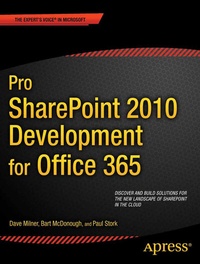
Pro SharePoint 2010 Development for Office 365
Description

It's no secret that cloud-based computing is the next big movement in IT, and Microsoft is right there in the market with Office 365-a cloud-based productivity suite which includes a hosted, cloud-focused version of SharePoint 2010.
SharePoint 2010 developers who have traditionally developed for on-premise environments will suddenly find themselves being asked to develop for the cloud. While there is a lot of overlap between cloud-based and traditional SharePoint development, there are also some important differences and considerations that must be taken into account as well. In particular, the proliferation of cloud-based solutions was a driving force behind certain new features in SharePoint 2010, like sandboxed solutions and the new client object model.
As the devil is always in the details, Pro SharePoint 2010 Development for Office 365 helps you navigate the changes and develop compelling applications and solutions for SharePoint Online in Office 365. Authors Dave Milner , Bart McDonough , and Paul Stork bring to the table decades of experience in real-world development of solutions for customers-expertise that is the practical result of what works in real-world customer environments. This proven team will cover with you the architectural landscape that SharePoint in the cloud represents, discuss the steps in setting up a development environment, and cover multiple real-world development approaches, technologies, and considerations.
More details
Other editions
Additional editions
Persons
Content
- Getting Started with Office 365 and SharePoint Online
- SharePoint Online Development Overview
- Setting Up a Development Environment for SharePoint Online
- Basic Customization Using Only a Browser
- Taking It to the Next Level with SharePoint Designer
- InfoPath Forms and SharePoint Online
- Custom Development with Visual Studio
- SharePoint Designer
- Intro to Client-Side Development
- Client-Side Development with Silverlight
- Developing with jQuery, HTML5, and CSS3
- Hybrid On-Premise/Online Solutions
- Office 365 Preview (Office 2013)
