

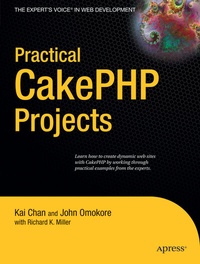
Practical CakePHP Projects
Description

If you've been using PHP for sometime now and would like to start using a web framework, you'll want to try CakePHP, which is an open source rapid development web framework built on PHP.
PHP experts Kai Chan and John Omokore guide you through a variety of practical CakePHP applications. You will work on projects such as a video gallery, unit testing application, an e-commerce app, a blog site, and much more. Practical CakePHP Projects covers the key architectural concepts as well as including mini projects that you can use to enhance your own applications.
- A friendly introduction for any web programmer looking to choose a PHP framework
- Real-world projects based on current and future trends
- Practical CakePHP techniques that you can use right away
More details
Other editions
Additional editions
Persons
Content
The Web has revolutionized the way we communicate with friends and strangers. We now freely exchange media content, such as textual information, graphics, audio, and video. One of the ways to exchange such information is known as blogging. Blogging uses HTML forms for tasks such as submitting posts, uploading content, and so on.
In the 1990s, blogging started like a kiddie joke, with individuals posting their personal stuff online. Since then, there has been an explosion of blogging web sites. Nowadays, movie stars, politicians, and corporate organizations such as Microsoft host their own blogging sites to communicate their ideas.
This chapter describes how to build your own blogging application. But why would you bother to develop such an application when you can use one of the many free or low- cost solutions, such as Blogger, Movable Type, Textpattern, WordPress, TypePad, or LiveJournal (to name a few)? The ready- made blogger solutions have common interface design features. Developing your own blogging application allows you to customize the site, giving it a unique look, excluding unnecessary features, and adding features that are not supplied with the prebuilt sites.
In this chapter, we'll build our own blog application, which will enable us to list, add, edit, delete, publish, and unpublish posts. We will use Cake's form helper to automate some tasks, such as to generate form elements, validate user- submitted data, and repopulate invalid form elements with submitted data. We will insert the post data into an XML file to provide RSS service to those with an RSS reader (or aggregator). To create this blog application, you need a web server that supports PHP and a database server to store some information. If you are new to the concepts and the workings of Cake, read Chapter 1 before continuing with this chapter.
Creating the Database
Building web sites that allow user interactivity sometimes requires working with persistent data, which can be stored in relational databases or local file systems. This requirement applies to building our blog application, as we need to manage the post records. As mentioned in the previous chapter, we'll use the MySQL database server for the examples in this book. We'll use Cake's objects and their methods that allow us to store and retrieve data from a database.
For information about how to configure Cake's database connection parameters and connect to a database, see Chapter 1. Our database will contain a single table named . This table will store records of posts. The records include fields for an ID to provide a unique reference for each post, the title of a post, the post's content, the dates that a post was created and modified, and whether or not a post should be published (displayed to the public). Listing 2-1 shows the SQL to create the table.
