
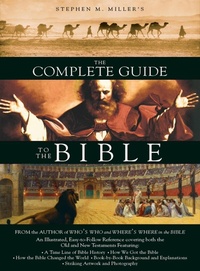
Complete Guide to the Bible
Description
Alles über E-Books | Antworten auf Fragen rund um E-Books, Kopierschutz und Dateiformate finden Sie in unserem Info- & Hilfebereich.
Interesting to read and easy to consult, The Complete Guide to the Bible is a reliable, jargon-free handbook for average people who want to better understand the entire Bible. Captivating writing along with beautifully designed and illustrated pages entice readers into the book and keep them lingering throughout its 512 pages. This latest project from Steve Miller, author of the best-selling Who's Who and Where's Where in the Bible, provides both the big-picture view of the whole Bible and its individual books, as well as fascinating detail on particular passages and topics.
More details
Other editions
Additional editions
Person
Stephen M. Miller is a seminary-educated journalist and bestselling freelance writer. His Who's Who and Where's Where in the Bible won the Retailer's Choice Award as best nonfiction book of the year. The Bible: A History won best nonfiction book of the year in England.

System requirements
File format: ePUB
Copy protection: Adobe-DRM (Digital Rights Management)
System requirements:
- Computer (Windows; MacOS X; Linux): Install the free reader Adobe Digital Editions prior to download (see eBook Help).
- Tablet/smartphone (Android; iOS): Install the free app Adobe Digital Editions or the app PocketBook before downloading (see eBook Help).
- E-reader: Bookeen, Kobo, Pocketbook, Sony, Tolino and many more (not Kindle).
The file format ePub works well for novels and non-fiction books – i.e., „flowing” text without complex layout. On an e-reader or smartphone, line and page breaks automatically adjust to fit the small displays.
This eBook uses Adobe-DRM, a „hard” copy protection. If the necessary requirements are not met, unfortunately you will not be able to open the eBook. You will therefore need to prepare your reading hardware before downloading.
Please note: We strongly recommend that you authorise using your personal Adobe ID after installation of any reading software.
For more information, see our ebook Help page.