

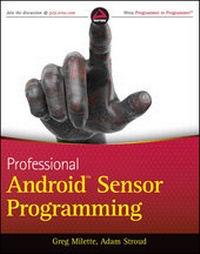
Professional Android Sensor Programming
Published on 17. May 2012
484 pages
978-1-118-22745-9 (ISBN)
Description

Learn to build human-interactive Android apps, starting withdevice sensors
This book shows Android developers how to exploit the rich setof device sensors--locational, physical (temperature,pressure, light, acceleration, etc.), cameras, microphones, andspeech recognition--in order to build fully human-interactiveAndroid applications. Whether providing hands-free directions orchecking your blood pressure, Professional Android SensorProgramming shows how to turn possibility into reality.
The authors provide techniques that bridge the gap betweenaccessing sensors and putting them to meaningful use in real-worldsituations. They not only show you how to use the sensor relatedAPIs effectively, they also describe how to use supporting AndroidOS components to build complete systems. Along the way, theyprovide solutions to problems that commonly occur when usingAndroid's sensors, with tested, real-world examples. Ultimately,this invaluable resource provides in-depth, runnable code examplesthat you can then adapt for your own applications.
* Shows experienced Android developers how to exploit the richset of Android smartphone sensors to build human-interactiveAndroid apps
* Explores Android locational and physical sensors (includingtemperature, pressure, light, acceleration, etc.), as well ascameras, microphones, and speech recognition
* Helps programmers use the Android sensor APIs, use Android OScomponents to build complete systems, and solve commonproblems
* Includes detailed, functional code that you can adapt and usefor your own applications
* Shows you how to successfully implement real-world solutionsusing each class of sensors for determining location, interpretingphysical sensors, handling images and audio, and recognizing andacting on speech
Learn how to write programs for this fascinating aspect ofmobile app development with Professional Android SensorProgramming.
This book shows Android developers how to exploit the rich setof device sensors--locational, physical (temperature,pressure, light, acceleration, etc.), cameras, microphones, andspeech recognition--in order to build fully human-interactiveAndroid applications. Whether providing hands-free directions orchecking your blood pressure, Professional Android SensorProgramming shows how to turn possibility into reality.
The authors provide techniques that bridge the gap betweenaccessing sensors and putting them to meaningful use in real-worldsituations. They not only show you how to use the sensor relatedAPIs effectively, they also describe how to use supporting AndroidOS components to build complete systems. Along the way, theyprovide solutions to problems that commonly occur when usingAndroid's sensors, with tested, real-world examples. Ultimately,this invaluable resource provides in-depth, runnable code examplesthat you can then adapt for your own applications.
* Shows experienced Android developers how to exploit the richset of Android smartphone sensors to build human-interactiveAndroid apps
* Explores Android locational and physical sensors (includingtemperature, pressure, light, acceleration, etc.), as well ascameras, microphones, and speech recognition
* Helps programmers use the Android sensor APIs, use Android OScomponents to build complete systems, and solve commonproblems
* Includes detailed, functional code that you can adapt and usefor your own applications
* Shows you how to successfully implement real-world solutionsusing each class of sensors for determining location, interpretingphysical sensors, handling images and audio, and recognizing andacting on speech
Learn how to write programs for this fascinating aspect ofmobile app development with Professional Android SensorProgramming.
All prices
More details
Other editions
Additional editions
Greg Milette | Adam Stroud
Professional Android Sensor Programming
Book
06/2012
Wrox Press
€47.00
Shipment within 15-20 days
Persons
Greg Milette is a professional Android developer and founder ofGradison Technologies, an app development company. He enjoysbuilding practical apps like Digital Recipe Sidekick andcontributing to StackOverflow.
Adam Stroud is the lead developer for the Android version ofRunKeeper. He is a self-proclaimed "phandroid" and is an activeparticipant in the Android virtual community on StackOverflow andAndroid Google groups.
Adam Stroud is the lead developer for the Android version ofRunKeeper. He is a self-proclaimed "phandroid" and is an activeparticipant in the Android virtual community on StackOverflow andAndroid Google groups.
Content
INTRODUCTION xxvii
PART I: LOCATION SERVICES
CHAPTER 1: INTRODUCING THE ANDROID LOCATION SERVICE 3
CHAPTER 2: DETERMINING A DEVICE'S CURRENT LOCATION 11
CHAPTER 3: TRACKING DEVICE MOVEMENT 27
CHAPTER 4: PROXIMITY ALERTS 45
PART II: INFERRING INFORMATION FROM PHYSICAL SENSORS
CHAPTER 5: OVERVIEW OF PHYSICAL SENSORS 65
CHAPTER 6: ERRORS AND SENSOR SIGNAL PROCESSING 103
CHAPTER 7: DETERMINING DEVICE ORIENTATION 121
CHAPTER 8: DETECTING MOVEMENT 147
CHAPTER 10: ANDROID OPEN ACCESSORY 189
PART III: SENSING THE AUGMENTED, PATTERN-RICH EXTERNAL WORLD
CHAPTER 11: NEAR FIELD COMMUNICATION (NFC) 219
CHAPTER 12: USING THE CAMERA 255
CHAPTER 13: IMAGE-PROCESSING TECHNIQUES 281
CHAPTER 14: USING THE MICROPHONE 303
PART IV: SPEAKING TO ANDROID
CHAPTER 15: DESIGNING A SPEECH-ENABLED APP 333
CHAPTER 16: USING SPEECH RECOGNITION AND TEXT-TO-SPEECH APIS 349
CHAPTER 17: MATCHING WHAT WAS SAID 407
CHAPTER 18: EXECUTING VOICE ACTIONS 441
CHAPTER 19: IMPLEMENTING SPEECH ACTIVATION 471
INDEX 495
PART I: LOCATION SERVICES
CHAPTER 1: INTRODUCING THE ANDROID LOCATION SERVICE 3
CHAPTER 2: DETERMINING A DEVICE'S CURRENT LOCATION 11
CHAPTER 3: TRACKING DEVICE MOVEMENT 27
CHAPTER 4: PROXIMITY ALERTS 45
PART II: INFERRING INFORMATION FROM PHYSICAL SENSORS
CHAPTER 5: OVERVIEW OF PHYSICAL SENSORS 65
CHAPTER 6: ERRORS AND SENSOR SIGNAL PROCESSING 103
CHAPTER 7: DETERMINING DEVICE ORIENTATION 121
CHAPTER 8: DETECTING MOVEMENT 147
CHAPTER 10: ANDROID OPEN ACCESSORY 189
PART III: SENSING THE AUGMENTED, PATTERN-RICH EXTERNAL WORLD
CHAPTER 11: NEAR FIELD COMMUNICATION (NFC) 219
CHAPTER 12: USING THE CAMERA 255
CHAPTER 13: IMAGE-PROCESSING TECHNIQUES 281
CHAPTER 14: USING THE MICROPHONE 303
PART IV: SPEAKING TO ANDROID
CHAPTER 15: DESIGNING A SPEECH-ENABLED APP 333
CHAPTER 16: USING SPEECH RECOGNITION AND TEXT-TO-SPEECH APIS 349
CHAPTER 17: MATCHING WHAT WAS SAID 407
CHAPTER 18: EXECUTING VOICE ACTIONS 441
CHAPTER 19: IMPLEMENTING SPEECH ACTIVATION 471
INDEX 495
