

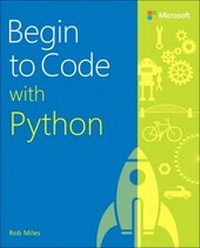
Begin to Code with Python
1st Edition
Published on 21. November 2017
528 pages
978-1-5093-0458-5 (ISBN)
Description

Become a Python programmer-and have fun doing it!
Start writing software that solves real problems, even if you have absolutely no programming experience! This friendly, easy, full-color book puts you in total control of your own learning, empowering you to build unique and useful programs. Microsoft has completely reinvented the beginning programmer's tutorial, reflecting deep research into how today's beginners learn, and why other books fall short. Begin to Code with Python is packed with innovations, from its "Snaps" prebuilt operations to its "Make Something Happen" projects. Whether you're a total beginner or you've tried before, this guide will put the power, excitement, and fun of programming where it belongs: in your hands!
Easy, friendly, and you're in control! Learn how to...
Get, install, and use powerful free tools to create modern Python programs
Learn key concepts from 170 sample programs, and use them to jumpstart your own
Discover exactly what happens when a program runs
Approach program development with a professional perspective
Learn the core elements of the Python language
Build more complex software with classes, methods, and objects
Organize programs so they're easy to build and improve
Capture and respond to user input
Store and manipulate many types of real-world data
Define custom data types to solve specific problems
Create interactive games that are fun to play
Build modern web and cloud-based applications
Use pre-built libraries to quickly create powerful software
Get code samples, including complete apps, at:
https://aka.ms/BegintoCodePython/downloads
About This Book
For absolute beginners who've never written a line of code
For anyone who's been frustrated with other beginning programming books or courses
For people who've started out with other languages and now want to learn Python
Works with Windows PC, Apple Mac, Linux PC, or Raspberry Pi
Includes mapping of MTA exam objectives that are covered in this book, as well as an appendix with further explanation of some of the topics on the exam
Start writing software that solves real problems, even if you have absolutely no programming experience! This friendly, easy, full-color book puts you in total control of your own learning, empowering you to build unique and useful programs. Microsoft has completely reinvented the beginning programmer's tutorial, reflecting deep research into how today's beginners learn, and why other books fall short. Begin to Code with Python is packed with innovations, from its "Snaps" prebuilt operations to its "Make Something Happen" projects. Whether you're a total beginner or you've tried before, this guide will put the power, excitement, and fun of programming where it belongs: in your hands!
Easy, friendly, and you're in control! Learn how to...
Get, install, and use powerful free tools to create modern Python programs
Learn key concepts from 170 sample programs, and use them to jumpstart your own
Discover exactly what happens when a program runs
Approach program development with a professional perspective
Learn the core elements of the Python language
Build more complex software with classes, methods, and objects
Organize programs so they're easy to build and improve
Capture and respond to user input
Store and manipulate many types of real-world data
Define custom data types to solve specific problems
Create interactive games that are fun to play
Build modern web and cloud-based applications
Use pre-built libraries to quickly create powerful software
Get code samples, including complete apps, at:
https://aka.ms/BegintoCodePython/downloads
About This Book
For absolute beginners who've never written a line of code
For anyone who's been frustrated with other beginning programming books or courses
For people who've started out with other languages and now want to learn Python
Works with Windows PC, Apple Mac, Linux PC, or Raspberry Pi
Includes mapping of MTA exam objectives that are covered in this book, as well as an appendix with further explanation of some of the topics on the exam
All prices
More details
Edition
1. Auflage
Language
English
Place of publication
Boston
United States
Publishing group
Microsoft Press,U.S.
Target group
Professional and scholarly
File size
14,76 MB
ISBN-13
978-1-5093-0458-5 (9781509304585)
Copyright in bibliographic data and cover images is held by Nielsen Book Services Limited or by the publishers or by their respective licensors: all rights reserved.
Schweitzer Classification
Other editions
Additional editions
Person
Rob Miles has taught computer programming for over 30 years. A Microsoft MVP for Windows Development, Rob enjoys inspiring programmers at all levels. He writes his own games, programs, and poetry, has consulted on many commercial software projects, and is the author of Begin to Code with C#.
Content
Part 1: Programming fundamentals
Chapter 1 Starting with Python
Chapter 2 Python and Programming
Chapter 3 Python program structure
Chapter 4 Working with variables
Chapter 5 Making decisions in programs
Chapter 6 Repeating actions with loops
Chapter 7 Using functions to simplify programs
Chapter 8 Storing collections of data
Part 2: Advanced programming
Chapter 9 Use classes to store data
Chapter 10 Use classes to create active objects
Chapter 11 Object-based solution design
Chapter 12 Python applications
Part 3: Useful Python (Digital-only)
Chapter 13 Python and Graphical User Interfaces
Chapter 14 Python programs as network clients
Chapter 15 Python programs as network servers
Chapter 16 Create games with pygame
Chapter 1 Starting with Python
Chapter 2 Python and Programming
Chapter 3 Python program structure
Chapter 4 Working with variables
Chapter 5 Making decisions in programs
Chapter 6 Repeating actions with loops
Chapter 7 Using functions to simplify programs
Chapter 8 Storing collections of data
Part 2: Advanced programming
Chapter 9 Use classes to store data
Chapter 10 Use classes to create active objects
Chapter 11 Object-based solution design
Chapter 12 Python applications
Part 3: Useful Python (Digital-only)
Chapter 13 Python and Graphical User Interfaces
Chapter 14 Python programs as network clients
Chapter 15 Python programs as network servers
Chapter 16 Create games with pygame
