

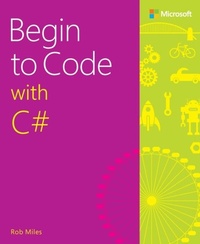
Begin to Code with C#
1st Edition
Published on 31. August 2016
496 pages
978-1-5093-0116-4 (ISBN)
Description

Become a C# programmer-and have fun doing it!
Start writing software that solves real problems, even if you have absolutely no programming experience! This friendly, easy, full-color book puts you in total control of your own learning, empowering you to build unique and useful programs. Microsoft has completely reinvented the beginning programmer's tutorial, reflecting deep research into how today's beginners learn, and why other books fall short. Begin to Code with C# is packed with innovations, from its "Snaps" prebuilt operations to its "Make Something Happen" projects. Whether you're a total beginner or you've tried before, this guide will put the power, excitement, and fun of programming where it belongs: in your hands!
Easy, friendly, and you're in control! Learn how to...
* Get the free tools you need to create modern programs
* Work with 150 sample programs that illustrate important concepts
* Use the sample programs as starting points for your own programs
* Explore exactly what happens when a program runs
* Approach program development with a professional perspective
* Use powerful productivity shortcuts built into Microsoft Visual Studio
* Master classes, interfaces, methods, and other essential concepts
* Organize programs so they're easy to construct and improve
* Capture and respond to user input
* Store and manipulate many types of real-world data
* Create interactive games that are fun to play
* Build modern interfaces your users will love
* Test and debug your code-and avoid problems in the first place
Start writing software that solves real problems, even if you have absolutely no programming experience! This friendly, easy, full-color book puts you in total control of your own learning, empowering you to build unique and useful programs. Microsoft has completely reinvented the beginning programmer's tutorial, reflecting deep research into how today's beginners learn, and why other books fall short. Begin to Code with C# is packed with innovations, from its "Snaps" prebuilt operations to its "Make Something Happen" projects. Whether you're a total beginner or you've tried before, this guide will put the power, excitement, and fun of programming where it belongs: in your hands!
Easy, friendly, and you're in control! Learn how to...
* Get the free tools you need to create modern programs
* Work with 150 sample programs that illustrate important concepts
* Use the sample programs as starting points for your own programs
* Explore exactly what happens when a program runs
* Approach program development with a professional perspective
* Use powerful productivity shortcuts built into Microsoft Visual Studio
* Master classes, interfaces, methods, and other essential concepts
* Organize programs so they're easy to construct and improve
* Capture and respond to user input
* Store and manipulate many types of real-world data
* Create interactive games that are fun to play
* Build modern interfaces your users will love
* Test and debug your code-and avoid problems in the first place
All prices
More details
Edition
1. Auflage
Language
English
Place of publication
Boston
United States
Publishing group
Microsoft Press,U.S.
Target group
Professional and scholarly
File size
17,03 MB
ISBN-13
978-1-5093-0116-4 (9781509301164)
Copyright in bibliographic data and cover images is held by Nielsen Book Services Limited or by the publishers or by their respective licensors: all rights reserved.
Schweitzer Classification
Other editions
Additional editions
Person
Rob Miles has spent more than thirty years teaching programming at the University of Hull in the United Kingdom. He's a Microsoft MVP, with a passion for programming, C#, and creating new things. If he had any spare time, he'd spend it writing even more code. He loves making programs and then running them to see what happens. He reckons that programming is the most creative thing you can learn how to do. He also reckons that in a battle between us and the Martians, we'd win, because we've got Visual Studio and they don't-and there isn't anything better in the universe for building software.
He claims to know a lot of really good jokes, but nobody has ever heard him tell one. If you want an insight into the Wacky World (TM) of Rob Miles, you can read his blog at www.robmiles.com and follow him on Twitter via @RobMiles.
He claims to know a lot of really good jokes, but nobody has ever heard him tell one. If you want an insight into the Wacky World (TM) of Rob Miles, you can read his blog at www.robmiles.com and follow him on Twitter via @RobMiles.
Content
Contents
Introduction
Part 1: Programming fundamentals
1 Starting out
Building a place to work
Getting the tools and demos
Using the tools
What you have learned
2 What is programming?
What makes a programmer?
Programming and party planning
Computers as data processors
Data and information
What you have learned
3 Writing programs
C# program structure
Identify resources
Start a class definition
Declare the StartProgram method
Set the title and display a message
Extra Snaps
Creating new program files
Extra Snaps
Creating your own colors
What you have learned
4 Working with data in a program
Starting with variables
Using a variable in a program
Working with numbers
Working with different types of data
Whole numbers and real numbers in programs
Extra Snaps
What you have learned
5 Making decisions in a program
Understanding the Boolean type
Using if constructions and operators
Creating blocks of statements
Creating complex conditions using logical operators
Adding comments to make a program clearer
Funfair rides and programs
Working with program assets
What you have learned
6 Repeating actions with loops
Using a loop to make a pizza picker
Performing input validation with a while loop
Using Visual Studio to follow the execution of your programs
Counting in a loop to make a times-table tutor
Using a for loop construction
Breaking out of loops
Going back to the top of a loop by using continue
Extra Snaps
What you have learned
7 Using arrays
Have an ice cream
Making an array
Multiple dimensions in arrays
Using arrays as lookup tables
What you have learned
Part 2: Advanced programming
8 Using methods to simplify programs
What makes a method?
Making a tiny contacts app
Adding IntelliSense comments to your methods
What you have learned
9 Creating structured data types
Storing music notes by using a structure
Objects and responsibilities: Making a SongNote play itself
Making a drawing program with Snaps
Creating enumerated types
Making decisions with the switch construction
Extra Snaps
What you have learned
10 Classes and references
Making a time tracker
Structures and classes
From arrays to lists
Storing data using JSON
Fetching data using XML
What you have learned
11 Making solutions with objects
Creating objects with integrity
Managing the object construction process
Saving drawings in files
What you have learned
Part 3: Making games
12 What makes a game?
Creating a video game
What you have learned
13 Creating gameplay
Creating a player-controlled paddle
Adding sound to games
Displaying text in a game
What you have learned
14 Games and object hierarchies
Games and objects: Space Rockets in Space
Designing a class hierarchy
What you have learned
15 Games and software components
Games and objects
What you have learned
Introduction
Part 1: Programming fundamentals
1 Starting out
Building a place to work
Getting the tools and demos
Using the tools
What you have learned
2 What is programming?
What makes a programmer?
Programming and party planning
Computers as data processors
Data and information
What you have learned
3 Writing programs
C# program structure
Identify resources
Start a class definition
Declare the StartProgram method
Set the title and display a message
Extra Snaps
Creating new program files
Extra Snaps
Creating your own colors
What you have learned
4 Working with data in a program
Starting with variables
Using a variable in a program
Working with numbers
Working with different types of data
Whole numbers and real numbers in programs
Extra Snaps
What you have learned
5 Making decisions in a program
Understanding the Boolean type
Using if constructions and operators
Creating blocks of statements
Creating complex conditions using logical operators
Adding comments to make a program clearer
Funfair rides and programs
Working with program assets
What you have learned
6 Repeating actions with loops
Using a loop to make a pizza picker
Performing input validation with a while loop
Using Visual Studio to follow the execution of your programs
Counting in a loop to make a times-table tutor
Using a for loop construction
Breaking out of loops
Going back to the top of a loop by using continue
Extra Snaps
What you have learned
7 Using arrays
Have an ice cream
Making an array
Multiple dimensions in arrays
Using arrays as lookup tables
What you have learned
Part 2: Advanced programming
8 Using methods to simplify programs
What makes a method?
Making a tiny contacts app
Adding IntelliSense comments to your methods
What you have learned
9 Creating structured data types
Storing music notes by using a structure
Objects and responsibilities: Making a SongNote play itself
Making a drawing program with Snaps
Creating enumerated types
Making decisions with the switch construction
Extra Snaps
What you have learned
10 Classes and references
Making a time tracker
Structures and classes
From arrays to lists
Storing data using JSON
Fetching data using XML
What you have learned
11 Making solutions with objects
Creating objects with integrity
Managing the object construction process
Saving drawings in files
What you have learned
Part 3: Making games
12 What makes a game?
Creating a video game
What you have learned
13 Creating gameplay
Creating a player-controlled paddle
Adding sound to games
Displaying text in a game
What you have learned
14 Games and object hierarchies
Games and objects: Space Rockets in Space
Designing a class hierarchy
What you have learned
15 Games and software components
Games and objects
What you have learned
