

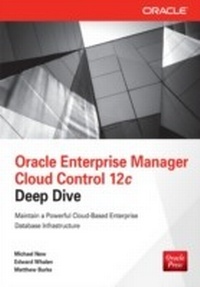
Oracle Enterprise Manager Cloud Control 12c Deep Dive
1st Edition
Published on 23. July 2013
613 pages
978-0-07-179058-1 (ISBN)
Description

Master Oracle Enterprise Manager Cloud Control 12c Achieve peak database efficiency and derive unprecedented value from your corporate assets by implementing an end-to-end cloud computing solution. Oracle Enterprise Manager Cloud Control 12c Deep Dive thoroughly explains best practices for deployment, administration, and monitoring. Learn how to prepare and install Oracle Enterprise Manager Cloud Control 12c, use agents, apply system-wide patches, perform real-time diagnostics, and discover, monitor, and administer hosts, databases, and middleware. Security and select plug-ins are also fully covered in this Oracle Press guide. Install and configure Oracle Enterprise Manager Cloud Control 12c Deploy management agents in one of six available ways Handle security with Cloud Control administrators, roles, and credentials Track performance with SQL monitoring and Active Session History (ASH) analytics Dynamically provision middleware and enterprise applications Work with Oracle Exadata and Oracle Exalogic Elastic Cloud Force policy compliance and employ global change detection Manage and monitor hosts, virtual machines, and server pools
More details
Other editions
Additional editions
Michael New | Edward Whalen | Matthew Burke
Oracle Enterprise Manager Cloud Control 12c Deep Dive
Book
08/2013
McGraw-Hill Professional
€64.36
Article exhausted; check different version
Content
- Cover
- Title Page
- Copyright Page
- About the Authors
- About the Technical Editor
- Contents at a Glance
- Contents
- Acknowledgments
- Introduction
- Part I: Implementing and Maintaining Cloud Control 12c
- Chapter 1: Overview of Cloud Control Architecture
- Architectural Developments from GC 10g to CC 12c
- OEM 11g and 12c Use WLS Whereas OEM 10g Uses AS 10g
- Must Preinstall a Database for the Repository in OEM 11g and 12c
- Cloud Control 12c Components
- Cloud Control Console
- Oracle Management Agent
- Oracle Management Service
- Oracle Management Repository
- Data Flow Between Cloud Control Components
- Summary
- Chapter 2: Cloud Control Preinstallation
- Key Architectural Design Decisions
- Decide How Many Cloud Control Environments to Build
- Make Required CC Architectural Choices
- Network Configuration Steps
- Set Up Host Name Resolution
- Fully Qualify Host Name References
- Host Name Constraints
- Use Static IP Addresses
- Connectivity Checks
- Hardware Requirements
- Software Requirements
- Download and Stage CC and Related Software
- Verify Certification Information
- Create Required OS Groups and Users
- Create Required Directories
- Synchronize OS Timestamps/Time Zones
- Confirm Platform-Specific Software Requirements
- Summary
- Chapter 3: Building a Preconfigured Management Repository Database
- Part I: Build a Database with a Preconfigured Repository
- Perform a Software-only Installation of Oracle Database 11gR2
- Create a Database with the DBCA EM Template
- Part II: Finish Configuring the Repository Database
- Rename CC Datafiles If Using OMF
- Disable Auto Optimizer Statistics Collection
- Set the COMPATIBLE Initialization Parameter
- Create Additional Redo Log Groups If Using OMF
- Confirm Listeners Load Balance Across RAC Nodes
- Check OS Default Locale vs. Database NLS Settings
- Ensure Database Time Zone Matches OS Time Zone
- Implement HugePages (Conditional)
- Enable Flashback Database
- Enable FORCE LOGGING Mode
- Enable Block Change Tracking
- Run the EM Prerequisite Kit in Standalone Mode
- Summary
- Chapter 4: Cloud Control Installation and Configuration
- Preparation for CC Installation
- Gather Needed Installation Information
- Address Installation Bugs
- Initialize the oracle User Environment
- Choose Desired Installer Options
- Installation of a New CC System
- My Oracle Support Details Screen
- Software Updates Screen
- Oracle Inventory Screen
- Prerequisite Checks Screen
- Installation Types Screen
- Installation Details Screen
- Plug-in Deployment Screen
- WebLogic Server Configuration Details Screen
- Database Connection Details Screen
- Repository Configuration Details Screen
- Port Configuration Details Screen
- Review Screen
- Install Progress Screen
- Finish Screen
- Configuration of the New CC System
- Initial Console Setup
- Patch Cloud Control
- Configure OMS and OMR Database Nodes
- Installation of an Additional OMS (Conditional)
- Summary
- Chapter 5: Installing and Configuring Management Agents
- Agent Installation Requirements
- General Agent Requirements
- Agent Deployment Requirements
- Agent Deployment Requirements Summary
- Downloading Agent Software to Cloud Control
- Setting My Oracle Support Credentials
- Setting Up the Software Library
- Configuring Self-Update
- Downloading Agent Software
- Installing Agents Using the Agent Deployment Wizard
- Installing Agents Using the Silent Install
- Synchronize EMCLI with the OMS
- Download the Installer to the Target Host
- Edit the Response File
- Install the Agent Using the Silent Install
- Installing Agents Using the RPM Method
- Synchronize EMCLI with the OMS
- Download the Installer to the Target Host
- Edit the agent.properties File
- Install the Agent
- Installing Agents Using the Agent Cloning Wizard
- Prerequisites
- Installation Using the Agent Cloning Wizard
- Installing Agents Using the Manual Cloning Procedure
- Prerequisites
- Installation Using the Manual Cloning Procedure
- Installing Shared Oracle Home Agents Using the Wizard
- Prerequisites
- Installing the Shared Oracle Home Agent Using the Wizard
- Installing Shared Oracle Home Agents Using AgentNFS.pl
- Prerequisites
- Installing the Shared Oracle Home Agent Using AgentNFS.pl
- Agent Configuration Issues
- Firewall Issues
- Agent Issues
- Summary
- Chapter 6: Cloud Control Console Configuration
- Selecting the Home Page
- Global Menu Items
- The Enterprise Menu
- The Targets Menu
- The Favorites Menu
- The History Menu
- The Setup Menu
- The Help Menu
- The "User" Menu
- Notification Requirements
- Define Notification Methods
- Mail Server
- Other Notification Methods
- Define an E-mail Address for User
- Set Notification Schedules
- Defining Notification Schedules
- Summary
- Chapter 7: Cloud Control Security and User Management
- Administrators
- Administrator
- Repository Owner
- Creating Administrators
- Roles
- Credentials
- Named Credentials
- Preferred Credentials
- Monitoring Credentials
- Privilege Delegation
- Registration Passwords
- Audit Data
- Securing Cloud Control Data Transfer
- EM Framework Security
- Summary
- Chapter 8: Cloud Control Maintenance and Tuning
- Maintaining Cloud Control
- Operational Maintenance
- Physical Maintenance
- Cloud Control Tuning
- Sizing Guidelines
- OMS and OMR System Errors
- Target Metric Collection Errors
- Targets with Down Status
- Critical and Warning Events
- OMR Database Alert Log Errors
- Reorganizing Tables and Indexes
- Cloud Control Metrics
- Summary
- Part II: Cloud Control for Database, System, Storage, and Middleware Administrators
- Chapter 9: DBAs: Manage Databases with Cloud Control
- Oracle Databases Home Screen
- Oracle Database Menu
- Performance
- Oracle Performance Menu
- Availability
- Backup/Recovery Summary
- Data Guard Summary
- Availability Menu
- Schema Tools
- Schema Menu
- Administration Tools
- Administration Menu
- Summary
- Chapter 10: System and Storage Administrators: Manage Infrastructure with Cloud Control
- Host Administration
- Host Home Page
- Host Menu
- Storage Administration
- Viewing Storage History
- Summary
- Chapter 11: Middleware Administrators: Manage Middleware with Cloud Control
- Managing Middleware with Cloud Control
- Discovering Middleware Targets
- Automatic Discovery of Fusion Middleware Targets
- Discovering Targets Manually
- Using the Command Line to Discover Multiple WebLogic Domains
- Discovering New or Modified Domain Members
- Managing Middleware with Cloud Control
- Managing WebLogic Application Deployment
- Monitoring JEE Applications
- Managing WebLogic Server with Cloud Control
- SOA Home
- Web Services Policy Dashboard
- Managing a WebLogic Server Domain
- Proactive Middleware Monitoring
- Managing Cloud Control Metrics
- System Monitoring and Notifications
- Request Monitoring
- Composite Application Dashboard
- Middleware Diagnostics with Cloud Control
- Using the Middleware Target Home Pages for Diagnostics
- Using the Middleware Performance Summary Pages
- The Middleware Diagnostics Advisor
- Diagnosing Problems Related to WebLogic Middleware Alerts
- Transaction Diagnostics and Root-Cause Analysis
- JVM Diagnostics and Application Dependency and Performance Managers
- JVM Diagnostics
- Application Dependency and Performance
- Installing Application Dependency and Performance
- How ADP Monitors Middleware Targets
- Cross-Tier Diagnostics
- Analyzing Heap Snapshots
- Viewing Real-Time Data for a JVM
- Managing JVM Pools
- Tracing Active Threads
- Provisioning Middleware Through Cloud Control 12c
- The Middleware Provisioning Page in EM Cloud Control
- Scaling Up/Scaling Out Oracle Middleware
- Scaling Up and Scaling Out a WebLogic Domain
- Java EE Application Deployment and Undeployment
- Provisioning SOA Artifacts and Composites
- Using Oracle Exalogic Elastic Cloud
- Using the Exalogic Elastic Cloud Discovery Wizard
- Using the Exalogic Elastic Cloud Home Page and Dashboard
- Configuration and Change Management
- Tracking Assets
- Summary
- Part III: Notable Management Packs
- Chapter 12: Lifecycle Management Pack
- Discovery
- Introduction to the Provisioning and Patch Automation
- Configuring the Software Library
- Populating the Software Library with Application Software
- The Procedure Library
- Bare Metal Provisioning
- Setting Up the Bare Metal Provisioning Infrastructure
- Bare Metal Provisioning Deployments
- Database Provisioning
- Middleware Provisioning
- Patching
- Creating a Patch Plan
- Validating and Deploying the Patch Plan
- Linux Patching
- Linux RPM Repository Server Prerequisites
- Create Linux RPM Repository from ULN
- Manage Patching Groups
- Apply Patches
- Manage the RPM Repository
- Configuration Management
- Configuration Searches
- The Configuration Browser
- Configuration History
- Configuration Comparisons
- Other Configuration Activities
- Change Management
- Schema Baselines
- Schema Comparison
- Schema Synchronizations
- Schema Change Plans
- Data Comparison
- Compliance Management
- Compliance and Best Practices
- Real-Time Configuration Monitoring
- Summary
- Chapter 13: Oracle Virtualization Plug-In
- What Is Virtualization?
- Overview of Virtualization Technologies
- Full Software Virtualization
- Hardware-Assisted Software Virtualization
- Paravirtualization
- Hybrid Virtualization Technology
- The Hypervisor
- Introduction to Oracle VM
- History of Oracle VM
- History of Xen
- Components of Oracle VM
- Oracle VM Templates
- Configuring OEM Cloud Control for Oracle VM
- Configure the Oracle Virtualization Plug-in
- Configure Oracle Virtualization Management
- Managing the Oracle VM Manager from OEM Cloud Control
- Managing the VM Manager
- Managing the VM Server Pool
- Managing VM Server
- Managing Virtual Machines from OEM Cloud Control
- Using the VM Guest Screen Menu
- Using the VM Guest Drop-Down Menu
- sSummary
- Index
