

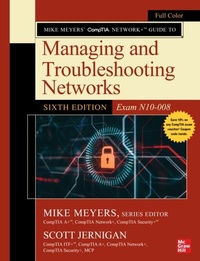
Mike Meyers' CompTIA Network+ Guide to Managing and Troubleshooting Networks, Sixth Edition (Exam N10-008)
1st Edition
Published on 25. March 2022
1270 pages
978-1-264-26904-4 (ISBN)
Available for download
Description

This fully updated four-color textbook is designed for classroom use and covers every topic on the latest version of the challenging CompTIA Network+ exam Written by Mike Meyers, the leading CompTIA certification and training expert, this full-color resource prepares students for the CompTIA Network+ exam and puts you on the path to becoming an expert networking professional. Thoroughly revised for the current version of the CompTIA Network+ exam, the book contains helpful on-the-job advice, hands-on examples, chapter summaries, key terms quizzes, review questions, lab projects, and hundreds of photographs and illustrations.Mike Meyers CompTIA Network+ Guide to Managing and Troubleshooting Networks, Sixth Edition (Exam N10-008) covers the latest concepts and technologies, including basic datacenter, cloud, and virtual networking concepts. Students will learn networking fundamentals and best practices, and networking fundamentals while following the path to becoming an effective networking professional. Special design elements throughout reinforce salient points while preparing you for exam day.Contains 100% coverage of every objective for CompTIA Network+ exam N10-008Online content includes 100 accurate practice questions, a self-assessment practice exam engine, videos and lab simulations from Mike Meyers, and on-the-job tools and utilitiesWritten by CompTIA certification and training guru Mike MeyersInstructor materials and answer keys are available to adopting instructors through your McGraw Hill sales representative (answers are not printed in the book)
More details
Other editions
Additional editions
Mike Meyers | Scott Jernigan
Mike Meyers' CompTIA Network+ Guide to Managing and Troubleshooting Networks, Sixth Edition (Exam N10-008)
Book
04/2022
6th Edition
McGraw-Hill Education
€192.00
Shipment within 15-20 days
Content
- Cover
- About the Series Editor
- Title Page
- Copyright Page
- Acknowledgments
- Dedication
- About this Book
- Contents at a Glance
- Contents
- Preface
- Introduction
- Additional Resources For Teachers
- Chapter 1 Network Models
- Historical/Conceptual
- Working with Models
- Biography of a Model
- Network Models
- The OSI Seven-Layer Model on a Simple Network
- Welcome to MHTechEd!
- Test Specific
- Let's Get Physical-Network Hardware and Layers 1-2
- Beyond the Single Wire-Network Software and Layers 3-7
- The OSI Seven-Layer Model and Remote Work
- Chapter 1 Review
- Chapter 2 Cabling and Topology
- Test Specific
- Network Topologies
- Bus and Ring
- Star
- Hybrid
- Mesh
- Parameters of a Topology
- Cabling and Connectors
- Copper Cabling and Connectors
- Fiber-Optic Cabling and Connectors
- Fire Ratings
- Networking Industry Standards-IEEE
- Chapter 2 Review
- Chapter 3 Ethernet Basics
- Historical/Conceptual
- Ethernet
- 802.3 Standards
- Test Specific
- Ethernet Frames
- Early Ethernet Standards
- Bus Ethernet
- 10BASE-T
- 10BASE-FL
- CSMA/CD
- Enhancing and Extending Ethernet Networks
- The Trouble with Hubs
- Switches to the Rescue
- Connecting Ethernet Segments
- Troubleshooting Switches
- Chapter 3 Review
- Chapter 4 Ethernet Standards
- Test Specific
- 100-Megabit Ethernet
- 100BASE-T
- 100BASE-FX
- 100BASE-SX
- Full-Duplex Ethernet
- Gigabit Ethernet
- 1000BASE-SX
- 1000BASE-LX
- SFF Fiber Connectors
- Mechanical Connection Variations
- Implementing Multiple Types of Gigabit Ethernet
- Ethernet Evolutions
- 10 Gigabit Ethernet
- Chapter 4 Review
- Chapter 5 Installing a Physical Network
- Historical/Conceptual
- Understanding Structured Cabling
- Cable Basics-A Star Is Born
- Test Specific
- Structured Cable-Network Components
- Structured Cable-Beyond the Star
- Demarc
- Installing Structured Cabling
- Getting a Floor Plan
- Mapping the Runs
- Determining the Location of the Telecommunications Room
- Pulling Cable
- Making Connections
- Testing the Cable Runs
- NICs
- Buying NICs
- Link Lights
- Diagnostics and Repair of Physical Cabling
- Diagnosing Physical Problems
- Check Your Lights
- Check the NIC
- Cable Testing
- Problems in the Telecommunications Room
- Toners
- Chapter 5 Review
- Chapter 6 TCP/IP Basics
- Historical/Conceptual
- Test Specific
- The TCP/IP Protocol Suite
- Network Layer Protocols
- Transport Layer Protocols
- Application Layer Protocols
- IP and Ethernet
- IP Addresses
- IP Addresses in Action
- Class IDs
- CIDR and Subnetting
- Subnetting
- CIDR: Key Takeaways
- IP Address Assignment
- Static IP Addressing
- Dynamic IP Addressing
- Special IP Addresses
- Chapter 6 Review
- Chapter 7 Routing
- Historical/Conceptual
- How Routers Work
- Test Specific
- Routing Tables
- Freedom from Layer 2
- Network Address Translation
- Dynamic Routing
- Routing Metrics
- Distance Vector and Path Vector
- Link State
- EIGRP
- Dynamic Routing Makes the Internet
- Route Redistribution and Administrative Distance
- Working with Routers
- Connecting to Routers
- Basic Router Configuration
- Router Problems
- Chapter 7 Review
- Chapter 8 TCP/IP Applications
- Historical/Conceptual
- Transport Layer and Network Layer Protocols
- How People Communicate
- Test Specific
- TCP
- UDP
- ICMP
- IGMP
- The Power of Port Numbers
- Registered Ports
- Connection Status
- Rules for Determining Good vs. Bad Communications
- Common TCP/IP Applications
- Telnet and SSH
- SQL
- FTP
- HTTP and HTTPS
- TCP/IP Applications Chart
- Beyond Network+
- Other Layer 7 Applications
- Chapter 8 Review
- Chapter 9 Network Naming
- Historical/Conceptual
- Before DNS
- NetBIOS
- hosts
- Test Specific
- DNS
- How DNS Works
- Administering DNS Servers
- Troubleshooting DNS on Clients
- Diagnosing TCP/IP Network Issues
- Chapter 9 Review
- Chapter 10 Securing TCP/IP
- Historical/Conceptual
- Making TCP/IP Secure
- Encryption
- Integrity
- Nonrepudiation
- Test Specific
- Authentication
- Authorization
- TCP/IP Security Standards
- User Authentication Standards
- Encryption Standards
- Combining Authentication and Encryption
- Secure TCP/IP Applications
- HTTPS
- Securing E-Mail Protocols
- SCP
- SFTP
- SNMP
- LDAP
- NTP
- Chapter 10 Review
- Chapter 11 Switch Features
- Test Specific
- Switch Management
- Access Management
- Port Configuration
- Port Security
- Virtual LANs
- Trunking
- Configuring a VLAN-Capable Switch
- Assigning VLANs and Tagging
- VLAN Trunking Protocol
- Inter-VLAN Routing
- DHCP and VLANs
- Voice VLANs
- Private VLANs
- Troubleshooting VLANs
- Multilayer Switches
- Load Balancing
- QoS and Traffic Shaping
- Port Bonding
- Network Protection
- Chapter 11 Review
- Chapter 12 IPv6
- Test Specific
- IPv6 Concepts
- IPv6 Addresses
- Neighbor Discovery
- IPv6 Implementations
- Stateless Address Autoconfiguration (SLAAC)
- Aggregation
- IPv6 and DNS
- Moving to IPv6
- IPv4 and IPv6
- Transition Mechanisms
- Chapter 12 Review
- Chapter 13 WAN Connectivity
- Historical/Conceptual
- WAN Technologies
- SONET
- Test Specific
- Fiber Improvements
- Private WANs
- Last-Mile Technologies
- DSL
- Broadband Cable
- Satellite
- Fiber
- Cellular WAN
- Which Connection?
- Remote Access
- Remote Terminal
- Virtual Private Networks
- WAN Troubleshooting Scenarios
- Loss of Internet Connectivity
- Interface Errors
- DNS Issues
- Interference
- Chapter 13 Review
- Chapter 14 Wireless Networking
- Historical/Conceptual
- Test Specific
- Wi-Fi Standards
- 802.11
- 802.11b
- 802.11a
- 802.11g
- 802.11n
- 802.11ac
- 802.11ax
- WPS
- Wi-Fi Security
- Enterprise Wireless
- Implementing Wi-Fi
- Performing a Site Survey
- Installing the Client
- Setting Up an Ad Hoc Network
- Setting Up an Infrastructure Network
- Extending the Network
- Verifying the Installation
- Troubleshooting Wi-Fi
- No Connection
- Slow Connection
- Weird Connection
- Chapter 14 Review
- Chapter 15 Virtualization and Cloud Computing
- Test Specific
- Virtualization and Cloud Computing Concepts
- Virtualization
- Cloud Computing
- Infrastructure as Code
- Virtual Networking
- Putting Network Virtualization and Cloud Computing to Work
- Setting Up Rocket.Chat in a Local Hypervisor
- Managing Cloud Resources
- Setting Up Rocket.Chat on IaaS
- Desktop as a Service
- Interconnecting Local and Cloud Resources
- Chapter 15 Review
- Chapter 16 Data Centers
- Test Specific
- Classic Data Center Architecture and Design
- Tiers
- Traffic Flows
- Data Storage
- Where Is the Classic Data Center?
- The Modern Data Center
- Virtualization
- Software-Defined Networking
- Spine and Leaf
- High Availability in the Data Center
- Load Balancing
- Redundancy
- Facilities and Infrastructure Support
- Documenting the Data Center
- Network Diagrams
- Baseline Configurations
- Assessments
- Chapter 16 Review
- Chapter 17 Integrating Network Devices
- Test Specific
- Internet of Things
- IoT Home Automation
- IoT Home Security
- IoT Communications Technologies
- Hardening IoT Devices
- Unified Communication
- It Started with VoIP
- Unified Communication Features
- VTC and Medianets
- UCaaS
- ICS
- DCS
- PLC
- SCADA
- Chapter 17 Review
- Chapter 18 Network Operations
- Test Specific
- Risk Management
- Hardening and Security Policies
- Change Management
- Patching and Updates
- Training
- Common Agreements
- Security Preparedness
- Contingency Planning
- Incident Response
- Disaster Recovery
- Business Continuity
- Forensics
- Chapter 18 Review
- Chapter 19 Protecting Your Network
- Test Specific
- Security Concepts
- CIA
- Zero Trust
- Defense in Depth
- Separation of Duties
- Network Threats
- Threat Terminology
- Spoofing
- Packet/Protocol Abuse
- Zero-Day Attacks
- Rogue Devices
- ARP Cache Poisoning
- Denial of Service
- On-Path Attack
- Session Hijacking
- Password Attacks
- Physical/Local Access
- Malware
- Social Engineering
- Common Vulnerabilities
- Unnecessary Running Services
- Unpatched/Legacy Systems
- Unencrypted Channels
- Cleartext Credentials
- RF Emanation
- Hardening Your Network
- Physical Security
- Network Security
- Device Hardening
- Host Security
- Firewalls
- Types of Firewalls
- Implementing and Configuring Firewalls
- Troubleshooting Firewalls
- Chapter 19 Review
- Chapter 20 Network Monitoring
- Test Specific
- SNMP
- Monitoring Tools
- Packet Sniffers
- Protocol Analyzers
- Sensors
- Interface Monitors
- Performance Monitors
- Putting It All Together
- Scenario: Monitoring and Managing
- SIEM
- Chapter 20 Review
- Chapter 21 Network Troubleshooting
- Test Specific
- Troubleshooting Tools
- Hardware Tools
- Software Tools
- The Troubleshooting Process
- Identify the Problem
- Establish a Theory of Probable Cause
- Test the Theory to Determine the Cause
- Establish a Plan of Action and Identify Potential Effects
- Implement the Solution or Escalate as Necessary
- Verify Full System Functionality and Implement Preventive Measures
- Document Findings, Actions, Outcomes, and Lessons Learned
- Resolving Common Network Service Issues
- "We Can't Access Our Web Server in Istanbul!"
- Network Troubleshooting Considerations
- Hands-On Problems
- Nearby Problems
- Far-flung Problems
- Network Performance Issues
- Troubleshooting Is Fun!
- Chapter 21 Review
- Appendix A Exam Objective Map
- Exam N10-008
- Appendix B Create Your Study Plan
- Review Your Overall Score
- Review Your Score by CompTIA Network+ Exam Domain
- Appendix C About the Online Content
- System Requirements
- Your Total Seminars Training Hub Account
- Privacy Notice
- Single User License Terms and Conditions
- TotalTester Online
- Pre-Assessment
- Create Your Study Plan
- Playing the CompTIA Network+ Introduction Video
- Mike's CompTIA Network+ Video Training Sample
- TotalSims Sample for CompTIA Network+
- Mike's Cool Tools
- Technical Support
- Glossary
- Index

